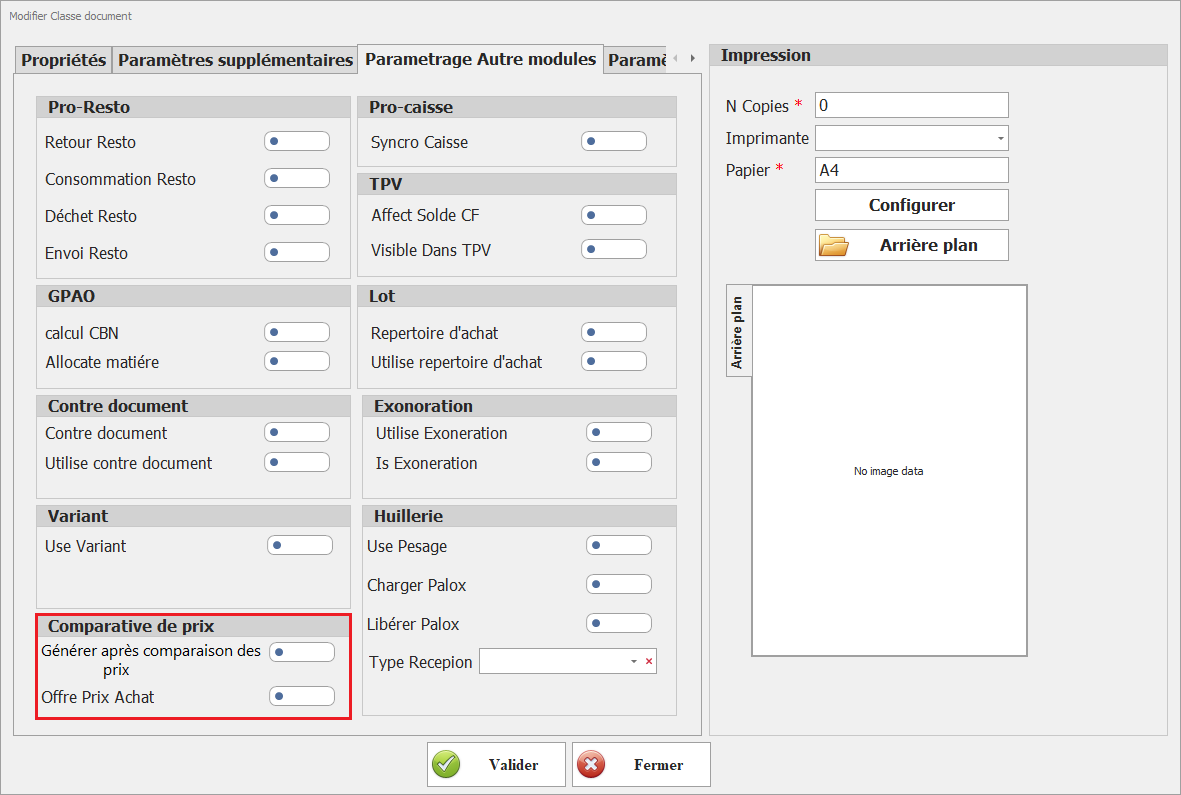
# Paramétrage Classe Document

Paramètre\Configuration des Pièces Pour faciliter votre compréhension et vous aider à tirer le meilleur parti de Dux ERP, nous allons détailler chaque paramètre individuellement dans les sections suivantes.

# Propriétés

**<span style="font-size: 12.0pt; font-family: 'Times New Roman',serif; mso-fareast-font-family: 'Times New Roman'; mso-fareast-language: FR;">  
</span>**

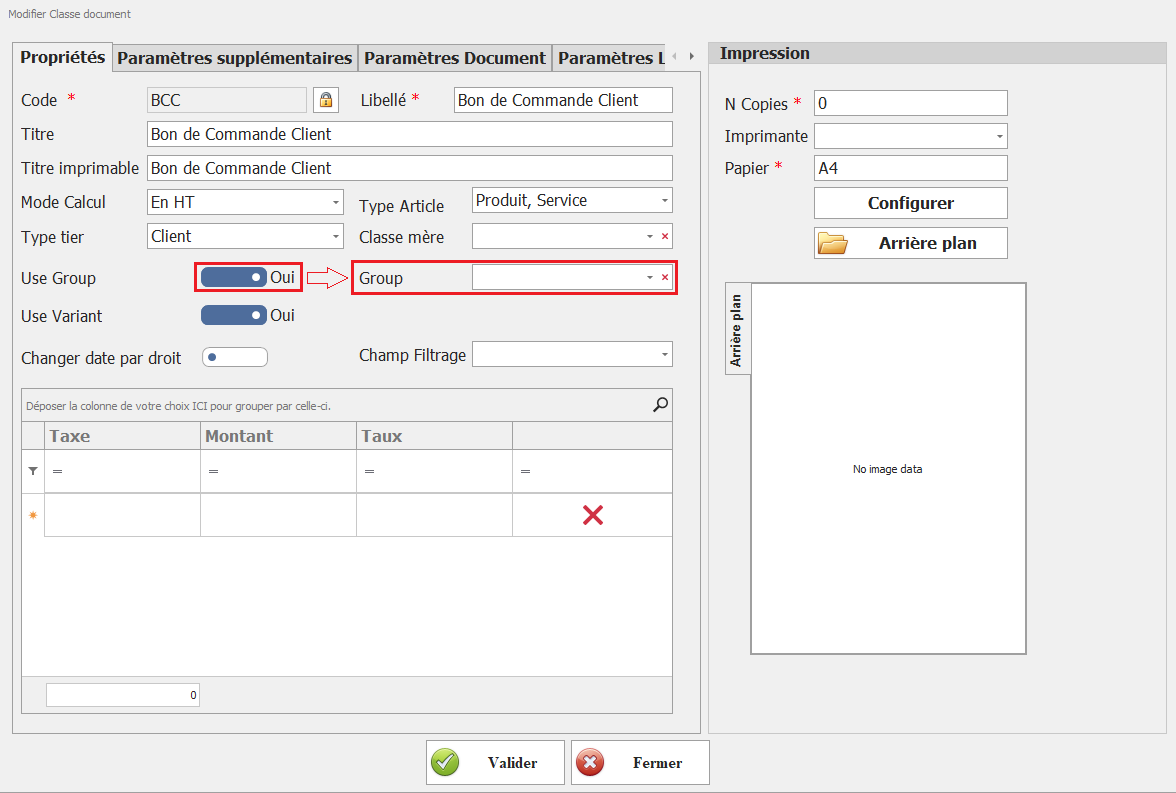
[![image.png](https://help.asmpos.com/uploads/images/gallery/2026-04/scaled-1680-/wTWimage.png)](https://help.asmpos.com/uploads/images/gallery/2026-04/wTWimage.png)

**<span style="font-size: 12.0pt; font-family: 'Times New Roman',serif; mso-fareast-font-family: 'Times New Roman'; mso-fareast-language: FR;">  
<span dir="auto" style="vertical-align: inherit;"><span dir="auto" style="vertical-align: inherit;">1- Code</span></span></span>**

<span style="font-size: 12.0pt; font-family: 'Times New Roman',serif; mso-fareast-font-family: 'Times New Roman'; mso-fareast-language: FR;"><span dir="auto" style="vertical-align: inherit;"><span dir="auto" style="vertical-align: inherit;">Champ unique permettant d'identifier la classe du document. Il s'agit d'un code alphanumérique défini par l'utilisateur, utilisé pour distinguer chaque type de document dans l'ERP.</span></span></span>

**<span style="font-size: 12.0pt; font-family: 'Times New Roman',serif; mso-fareast-font-family: 'Times New Roman'; mso-fareast-language: FR;"><span dir="auto" style="vertical-align: inherit;"><span dir="auto" style="vertical-align: inherit;">2- Libellé</span></span></span>**

<span style="font-size: 12.0pt; font-family: 'Times New Roman',serif; mso-fareast-font-family: 'Times New Roman'; mso-fareast-language: FR;"><span dir="auto" style="vertical-align: inherit;"><span dir="auto" style="vertical-align: inherit;">Nom de la classe de document. Ce champ permet de donner un titre clair et compréhensible à la classe, facilitant ainsi son identification dans les différentes interfaces du logiciel.</span></span></span>

**<span dir="auto" style="vertical-align: inherit;"><span dir="auto" style="vertical-align: inherit;">3- Titre </span></span>**

<span dir="auto" style="vertical-align: inherit;"><span dir="auto" style="vertical-align: inherit;">Titre associé à la classe de document, souvent utilisé pour des affichages internes dans l'ERP. Il peut être différent du libellé et peut servir à préciser davantage le rôle du document.</span></span>

**<span dir="auto" style="vertical-align: inherit;"><span dir="auto" style="vertical-align: inherit;">4- Titre Imprimable</span></span>**

<span dir="auto" style="vertical-align: inherit;"><span dir="auto" style="vertical-align: inherit;">Titre qui apparaîtra sur l'impression du document (exemple : Facture, Devis, Bon de Livraison). Ce champ permet de personnaliser l'affichage du titre sur les impressions officielles.</span></span>

**<span dir="auto" style="vertical-align: inherit;"><span dir="auto" style="vertical-align: inherit;">5- Mode de calcul</span></span>**

<span dir="auto" style="vertical-align: inherit;"><span dir="auto" style="vertical-align: inherit;">Champ sous forme de menu déroulant permettant de définir si les montants des documents sont exprimés </span></span><span style="text-decoration: underline;">*<span dir="auto" style="vertical-align: inherit;"><span dir="auto" style="vertical-align: inherit;">Hors Taxes (HT)</span></span>*</span><span dir="auto" style="vertical-align: inherit;"><span dir="auto" style="vertical-align: inherit;"> ou </span></span><span style="text-decoration: underline;">*<span dir="auto" style="vertical-align: inherit;"><span dir="auto" style="vertical-align: inherit;">Toutes Taxes Compris (TTC)</span></span>*</span><span dir="auto" style="vertical-align: inherit;"><span dir="auto" style="vertical-align: inherit;"> .</span></span>

- **<span dir="auto" style="vertical-align: inherit;"><span dir="auto" style="vertical-align: inherit;">HT</span></span>**<span dir="auto" style="vertical-align: inherit;"><span dir="auto" style="vertical-align: inherit;"> : Les montants sont enregistrés sans taxe, la TVA est ajoutée séparément.</span></span>
- **<span dir="auto" style="vertical-align: inherit;"><span dir="auto" style="vertical-align: inherit;">TTC</span></span>**<span dir="auto" style="vertical-align: inherit;"><span dir="auto" style="vertical-align: inherit;"> : Les montants incluent déjà la TVA.</span></span>

**<span dir="auto" style="vertical-align: inherit;"><span dir="auto" style="vertical-align: inherit;">6- Niveaux de type</span></span>**

<span dir="auto" style="vertical-align: inherit;"><span dir="auto" style="vertical-align: inherit;">Permet de définir à quel type de tiers (clients, fournisseurs, prospect…) s'applique cette classe de document. Ce paramètre influence les options et les règles applicables aux documents générés.</span></span>

<span style="color: rgb(0, 0, 0);">**<span dir="auto" style="vertical-align: inherit;"><span dir="auto" style="vertical-align: inherit;">7- code TTN :</span></span>**</span>

<span style="color: rgb(0, 0, 0);"><span dir="auto" style="vertical-align: inherit;"><span dir="auto" style="vertical-align: inherit;">champ réservé à l’utilisation dans le cadre de la facturation électronique</span></span></span>

**<span dir="auto" style="vertical-align: inherit;"><span dir="auto" style="vertical-align: inherit;"><span dir="auto" style="vertical-align: inherit;"><span dir="auto" style="vertical-align: inherit;">8-Type d'article</span></span></span></span>**

<span dir="auto" style="vertical-align: inherit;"><span dir="auto" style="vertical-align: inherit;">Définit les types d'articles qui peuvent être associés à cette classe de document (produits, services, matières premières, etc.). Ce paramètre permet de filtrer les articles lors de la création des documents.</span></span>

**<span dir="auto" style="vertical-align: inherit;"><span dir="auto" style="vertical-align: inherit;">9- classe Mère</span></span>**

<span dir="auto" style="vertical-align: inherit;"><span dir="auto" style="vertical-align: inherit;">Ce champ permet de lier une classe de document à une autre en tant que référence principale. Il est utilisé pour structurer les documents et établir une hiérarchie entre eux, facilitant ainsi la gestion des variantes et des déclinaisons de documents.</span></span>

**<span style="font-size: 12.0pt; font-family: 'Times New Roman',serif; mso-fareast-font-family: 'Times New Roman'; mso-fareast-language: FR;"><span dir="auto" style="vertical-align: inherit;"><span dir="auto" style="vertical-align: inherit;">Groupe d'utilisation</span></span>  
</span>**

<span dir="auto" style="vertical-align: inherit;"><span dir="auto" style="vertical-align: inherit;">Cette option permet d'activer ou de désactiver l'utilisation des groupes de niveaux pour ce document de classe. La sélection des groupes spécifiques se fait ensuite via l'option </span></span>**<span style="font-family: 'Calibri',sans-serif; mso-ascii-theme-font: minor-latin; mso-hansi-theme-font: minor-latin; mso-bidi-font-family: 'Times New Roman'; mso-bidi-theme-font: minor-bidi;"><span dir="auto" style="vertical-align: inherit;"><span dir="auto" style="vertical-align: inherit;">Groupe</span></span></span>**<span dir="auto" style="vertical-align: inherit;"><span dir="auto" style="vertical-align: inherit;"> .</span></span>

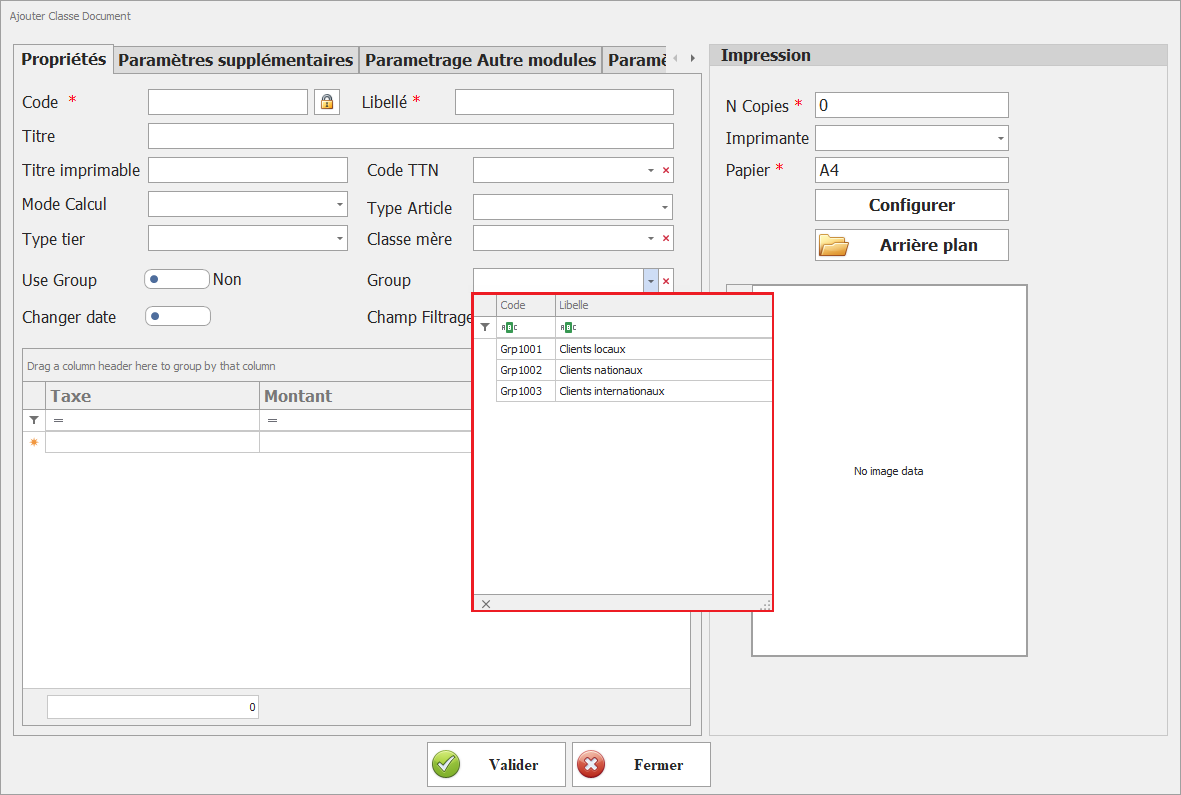
<span style="font-size: 12.0pt; font-family: 'Times New Roman',serif; mso-fareast-font-family: 'Times New Roman'; mso-fareast-language: FR; mso-no-proof: yes;">[![Utilisez groupe.PNG](https://help.asmpos.com/uploads/images/gallery/2024-08/scaled-1680-/use-groupe.PNG)](https://help.asmpos.com/uploads/images/gallery/2024-08/use-groupe.PNG)</span>

**<span style="font-size: 12.0pt; font-family: 'Times New Roman',serif; mso-fareast-font-family: 'Times New Roman'; mso-fareast-language: FR;"><span dir="auto" style="vertical-align: inherit;"><span dir="auto" style="vertical-align: inherit;">Groupe</span></span></span>**

<span dir="auto" style="vertical-align: inherit;"><span dir="auto" style="vertical-align: inherit;">Spécifier quels groupes de niveaux peuvent être utilisés avec ce document de classe. Cela permet de contrôler les groupes de niveaux autorisés pour cette classe.</span></span>

[![image.png](https://help.asmpos.com/uploads/images/gallery/2026-04/scaled-1680-/2QKimage.png)](https://help.asmpos.com/uploads/images/gallery/2026-04/2QKimage.png)

<span style="font-size: 12.0pt; font-family: 'Times New Roman',serif; mso-fareast-font-family: 'Times New Roman'; mso-fareast-language: FR; mso-no-proof: yes;">  
</span>

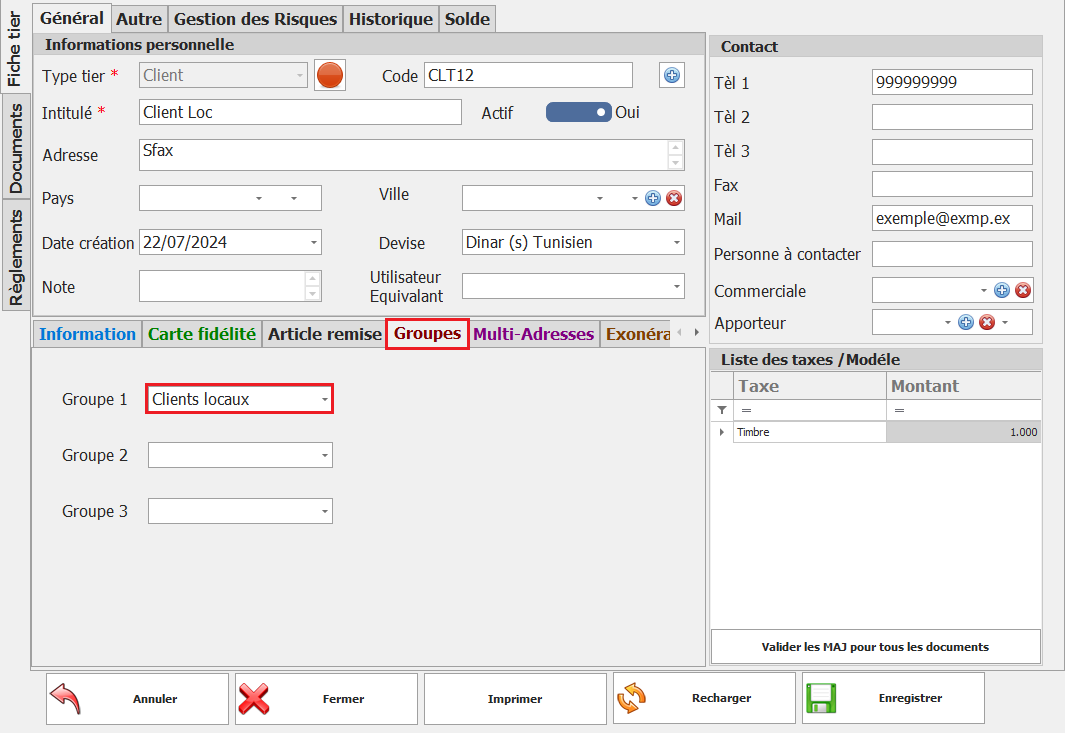
<span dir="auto" style="vertical-align: inherit;"><span dir="auto" style="vertical-align: inherit;">Pour attribuer des niveaux à des groupes, utilisez les options de gestion des groupes de niveaux dans la fiche niveaux.</span></span>

<span style="mso-no-proof: yes;">![assigner des niveaux à des groupes.PNG](https://help.asmpos.com/uploads/images/gallery/2024-08/assigner-des-tiers-a-des-groupes.PNG)</span>

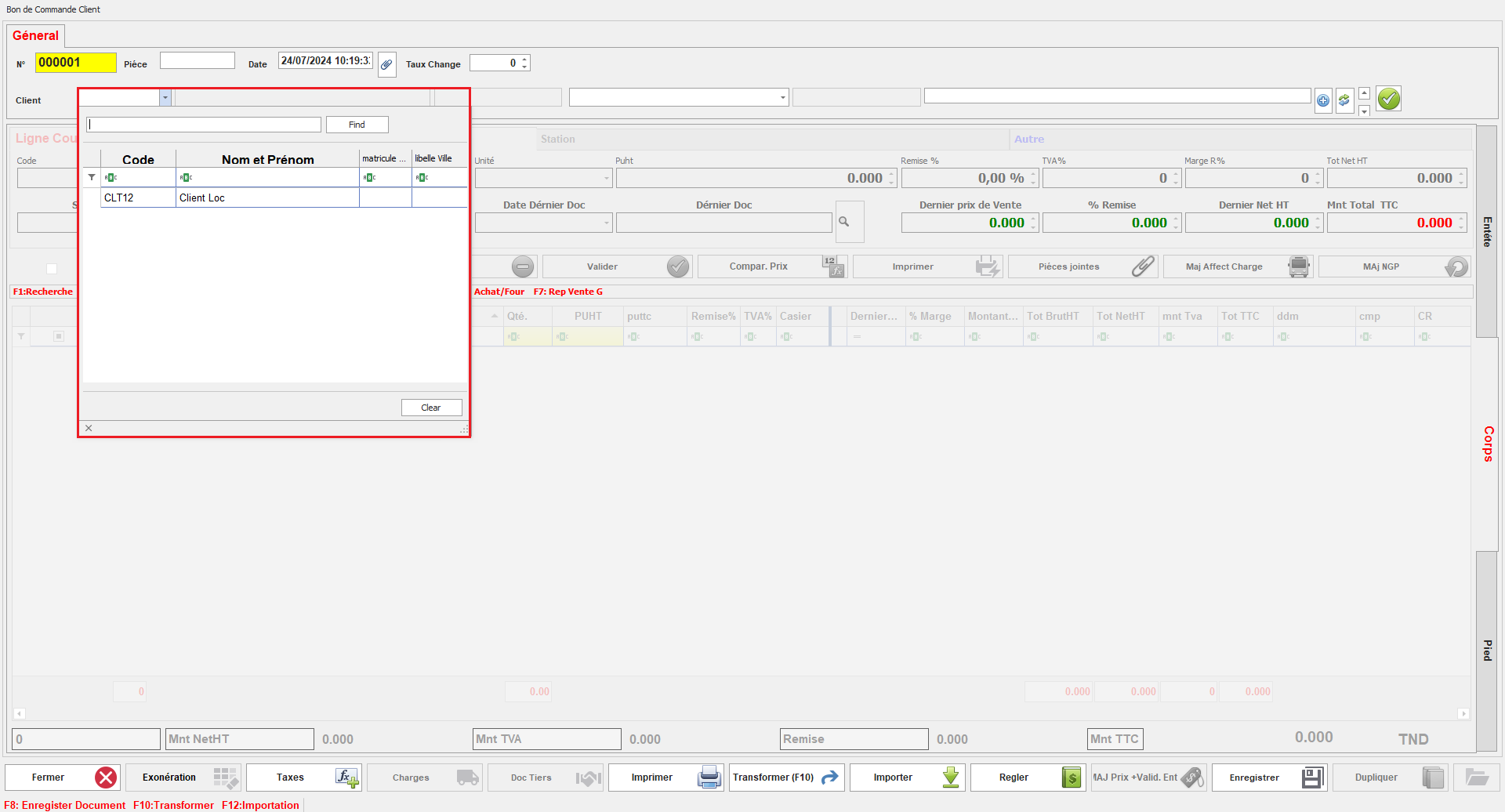
<span dir="auto" style="vertical-align: inherit;"><span dir="auto" style="vertical-align: inherit;">Une fois la classe document configurée, l'utilisateur pourra sélectionner des niveaux uniquement parmi ceux appartenant aux groupes sélectionnés pour cette classe document. Cela garantit que les niveaux disponibles pour chaque document sont limités aux groupes spécifiés, offrant ainsi un meilleur contrôle et une gestion plus cohérente.</span></span>

<span style="mso-no-proof: yes;">![niveaux dispo.png](https://help.asmpos.com/uploads/images/gallery/2024-08/tiers-dispo.png)</span>

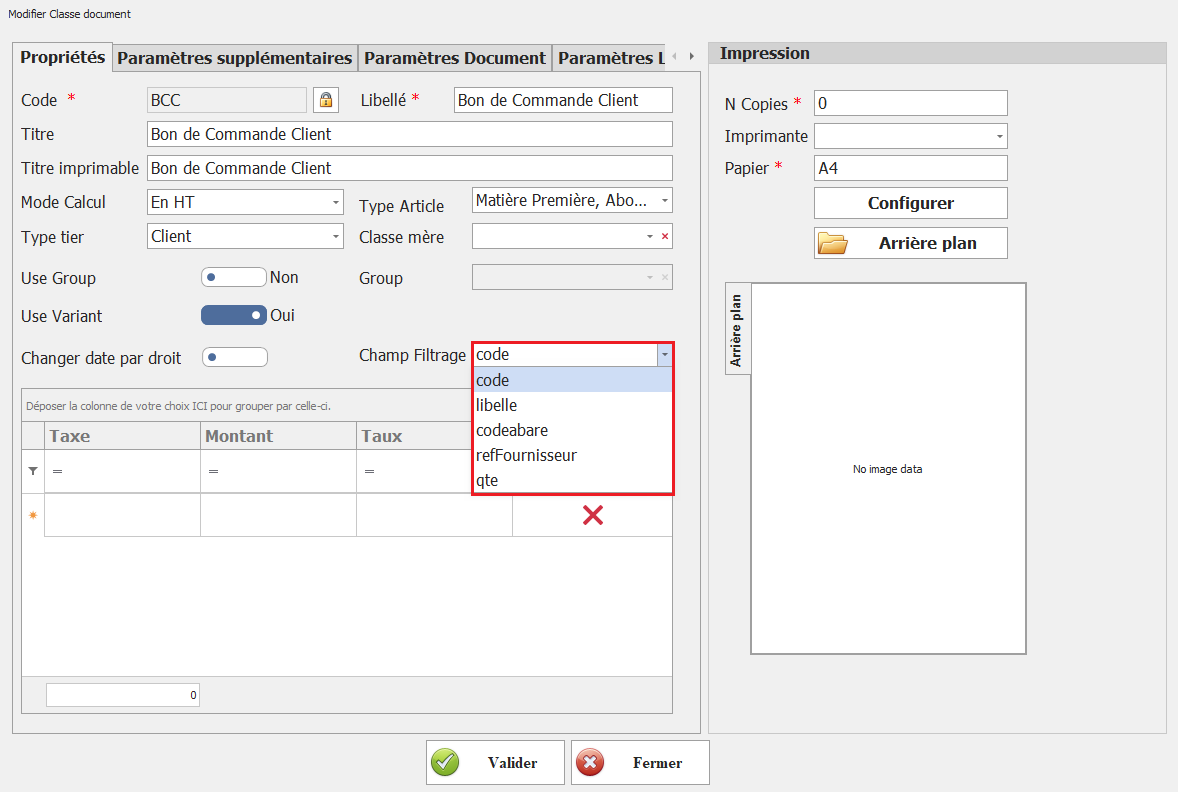
**<span style="font-size: 12.0pt; line-height: 107%; font-family: 'Times New Roman',serif; mso-fareast-font-family: 'Times New Roman'; mso-fareast-language: FR;"><span dir="auto" style="vertical-align: inherit;"><span dir="auto" style="vertical-align: inherit;">Champ Filtrage</span></span></span>**

<span dir="auto" style="vertical-align: inherit;"><span dir="auto" style="vertical-align: inherit;">Définissez le champ sur lequel sera effectué la recherche dans cette classe document.</span></span>

**<span style="font-size: 12.0pt; line-height: 107%; font-family: 'Times New Roman',serif; mso-fareast-font-family: 'Times New Roman'; mso-fareast-language: FR; mso-no-proof: yes;">![filigrane de champ.png](https://help.asmpos.com/uploads/images/gallery/2024-08/champ-filgrage.png)</span>**

<span dir="auto" style="vertical-align: inherit;"><span dir="auto" style="vertical-align: inherit;">Ce paramètre détermine le critère utilisé pour filtrer les articles, permettant ainsi à l'utilisateur d'affiner les résultats de recherche selon le champ spécifié.</span></span>

**<span style="font-size: 12.0pt; line-height: 107%; font-family: 'Times New Roman',serif; mso-fareast-font-family: 'Times New Roman'; mso-fareast-language: FR; mso-no-proof: yes;">![Document de filtrage.PNG](https://help.asmpos.com/uploads/images/gallery/2024-08/filtrage-doc.PNG)</span>**

# Paramètres supplémentaires

##### **I. Utilise Projet** 

[![image.png](https://help.asmpos.com/uploads/images/gallery/2026-04/scaled-1680-/ffZimage.png)](https://help.asmpos.com/uploads/images/gallery/2026-04/ffZimage.png)
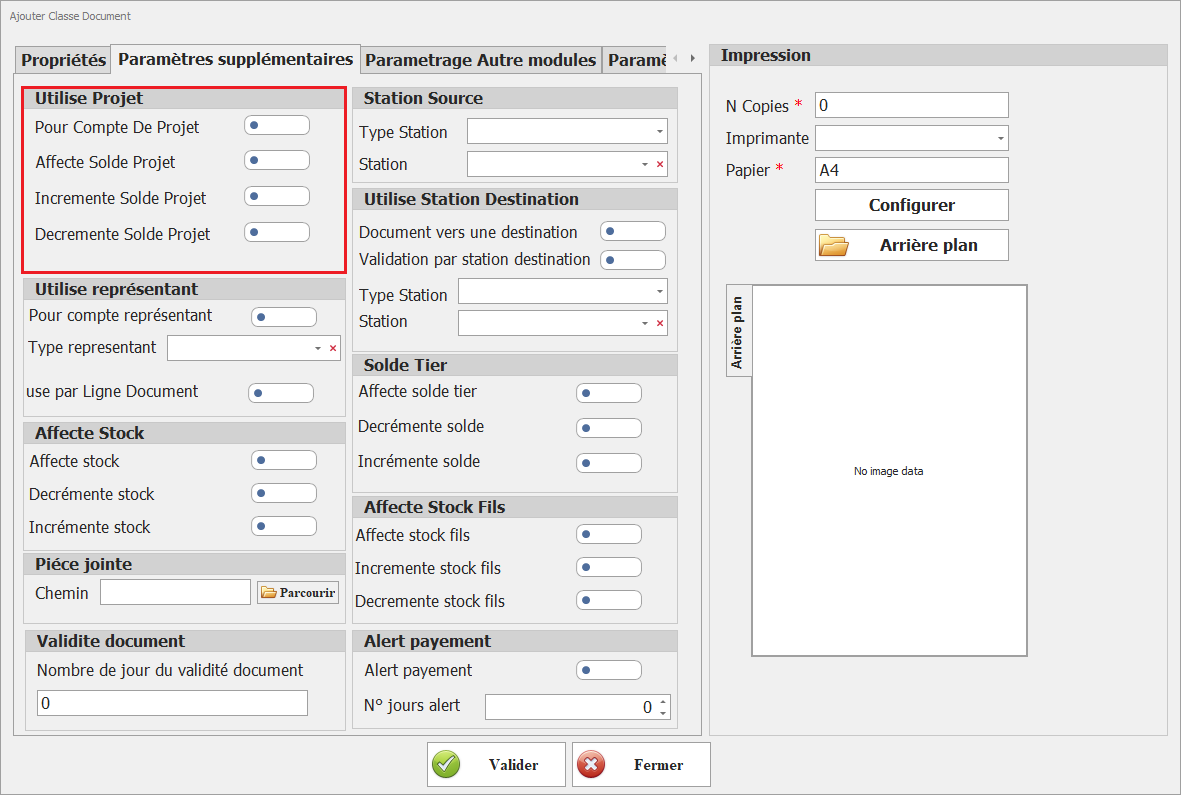
- **<span style="font-size: 12.0pt; line-height: 107%; font-family: 'Times New Roman',serif; mso-fareast-font-family: 'Times New Roman'; mso-fareast-language: FR;">Pour Compte De Projet</span>**

Sélectionnez cette option pour activer le paramétrage des projets pour cette classe document.

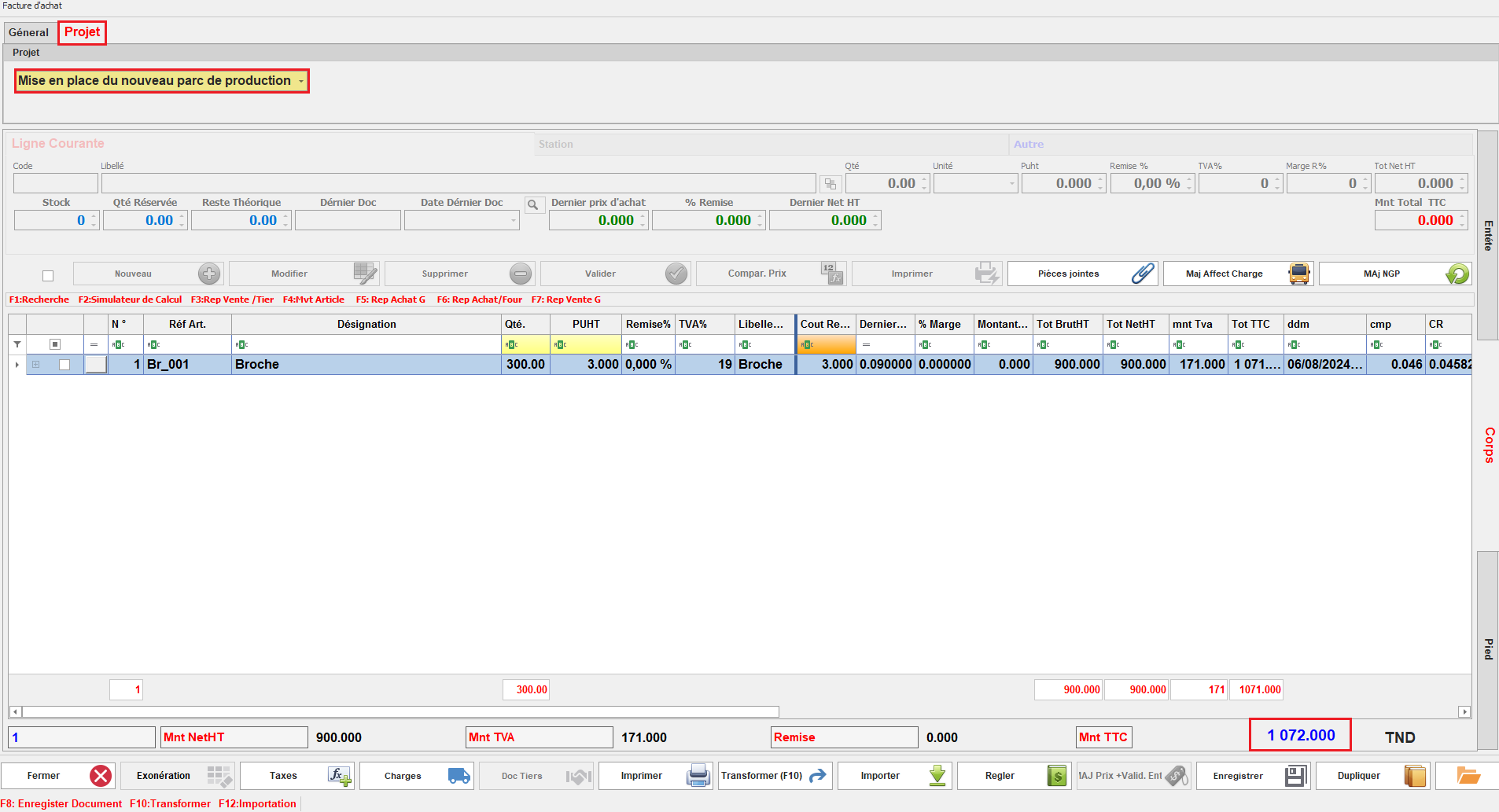
En activant cette option, l'onglet Projet apparaît dans la classe document, permettant à l'utilisateur de choisir le projet à associer avec le document. Cela facilite l'association des documents aux projets et le suivi des activités liées.
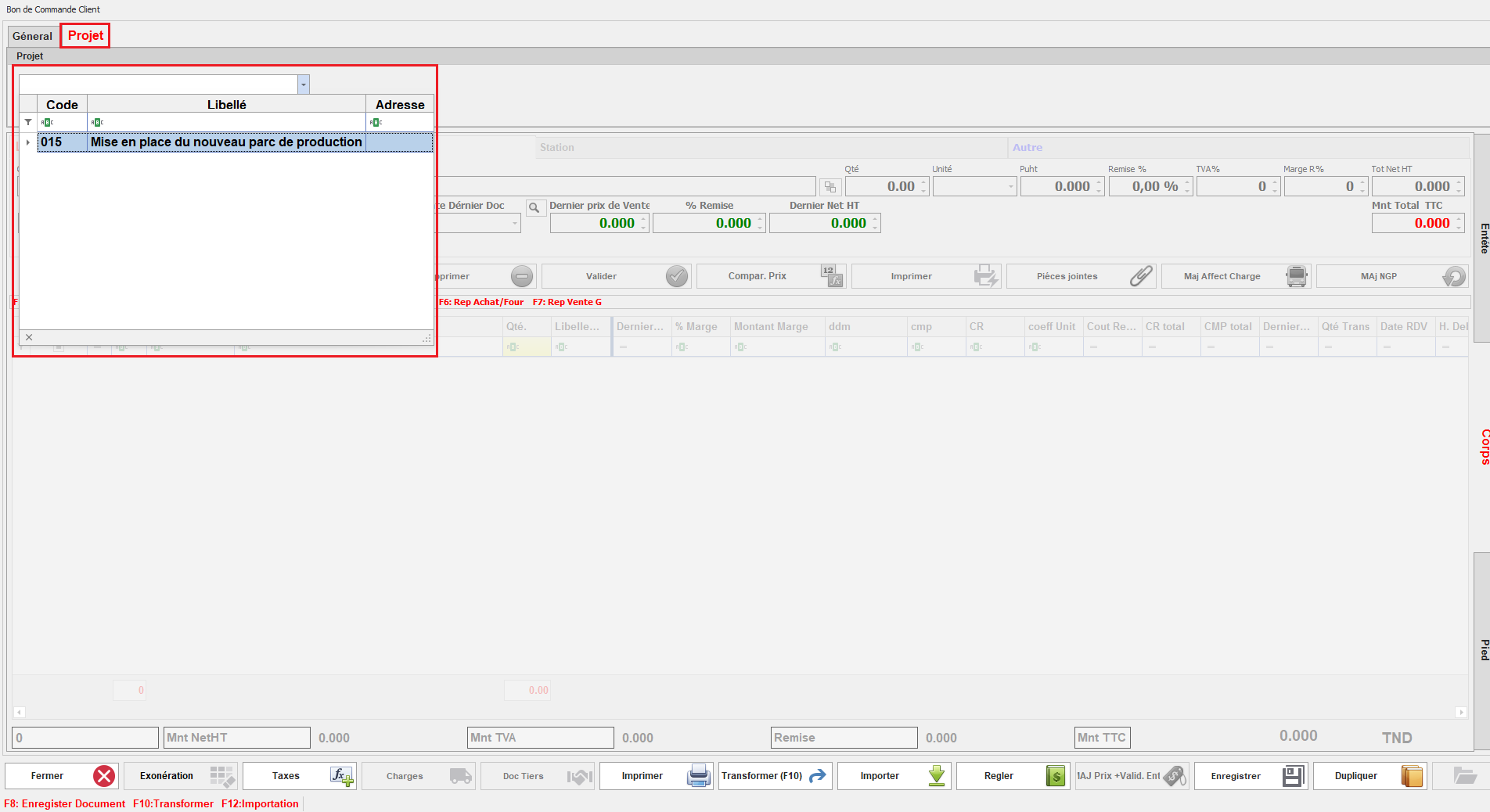
<span style="mso-no-proof: yes;">![choix projet doc.png](https://help.asmpos.com/uploads/images/gallery/2024-08/choix-projet-doc.png)</span>

- **<span style="font-size: 12.0pt; line-height: 107%; font-family: 'Times New Roman',serif; mso-fareast-font-family: 'Times New Roman'; mso-fareast-language: FR;">Affecte Solde Projet</span>**

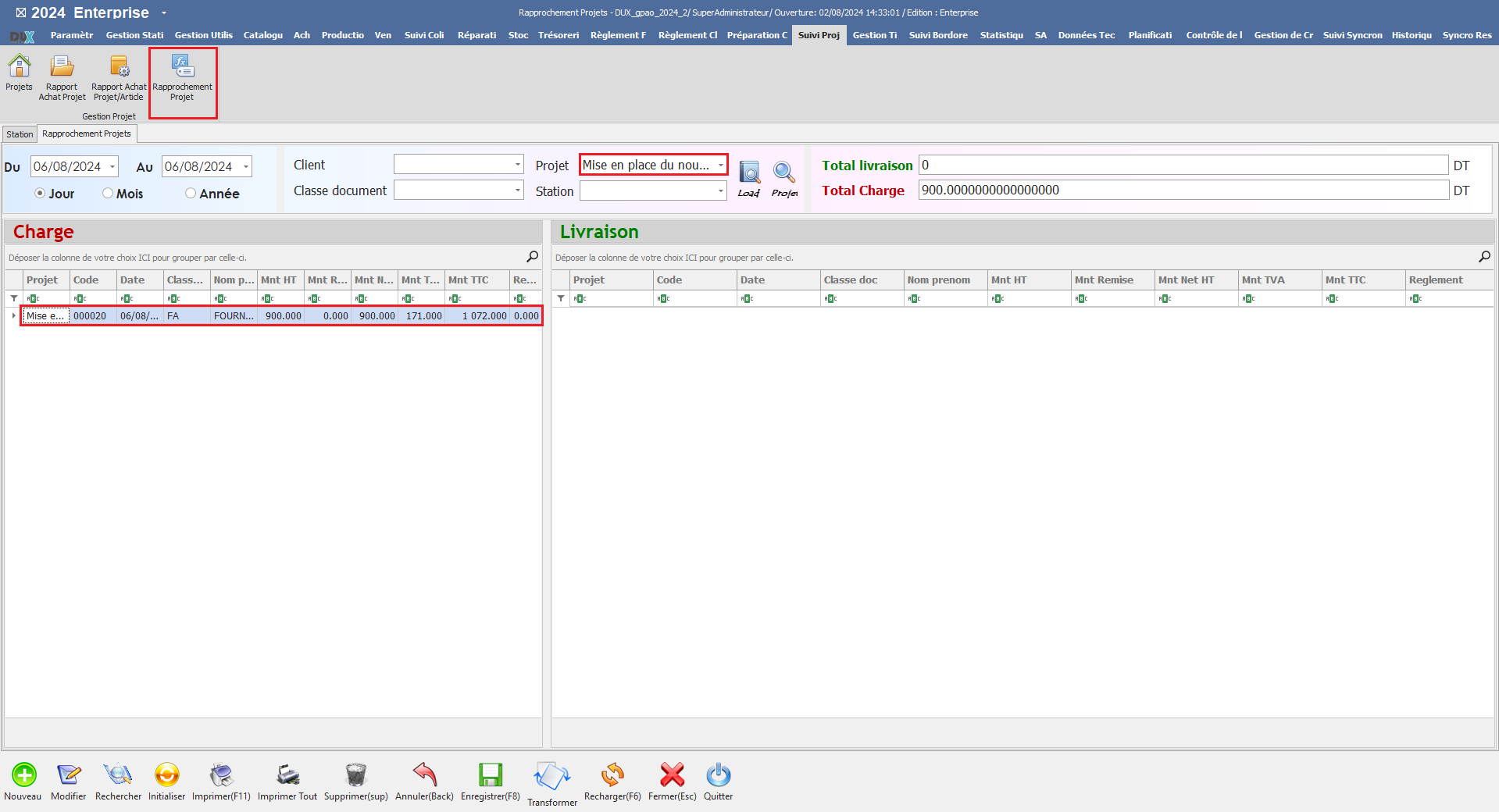
Ce paramétrage permet d'inclure les mouvements générés par cette classe de document dans le calcul du solde du projet.

Cela inclut l'augmentation du solde avec l'option "**Incrémente Solde Projet**" et la réduction du solde avec l'option "**Décrémente Solde Projet**", permettant ainsi une gestion précise des finances du projet.

- <span style="font-family: 'Courier New'; mso-fareast-font-family: 'Courier New';"><span style="mso-list: Ignore;"><span style="font: 7.0pt 'Times New Roman';"> </span></span></span>Document Affectant le Solde Projet

<span style="mso-no-proof: yes;">![facture solde projet.PNG](https://help.asmpos.com/uploads/images/gallery/2024-08/facture-solde-projet.PNG)</span>

- <span style="font-family: 'Courier New'; mso-fareast-font-family: 'Courier New';"><span style="mso-list: Ignore;"><span style="font: 7.0pt 'Times New Roman';"> </span></span></span>Solde Projet

<span style="mso-no-proof: yes;">![affecte solde projet.PNG](https://help.asmpos.com/uploads/images/gallery/2024-08/affecte-solde-projet.PNG)</span>

##### <span style="color: rgb(0, 0, 0);">**<span style="font-size: 12.0pt; line-height: 107%; font-family: 'Times New Roman',serif; mso-fareast-font-family: 'Times New Roman'; mso-fareast-language: FR;">II. Station source </span>**</span>

[![image.png](https://help.asmpos.com/uploads/images/gallery/2026-04/scaled-1680-/N6dimage.png)](https://help.asmpos.com/uploads/images/gallery/2026-04/N6dimage.png)

**Objectif**

Définir l’origine des mouvements de stock pour une classe de document.

**Champs**

- **Type Station**  
    Permet de définir la catégorie de la station source (ex : dépôt, atelier, magasin, unité de production).  
    **Impact :**
    - Filtre les stations disponibles à la sélection
    - Structure les flux logistiques
- **Station**  
    Permet de spécifier la station source par défaut pour les documents de cette classe.  
    **Impact :**
    - Détermine le point de départ des mouvements de stock
    - Peut être imposé ou modifiable selon les droits utilisateur

##### **<span style="font-size: 12.0pt; line-height: 107%; font-family: 'Times New Roman',serif; mso-fareast-font-family: 'Times New Roman'; mso-fareast-language: FR;">III. Utilise Station Destination</span>**

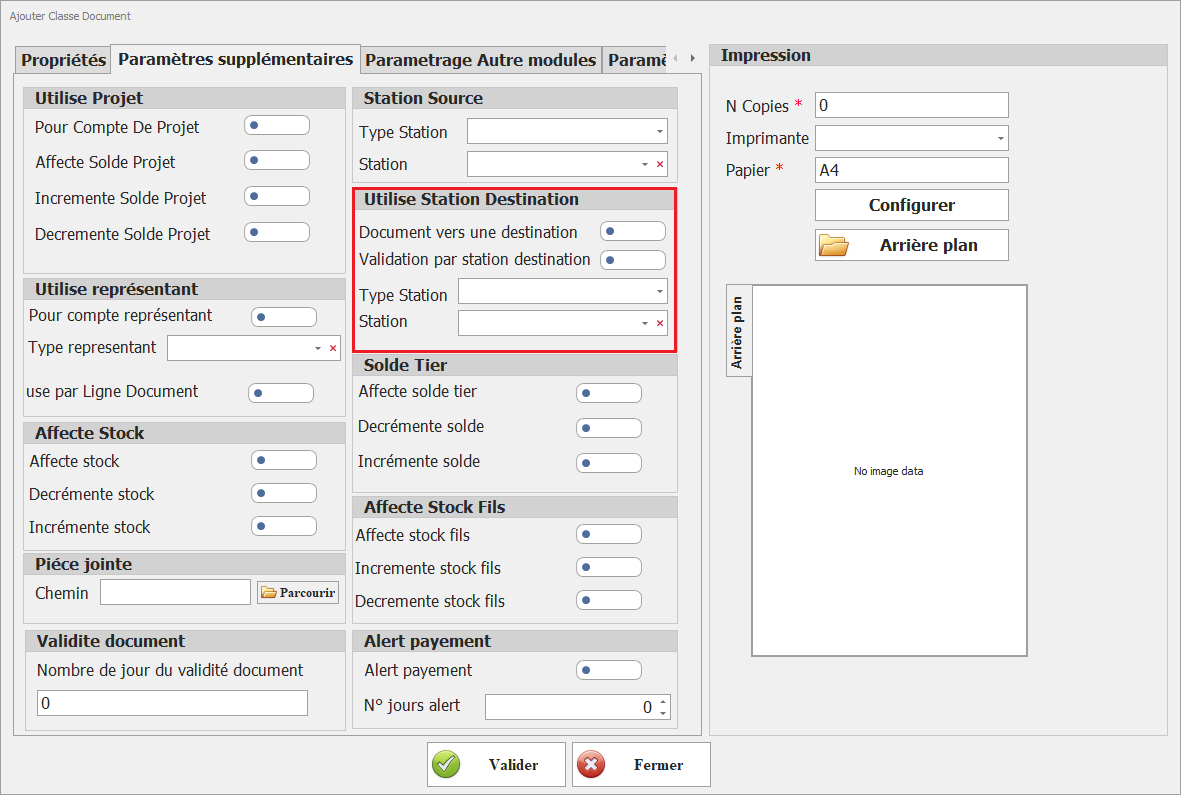
[![image.png](https://help.asmpos.com/uploads/images/gallery/2026-04/scaled-1680-/KBoimage.png)](https://help.asmpos.com/uploads/images/gallery/2026-04/KBoimage.png)

**Objectif :**  
Activer la gestion d’une station de destination pour les documents de cette classe.

**Fonctionnement :**

- Activé → possibilité (ou obligation) de renseigner une station de destination

**Champs associés**

- - **<span style="font-size: 12.0pt; line-height: 107%; font-family: 'Times New Roman',serif; mso-fareast-font-family: 'Times New Roman'; mso-fareast-language: FR;">Document vers une destination</span>**

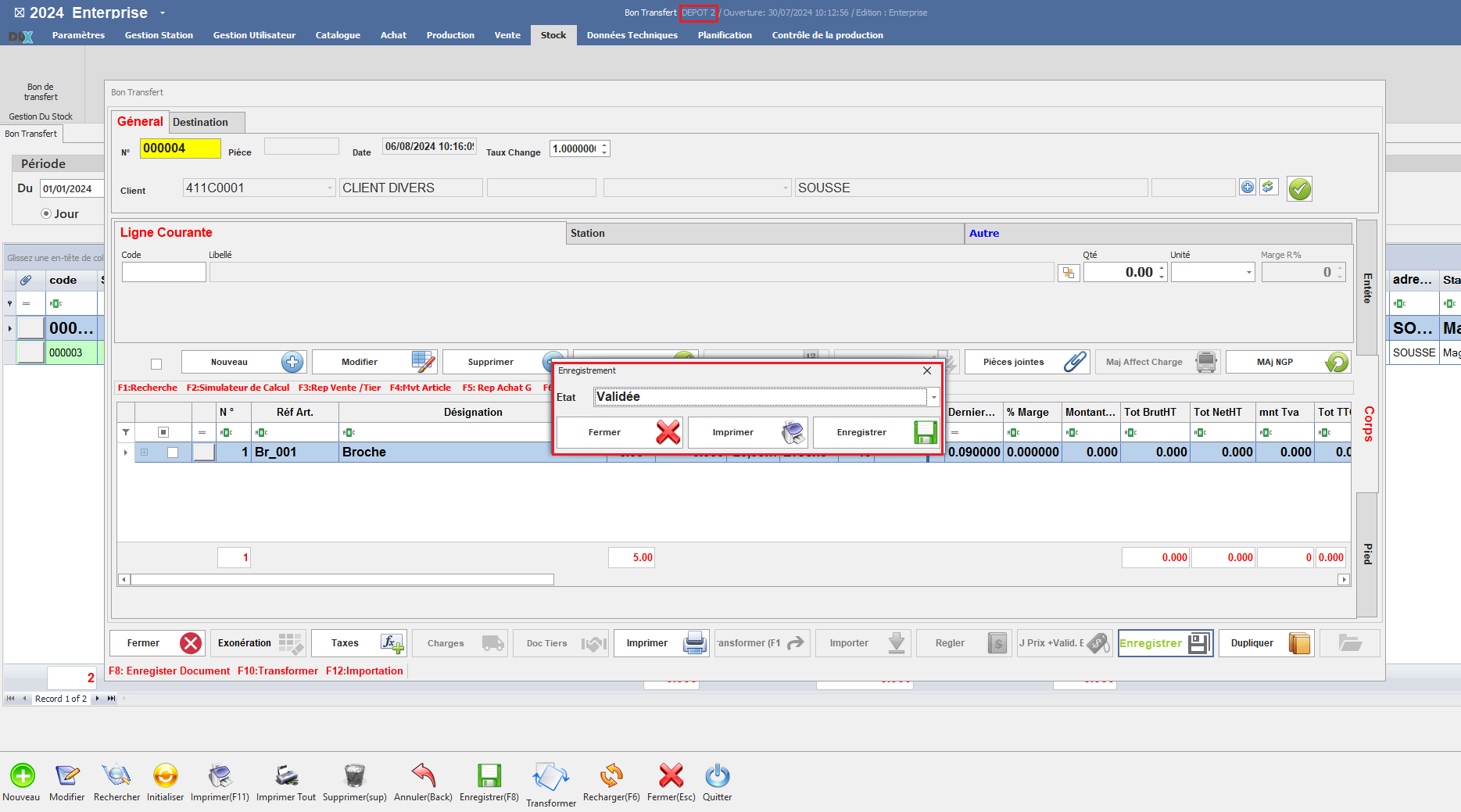
Activez cette option pour permettre la sélection d'une station de destination pour cette classe document.

Cela indique que le mouvement de stock est dirigé vers la station de destination spécifiée.
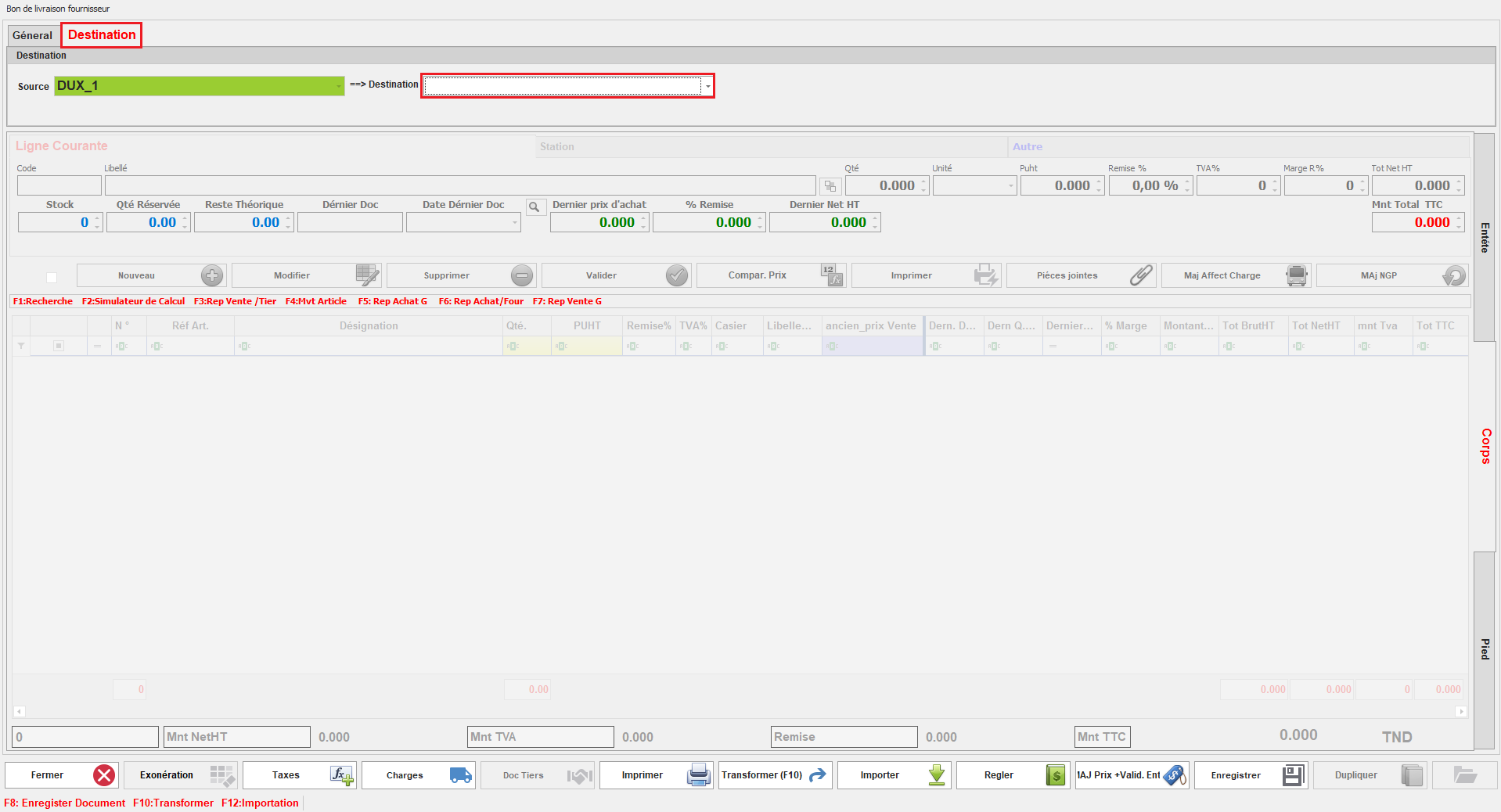
<span style="mso-no-proof: yes;">![Document vers une destination.PNG](https://help.asmpos.com/uploads/images/gallery/2024-08/document-vers-une-destination.PNG)</span>

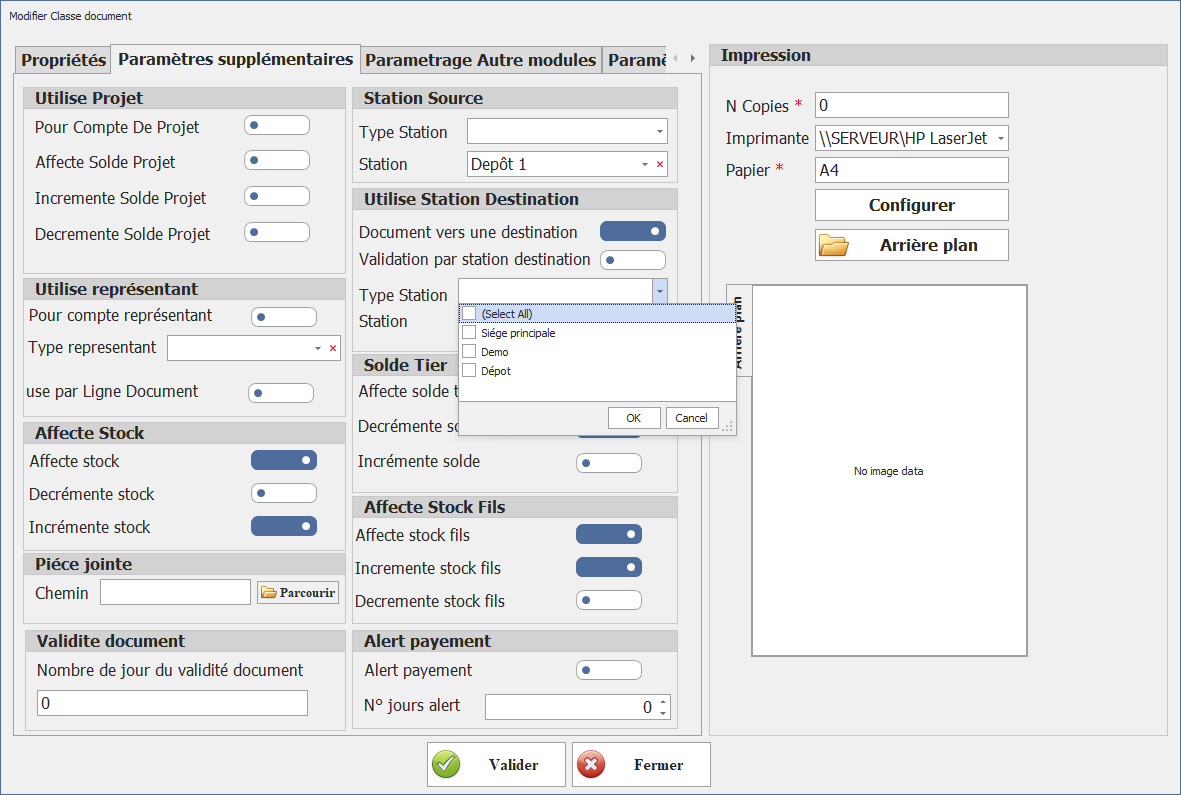
- - **Type Station (Destination)**  
        Définit la catégorie des stations de destination autorisées.  
        **Impact :**
        - - Restreint la liste des stations sélectionnables
            - Assure la cohérence des flux (ex : dépôt → magasin)

<span style="mso-no-proof: yes;">[![Type station.png](https://help.asmpos.com/uploads/images/gallery/2026-04/scaled-1680-/type-station.png)](https://help.asmpos.com/uploads/images/gallery/2026-04/type-station.png)</span>

- - **Station (Destination)**  
        Permet de définir une station de destination par défaut pour cette classe de document.
        
        **Impact :**
        
        
        - - Simplifie la saisie utilisateur
            - Standardise les flux logistiques
            - Détermine le point d’arrivée du stock

**<span style="font-size: 12.0pt; line-height: 107%; font-family: 'Times New Roman',serif; mso-fareast-font-family: 'Times New Roman'; mso-fareast-language: FR;">[![station.png](https://help.asmpos.com/uploads/images/gallery/2026-04/scaled-1680-/station.png)](https://help.asmpos.com/uploads/images/gallery/2026-04/station.png)</span>**

- **<span style="font-size: 12.0pt; line-height: 107%; font-family: 'Times New Roman',serif; mso-fareast-font-family: 'Times New Roman'; mso-fareast-language: FR;">Validation par Station Destination</span>**

**<span style="font-size: 12.0pt; line-height: 107%; font-family: 'Times New Roman',serif; mso-fareast-font-family: 'Times New Roman'; mso-fareast-language: FR;">**Objectif :**  
</span>**<span style="font-size: 12.0pt; line-height: 107%; font-family: 'Times New Roman',serif; mso-fareast-font-family: 'Times New Roman'; mso-fareast-language: FR;">Contrôler le processus de validation des mouvements de stock.</span>

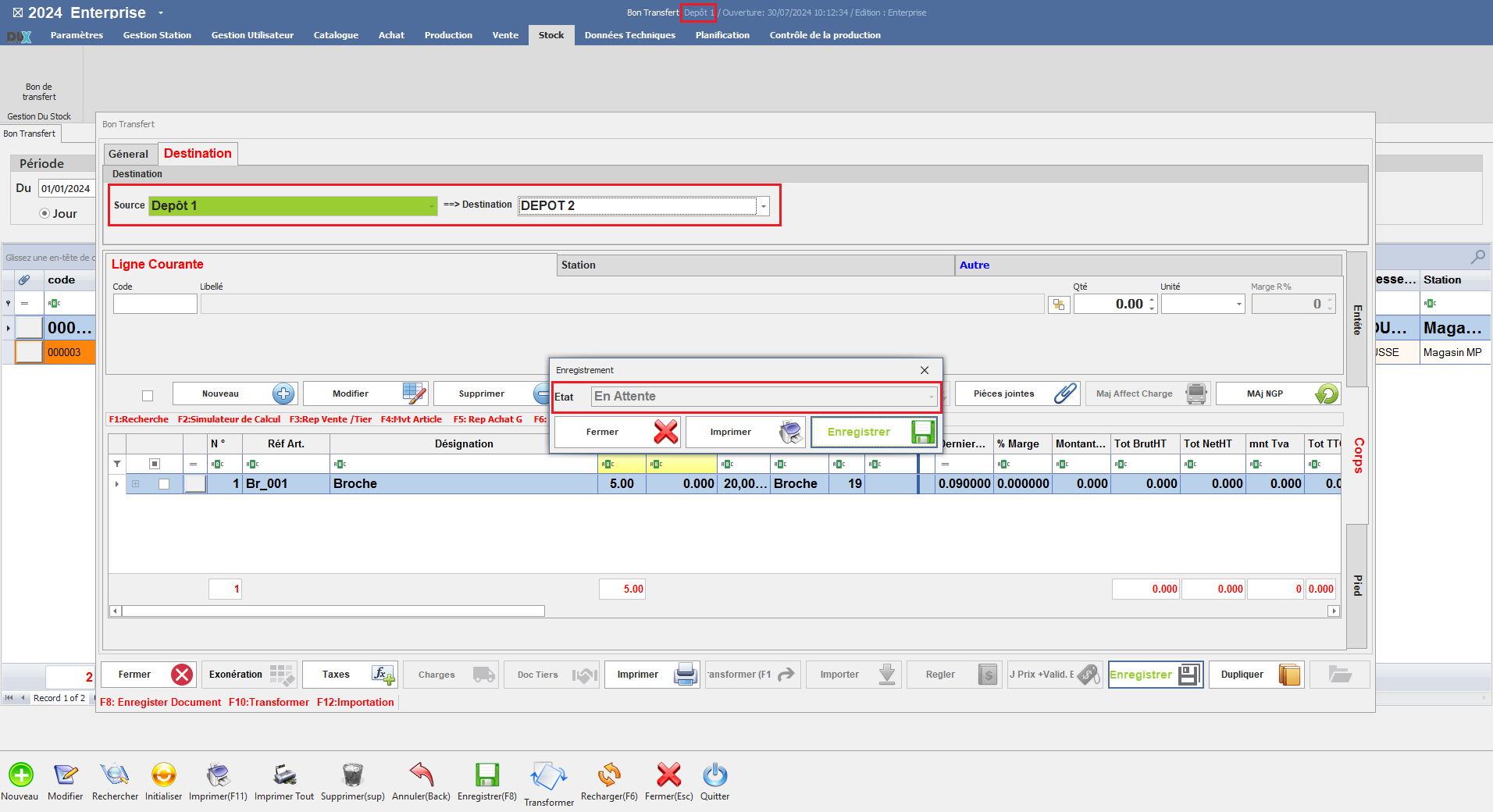
Activez cette option pour que les documents ne puissent être acceptés et validés que par la station de destination. Cela garantit que les documents sont validés seulement par la station de destination spécifiée.

Cela garantit que les documents sont validés seulement par la station de destination spécifiée et que le stock n'est affecté qu'après la validation par la station source, assurant ainsi un contrôle précis des mouvements de stock.

- <span style="font-family: 'Courier New'; mso-fareast-font-family: 'Courier New';"><span style="mso-list: Ignore;"><span style="font: 7.0pt 'Times New Roman';"> </span></span></span>Document Créé de la Station Source
- [![etape 1.png](https://help.asmpos.com/uploads/images/gallery/2026-04/scaled-1680-/etape-1.png)](https://help.asmpos.com/uploads/images/gallery/2026-04/etape-1.png)

- <span style="font-family: 'Courier New'; mso-fareast-font-family: 'Courier New';"><span style="mso-list: Ignore;"><span style="font: 7.0pt 'Times New Roman';"><span style="font-family: Courier New;"> </span></span><span style="font: 7.0pt 'Times New Roman';"> </span></span></span>Document Validé par la Station Destination

[![etape 2.png](https://help.asmpos.com/uploads/images/gallery/2026-04/scaled-1680-/etape-2.png)](https://help.asmpos.com/uploads/images/gallery/2026-04/etape-2.png)<span style="mso-no-proof: yes;"></span>
##### **IV. Utilise représentant** 

[![Utilise représentant.png](https://help.asmpos.com/uploads/images/gallery/2026-04/scaled-1680-/utilise-representant.png)](https://help.asmpos.com/uploads/images/gallery/2026-04/utilise-representant.png)

**<span style="font-size: 12.0pt; line-height: 107%; font-family: 'Times New Roman',serif; mso-fareast-font-family: 'Times New Roman'; mso-fareast-language: FR;">Pour Compte Représentant</span>**

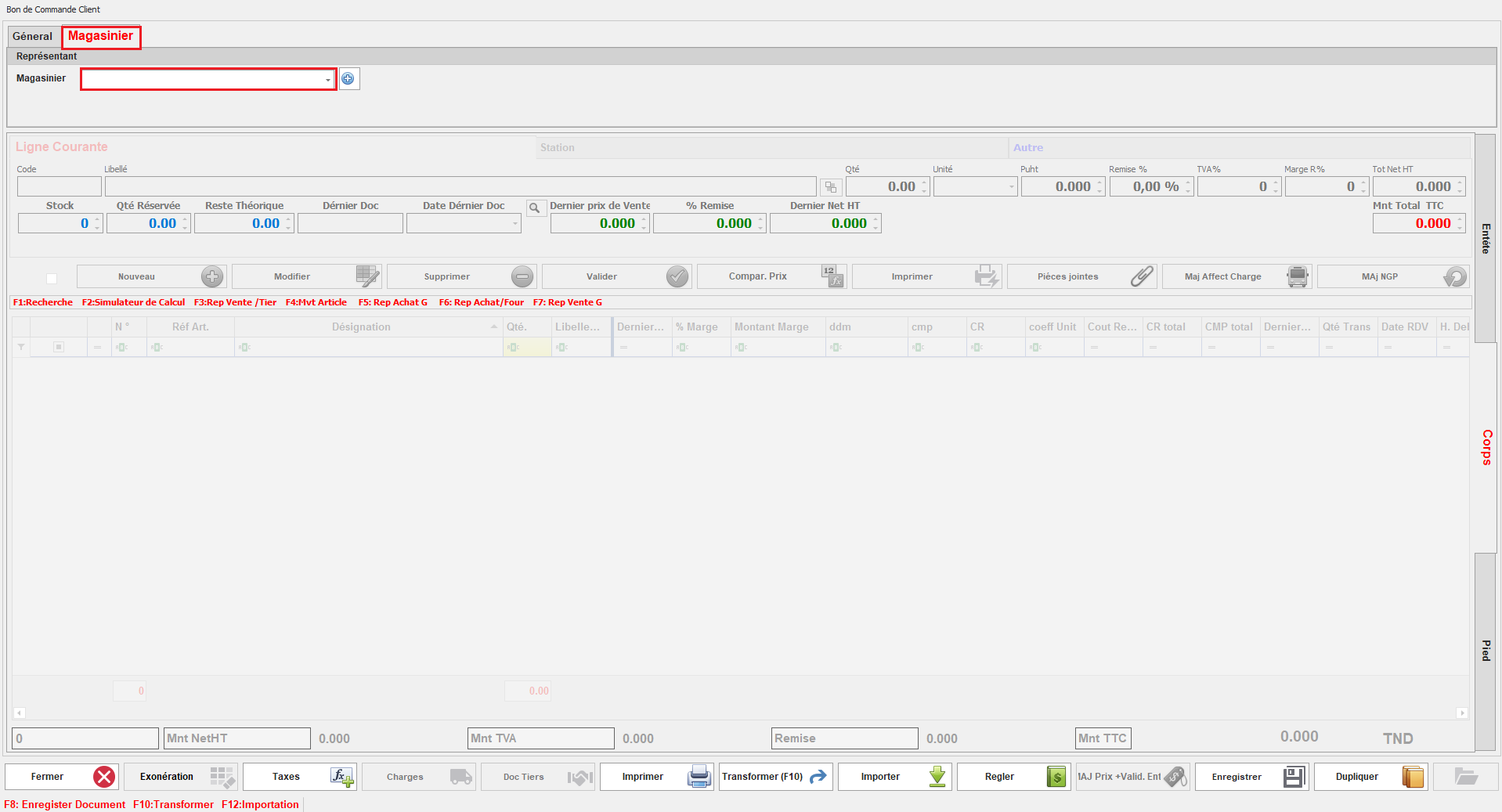
Cette option permet d'associer un responsable aux documents de cette classe.

Lors de la gestion des documents, l'utilisateur pourra sélectionner le responsable approprié, facilitant ainsi le suivi et la gestion en fonction du responsable désigné.
<span style="mso-no-proof: yes;">![representant document.PNG](https://help.asmpos.com/uploads/images/gallery/2024-08/representant-document.PNG)</span>

**<span style="font-size: 12.0pt; font-family: 'Times New Roman',serif; mso-fareast-font-family: 'Times New Roman'; mso-fareast-language: FR;">Type représentant</span>**

**<span style="font-size: 12.0pt; font-family: 'Times New Roman',serif; mso-fareast-font-family: 'Times New Roman'; mso-fareast-language: FR;"> </span>**

Vous pouvez également spécifier le type représentant pour cette classe document. En sélectionnant un type de responsable, la liste des responsables disponibles dans le document affichera uniquement ceux correspondant au type sélectionné dans le paramétrage.

<span style="mso-ascii-font-family: Calibri; mso-fareast-font-family: 'Times New Roman'; mso-hansi-font-family: Calibri; mso-bidi-font-family: Calibri; color: black; mso-fareast-language: FR;"> </span>

<span style="mso-no-proof: yes;">[![type représnatant.png](https://help.asmpos.com/uploads/images/gallery/2026-04/scaled-1680-/TLktype-represnatant.png)](https://help.asmpos.com/uploads/images/gallery/2026-04/TLktype-represnatant.png)  
</span>

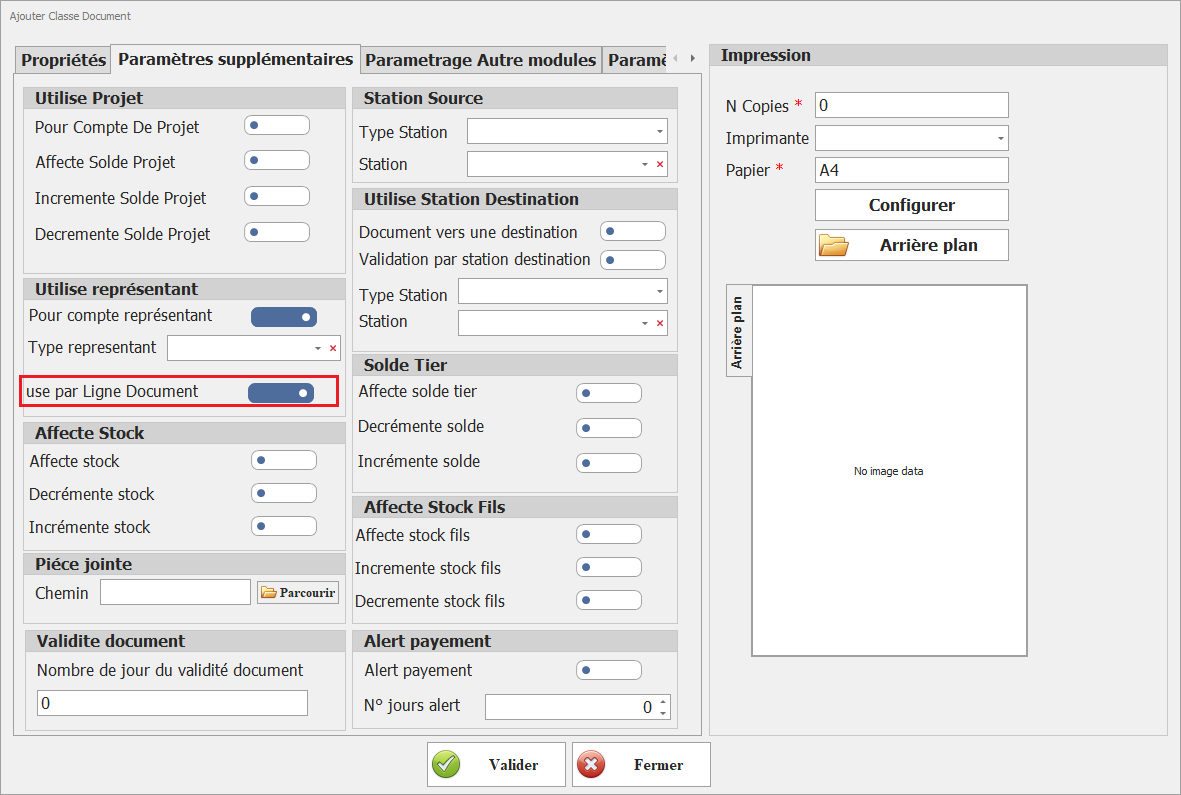
**<span style="font-size: 12.0pt; line-height: 107%; font-family: 'Times New Roman',serif; mso-fareast-font-family: 'Times New Roman'; mso-fareast-language: FR;">Use par Ligne Document</span>**

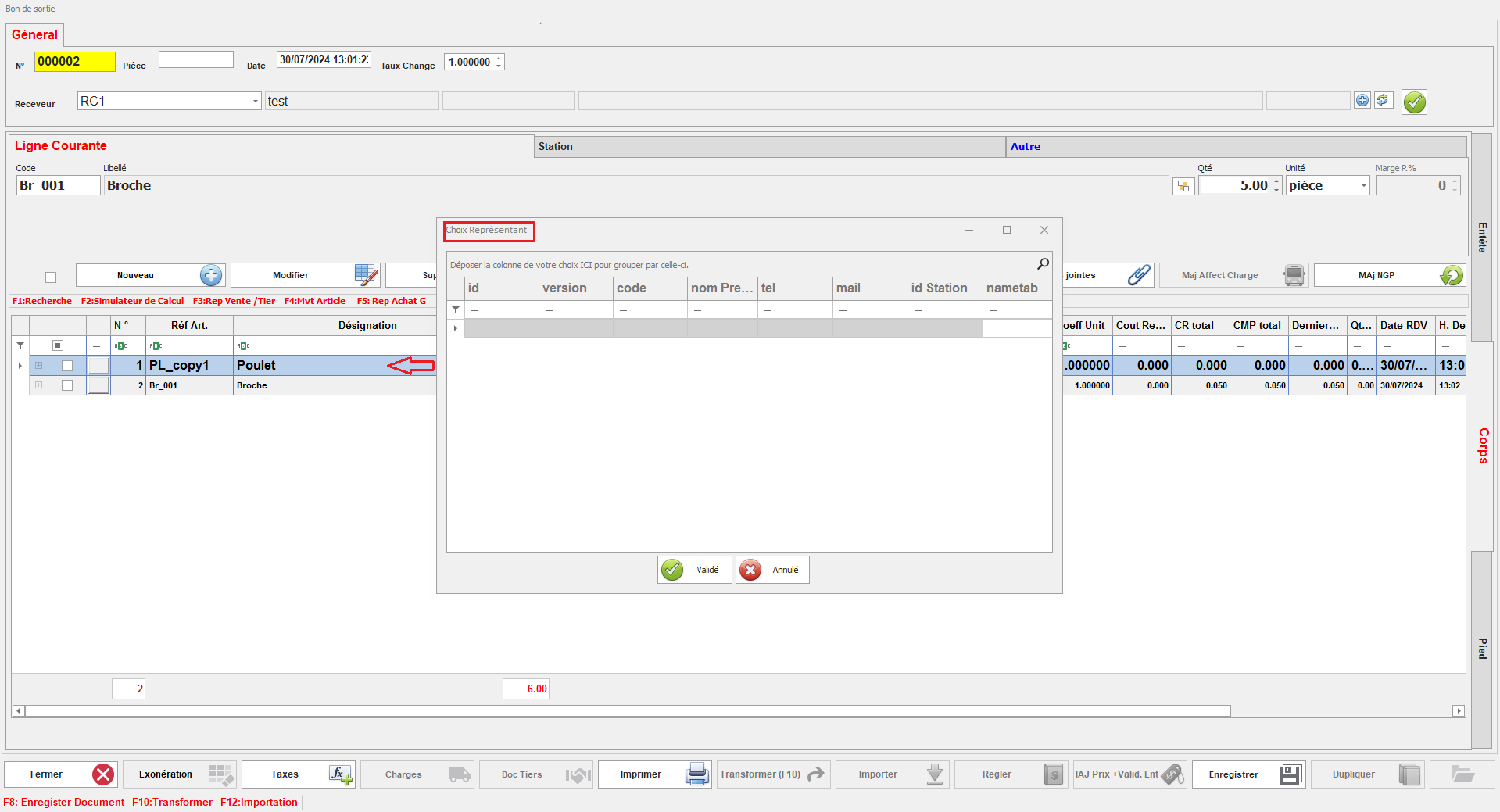
Cette option permet d'assigner un responsable à chaque ligne du document.

<span style="mso-no-proof: yes;">[![Use par Ligne Document.png](https://help.asmpos.com/uploads/images/gallery/2026-04/scaled-1680-/use-par-ligne-document.png)](https://help.asmpos.com/uploads/images/gallery/2026-04/use-par-ligne-document.png)  
</span>

Cela offre la possibilité de spécifier un responsable différent pour chaque ligne, facilitant ainsi une gestion plus précise des responsabilités au niveau des lignes individuelles.
<span style="mso-no-proof: yes;">![represeant par ligne.PNG](https://help.asmpos.com/uploads/images/gallery/2024-08/represeant-par-ligne.PNG)</span>

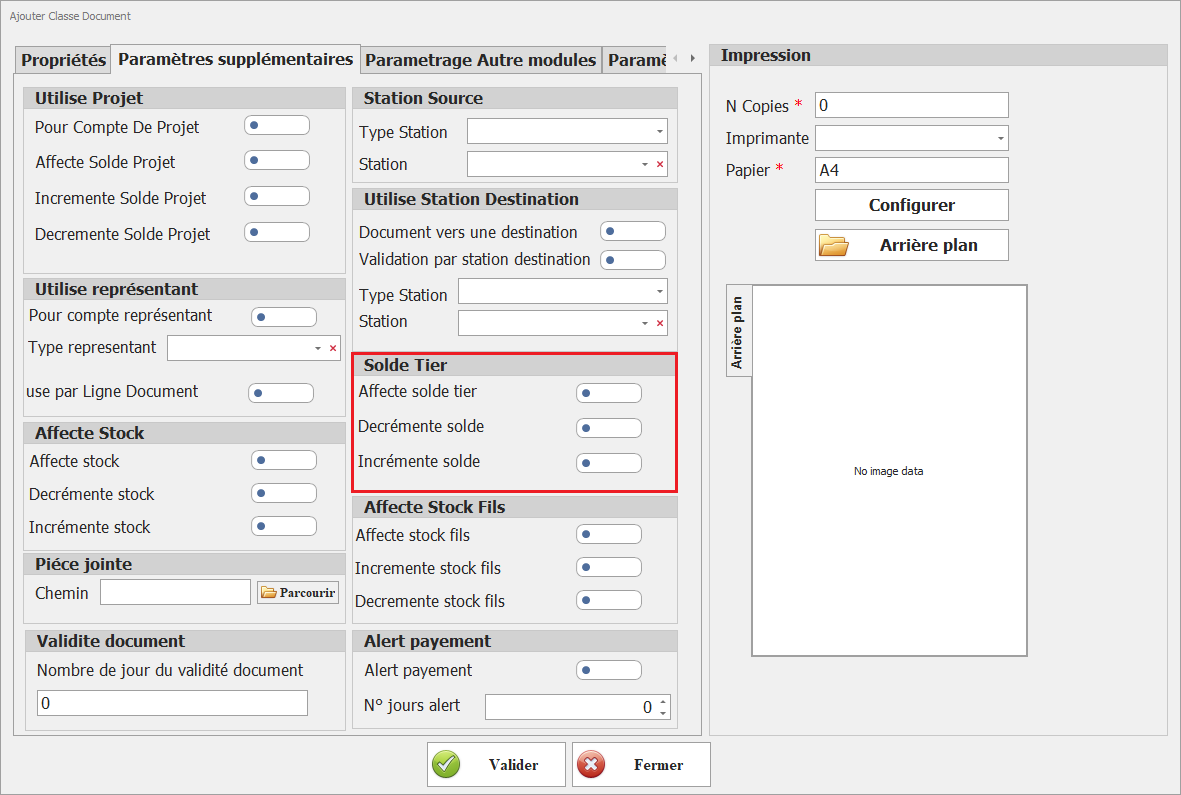
##### **V. Solde Tiers** 

**[![solde tiers.png](https://help.asmpos.com/uploads/images/gallery/2026-04/scaled-1680-/solde-tiers.png)](https://help.asmpos.com/uploads/images/gallery/2026-04/solde-tiers.png)**

**<span style="font-size: 12.0pt; line-height: 107%; font-family: 'Times New Roman',serif; mso-fareast-font-family: 'Times New Roman'; mso-fareast-language: FR;">Affecte Solde Tiers</span>**

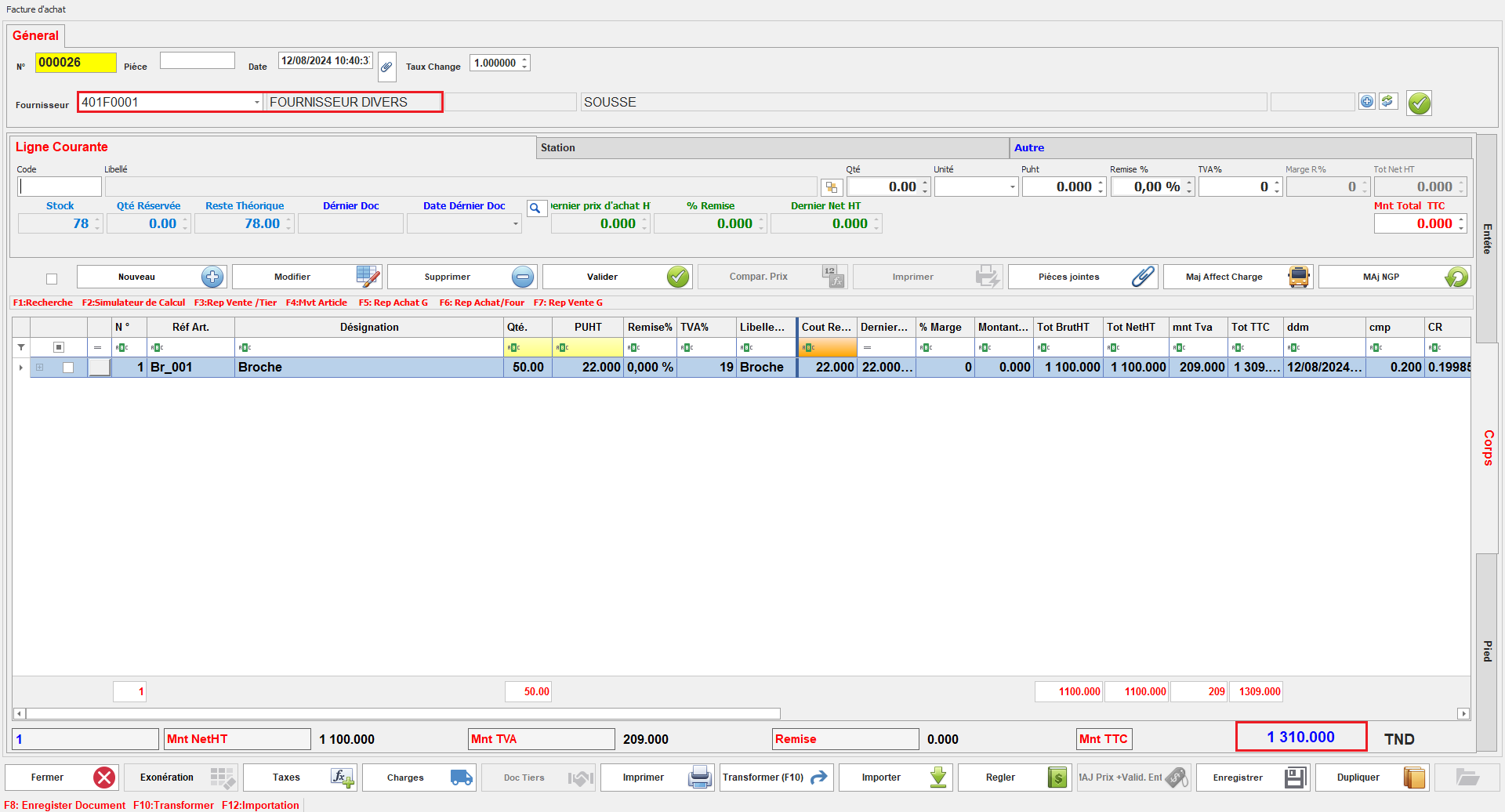
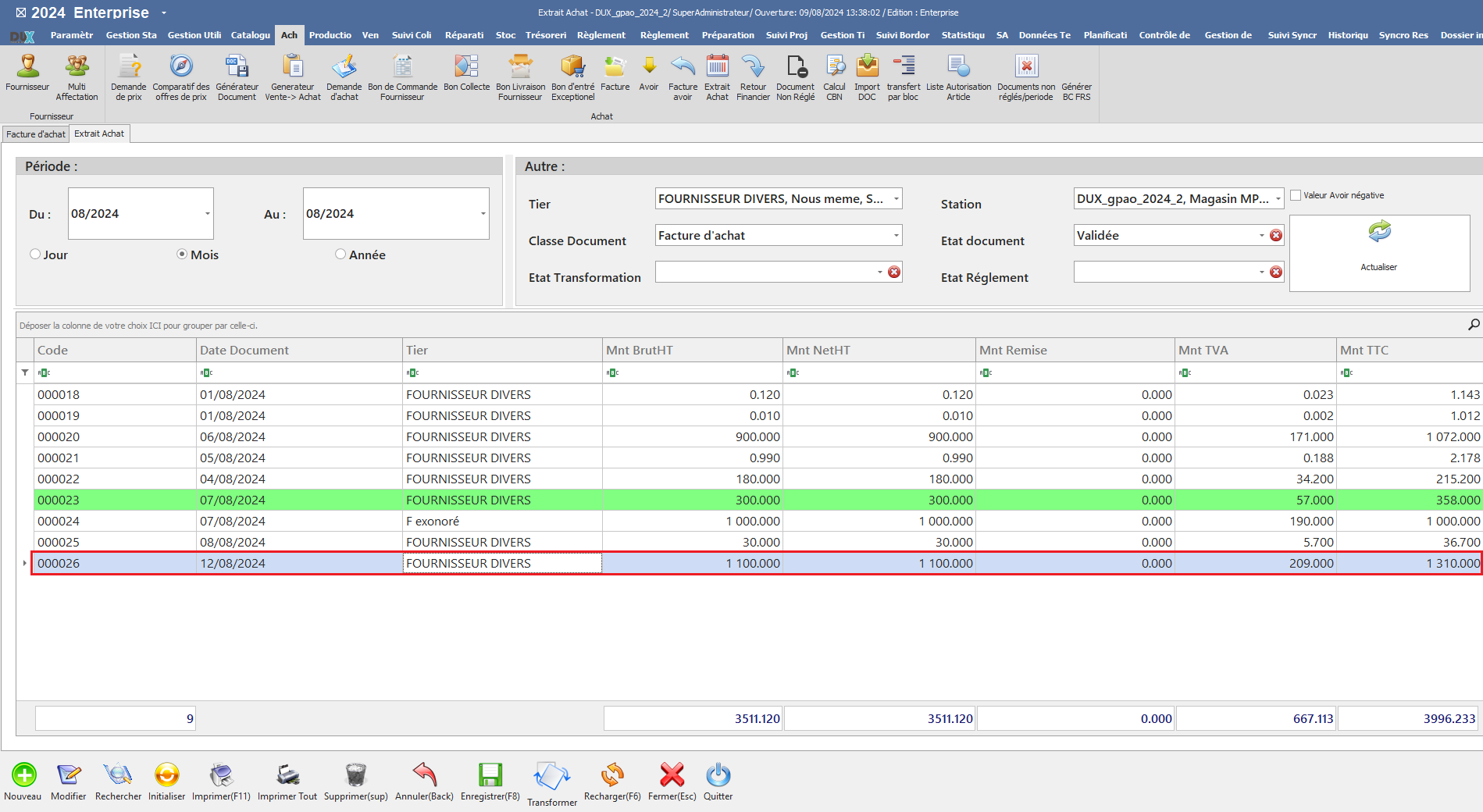
Ce paramétrage configure les documents de cette classe pour ajuster le solde des tiers. En fonction des paramètres **Incrémente Solde** et **Décrémente Solde**, le solde des tiers sera ajusté à la hausse ou à la baisse selon les informations des documents.

- <span style="font-family: 'Courier New'; mso-fareast-font-family: 'Courier New';"><span style="mso-list: Ignore;"><span style="font: 7.0pt 'Times New Roman';"><span style="font-family: Courier New;"> </span></span><span style="font: 7.0pt 'Times New Roman';"> </span></span></span>Document Affecte Solde Tiers

<span style="mso-no-proof: yes;">![affecte solde tiers.PNG](https://help.asmpos.com/uploads/images/gallery/2024-08/affecte-solde-tiers.PNG)</span>

- <span style="font-family: 'Courier New'; mso-fareast-font-family: 'Courier New';"><span style="mso-list: Ignore;"><span style="font: 7.0pt 'Times New Roman';"><span style="font-family: Courier New;"> </span></span><span style="font: 7.0pt 'Times New Roman';"> </span></span></span>Solde Tiers

<span style="mso-no-proof: yes;">![extrait affecte solde tiers.PNG](https://help.asmpos.com/uploads/images/gallery/2024-08/extrait-affecte-solde-tiers.PNG)</span>

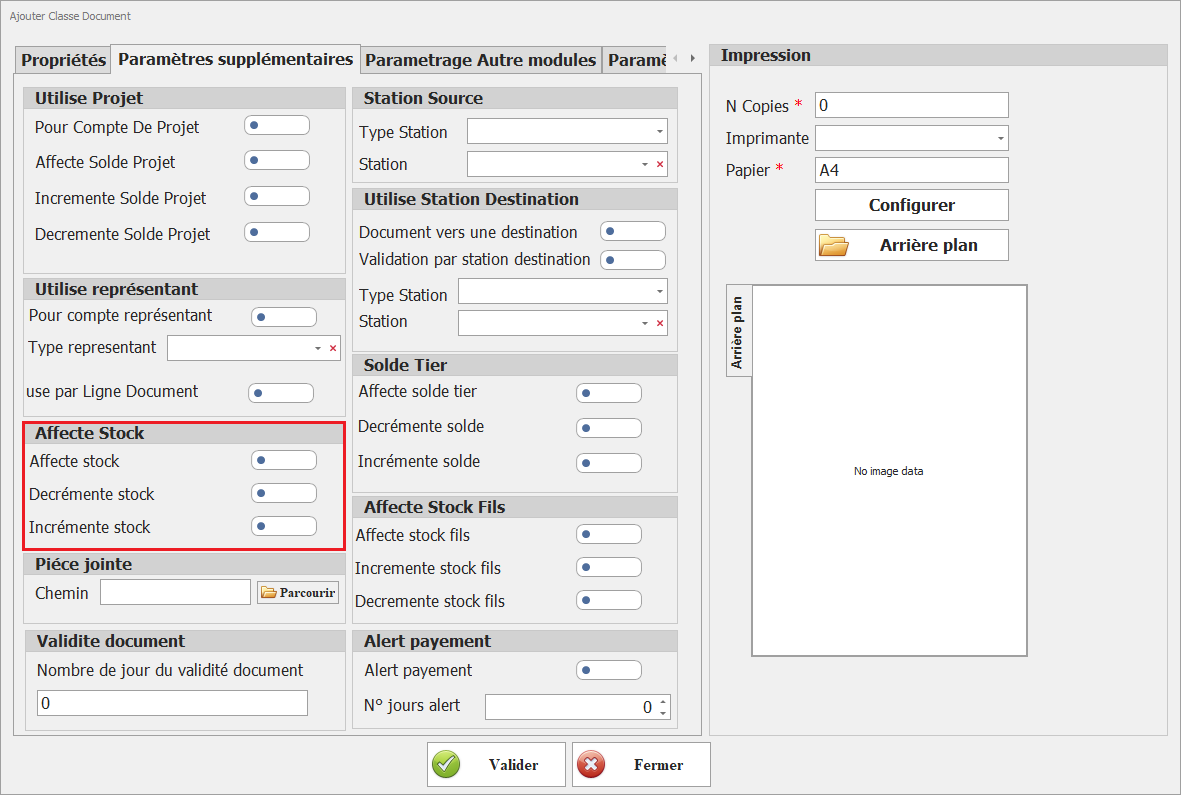
##### **<span style="mso-no-proof: yes;">VI. Affecte Stock</span>**

**<span style="mso-no-proof: yes;">[![affecte stock.png](https://help.asmpos.com/uploads/images/gallery/2026-04/scaled-1680-/affecte-stock.png)](https://help.asmpos.com/uploads/images/gallery/2026-04/affecte-stock.png)</span>**

**<span style="font-size: 12.0pt; line-height: 107%; font-family: 'Times New Roman',serif; mso-fareast-font-family: 'Times New Roman'; mso-fareast-language: FR;">Affecte Stock</span>**

Ce paramétrage configure les documents de cette classe pour affecter le stock. En fonction des paramètres **Incrémente Stock** et **Décrémente Stock**, le stock sera ajusté à la hausse ou à la baisse selon les informations des documents.<span style="mso-no-proof: yes;"></span>

- <span style="font-family: 'Courier New'; mso-fareast-font-family: 'Courier New';"><span style="mso-list: Ignore;"><span style="font: 7.0pt 'Times New Roman';"><span style="font-family: Courier New;"> </span></span><span style="font: 7.0pt 'Times New Roman';"> </span></span></span>Document Affecte Stock

<span style="mso-no-proof: yes;">![affecte stocks.PNG](https://help.asmpos.com/uploads/images/gallery/2024-08/affecte-stocks.PNG)</span>

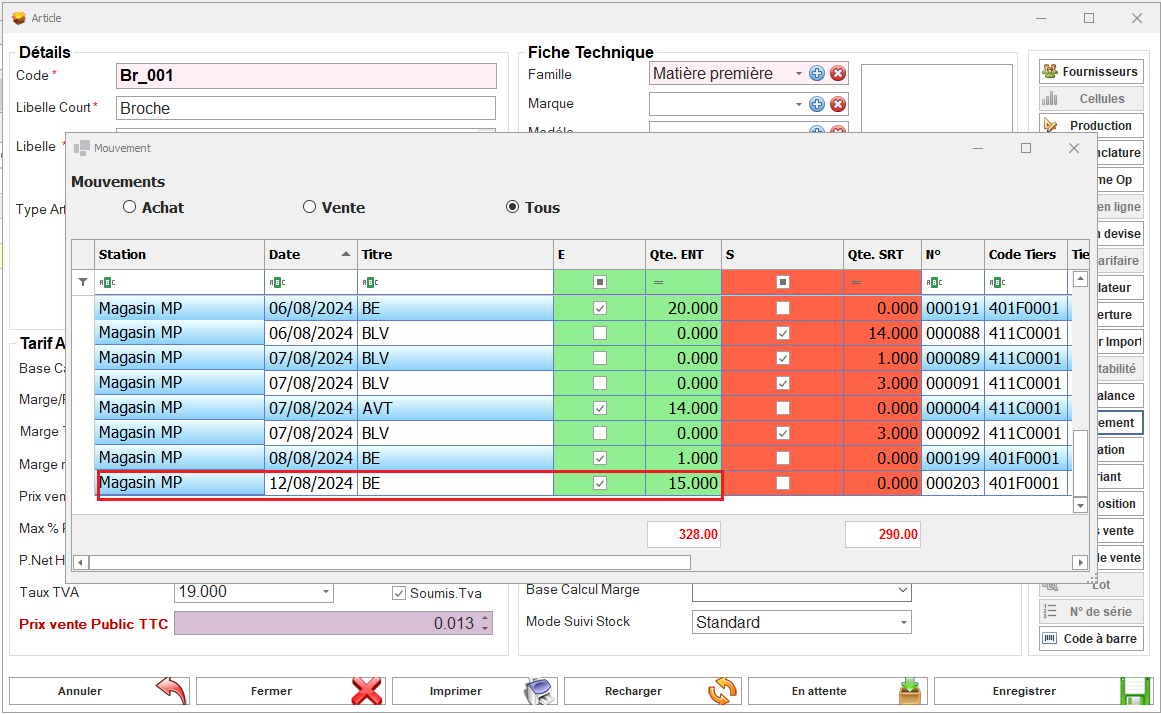
- <span style="font-family: 'Courier New'; mso-fareast-font-family: 'Courier New';"><span style="mso-list: Ignore;"><span style="font: 7.0pt 'Times New Roman';"><span style="font-family: Courier New;"> </span></span><span style="font: 7.0pt 'Times New Roman';"> </span></span></span>Mouvement Stock Article

<span style="mso-no-proof: yes;">![mvnt stock.PNG](https://help.asmpos.com/uploads/images/gallery/2024-08/mvnt-stock.PNG)</span>

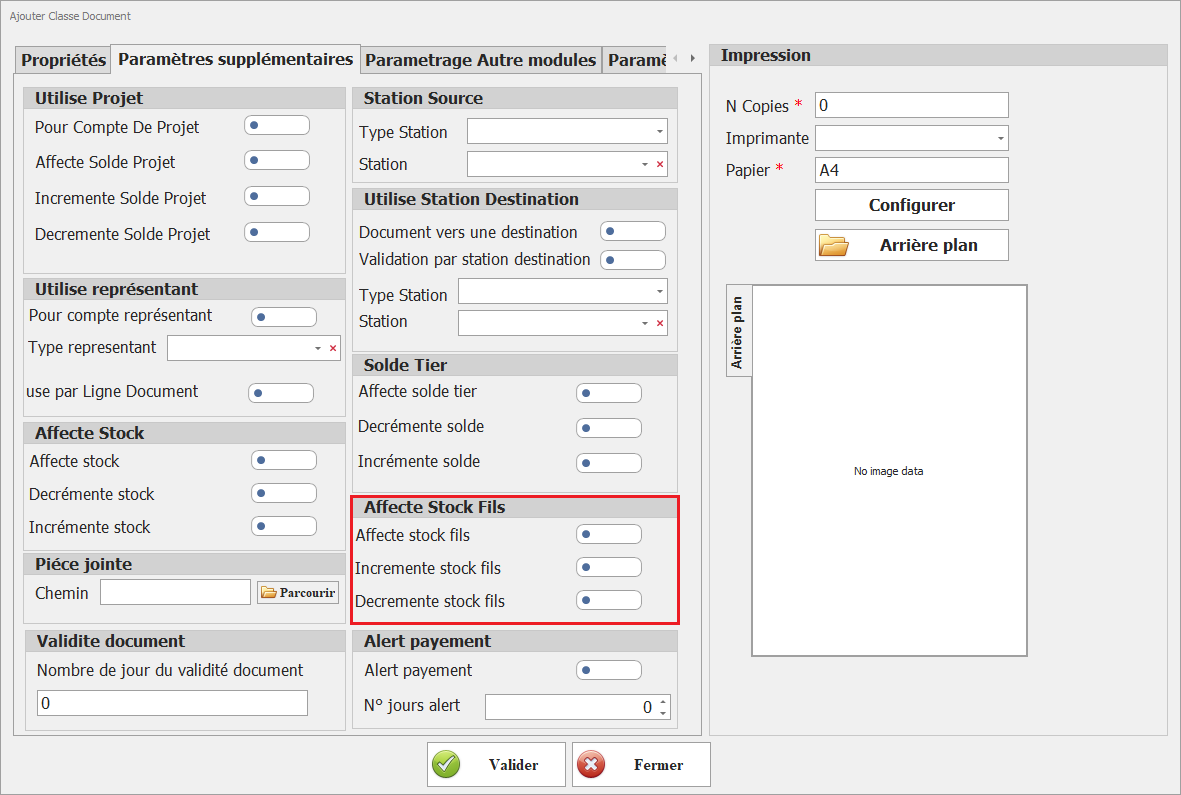
##### **VII. Affect Stock Fils**

**[![affecte stock fils.png](https://help.asmpos.com/uploads/images/gallery/2026-04/scaled-1680-/affecte-stock-fils.png)](https://help.asmpos.com/uploads/images/gallery/2026-04/affecte-stock-fils.png)**

- **<span style="font-size: 12.0pt; line-height: 107%; font-family: 'Times New Roman',serif;">Affecte Stock Fils</span>**

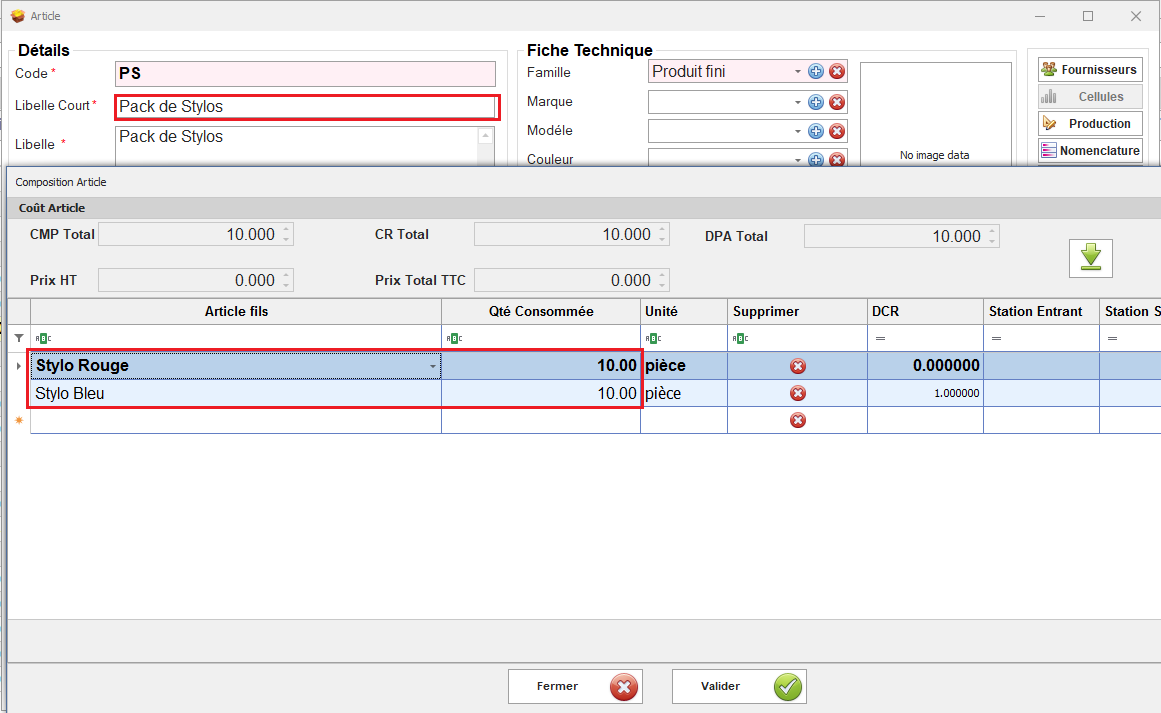
Ces options permettent d'ajuster le stock des composants (fils) associés aux articles des documents de cette classe. **Incrémente Stock Fils** augmente le stock des composants, tandis que **Décrémente Stock Fils** réduit le stock des composants, en fonction des opérations effectuées dans les documents.

- - <span style="font-family: 'Courier New'; mso-fareast-font-family: 'Courier New';"><span style="mso-list: Ignore;"><span style="font: 7.0pt 'Times New Roman';"> </span></span></span>Article Composé

<span style="mso-no-proof: yes;">![compos.PNG](https://help.asmpos.com/uploads/images/gallery/2024-08/compos.PNG)</span>

- <span style="font-family: 'Courier New'; mso-fareast-font-family: 'Courier New';"><span style="mso-list: Ignore;"><span style="font: 7.0pt 'Times New Roman';"><span style="font-family: Courier New;"> </span></span><span style="font: 7.0pt 'Times New Roman';"> </span></span></span>Document Affecte Stock Fils

<span style="mso-no-proof: yes;">![doc affecte stock fils.PNG](https://help.asmpos.com/uploads/images/gallery/2024-08/doc-affecte-stock-fils.PNG)</span>

- <span style="font-family: 'Courier New'; mso-fareast-font-family: 'Courier New';"><span style="mso-list: Ignore;"><span style="font: 7.0pt 'Times New Roman';"><span style="font-family: Courier New;"> </span></span><span style="font: 7.0pt 'Times New Roman';"> </span></span></span>Mouvement stock Article fils

<span style="mso-no-proof: yes;">![mvnt stock fils.PNG](https://help.asmpos.com/uploads/images/gallery/2024-08/mvnt-stock-fils.PNG)</span>

##### **VIII. Piece Jointe** 

**[![pièce joint.png](https://help.asmpos.com/uploads/images/gallery/2026-04/scaled-1680-/piece-joint.png)](https://help.asmpos.com/uploads/images/gallery/2026-04/piece-joint.png)**

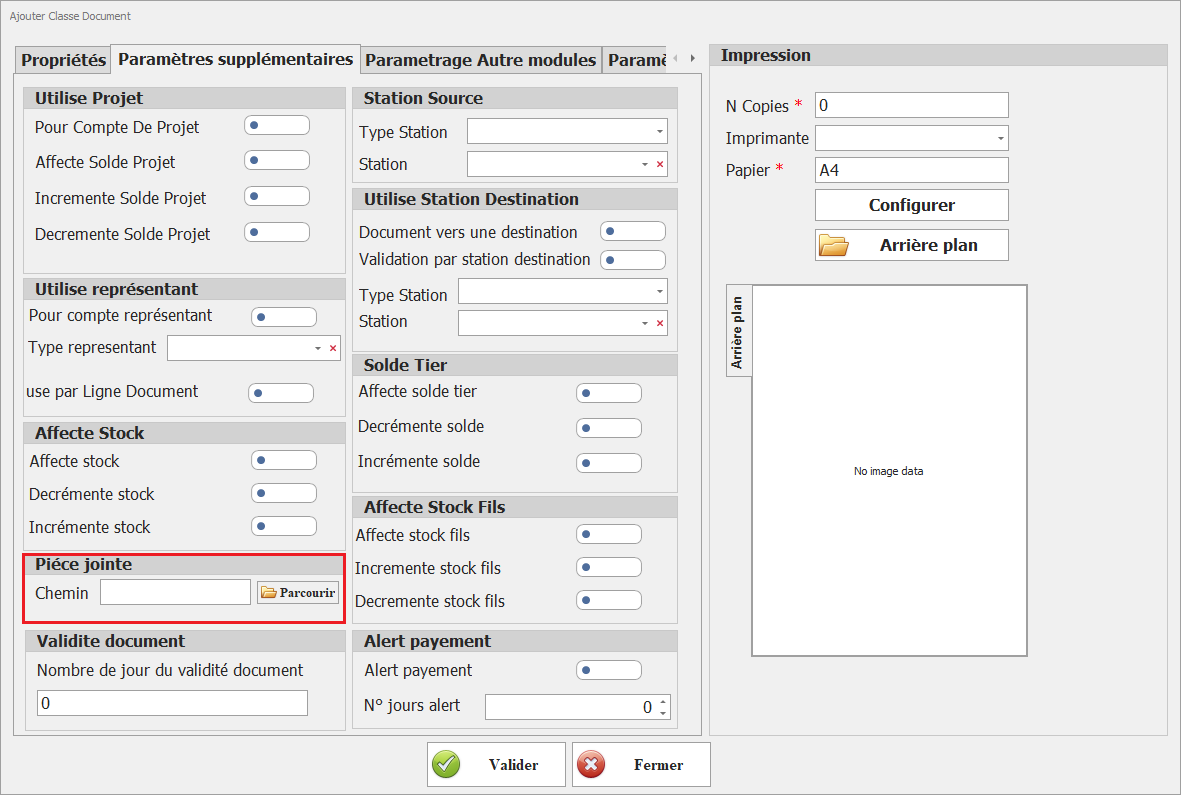
**<span style="font-size: 12.0pt; line-height: 107%; font-family: 'Times New Roman',serif; mso-fareast-font-family: 'Times New Roman'; mso-fareast-language: FR;">Chemin Pièce Jointe</span>**

Spécifiez le chemin où les pièces jointes des documents de cette classe seront stockées. Cela permet de définir l'emplacement de sauvegarde des fichiers associés, facilitant ainsi leur gestion et leur accessibilité.

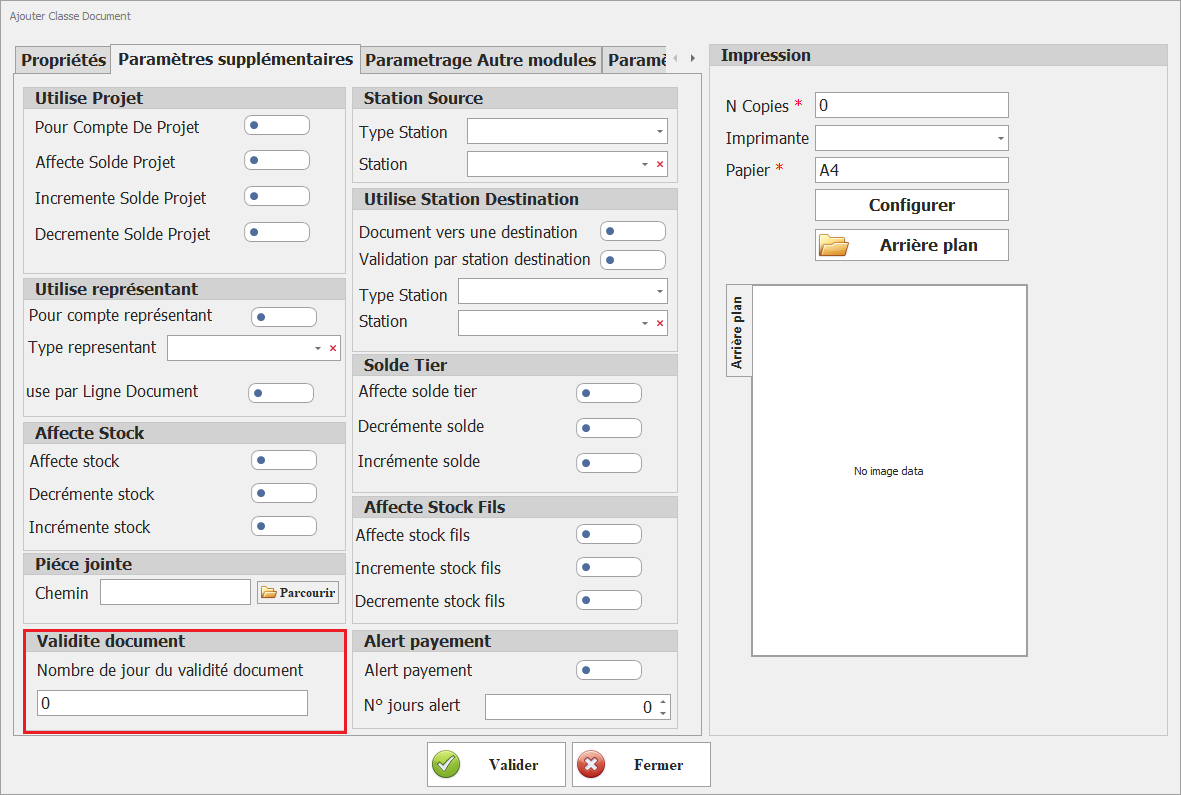
##### **<span style="font-size: 12.0pt; line-height: 107%; font-family: 'Times New Roman',serif;">IX. Validité Document</span>**

**<span style="font-size: 12.0pt; line-height: 107%; font-family: 'Times New Roman',serif;">[![vlidité document.png](https://help.asmpos.com/uploads/images/gallery/2026-04/scaled-1680-/vlidite-document.png)](https://help.asmpos.com/uploads/images/gallery/2026-04/vlidite-document.png)</span>**

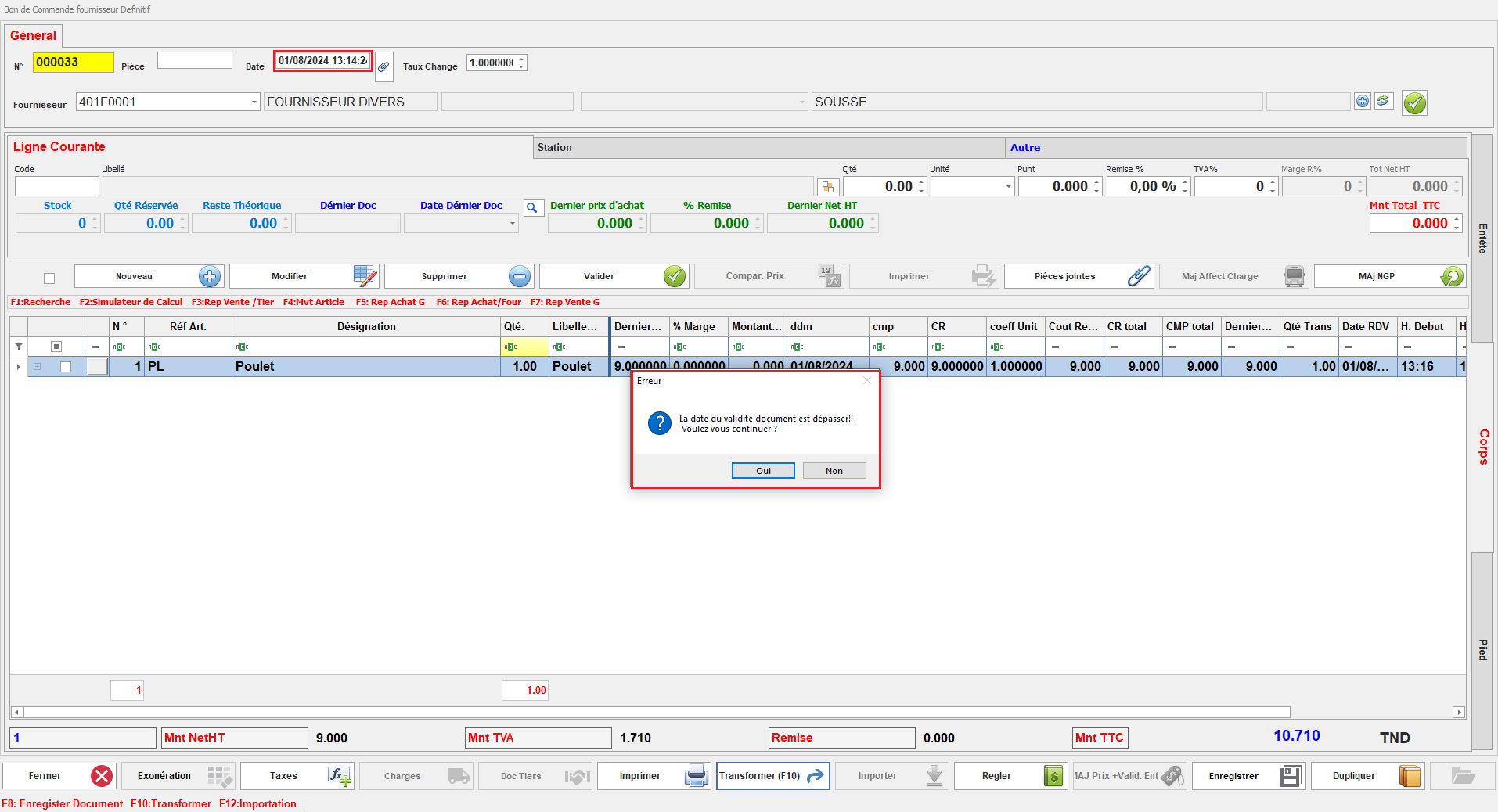
Ce paramétrage définit la période pendant laquelle les documents de cette classe sont considérés comme valides. Lorsqu'un utilisateur tente de transformer un document dont la validité est expirée, un message d'alerte s'affiche, indiquant que la durée de validité du document est dépassée, et offrant à l'utilisateur le choix de continuer ou d'annuler l'opération.<span style="mso-no-proof: yes;"></span>

- <span style="font-family: 'Courier New'; mso-fareast-font-family: 'Courier New';"><span style="mso-list: Ignore;"><span style="font: 7.0pt 'Times New Roman';"><span style="font-family: Courier New;"> </span></span><span style="font: 7.0pt 'Times New Roman';"> </span></span></span>Alerte Validité dépassée

<span style="mso-no-proof: yes;">![validité doc dépassée.PNG](https://help.asmpos.com/uploads/images/gallery/2024-08/validite-doc-depassee.PNG)</span>

##### **<span style="font-size: 12.0pt; line-height: 107%; font-family: 'Times New Roman',serif;">X. Alerte Paiement </span>**

**<span style="font-size: 12.0pt; line-height: 107%; font-family: 'Times New Roman',serif;">[![alerte payement.png](https://help.asmpos.com/uploads/images/gallery/2026-04/scaled-1680-/alerte-payement.png)](https://help.asmpos.com/uploads/images/gallery/2026-04/alerte-payement.png)</span>**

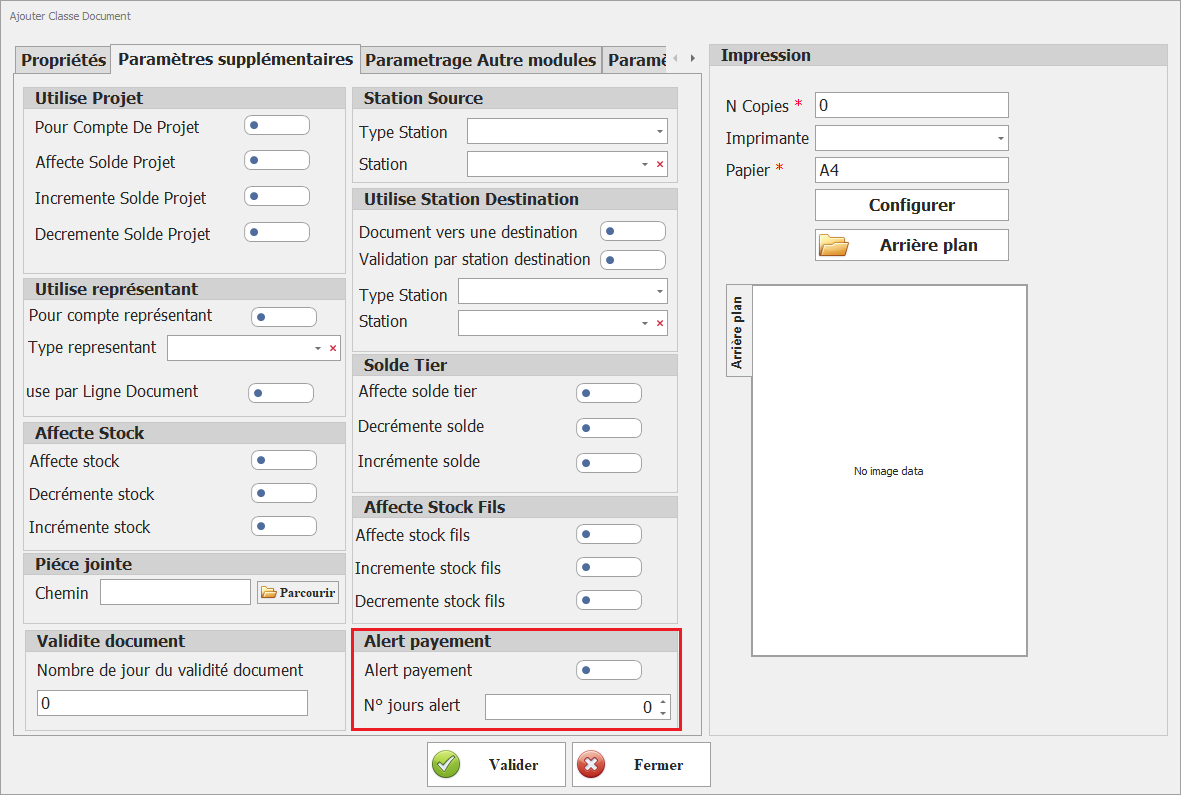
Ce paramétrage déclenche une alerte lorsque le nombre de jours d'alerte, défini par rapport à la date de création du document, est dépassé. <span style="mso-no-proof: yes;"></span>

- <span style="font-family: 'Courier New'; mso-fareast-font-family: 'Courier New';"><span style="mso-list: Ignore;"><span style="font: 7.0pt 'Times New Roman';"><span style="font-family: Courier New;"> </span></span><span style="font: 7.0pt 'Times New Roman';"> </span></span></span>Alerte lors du lancement de l’application Dux
<span style="mso-no-proof: yes;">![alerte echance.png](https://help.asmpos.com/uploads/images/gallery/2024-08/alerte-echance.png)</span>

# Paramètres Document

**<span style="font-size: 12.0pt; line-height: 107%; font-family: 'Times New Roman',serif;">1. Interdit Ajout Direct</span>**

Ce paramétrage détermine si l'ajout direct de documents pour cette classe est interdit. Lorsque cette option est activée, les documents doivent être créés via un processus de transformation spécifique, empêchant ainsi leur ajout direct.

[![image.png](https://help.asmpos.com/uploads/images/gallery/2026-04/scaled-1680-/GOzimage.png)](https://help.asmpos.com/uploads/images/gallery/2026-04/GOzimage.png)<span style="mso-no-proof: yes;"></span>

**<span style="font-size: 12.0pt; line-height: 107%; font-family: 'Times New Roman',serif;">2. Import Ligne Document</span>**

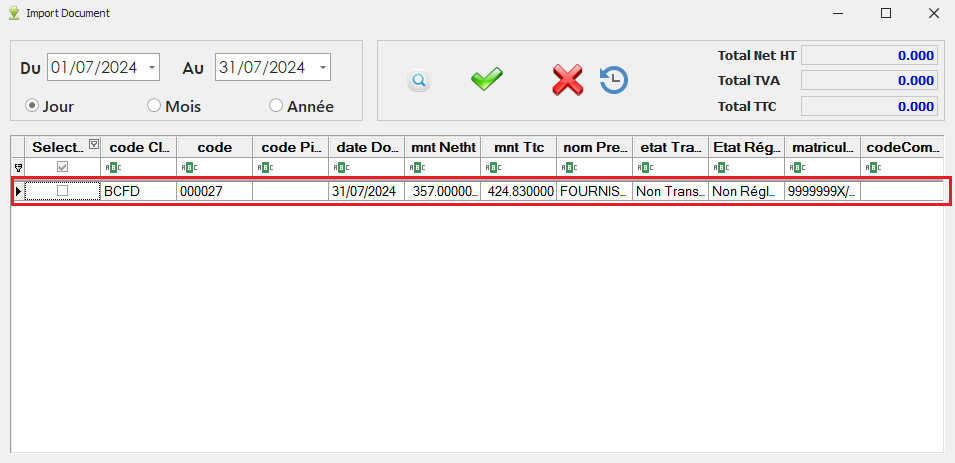
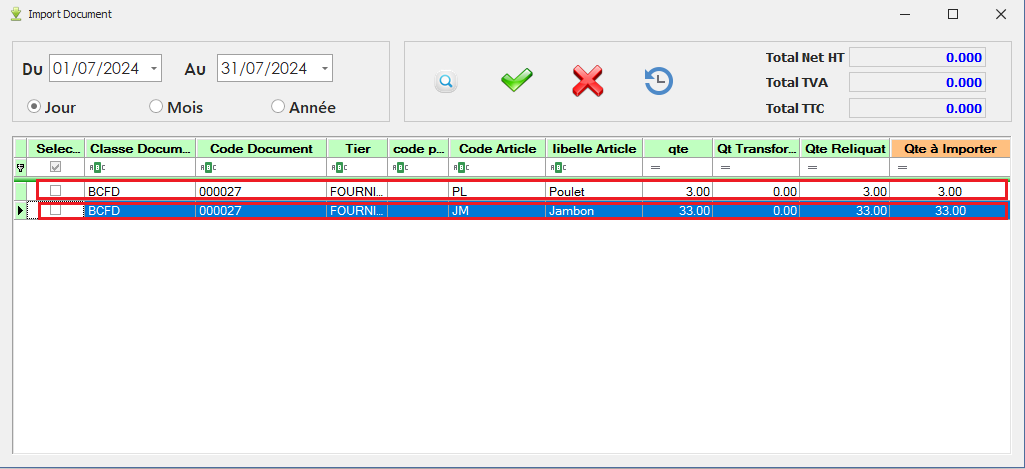
Lorsque ce paramétrage est activé, chaque ligne du document source sera affichée séparément dans l'interface d'importation. Cela permet de gérer et de vérifier chaque ligne individuellement lors du processus d'importation.

[![image.png](https://help.asmpos.com/uploads/images/gallery/2026-04/scaled-1680-/e6Kimage.png)](https://help.asmpos.com/uploads/images/gallery/2026-04/e6Kimage.png)
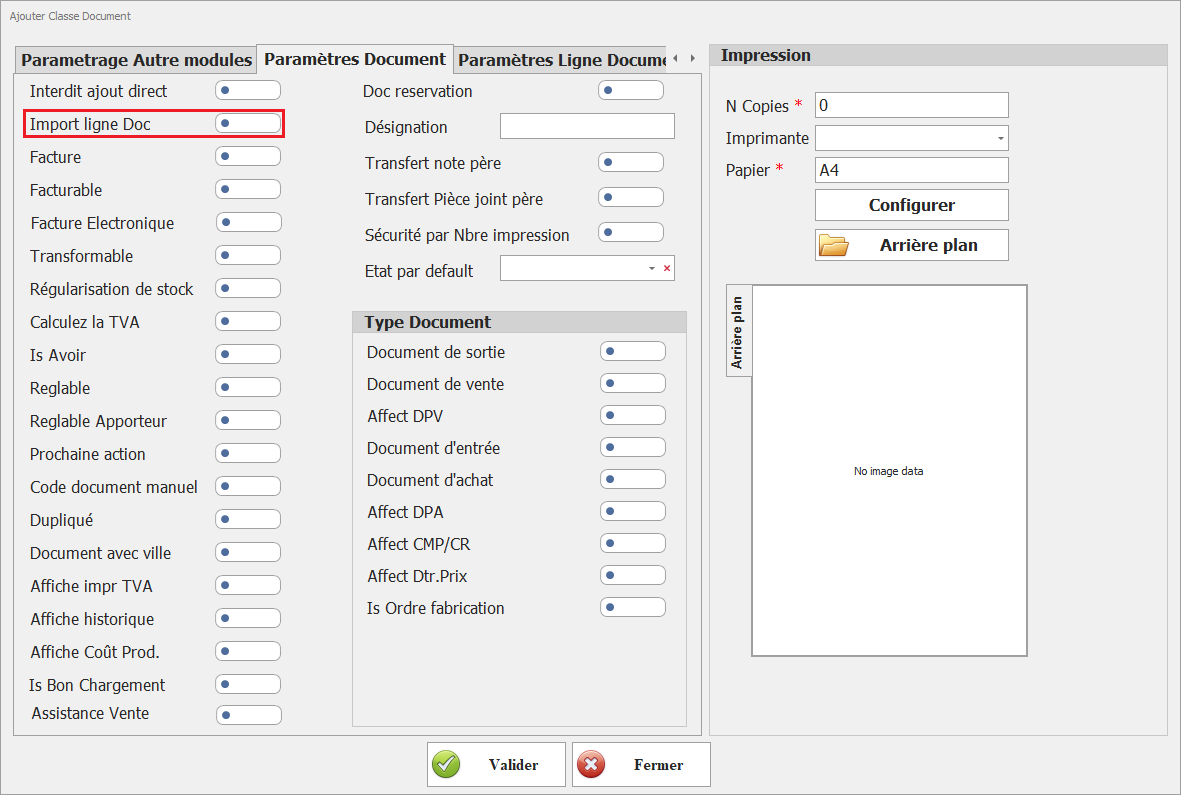
- Paramétrage non actif :

<span style="font-family: 'Courier New'; mso-fareast-font-family: 'Courier New';"><span style="mso-list: Ignore;">o<span style="font: 7.0pt 'Times New Roman';"> </span></span></span>Interface Import Document :

<span style="mso-no-proof: yes;">![Param import ligne doc NON ACTIF.PNG](https://help.asmpos.com/uploads/images/gallery/2024-08/param-import-ligne-doc-non-actif.PNG)</span>

- Paramétrage actif :

<span style="font-family: 'Courier New'; mso-fareast-font-family: 'Courier New';"><span style="mso-list: Ignore;">o<span style="font: 7.0pt 'Times New Roman';"> </span></span></span>Interface Import Document :

<span style="mso-no-proof: yes;">![Param import ligne doc ACTIF.PNG](https://help.asmpos.com/uploads/images/gallery/2024-08/param-import-ligne-doc-actif.PNG)</span>

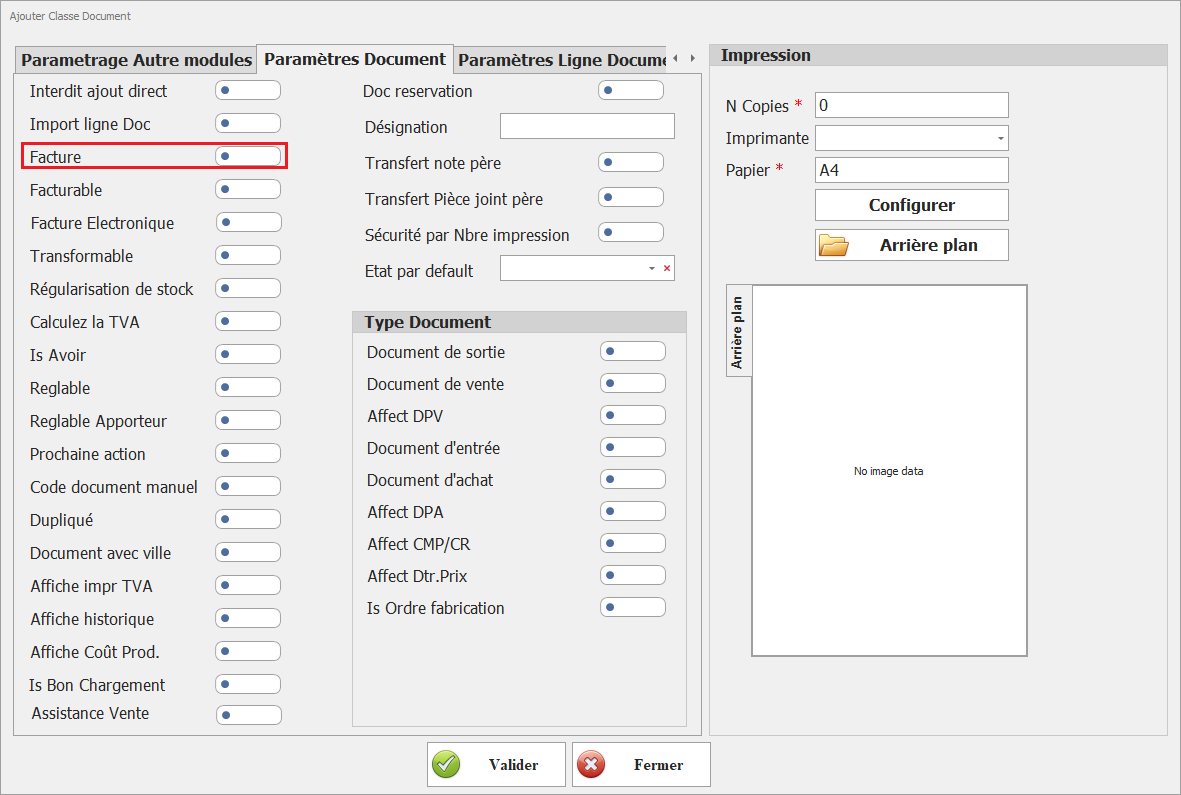
**<span style="font-size: 12pt; line-height: 107%; font-family: 'Times New Roman', serif; background-image: initial; background-position: initial; background-size: initial; background-repeat: initial; background-attachment: initial; background-origin: initial; background-clip: initial;">3. Facture</span>**

Ce paramétrage indique que ce document est traité comme une facture dans tous les aspects comptables, y compris la TVA, les retenues à la source, et autres obligations fiscales.<span style="mso-no-proof: yes;"></span>

[![image.png](https://help.asmpos.com/uploads/images/gallery/2026-04/scaled-1680-/PKKimage.png)](https://help.asmpos.com/uploads/images/gallery/2026-04/PKKimage.png)

Ainsi, la TVA dans ces documents est prise en considération dans le suivi des taxes, et les retenues à la source peuvent être appliquées, conformément aux réglementations fiscales.
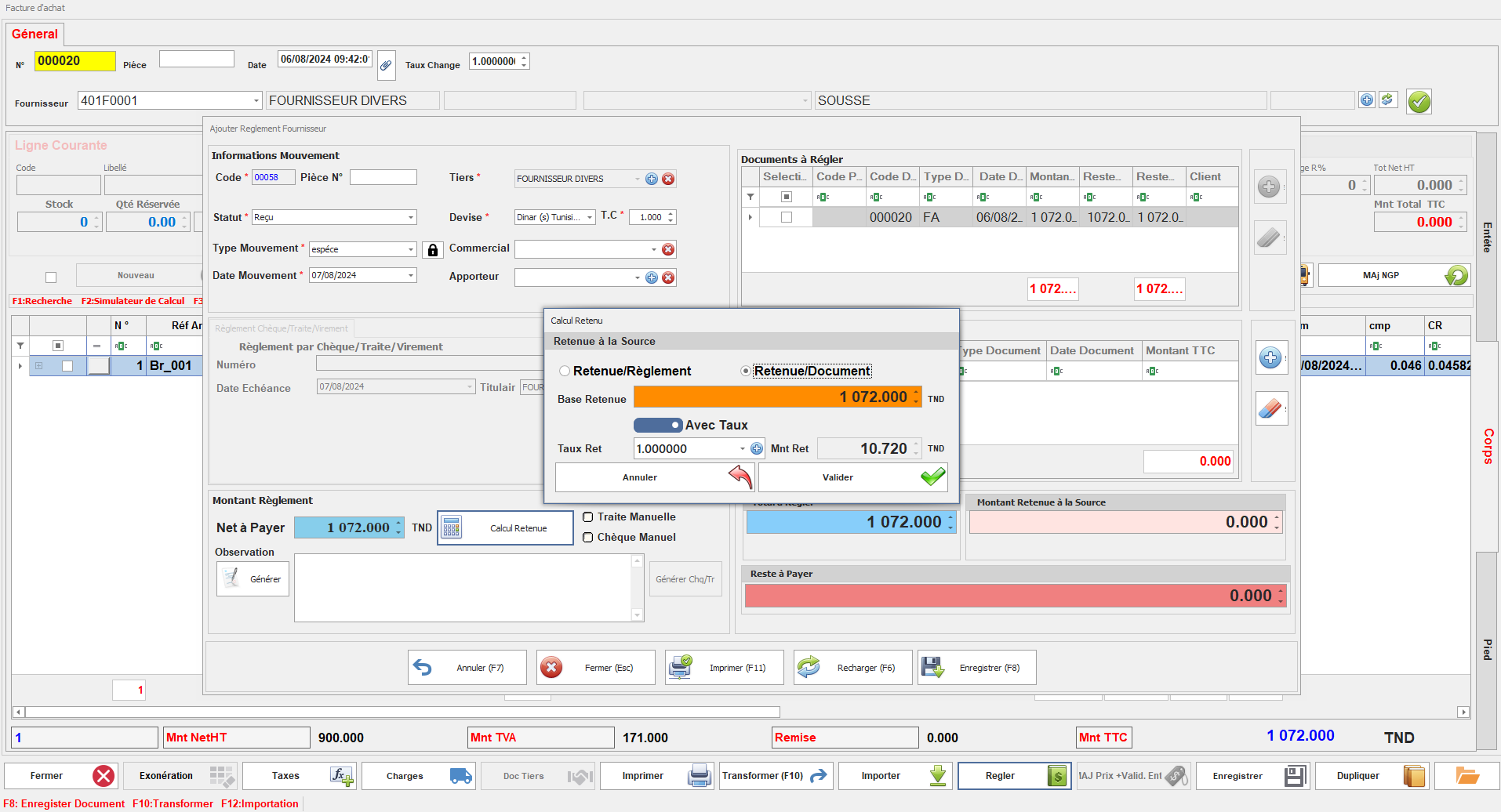
<span style="mso-no-proof: yes;">![retenue a la source.PNG](https://help.asmpos.com/uploads/images/gallery/2024-08/retenue-a-la-source.PNG)</span>

**<span style="font-size: 12pt; line-height: 107%; font-family: 'Times New Roman', serif; background-image: initial; background-position: initial; background-size: initial; background-repeat: initial; background-attachment: initial; background-origin: initial; background-clip: initial;">4. Facturable</span>**

Ce paramétrage définit si le document peut être transformé en facture.

[![image.png](https://help.asmpos.com/uploads/images/gallery/2026-04/scaled-1680-/7Gyimage.png)](https://help.asmpos.com/uploads/images/gallery/2026-04/7Gyimage.png)<span style="mso-no-proof: yes;"></span>
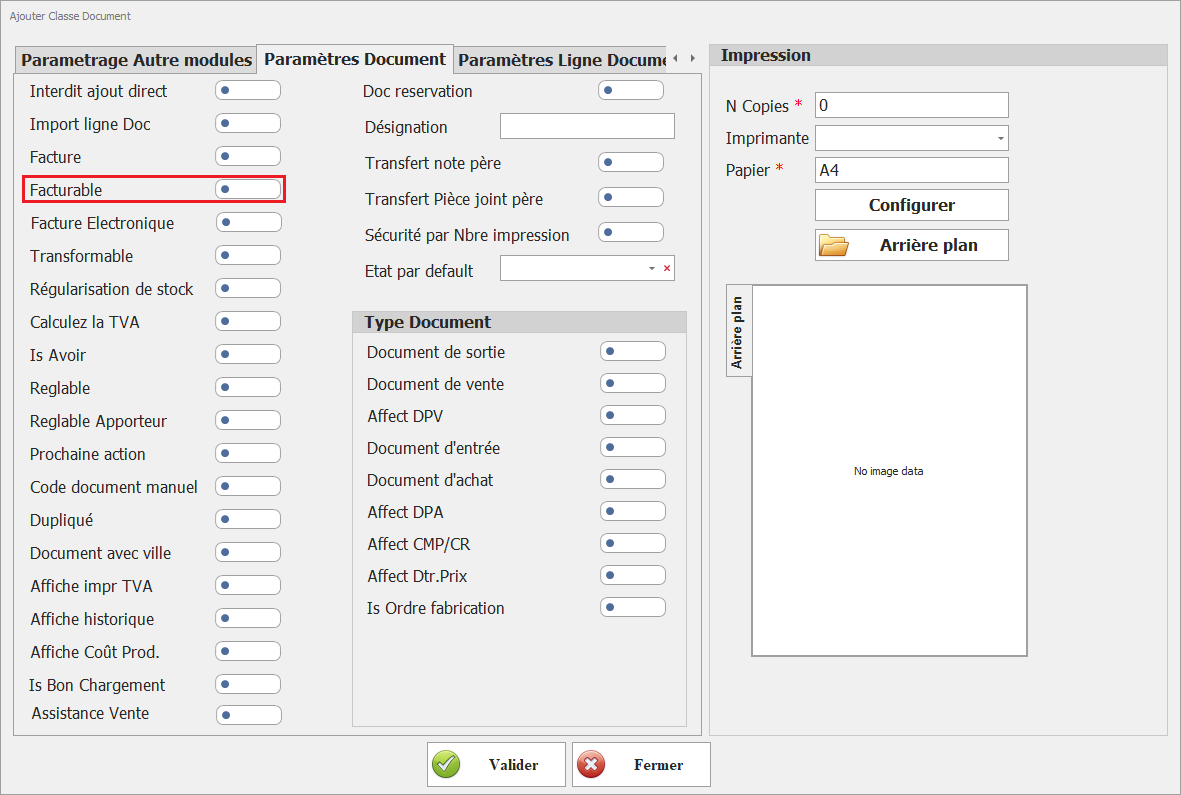
Lorsqu'il est activé, il permet d'utiliser le document dans le processus de facturation, facilitant ainsi la gestion des aspects comptables liés à la facturation.
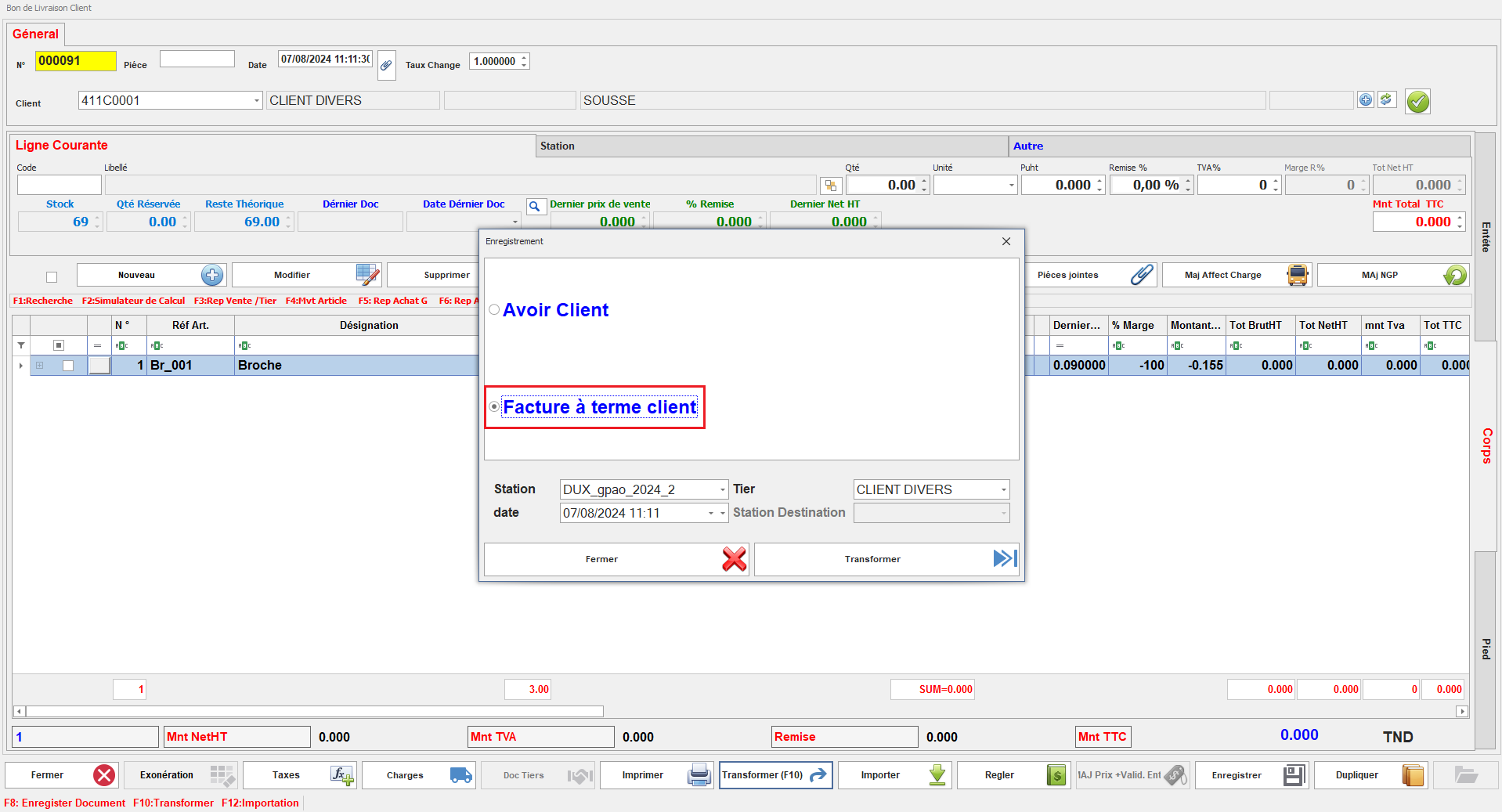
<span style="mso-no-proof: yes;">![facturable 11.PNG](https://help.asmpos.com/uploads/images/gallery/2024-08/facturable-11.PNG)</span>

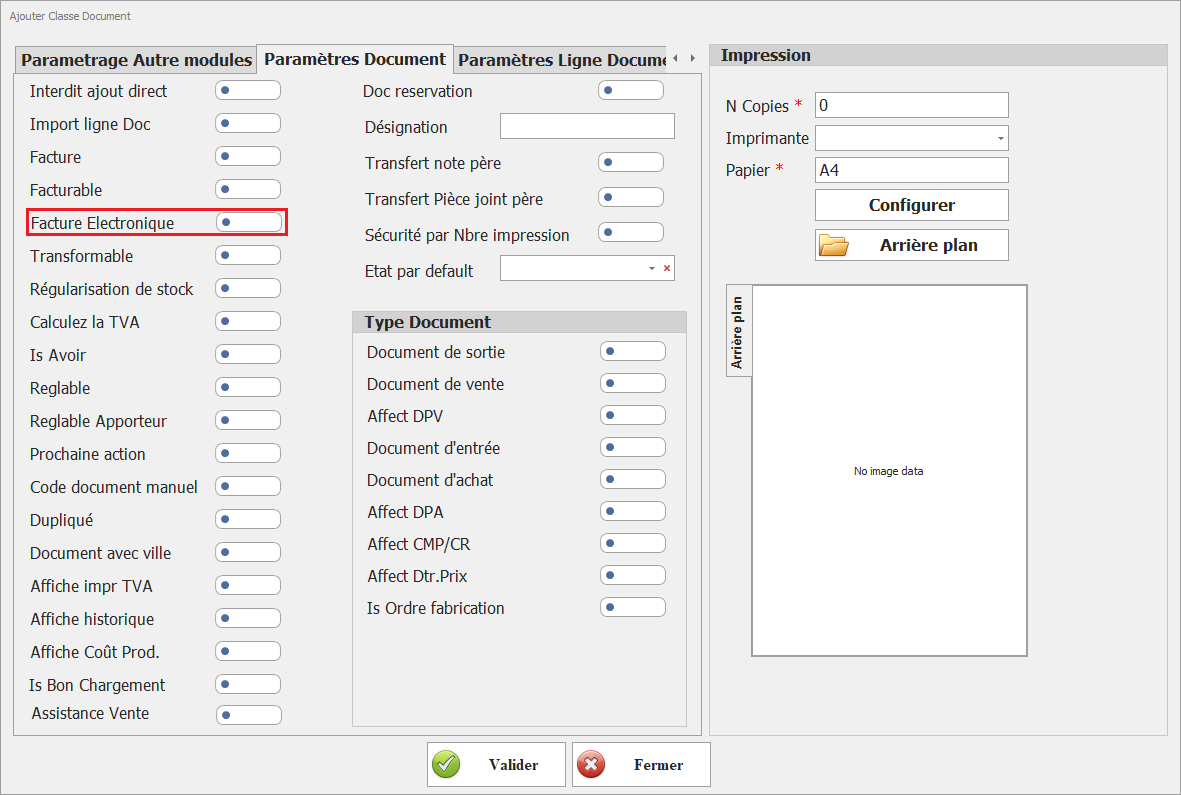
**<span style="font-size: 12.0pt; line-height: 107%; font-family: 'Times New Roman',serif;">5. facture electronique </span>**

[![image.png](https://help.asmpos.com/uploads/images/gallery/2026-04/scaled-1680-/QKbimage.png)](https://help.asmpos.com/uploads/images/gallery/2026-04/QKbimage.png)

**Objectif :**  
Activer l’intégration de la classe de document dans le module de facturation électronique.

**Description :**  
Ce paramétrage permet de rendre les documents de cette classe utilisables dans les processus de facturation électronique.

**Règles de gestion :**

- Activé : 
    - Le document est éligible à la génération en format électronique
    - Il peut être transmis aux systèmes ou plateformes de facturation électronique
- Désactivé : 
    - Le document reste limité à un usage interne (non électronique)

**<span style="font-size: 12.0pt; line-height: 107%; font-family: 'Times New Roman',serif;">6. Transformable</span>**

Ce paramétrage détermine si les documents de cette classe peuvent être convertis en d'autres types de documents au cours du processus de gestion.

[![image.png](https://help.asmpos.com/uploads/images/gallery/2026-04/scaled-1680-/oydimage.png)](https://help.asmpos.com/uploads/images/gallery/2026-04/oydimage.png)
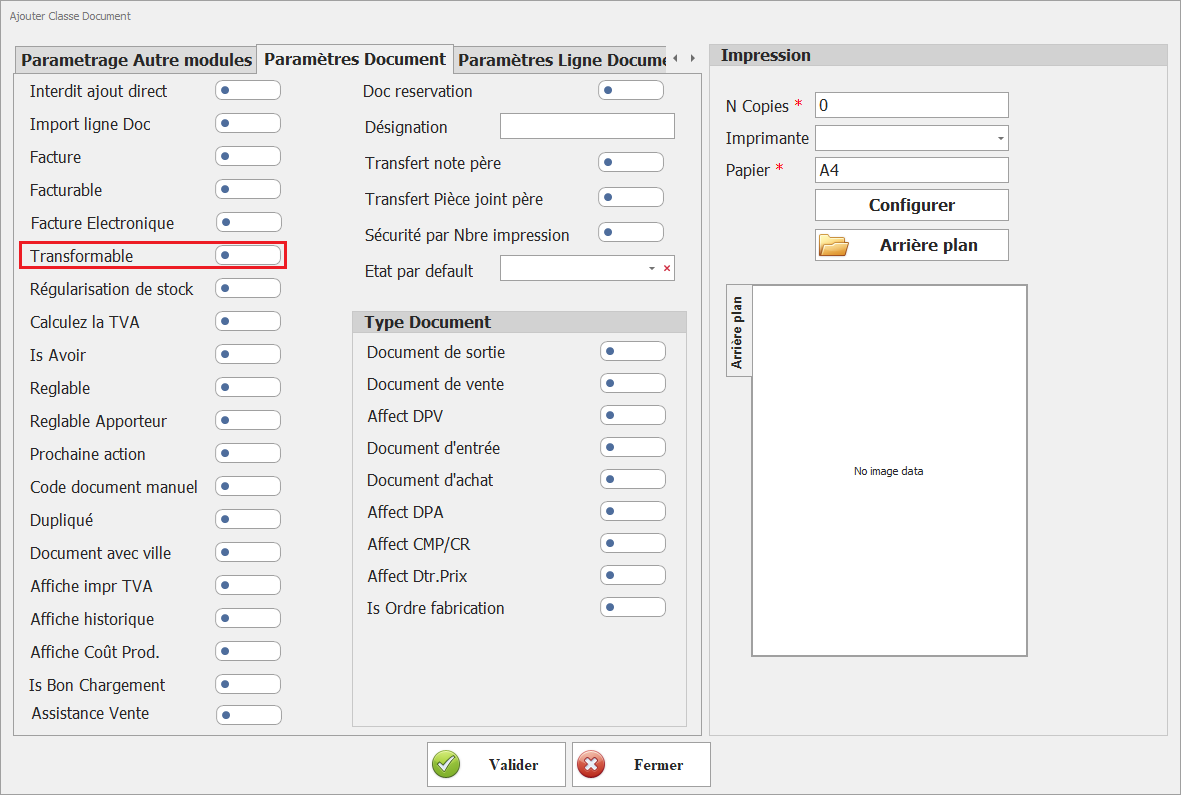
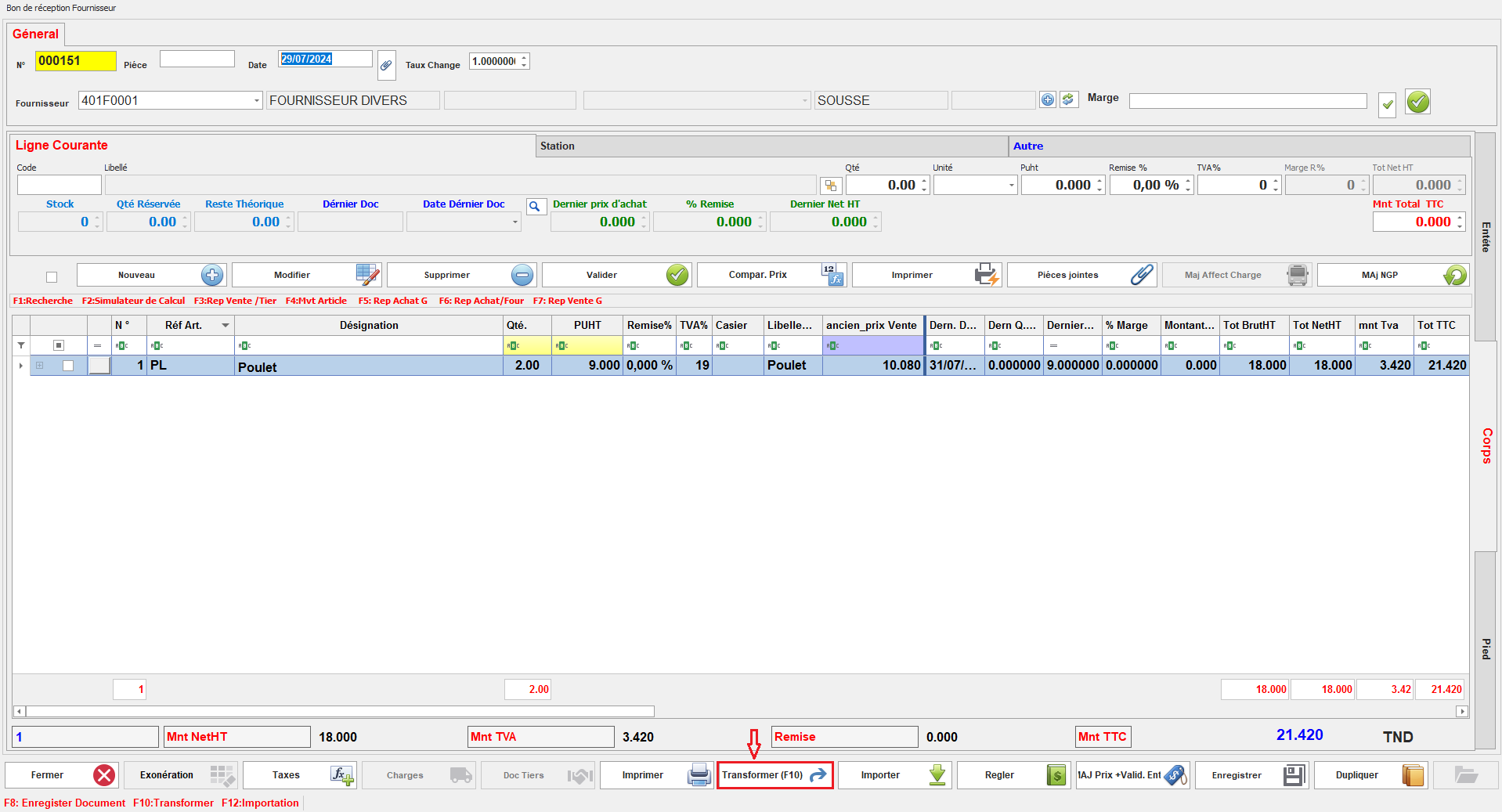
Lorsqu'il est activé, il permet de réaliser des transformations de documents selon le circuit spécifié.
<span style="mso-no-proof: yes;">![transformer.PNG](https://help.asmpos.com/uploads/images/gallery/2024-08/transformer.PNG)</span>

<span style="color: rgb(224, 62, 45);">**<span style="font-size: 12.0pt; line-height: 107%; font-family: 'Times New Roman',serif;">7. Régulisation de stock </span>**</span>

[![image.png](https://help.asmpos.com/uploads/images/gallery/2026-04/scaled-1680-/T21image.png)](https://help.asmpos.com/uploads/images/gallery/2026-04/T21image.png)

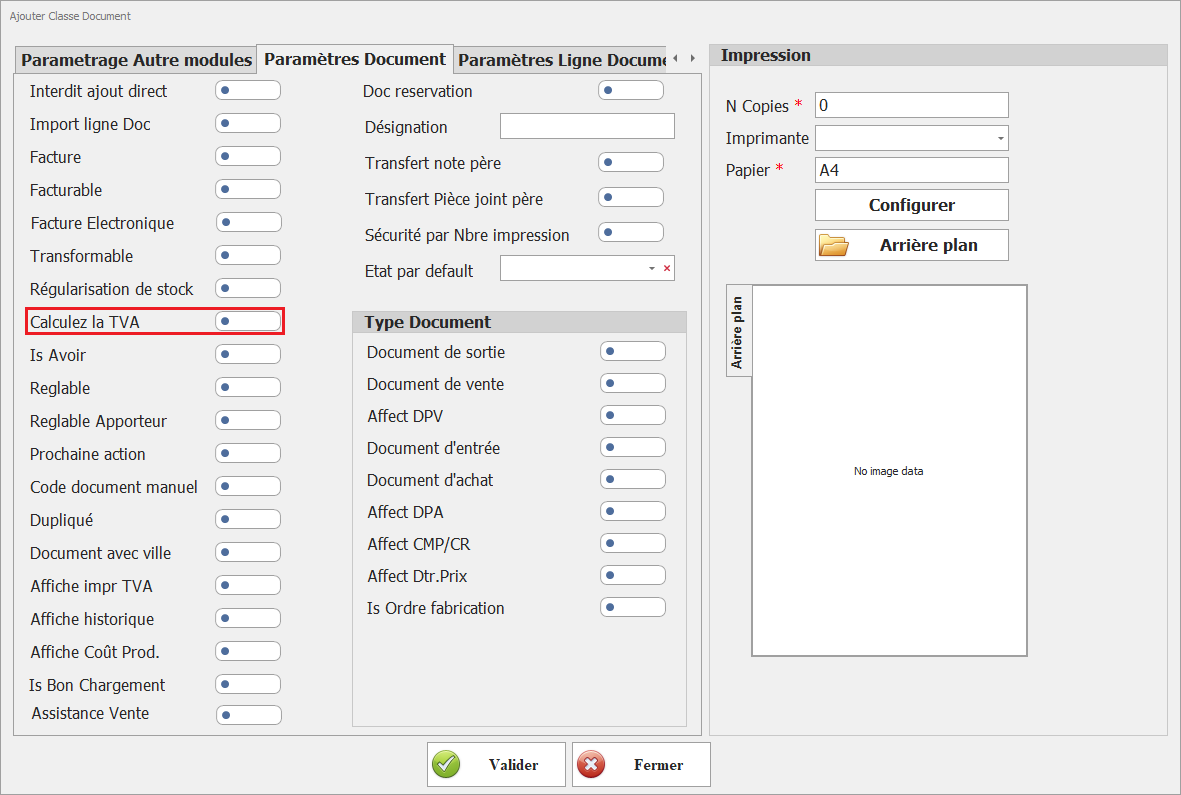
**<span style="font-size: 12.0pt; line-height: 107%; font-family: 'Times New Roman',serif;">8. Calculez la TVA</span>**

[![image.png](https://help.asmpos.com/uploads/images/gallery/2026-04/scaled-1680-/OPyimage.png)](https://help.asmpos.com/uploads/images/gallery/2026-04/OPyimage.png)

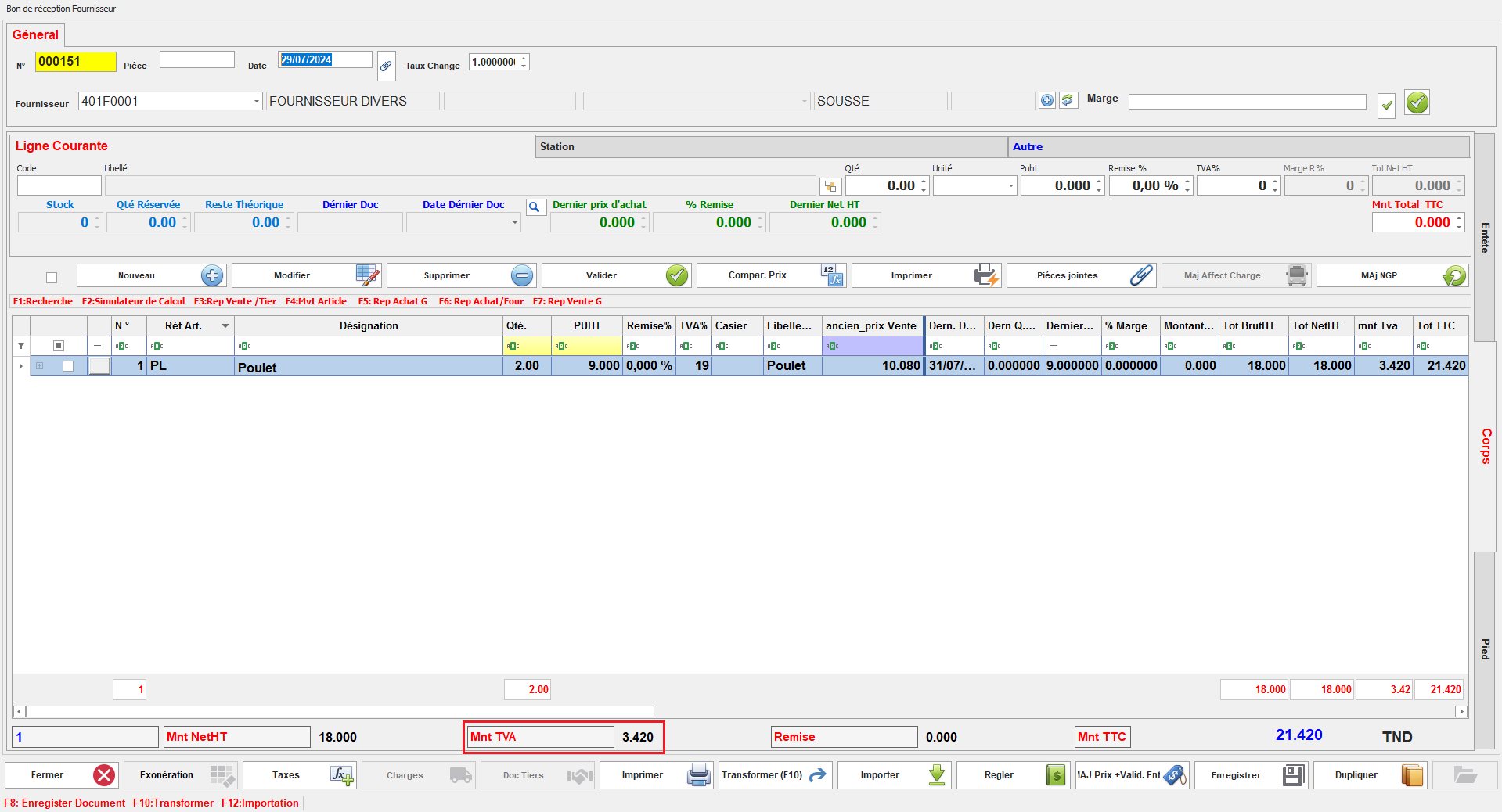
Ce paramétrage détermine si la TVA doit être calculée pour les documents de cette classe.<span style="mso-no-proof: yes;"></span>

<span style="mso-no-proof: yes;">Lorsqu'il est activé, le calcul de la TVA sera appliqué automatiquement, assurant la conformité fiscale et la précision des montants des transactions.</span>

<span style="mso-no-proof: yes;">[![tva.PNG](https://help.asmpos.com/uploads/images/gallery/2024-08/scaled-1680-/tva.PNG)](https://help.asmpos.com/uploads/images/gallery/2024-08/tva.PNG)</span>

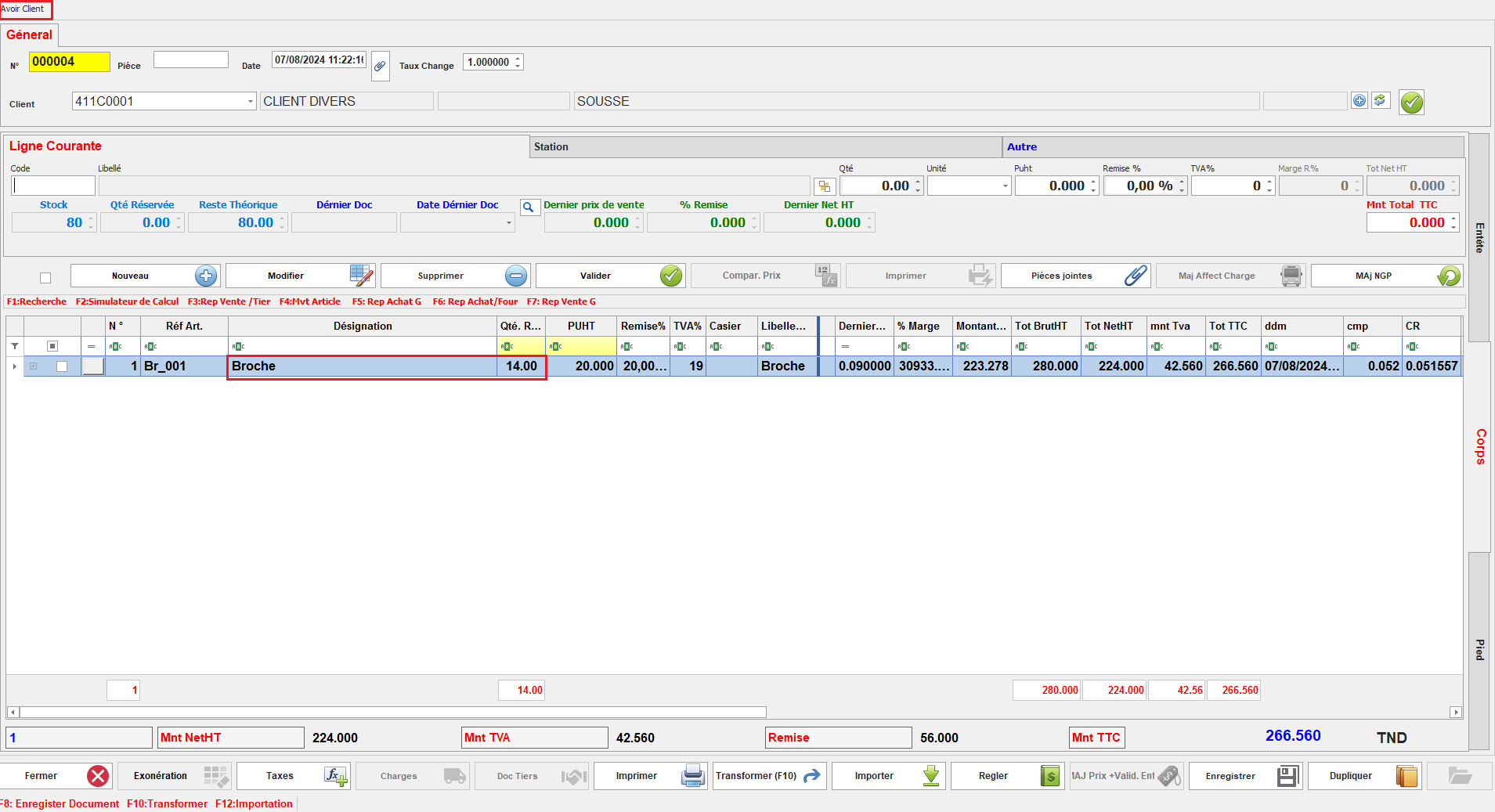
**<span style="font-size: 12.0pt; line-height: 107%; font-family: 'Times New Roman',serif;">9. Is Avoir<span style="mso-tab-count: 1;"> </span></span>**

Ce paramétrage spécifie que le document est traité comme un avoir.

[![image.png](https://help.asmpos.com/uploads/images/gallery/2026-04/scaled-1680-/dFUimage.png)](https://help.asmpos.com/uploads/images/gallery/2026-04/dFUimage.png)<span style="mso-no-proof: yes;"></span>
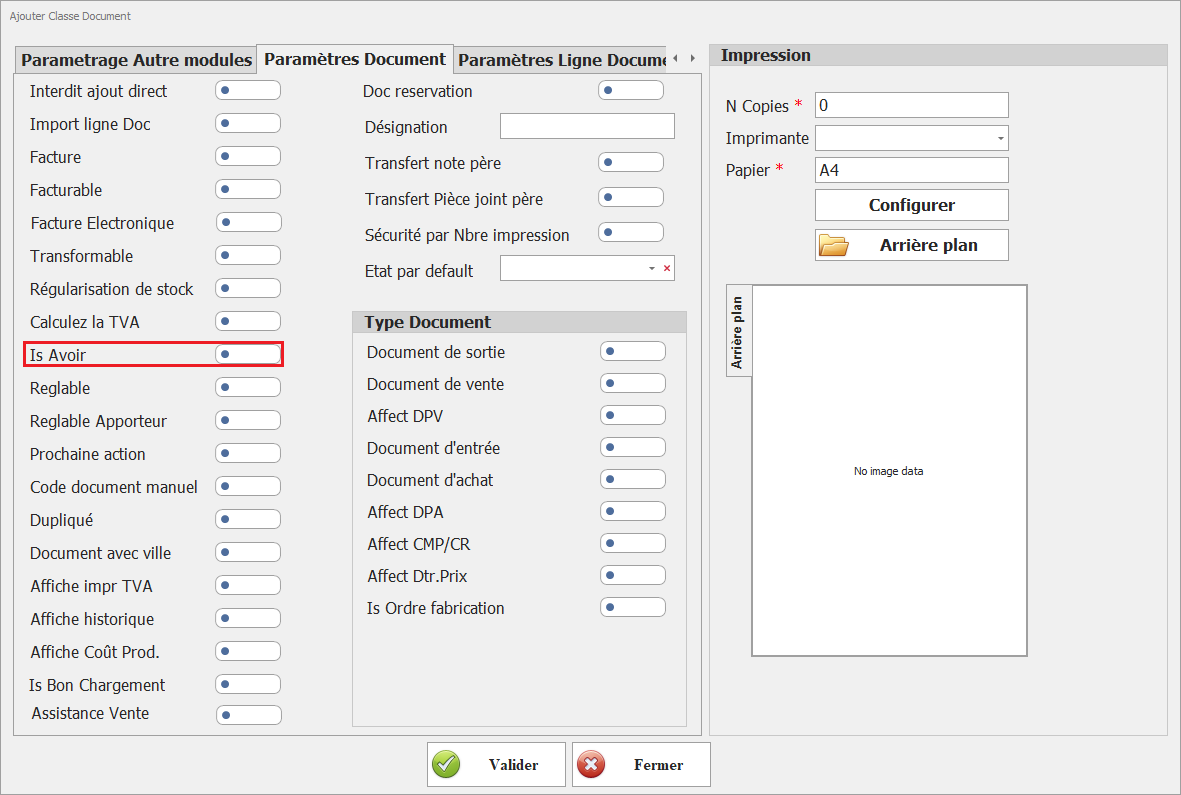
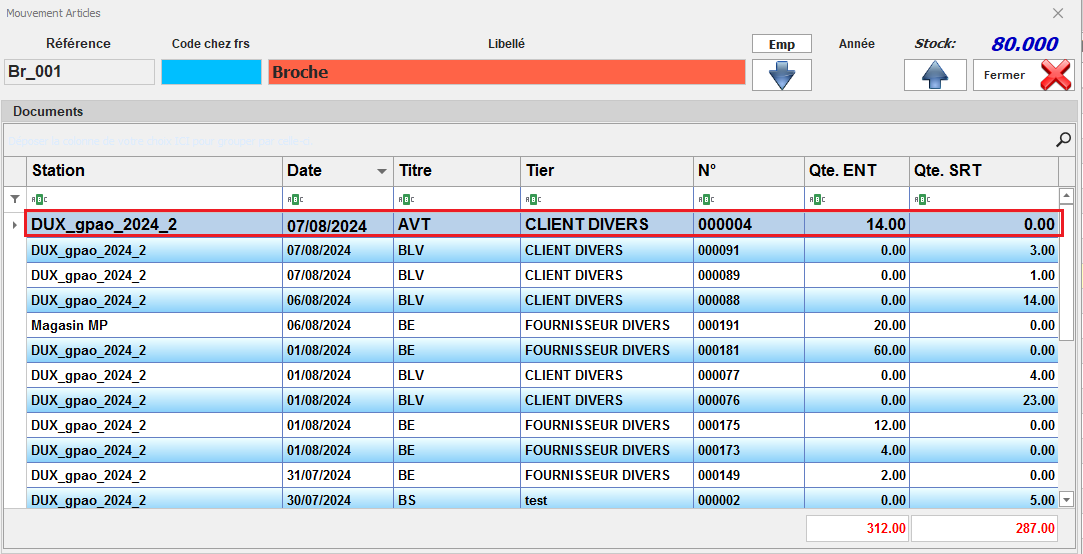
En activant cette option, le document est reconnu comme un document de crédit ou une note de crédit, permettant de gérer les ajustements de facturation ainsi que les quantités de stock associées.

<span style="font-family: 'Courier New'; mso-fareast-font-family: 'Courier New';"><span style="mso-list: Ignore;">o<span style="font: 7.0pt 'Times New Roman';"> </span></span></span>Document Avoir

<span style="mso-no-proof: yes;">![doc avoir.PNG](https://help.asmpos.com/uploads/images/gallery/2024-08/doc-avoir.PNG)</span>

<span style="font-family: 'Courier New'; mso-fareast-font-family: 'Courier New';"><span style="mso-list: Ignore;">o<span style="font: 7.0pt 'Times New Roman';"> </span></span></span>Stock après Avoir

<span style="mso-no-proof: yes;">![stock avoir.PNG](https://help.asmpos.com/uploads/images/gallery/2024-08/stock-avoir.PNG)</span>

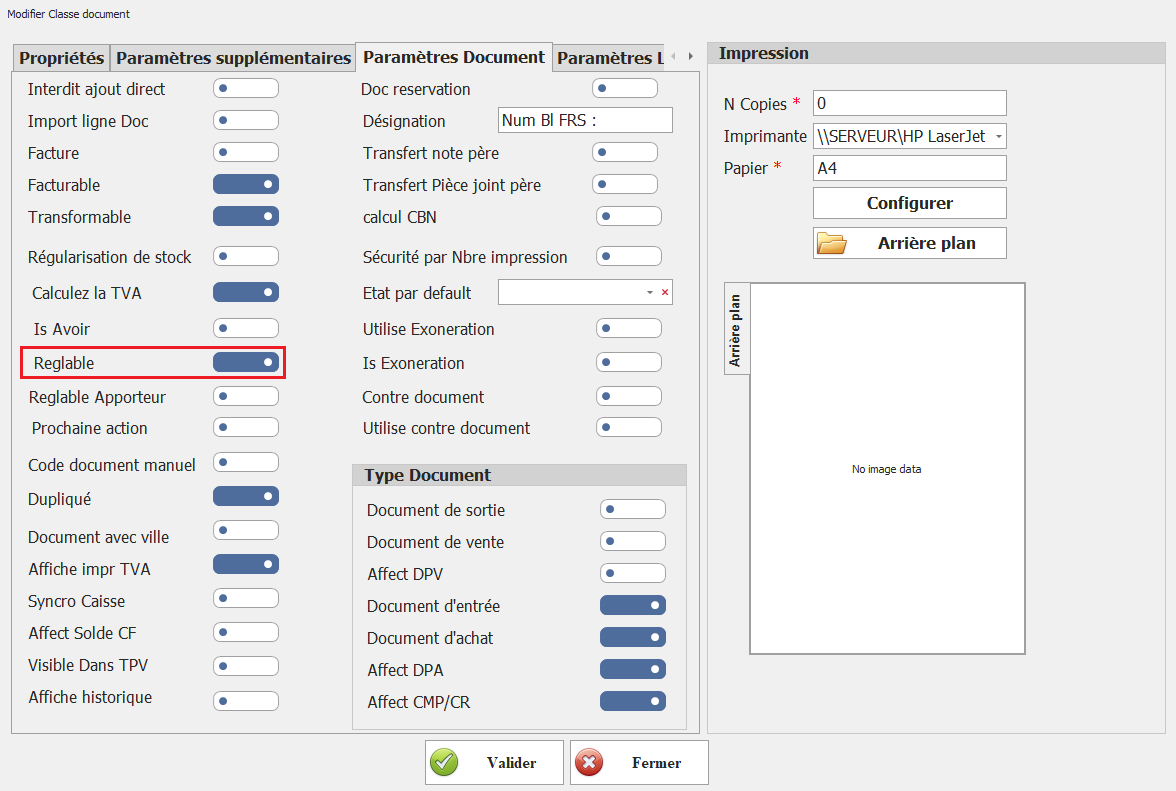
**<span style="font-size: 12.0pt; font-family: 'Times New Roman',serif;">10. Réglable</span>**

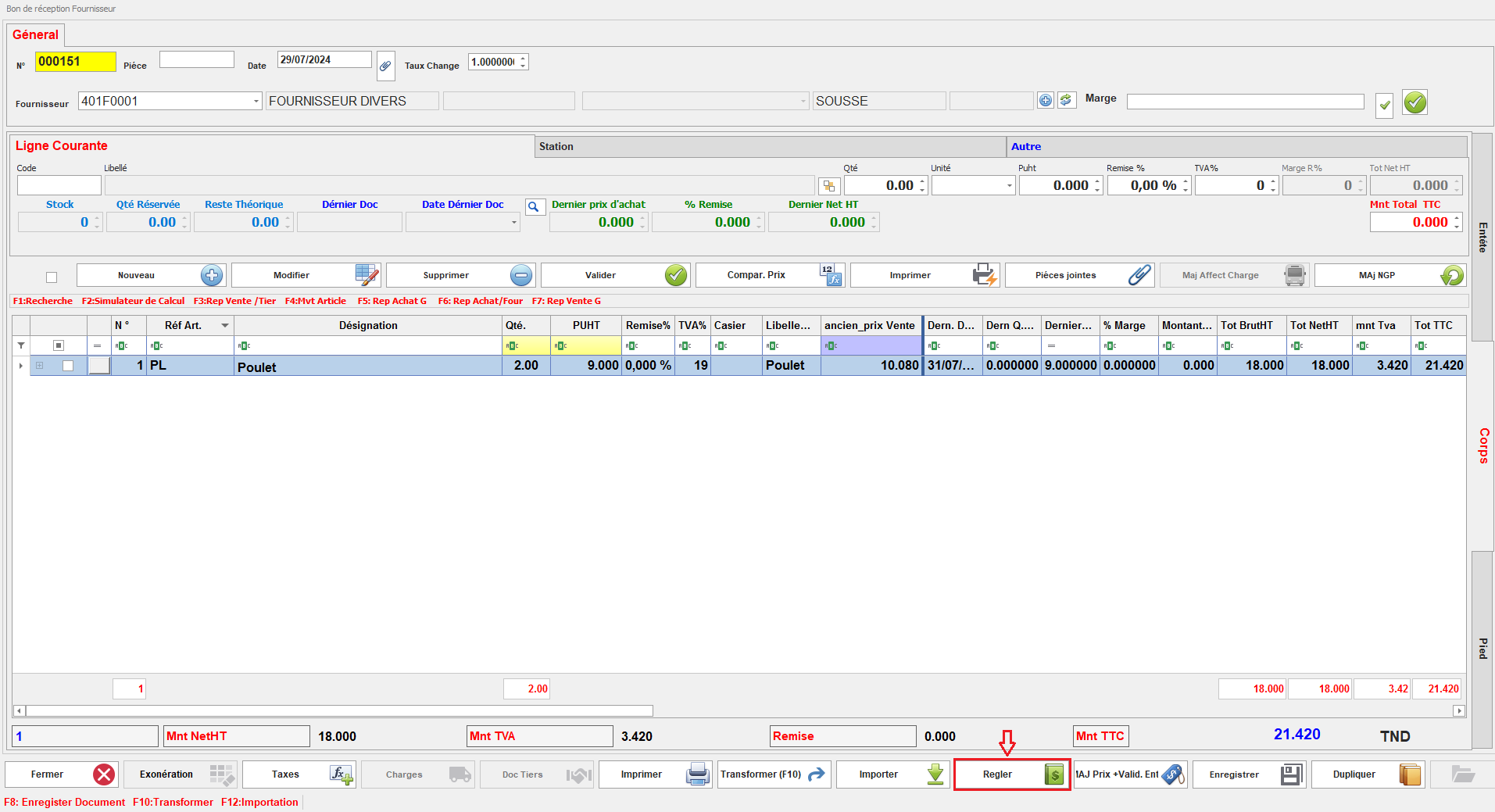
Ce paramétrage permet à l’utilisateur de régler les documents de cette classe.
<span style="mso-no-proof: yes;">![para reglable.PNG](https://help.asmpos.com/uploads/images/gallery/2024-08/para-reglable.PNG)</span>

Lorsqu'il est activé, il offre la possibilité de traiter les paiements directement pour ces documents, facilitant ainsi la gestion des règlements.
<span style="mso-no-proof: yes;">![reglable.PNG](https://help.asmpos.com/uploads/images/gallery/2024-08/reglable.PNG)</span>

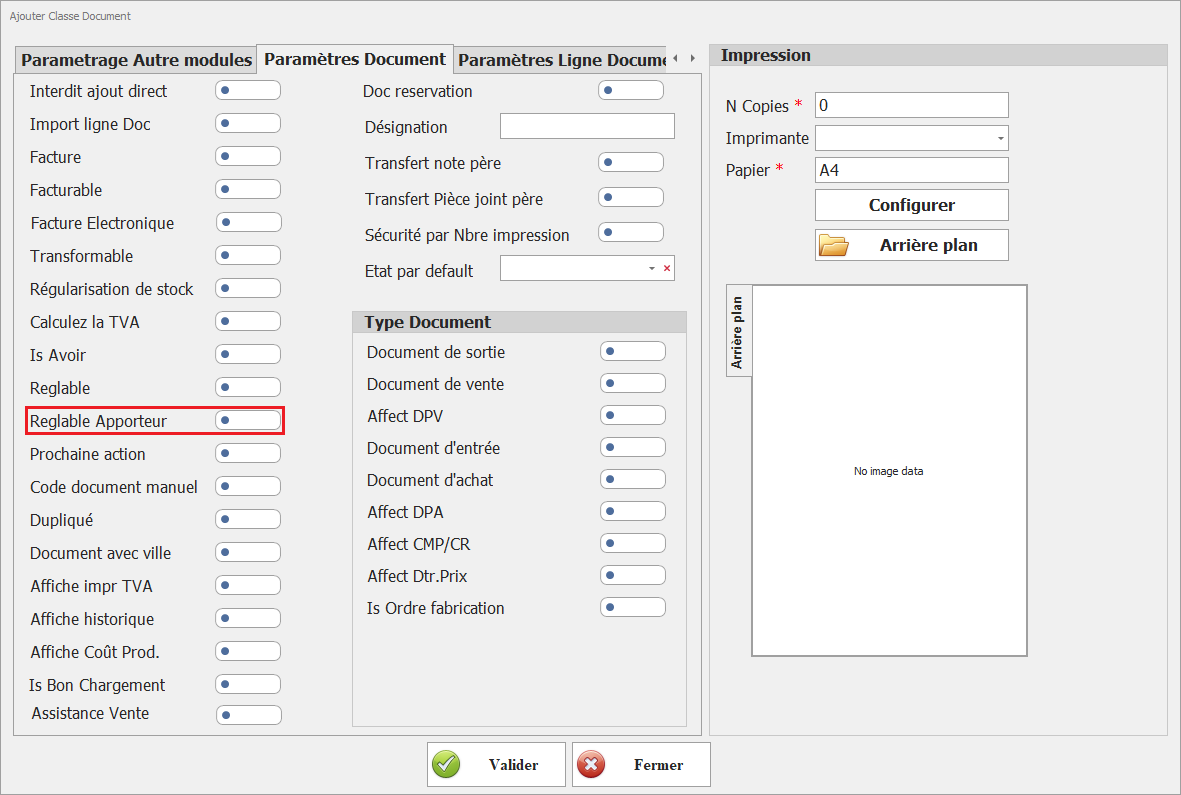
**<span style="font-size: 12.0pt; line-height: 107%; font-family: 'Times New Roman',serif;">11.**Réglable Apporteur**  
</span>**<span style="font-size: 12.0pt; line-height: 107%; font-family: 'Times New Roman',serif;">Permet d’associer un règlement à un apporteur d’affaires (commission, intermédiaire).</span><span style="font-size: 12.0pt; line-height: 107%; font-family: 'Times New Roman',serif;">  
➜ Utilisé dans les contextes de gestion commerciale avec partenaires ou agents.</span>

[![image.png](https://help.asmpos.com/uploads/images/gallery/2026-04/scaled-1680-/4WLimage.png)](https://help.asmpos.com/uploads/images/gallery/2026-04/4WLimage.png)

**<span style="font-size: 12.0pt; line-height: 107%; font-family: 'Times New Roman',serif;">12. **Prochaine action**  
</span>**<span style="font-size: 12.0pt; line-height: 107%; font-family: 'Times New Roman',serif;">Définit si une action suivante est attendue dans le workflow du document.</span>

[![image.png](https://help.asmpos.com/uploads/images/gallery/2026-04/scaled-1680-/Cxximage.png)](https://help.asmpos.com/uploads/images/gallery/2026-04/Cxximage.png)

**<span style="font-size: 12.0pt; line-height: 107%; font-family: 'Times New Roman',serif;">13.Code document manuel</span>**

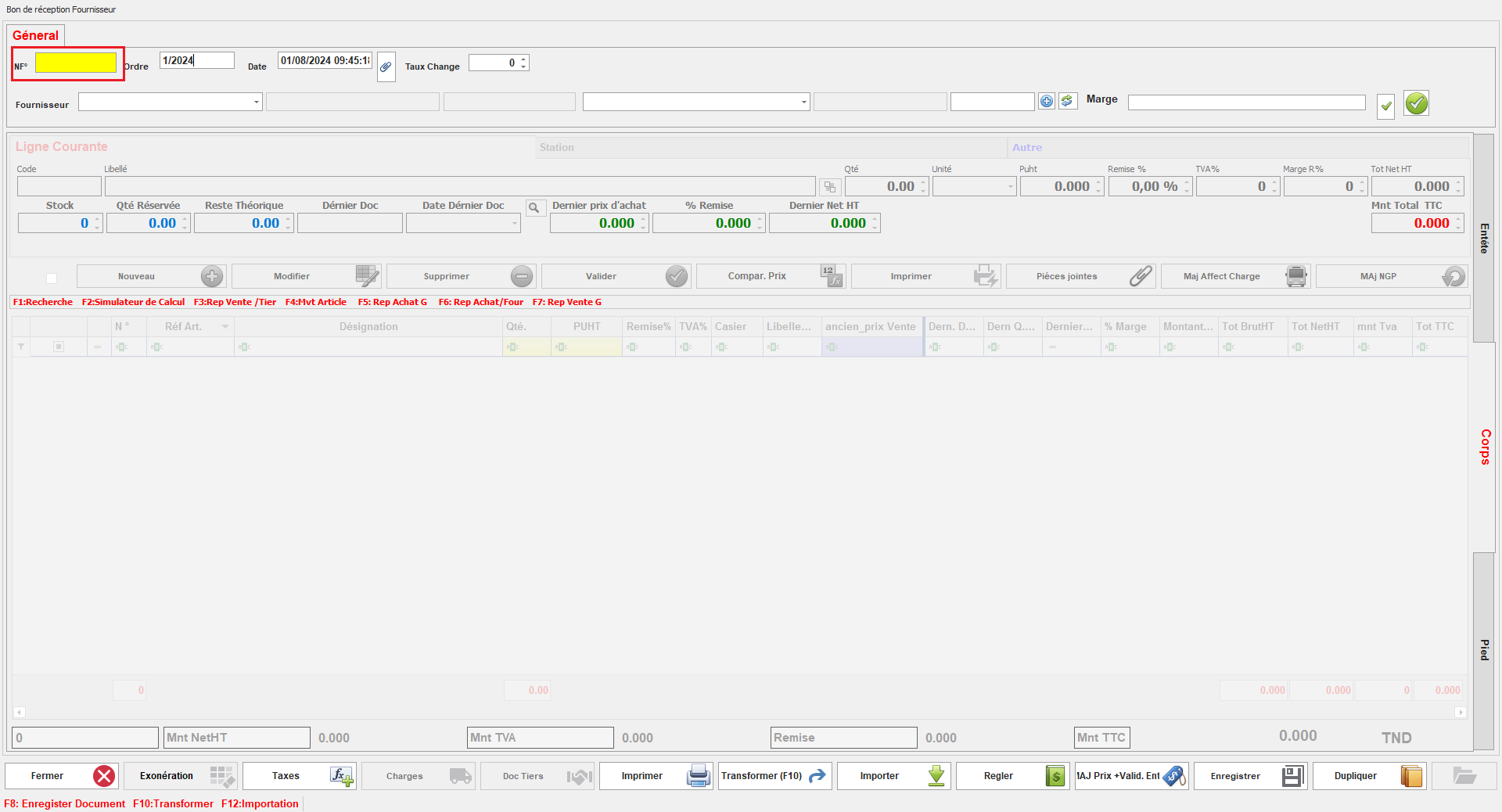
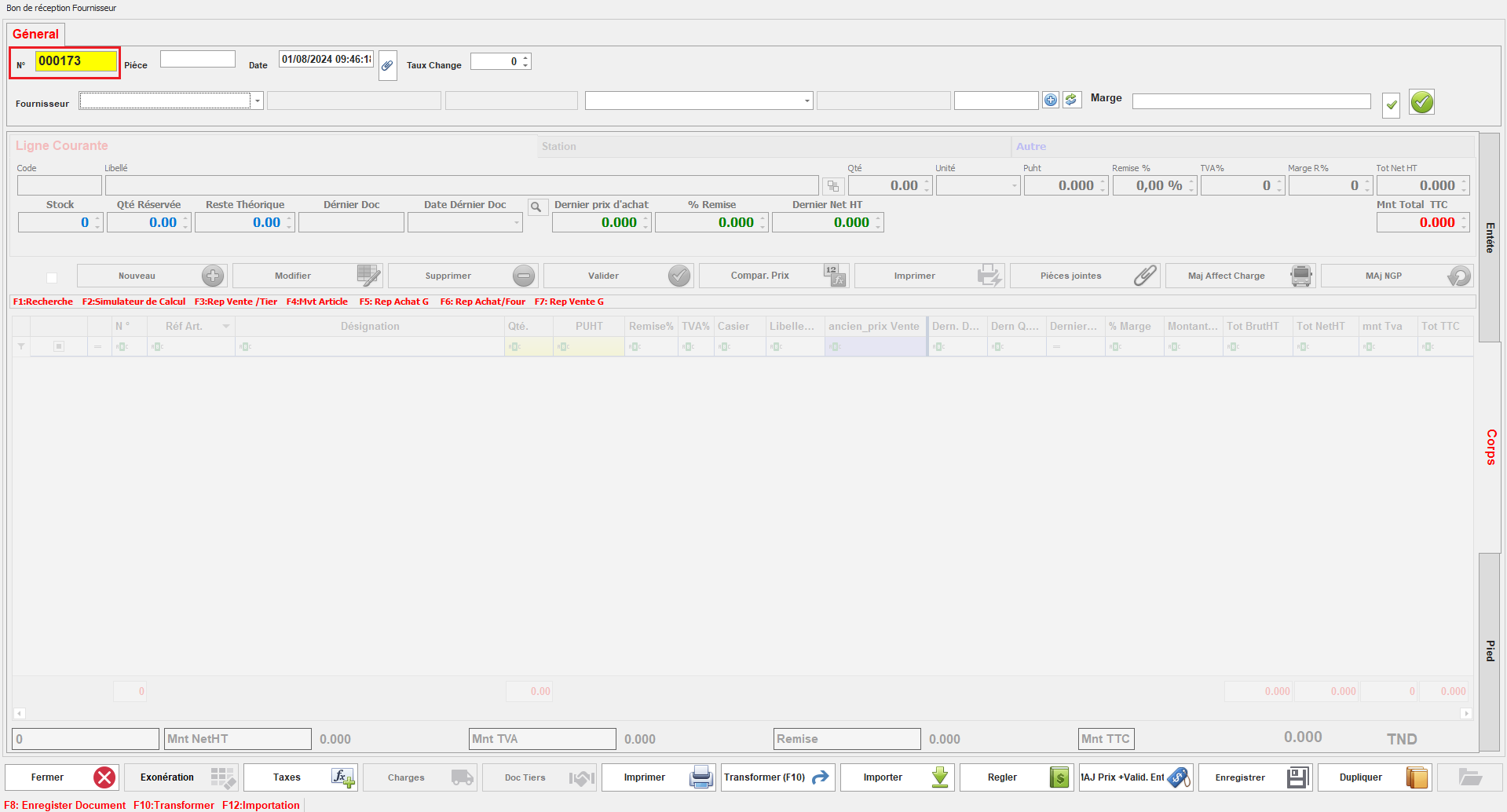
Ce paramétrage détermine si le code du document doit être saisi manuellement ou généré automatiquement.

[![image.png](https://help.asmpos.com/uploads/images/gallery/2026-04/scaled-1680-/MZaimage.png)](https://help.asmpos.com/uploads/images/gallery/2026-04/MZaimage.png)<span style="mso-no-proof: yes;"></span>

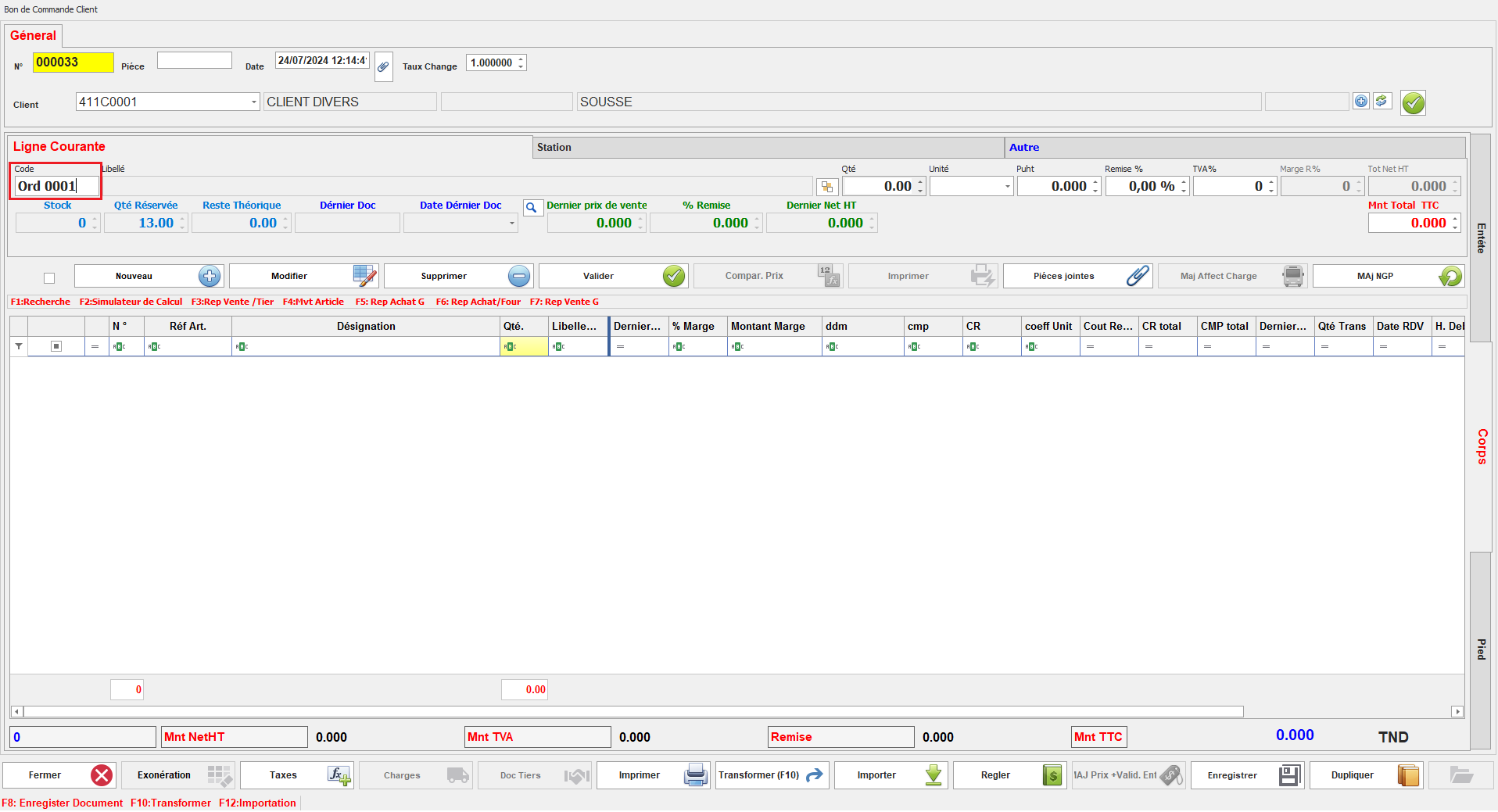
Lorsqu'il est activé, l'utilisateur doit entrer le code du document manuellement.
<span style="mso-no-proof: yes;">![code doc mn.PNG](https://help.asmpos.com/uploads/images/gallery/2024-08/code-doc-mn.PNG)</span>

Lorsqu'il est désactivé, le code du document est généré automatiquement par le système.
<span style="mso-no-proof: yes;">![code doc auto.PNG](https://help.asmpos.com/uploads/images/gallery/2024-08/code-doc-auto.PNG)</span>

**<span style="font-size: 12.0pt; line-height: 107%; font-family: 'Times New Roman',serif;">14. Dupliqué</span>**

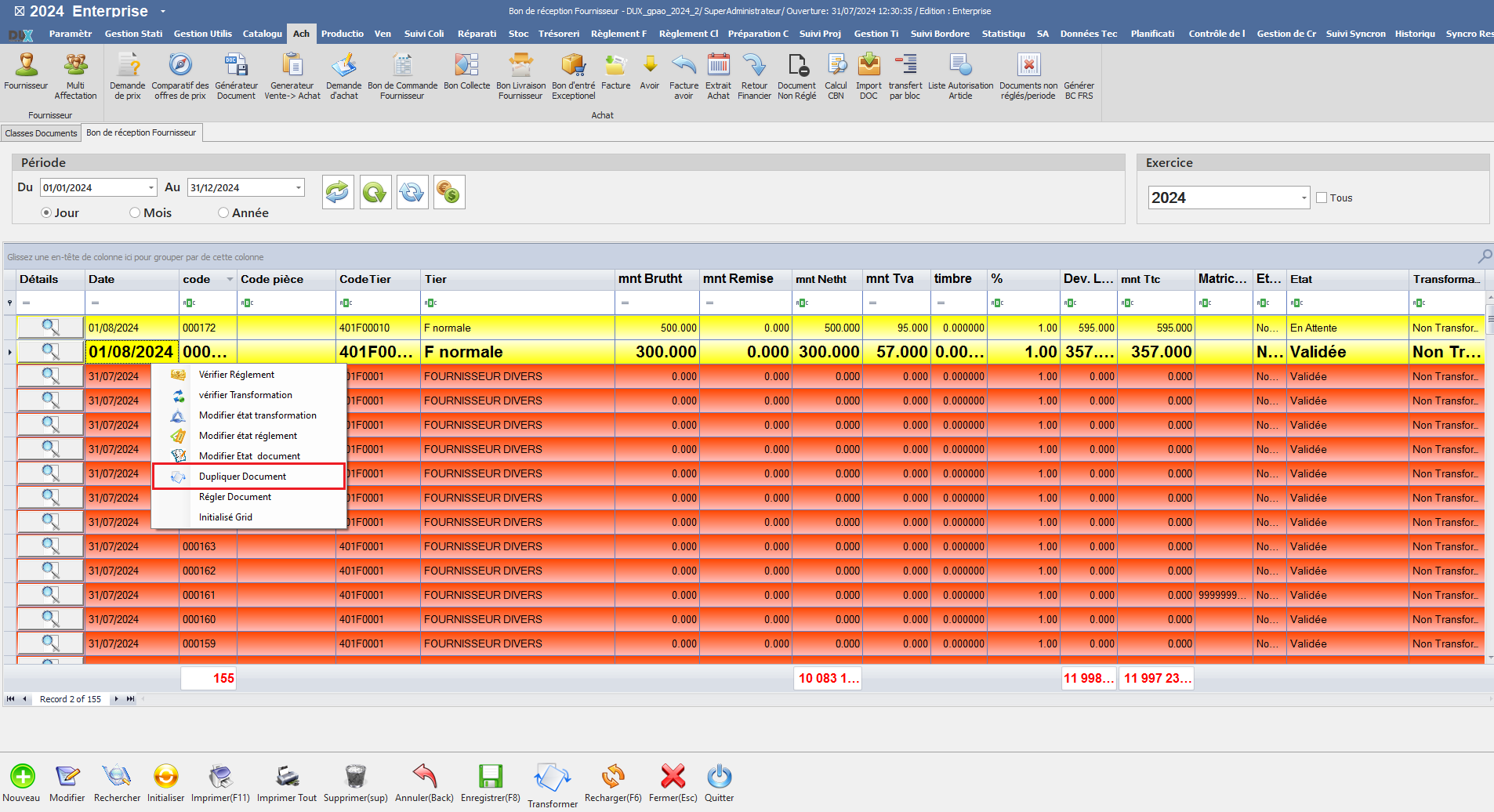
Ce paramétrage détermine si les documents de cette classe peuvent être dupliqués.

[![image.png](https://help.asmpos.com/uploads/images/gallery/2026-04/scaled-1680-/8sHimage.png)](https://help.asmpos.com/uploads/images/gallery/2026-04/8sHimage.png)<span style="mso-no-proof: yes;"></span>

Lorsqu'il est activé, la duplication des documents est possible, permettant ainsi de créer des copies.
<span style="mso-no-proof: yes;">![dupiquer oui.png](https://help.asmpos.com/uploads/images/gallery/2024-08/dupiquer-oui.png)</span>

Lorsqu'il est désactivé, la duplication des documents n'est pas disponible.
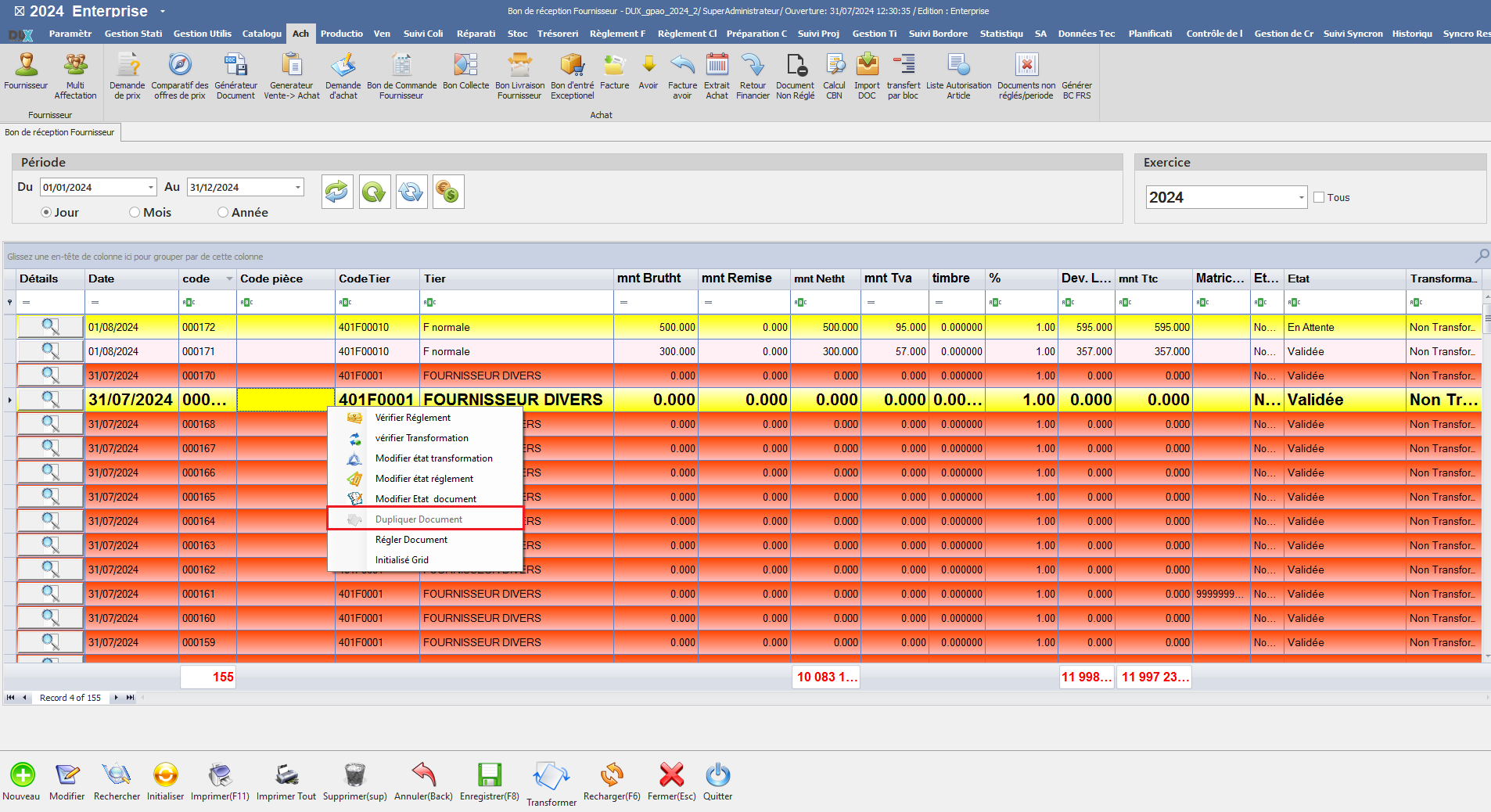
<span style="mso-no-proof: yes;">![dupliquer doc.png](https://help.asmpos.com/uploads/images/gallery/2024-08/dupliquer-doc.png)</span>

**<span style="font-size: 12.0pt; line-height: 107%; font-family: 'Times New Roman',serif;">15. Document avec ville</span>**

Ce paramétrage permet à l'utilisateur de choisir la ville associée à ce document.

[![image.png](https://help.asmpos.com/uploads/images/gallery/2026-04/scaled-1680-/Pwmimage.png)](https://help.asmpos.com/uploads/images/gallery/2026-04/Pwmimage.png)

<span style="mso-no-proof: yes;">  
</span>

Il facilite l'intégration de la ville dans les informations du document, permettant ainsi une meilleure gestion et un suivi plus précis en fonction de la localisation.
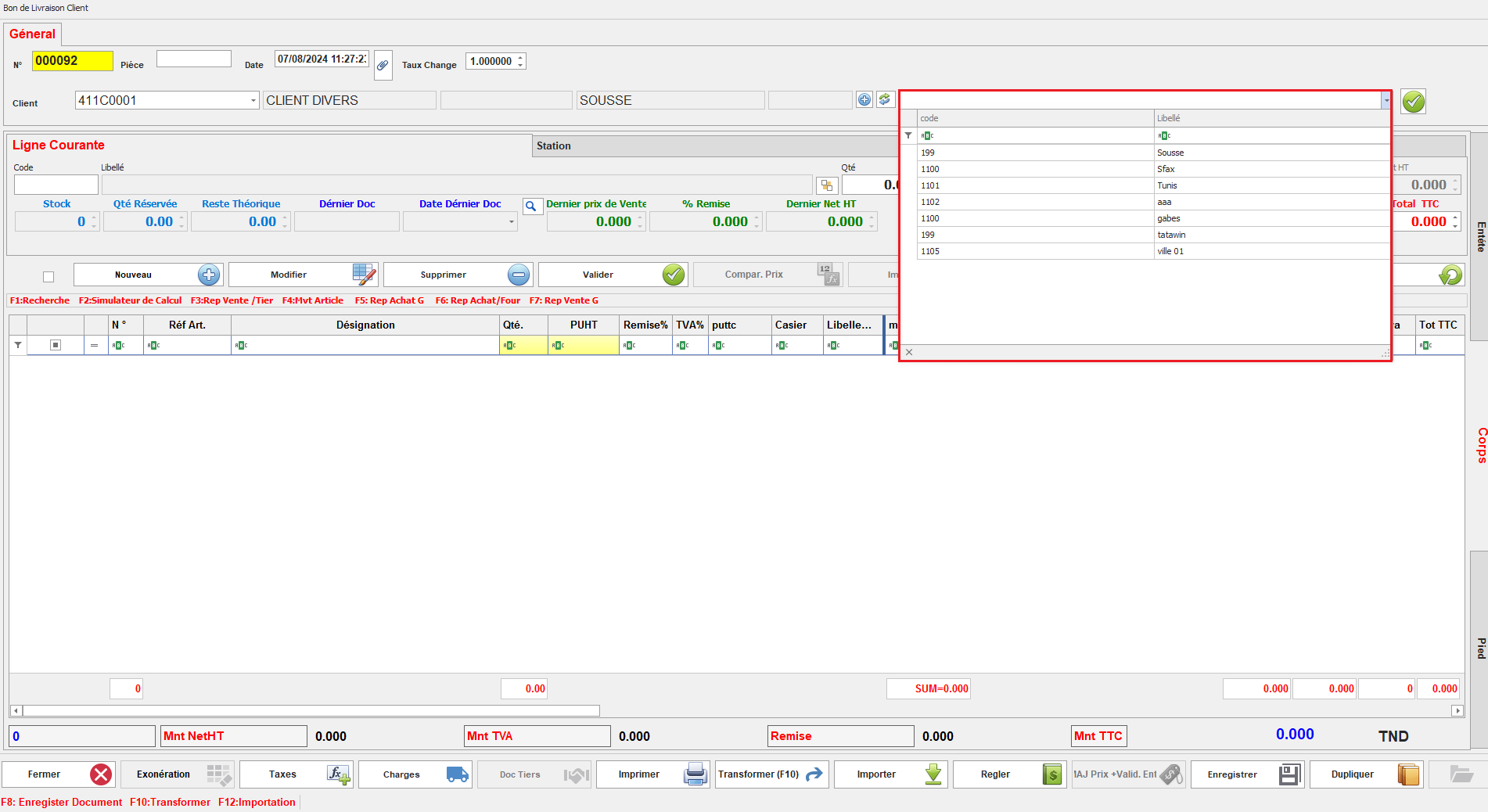
<span style="mso-no-proof: yes;">![doc avec ville.png](https://help.asmpos.com/uploads/images/gallery/2024-08/doc-avec-ville.png)</span>

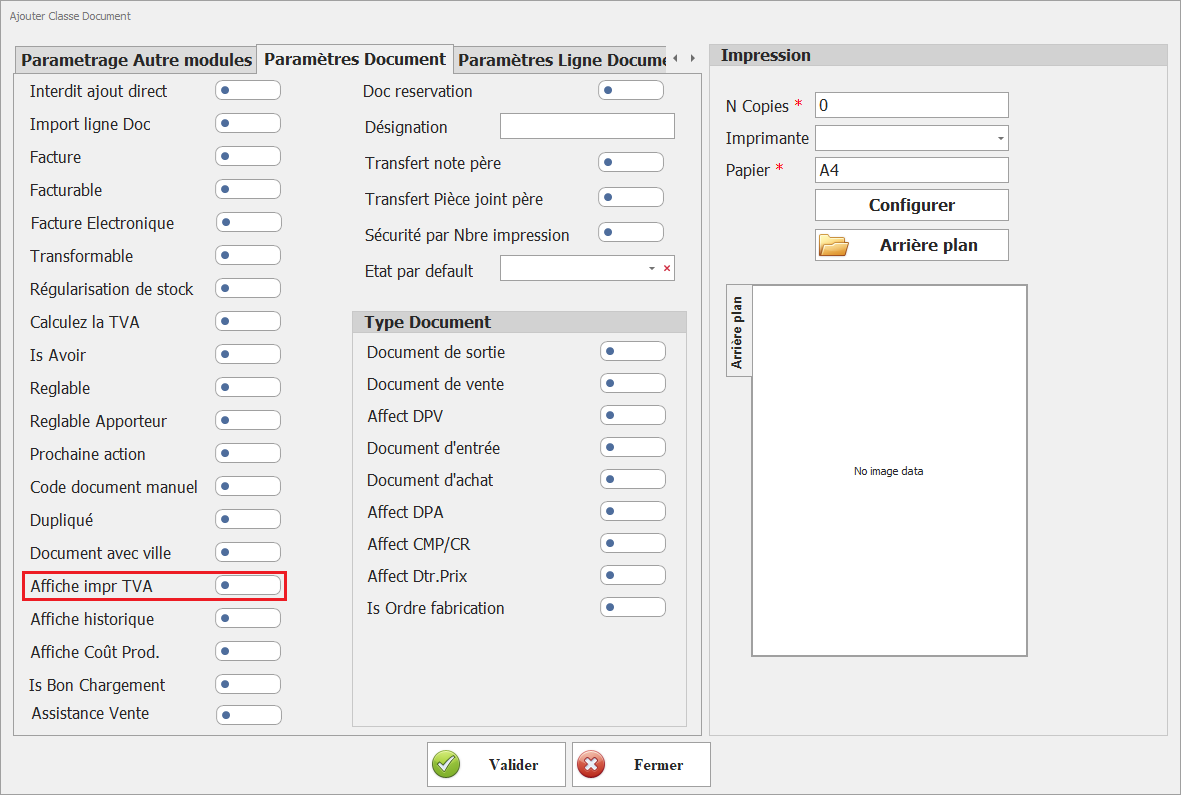
**<span style="font-size: 12pt; line-height: 107%; font-family: 'Times New Roman', serif; background-image: initial; background-position: initial; background-size: initial; background-repeat: initial; background-attachment: initial; background-origin: initial; background-clip: initial;">16.Affiche impr TVA</span>**

[![image.png](https://help.asmpos.com/uploads/images/gallery/2026-04/scaled-1680-/tuiimage.png)](https://help.asmpos.com/uploads/images/gallery/2026-04/tuiimage.png)

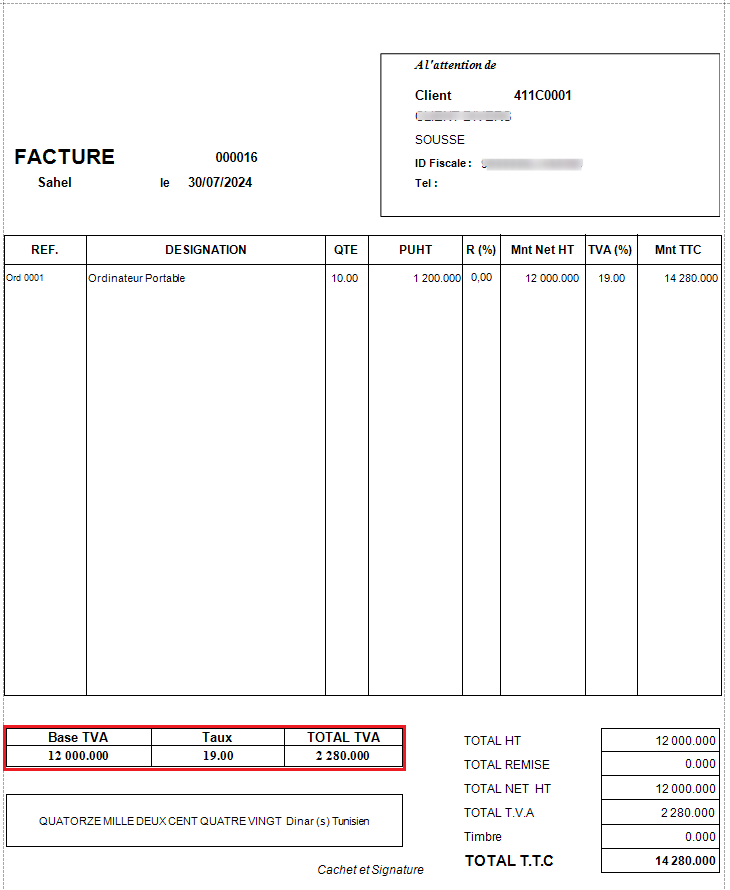
Ce paramétrage, lorsqu'il est activé, permet d'afficher une section détaillant la TVA lors de l'impression du document, fournissant une visibilité claire sur les montants de TVA appliqué.<span style="font-size: 12.0pt; line-height: 107%; font-family: 'Times New Roman',serif; mso-no-proof: yes;"></span>

<span style="font-size: 12.0pt; line-height: 107%; font-family: 'Courier New'; mso-fareast-font-family: 'Courier New';"><span style="mso-list: Ignore;">o<span style="font: 7.0pt 'Times New Roman';"> </span></span></span><span style="font-size: 12.0pt; line-height: 107%; font-family: 'Times New Roman',serif;">Document Affiche la section TVA</span>

<span style="font-size: 12.0pt; line-height: 107%; font-family: 'Times New Roman',serif; mso-no-proof: yes;">![FAT standard.png](https://help.asmpos.com/uploads/images/gallery/2024-08/fat-standard.png)</span>

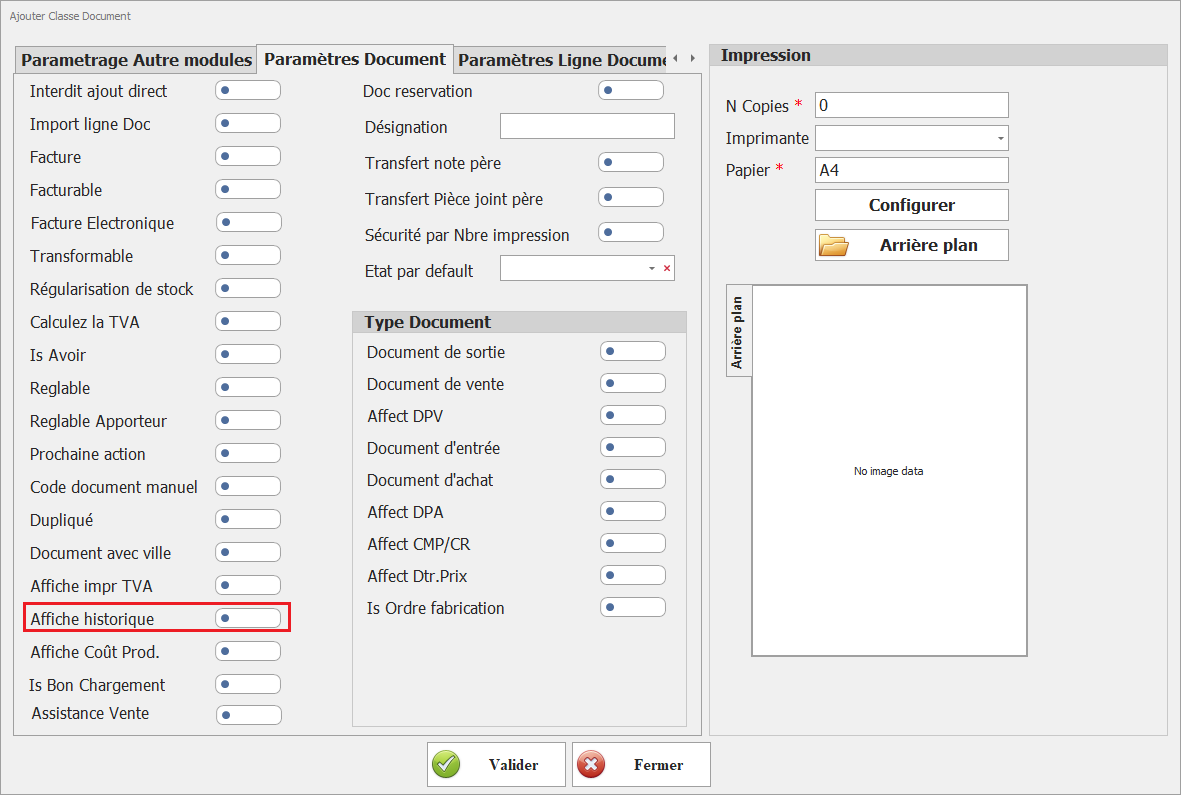
**<span style="font-size: 12.0pt; line-height: 107%; font-family: 'Times New Roman',serif;">17.<span style="color: rgb(224, 62, 45);"> </span></span>**<span style="color: rgb(224, 62, 45);">**Affiche historique**</span>  
<span style="color: rgb(224, 62, 45);">Permet d’afficher l’historique des opérations liées au document.</span>

[![image.png](https://help.asmpos.com/uploads/images/gallery/2026-04/scaled-1680-/5H4image.png)](https://help.asmpos.com/uploads/images/gallery/2026-04/5H4image.png)

**18. Affiche Coût Prod.**  
Affiche les coûts de production associés aux lignes.

[![image.png](https://help.asmpos.com/uploads/images/gallery/2026-04/scaled-1680-/J0Yimage.png)](https://help.asmpos.com/uploads/images/gallery/2026-04/J0Yimage.png)

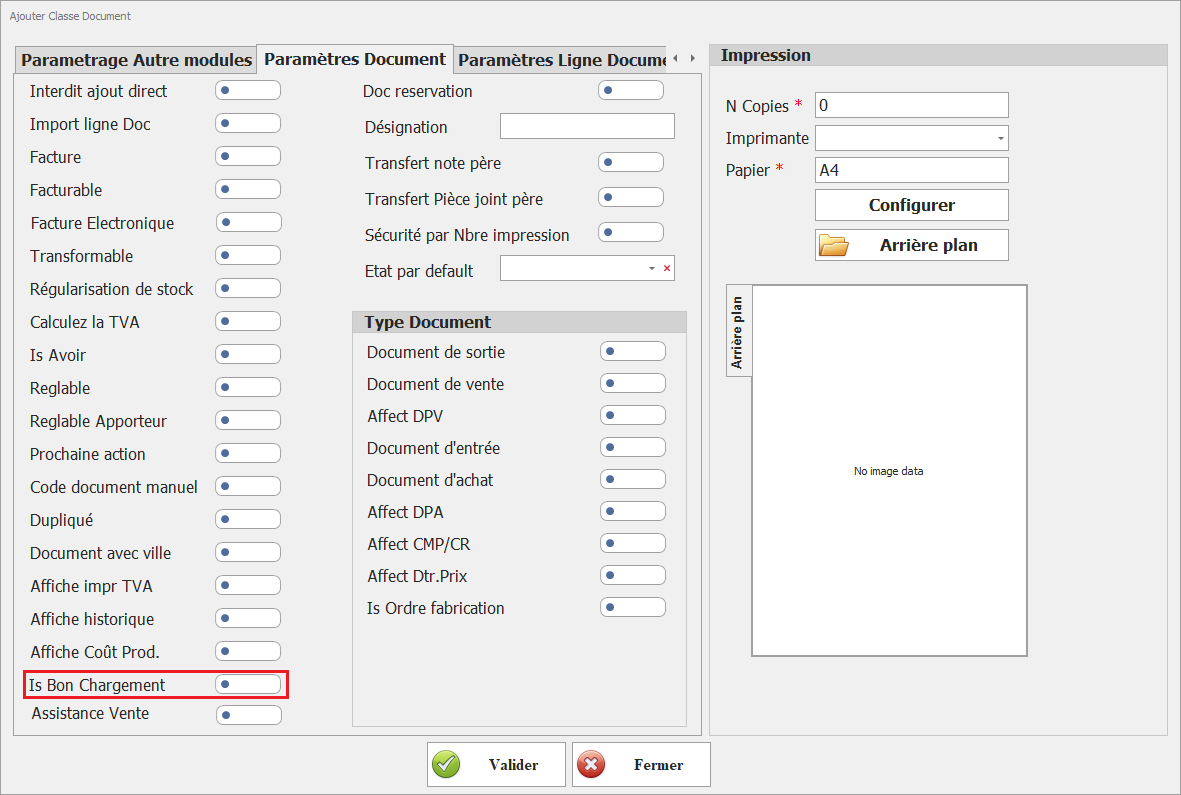
**19. Is Bon Chargement**  
Définit le classe document document comme dcocument utulisé lors de généraration de bon de chargement.

[![image.png](https://help.asmpos.com/uploads/images/gallery/2026-04/scaled-1680-/OHQimage.png)](https://help.asmpos.com/uploads/images/gallery/2026-04/OHQimage.png)
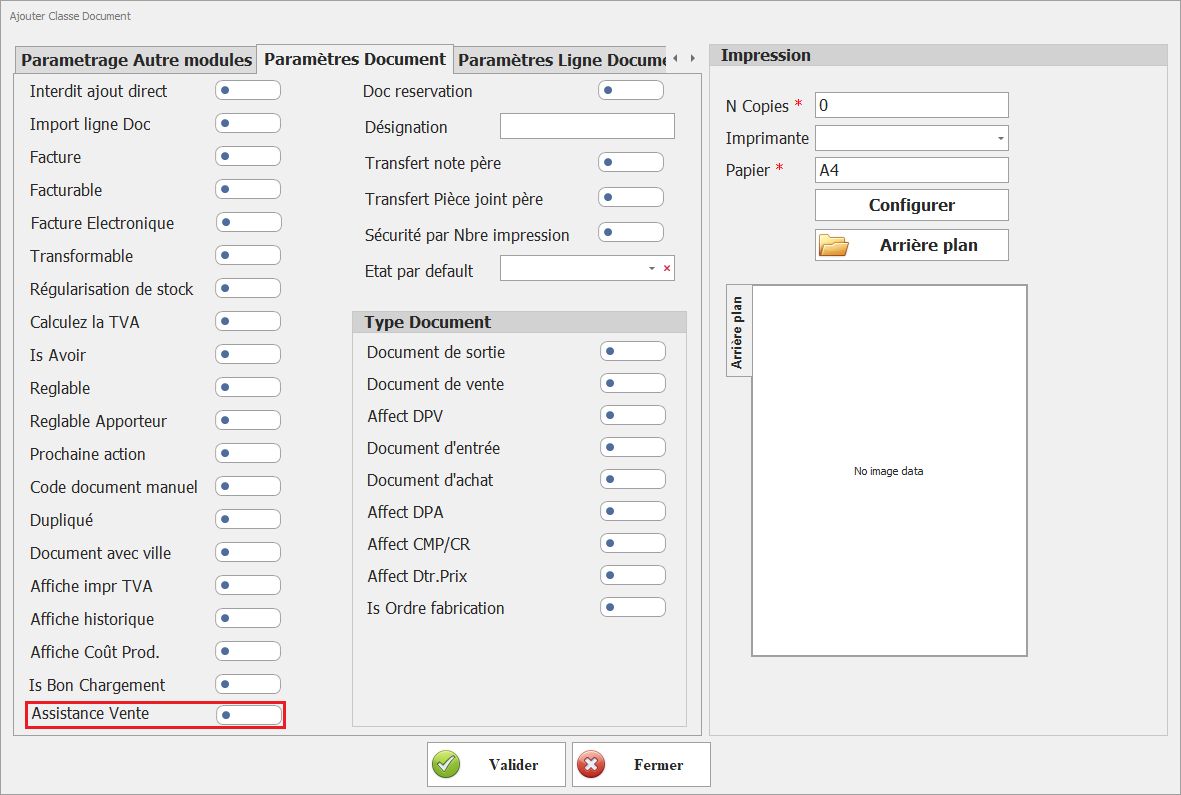
**20. Assistance Vente**  
Active les fonctionnalités d’aide à la vente. Ce paramétrage permet de définir cette classe de document comme classe source utilisée pour la génération des bons de préparation via l’interface **« Assistant de vente »** du module Vente.

[![image.png](https://help.asmpos.com/uploads/images/gallery/2026-04/scaled-1680-/tEPimage.png)](https://help.asmpos.com/uploads/images/gallery/2026-04/tEPimage.png)
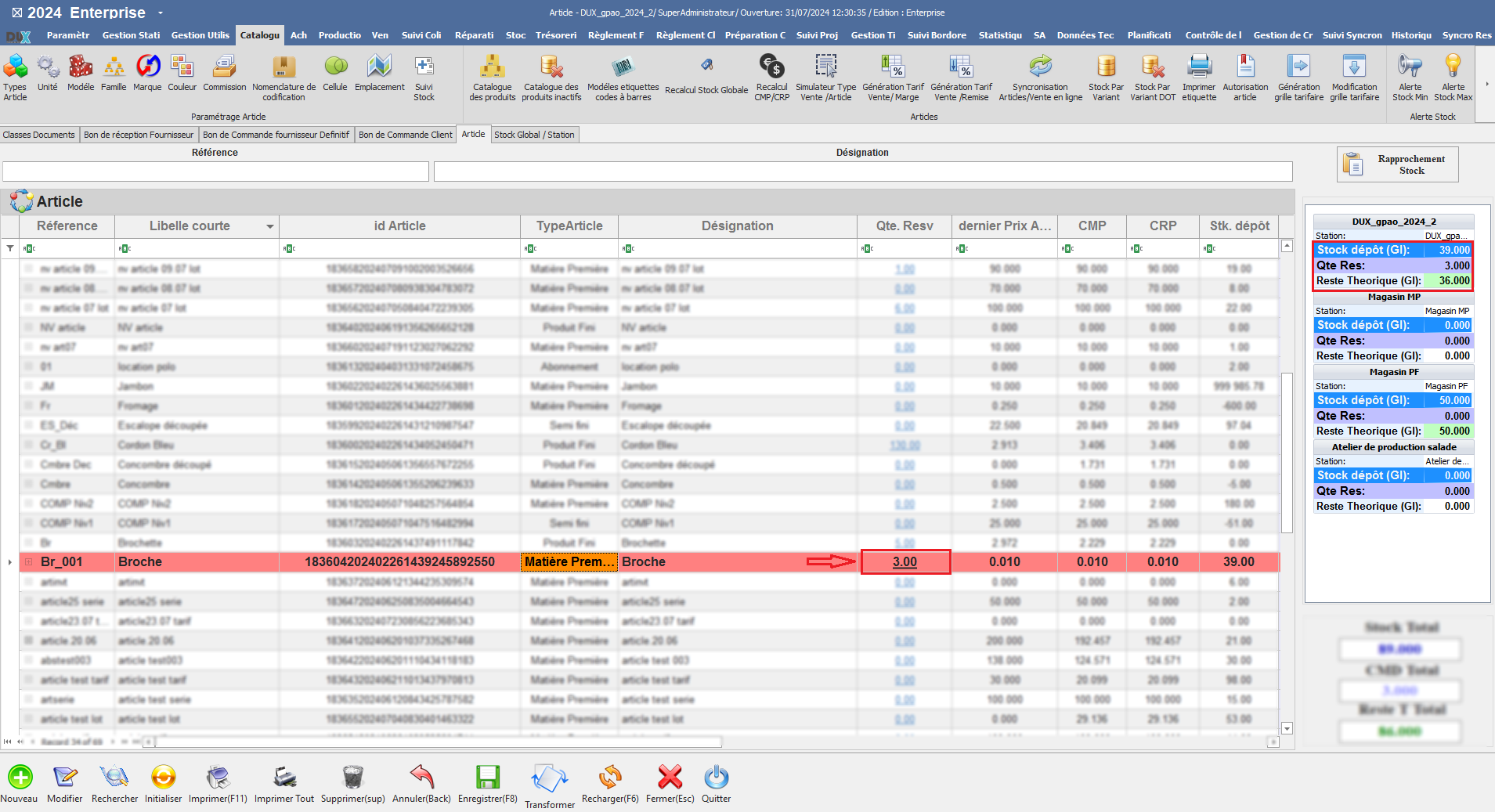
**<span style="font-size: 12.0pt; line-height: 107%; font-family: 'Times New Roman',serif;">21. Doc Réservation</span>**

Ce paramétrage permet aux documents de cette classe de réserver les quantités de stock des produits.

[![image.png](https://help.asmpos.com/uploads/images/gallery/2026-04/scaled-1680-/x8Nimage.png)](https://help.asmpos.com/uploads/images/gallery/2026-04/x8Nimage.png)<span style="mso-no-proof: yes;"></span>

Lorsqu'il est activé, les quantités de produits spécifiées dans le document seront réservées, assurant ainsi leur disponibilité future et facilitant la gestion des stocks.

**<span style="font-size: 12.0pt; line-height: 107%; font-family: 'Times New Roman',serif; mso-no-proof: yes;">![cataologue qte res.PNG](https://help.asmpos.com/uploads/images/gallery/2024-08/cataologue-qte-res.PNG)</span>**
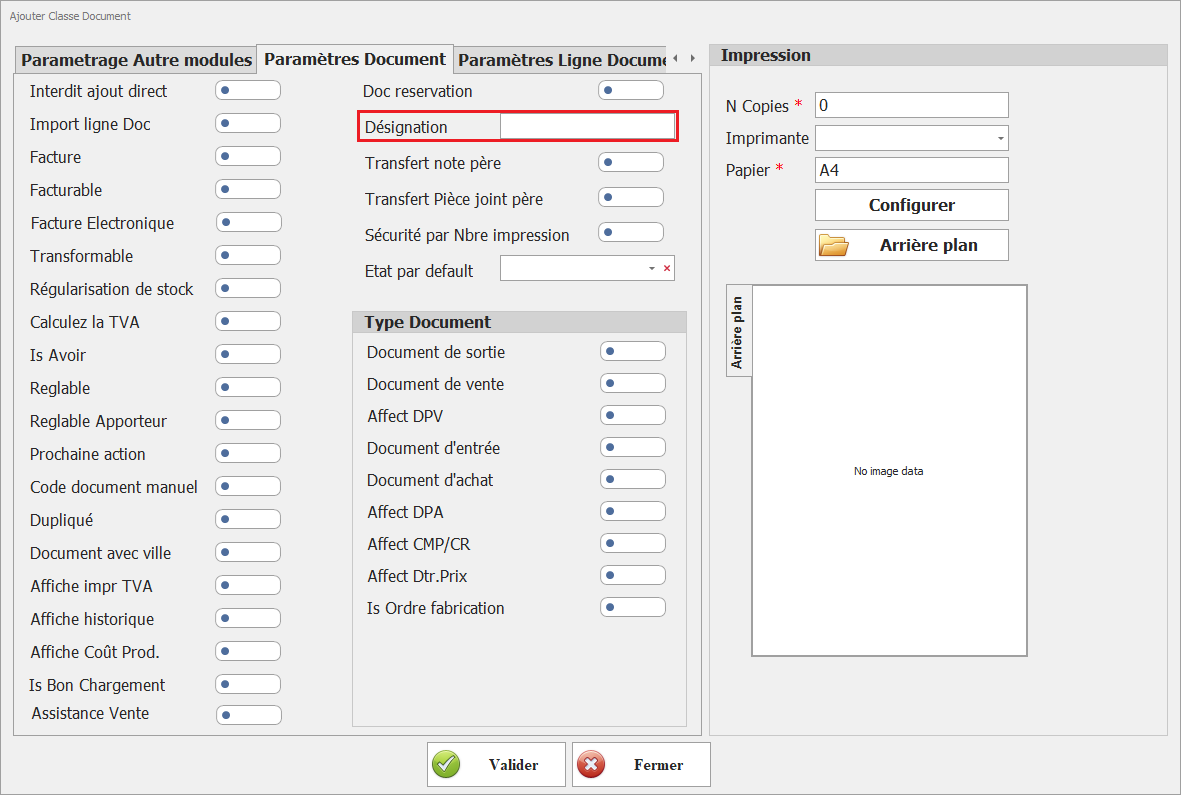
**<span style="font-size: 12.0pt; line-height: 107%; font-family: 'Times New Roman',serif;">22. Désignation :</span>**

[![image.png](https://help.asmpos.com/uploads/images/gallery/2026-04/scaled-1680-/wXGimage.png)](https://help.asmpos.com/uploads/images/gallery/2026-04/wXGimage.png)

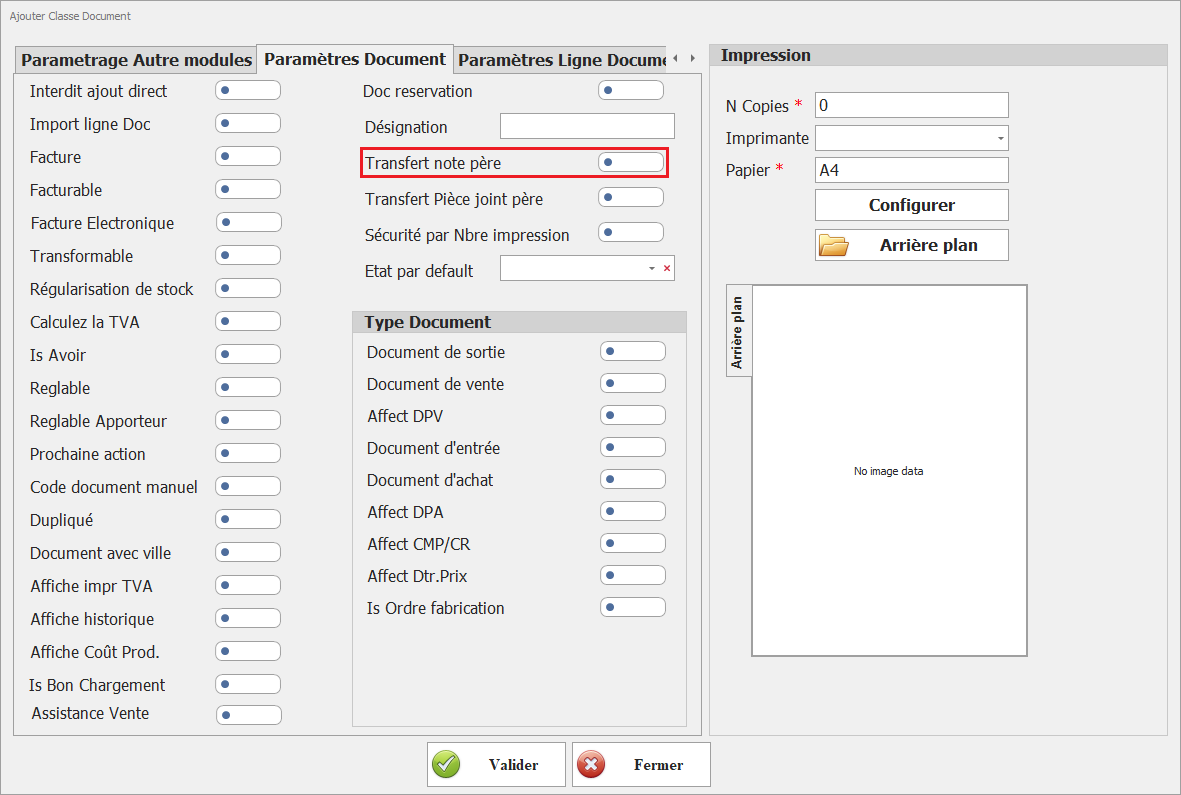
**<span style="font-size: 12.0pt; line-height: 107%; font-family: 'Times New Roman',serif;">23.Transfert Note Père</span>**

Ce paramétrage permet de transférer les notes du document principal (père) vers le document actuel.

[![image.png](https://help.asmpos.com/uploads/images/gallery/2026-04/scaled-1680-/pMNimage.png)](https://help.asmpos.com/uploads/images/gallery/2026-04/pMNimage.png)
<span style="mso-no-proof: yes;">  
</span>

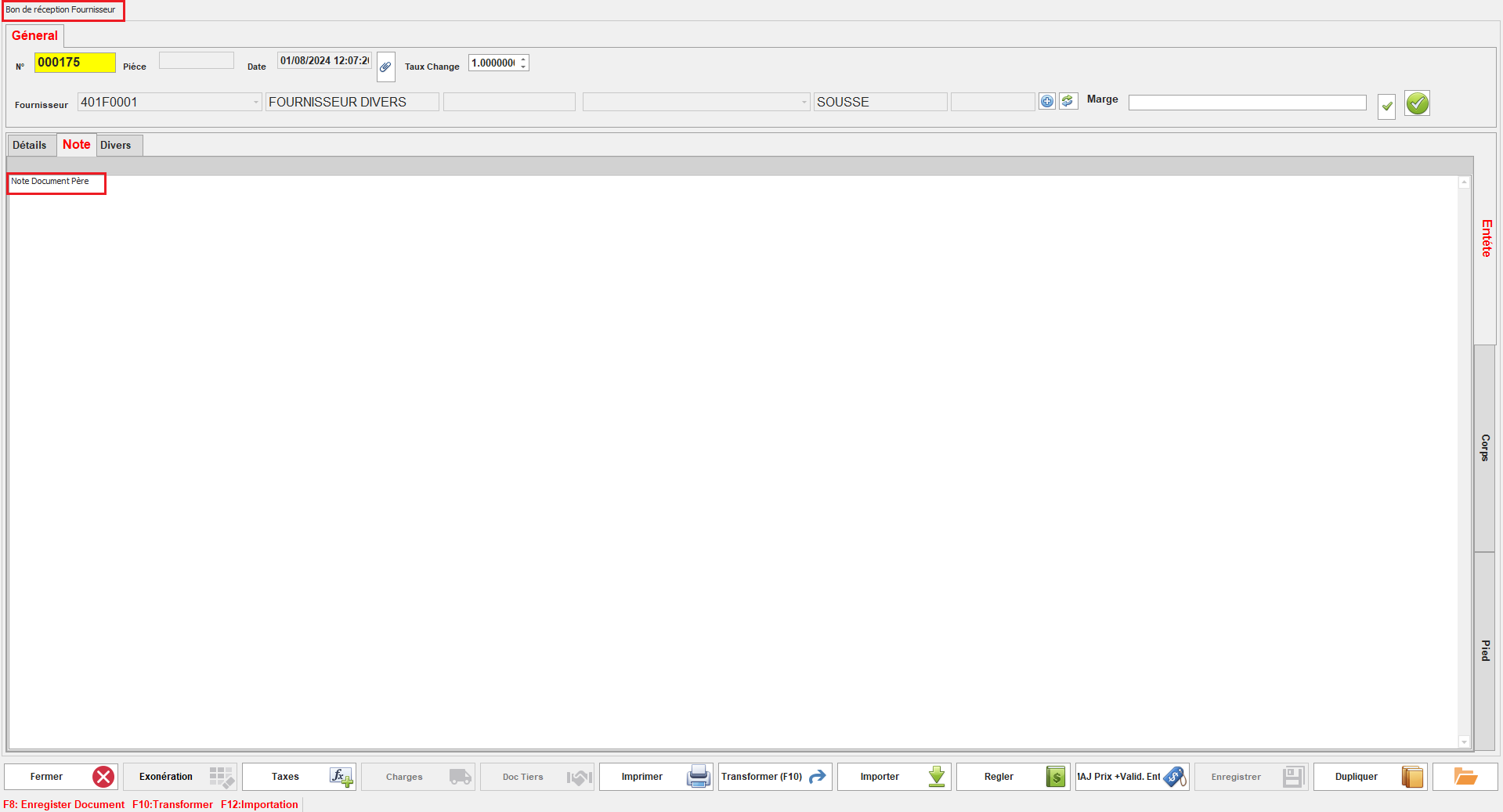
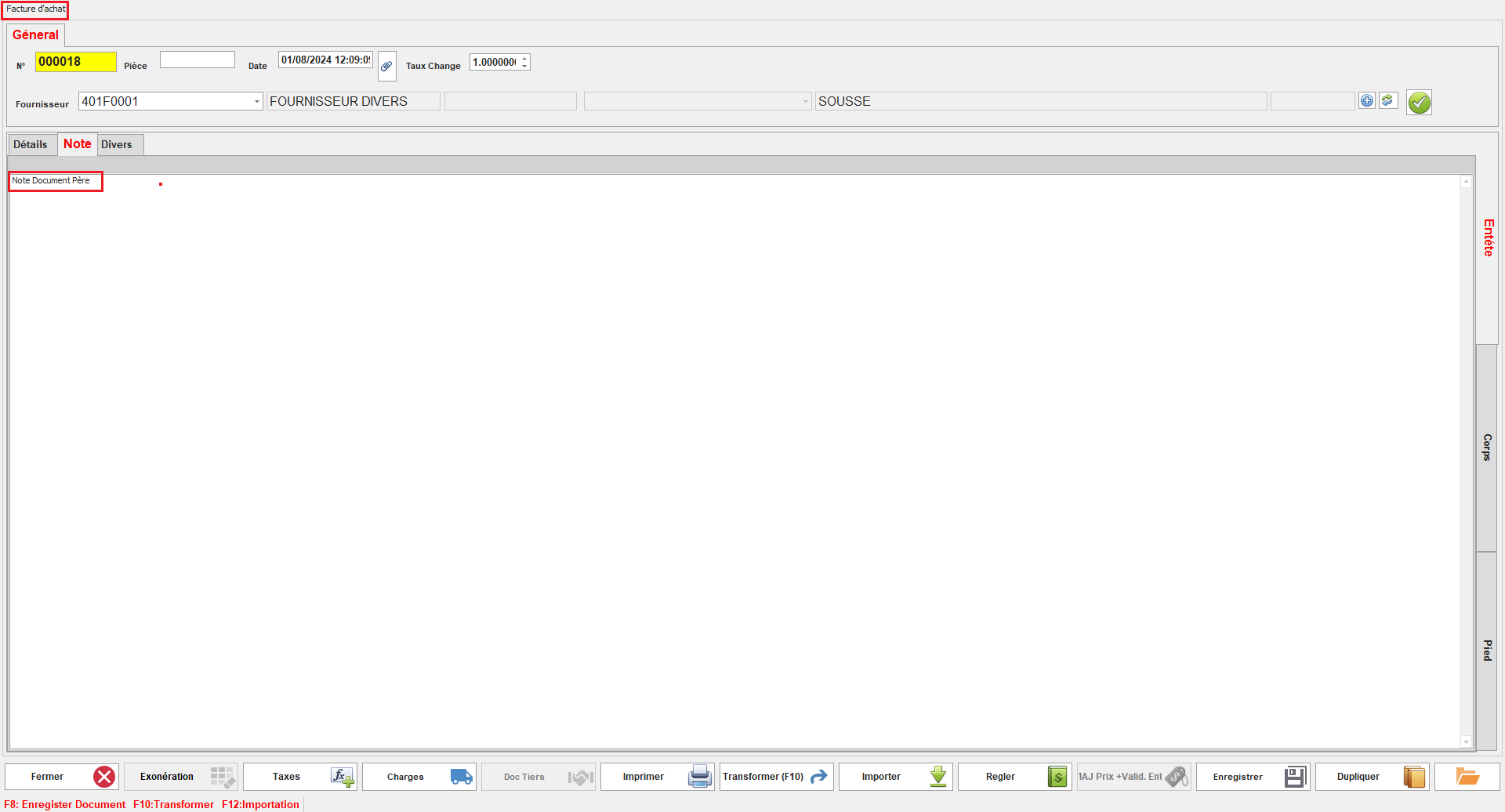
Lorsqu'il est activé, les notes ajoutées au document principal seront automatiquement copiées dans les documents dérivés, facilitant ainsi la continuité et la cohérence des informations.

<span style="font-family: 'Courier New'; mso-fareast-font-family: 'Courier New';"><span style="mso-list: Ignore;">o<span style="font: 7.0pt 'Times New Roman';"> </span></span></span>Notes Document Père :

<span style="mso-no-proof: yes;">![note doc pere.PNG](https://help.asmpos.com/uploads/images/gallery/2024-08/note-doc-pere.PNG)</span>

<span style="font-family: 'Courier New'; mso-fareast-font-family: 'Courier New';"><span style="mso-list: Ignore;">o<span style="font: 7.0pt 'Times New Roman';"> </span></span></span>Notes Document Fils :

**<span style="font-size: 12.0pt; line-height: 107%; font-family: 'Times New Roman',serif; mso-no-proof: yes;">![note doc fils.PNG](https://help.asmpos.com/uploads/images/gallery/2024-08/note-doc-fils.PNG)</span>**

**<span style="font-size: 12.0pt; line-height: 107%; font-family: 'Times New Roman',serif;">24. Transfert Pièce Jointe Père</span>**

Ce paramétrage permet de transférer les pièces jointes du document principal (père) vers le document actuel.

[![image.png](https://help.asmpos.com/uploads/images/gallery/2026-04/scaled-1680-/Q5Mimage.png)](https://help.asmpos.com/uploads/images/gallery/2026-04/Q5Mimage.png)

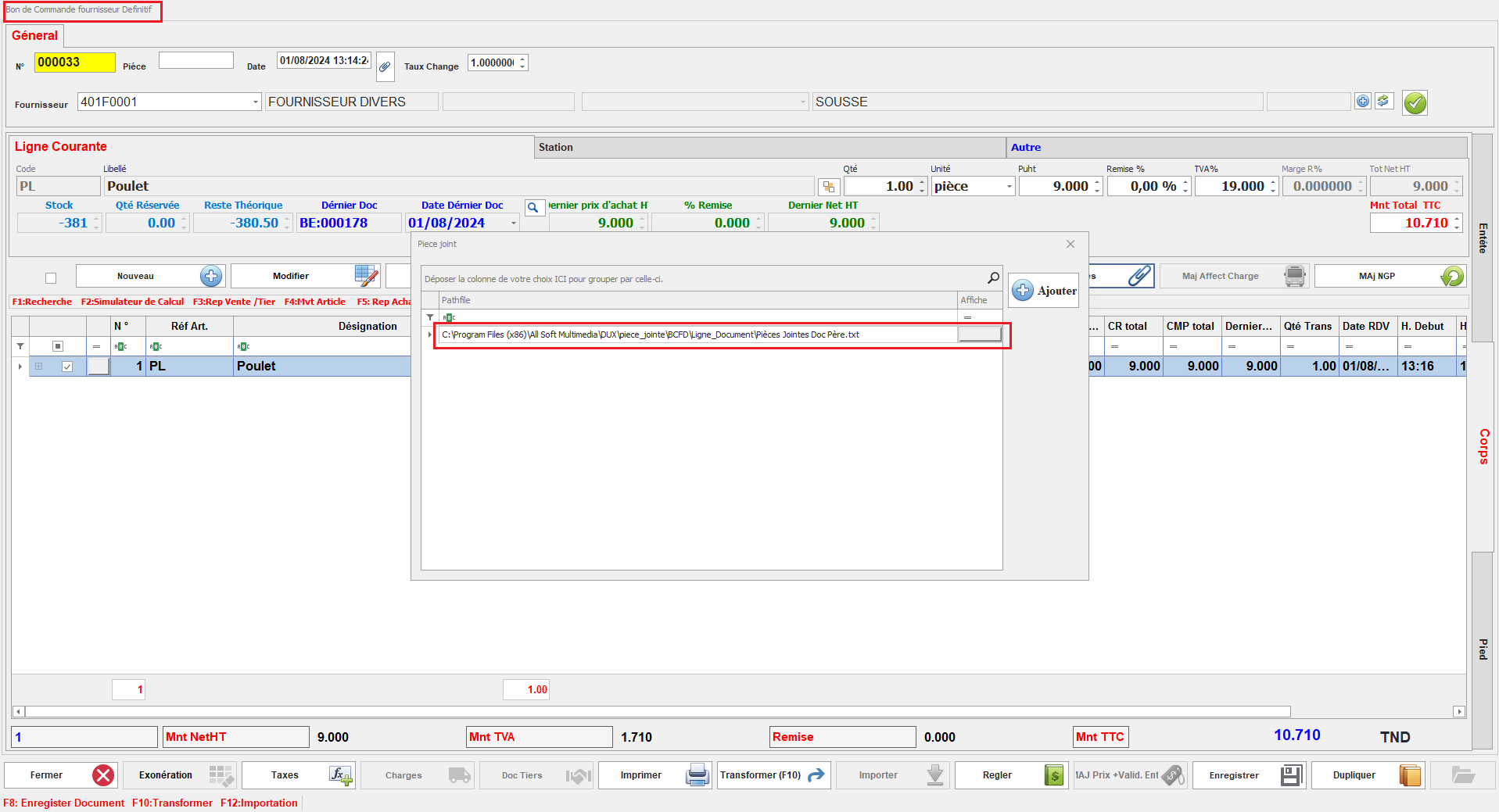
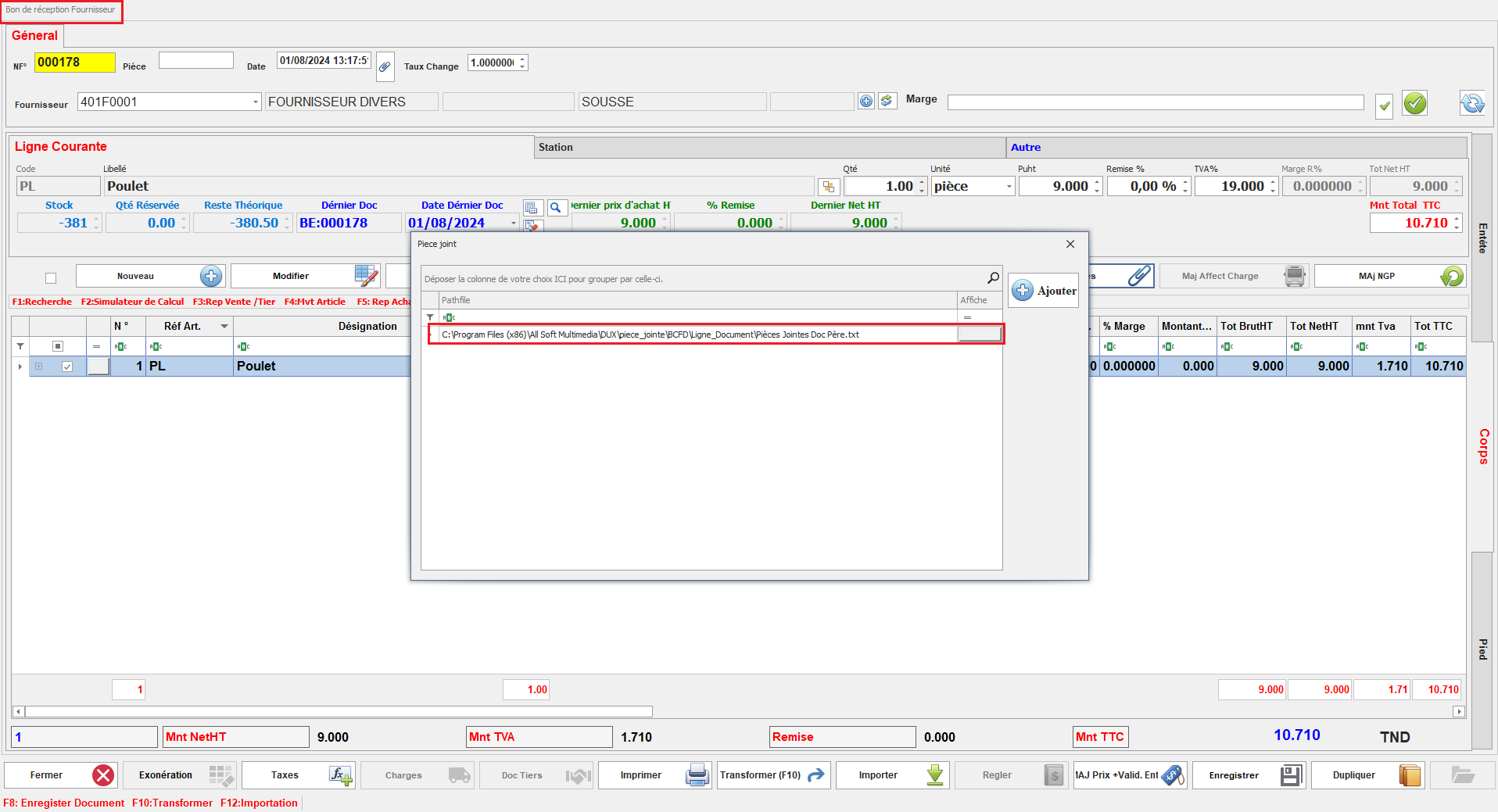
Une fois activé, les pièces jointes associées au document principal seront automatiquement copiées dans le document dérivé, assurant ainsi la continuité des informations et des fichiers associés.

<span style="font-family: 'Courier New'; mso-fareast-font-family: 'Courier New';"><span style="mso-list: Ignore;">o<span style="font: 7.0pt 'Times New Roman';"> </span></span></span>Pièces Jointes Document Père :

<span style="mso-no-proof: yes;">![doc pere piece jointe.PNG](https://help.asmpos.com/uploads/images/gallery/2024-08/doc-pere-piece-jointe.PNG)</span>

<span style="font-family: 'Courier New'; mso-fareast-font-family: 'Courier New';"><span style="mso-list: Ignore;">o<span style="font: 7.0pt 'Times New Roman';"> </span></span></span>Pièces Jointes Document Fils

<span style="mso-no-proof: yes;">![doc fils piece jointe.PNG](https://help.asmpos.com/uploads/images/gallery/2024-08/doc-fils-piece-jointe.PNG)</span>

<span style="background-color: rgb(251, 238, 184);">**<span style="font-size: 12pt; line-height: 107%; font-family: 'Times New Roman', serif; background: rgb(251, 238, 184);">25.Sécurité par Nbre impression</span>**</span>

<span style="background-color: rgb(251, 238, 184);"><span style="font-size: 12pt; line-height: 107%; font-family: 'Times New Roman', serif; background: rgb(251, 238, 184);">Limite le nombre d’impressions autorisées.</span></span>

[![image.png](https://help.asmpos.com/uploads/images/gallery/2026-04/scaled-1680-/4Sqimage.png)](https://help.asmpos.com/uploads/images/gallery/2026-04/4Sqimage.png)

**26.État par défaut**  
Ce paramétrage permet de définir l'état par défaut des documents de cette classe au moment de leur création initiale.(en attente , validé, etc.).

[![image.png](https://help.asmpos.com/uploads/images/gallery/2026-04/scaled-1680-/rnKimage.png)](https://help.asmpos.com/uploads/images/gallery/2026-04/rnKimage.png)
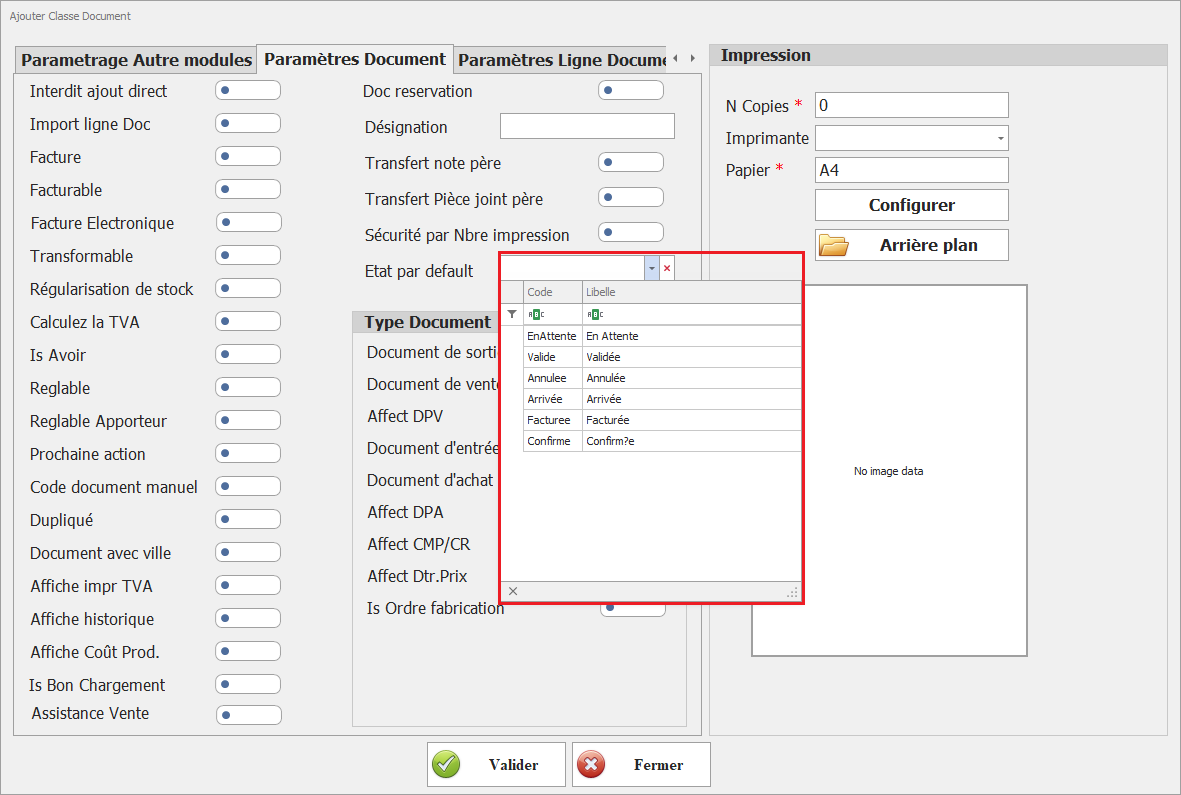
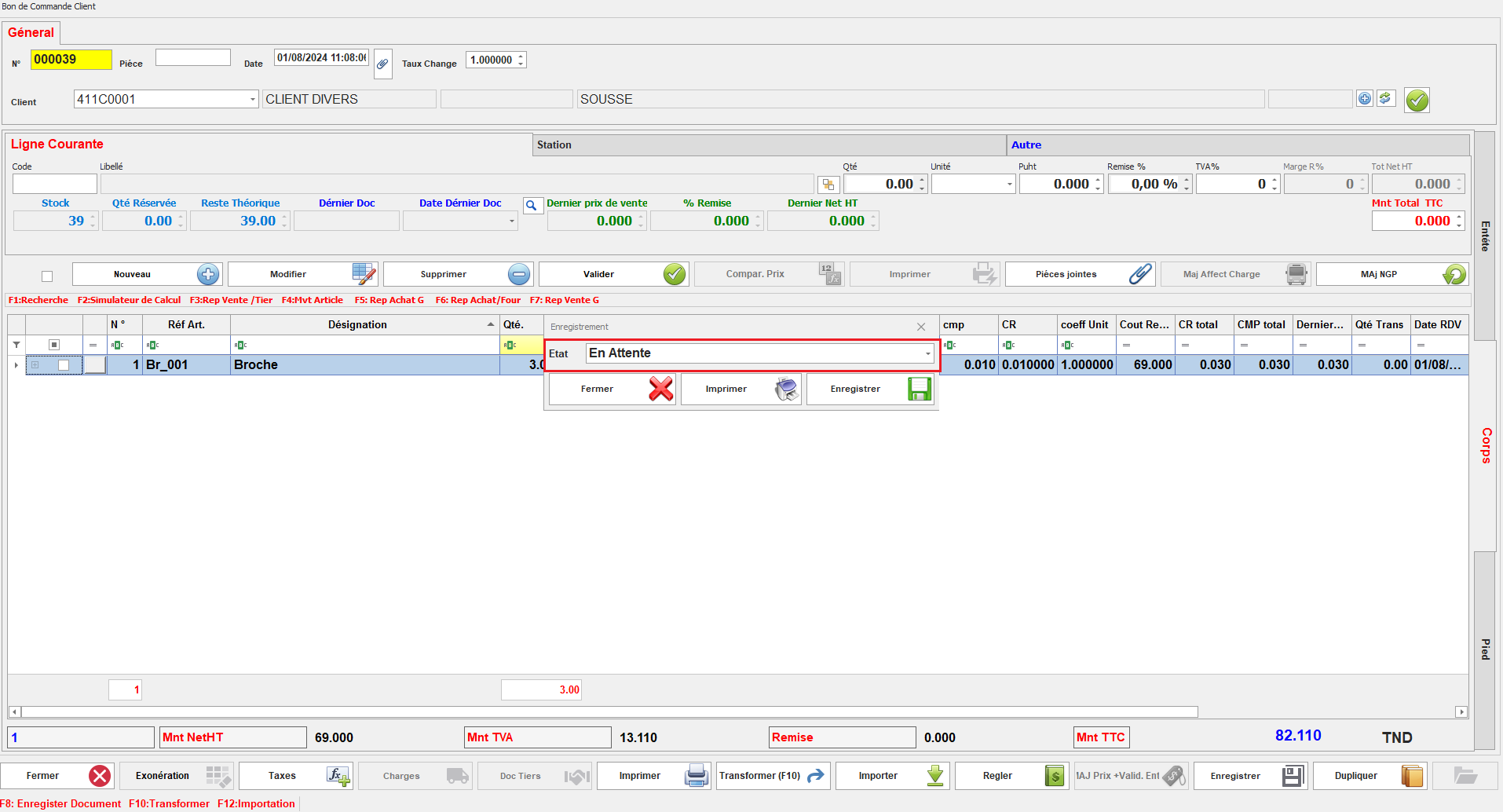
**<span style="font-size: 12.0pt; line-height: 107%; font-family: 'Times New Roman',serif;"> </span>**Lorsque Ce paramétrage est configuré, les nouveaux documents seront automatiquement assignés à l'état défini, facilitant ainsi leur gestion dès le début du processus (exemple l'état par defaut "en attente ")
<span style="mso-no-proof: yes;">![bon de comd reservation.PNG](https://help.asmpos.com/uploads/images/gallery/2024-08/bon-de-comd-reservation.PNG)</span>

**27. Document de sortie**  
Indique un mouvement de stock sortant

[![image.png](https://help.asmpos.com/uploads/images/gallery/2026-04/scaled-1680-/YSXimage.png)](https://help.asmpos.com/uploads/images/gallery/2026-04/YSXimage.png)

**<span style="font-size: 12pt; line-height: 107%; font-family: 'Times New Roman', serif; background-image: initial; background-position: initial; background-size: initial; background-repeat: initial; background-attachment: initial; background-origin: initial; background-clip: initial;">28. </span>Document de vente**  
Identifie un document lié au processus de vente.

[![image.png](https://help.asmpos.com/uploads/images/gallery/2026-04/scaled-1680-/hGgimage.png)](https://help.asmpos.com/uploads/images/gallery/2026-04/hGgimage.png)

**<span style="font-size: 12pt; line-height: 107%; font-family: 'Times New Roman', serif; background-image: initial; background-position: initial; background-size: initial; background-repeat: initial; background-attachment: initial; background-origin: initial; background-clip: initial;">29. </span><span style="font-size: 12pt; line-height: 107%; font-family: 'Times New Roman', serif; background-image: initial; background-position: initial; background-size: initial; background-repeat: initial; background-attachment: initial; background-origin: initial; background-clip: initial;">Affect DPV </span>**

Ce paramétrage permet d'afficher le dernier prix de vente lors de la création d'un nouveau document.

[![image.png](https://help.asmpos.com/uploads/images/gallery/2026-04/scaled-1680-/0WYimage.png)](https://help.asmpos.com/uploads/images/gallery/2026-04/0WYimage.png)<span style="mso-no-proof: yes;"></span>

Ainsi, lors de la saisie de nouveaux documents, le prix de vente précédent est automatiquement affiché, facilitant la gestion et la vérification des prix de vente.
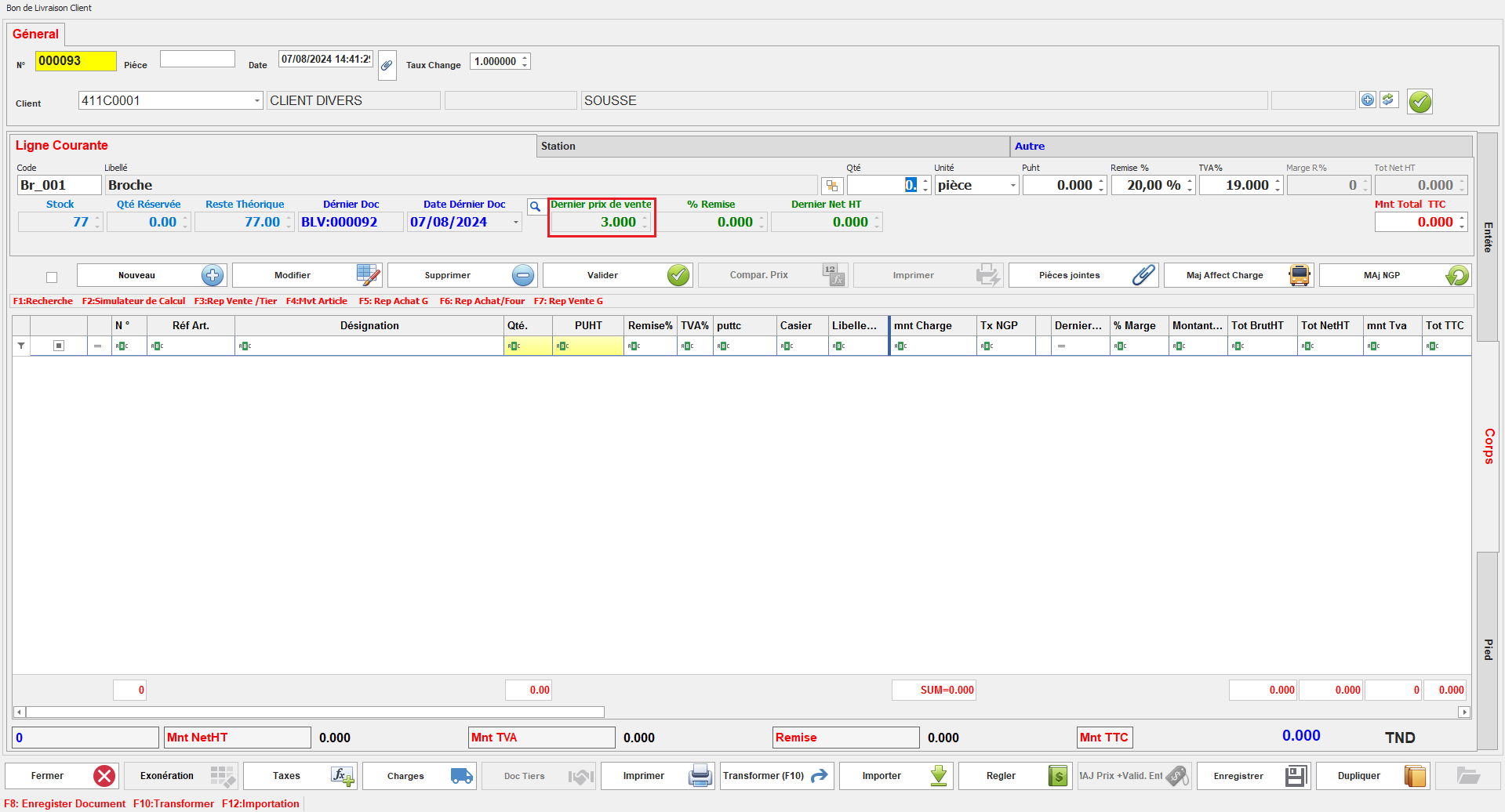
<span style="mso-no-proof: yes;">![affecte dpv.PNG](https://help.asmpos.com/uploads/images/gallery/2024-08/affecte-dpv.PNG)</span>

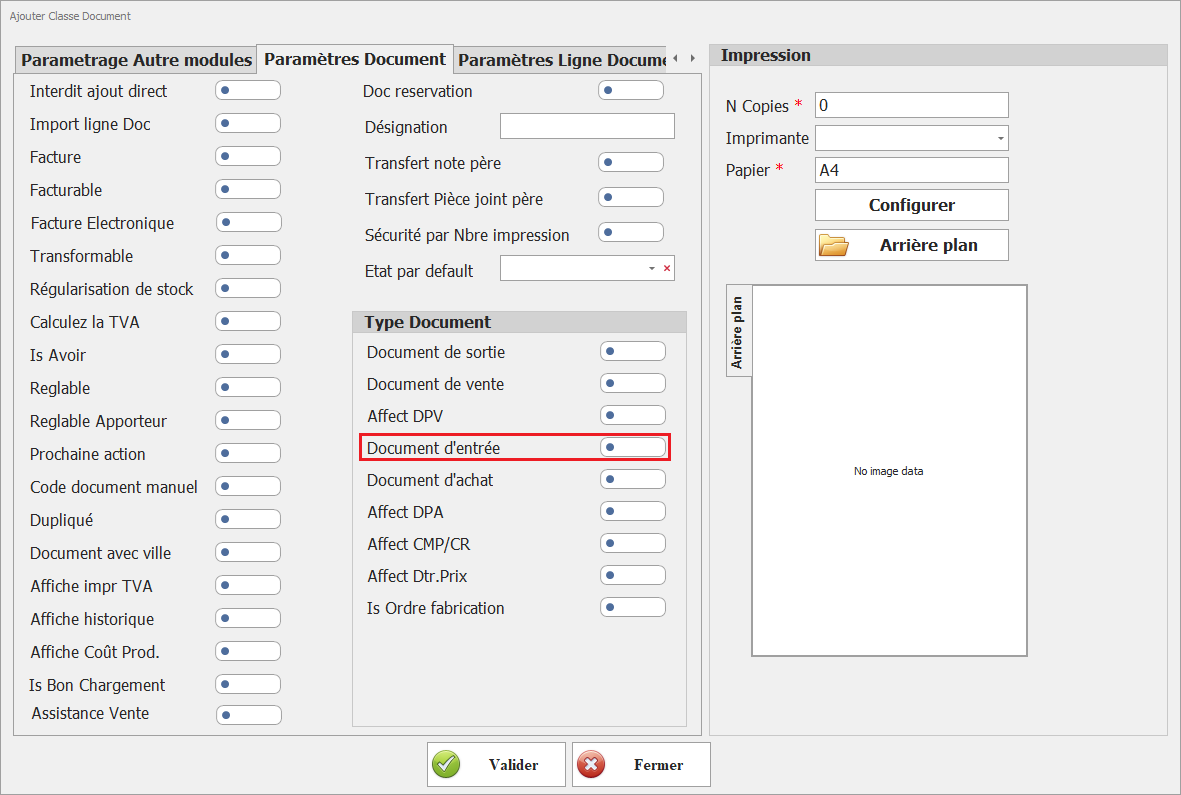
**<span style="font-size: 12.0pt; line-height: 107%; font-family: 'Times New Roman',serif;">30. </span>Document d’entrée**  
Indique un mouvement de stock entrant

[![image.png](https://help.asmpos.com/uploads/images/gallery/2026-04/scaled-1680-/ISeimage.png)](https://help.asmpos.com/uploads/images/gallery/2026-04/ISeimage.png)
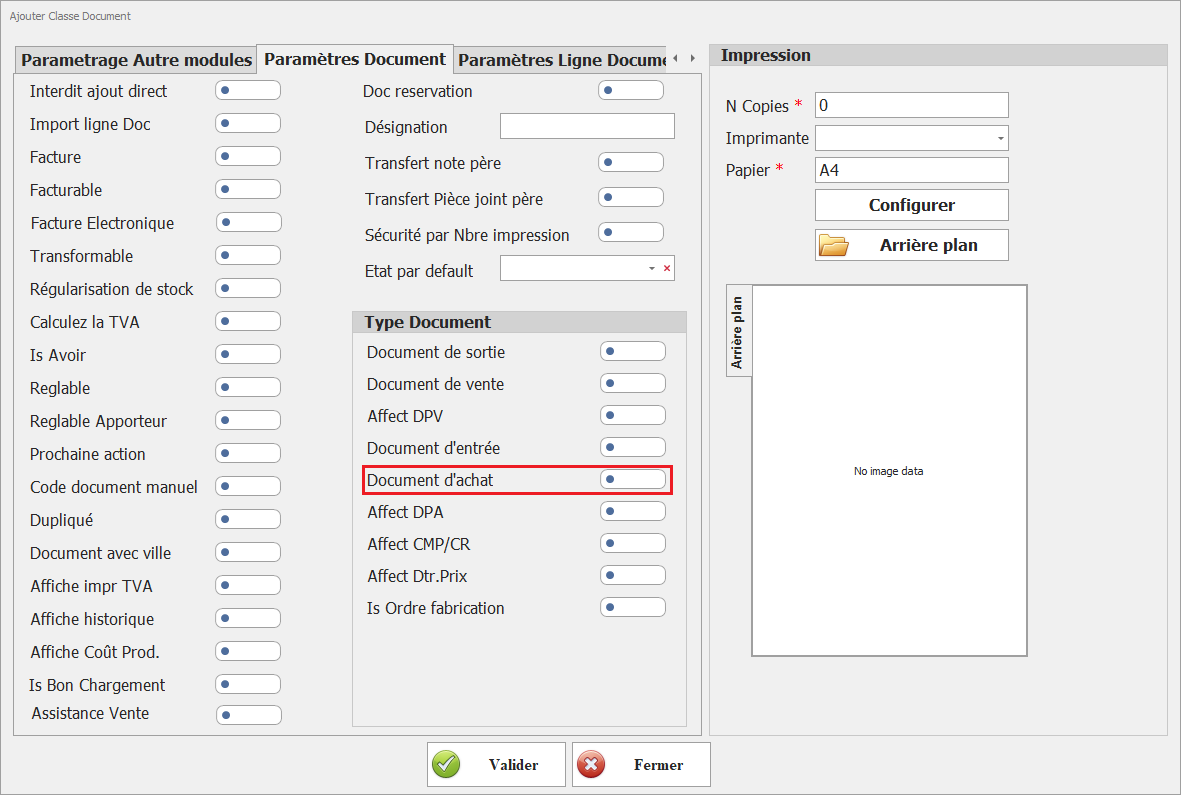
**31. Document d’achat**  
Identifie un document lié aux achats

[![image.png](https://help.asmpos.com/uploads/images/gallery/2026-04/scaled-1680-/nIsimage.png)](https://help.asmpos.com/uploads/images/gallery/2026-04/nIsimage.png)
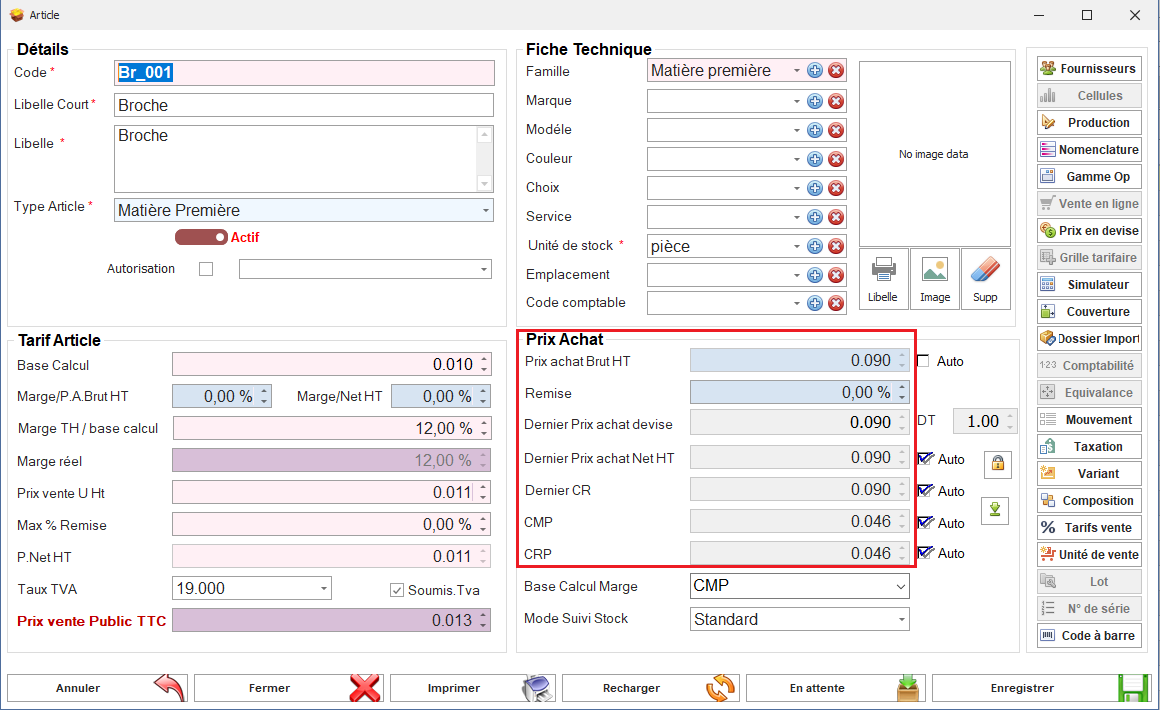
**<span style="font-size: 12.0pt; line-height: 107%; font-family: 'Times New Roman',serif;">32. Affect DPA &amp; Affect CMP/CR</span>**

[![image.png](https://help.asmpos.com/uploads/images/gallery/2026-04/scaled-1680-/K3aimage.png)](https://help.asmpos.com/uploads/images/gallery/2026-04/K3aimage.png)

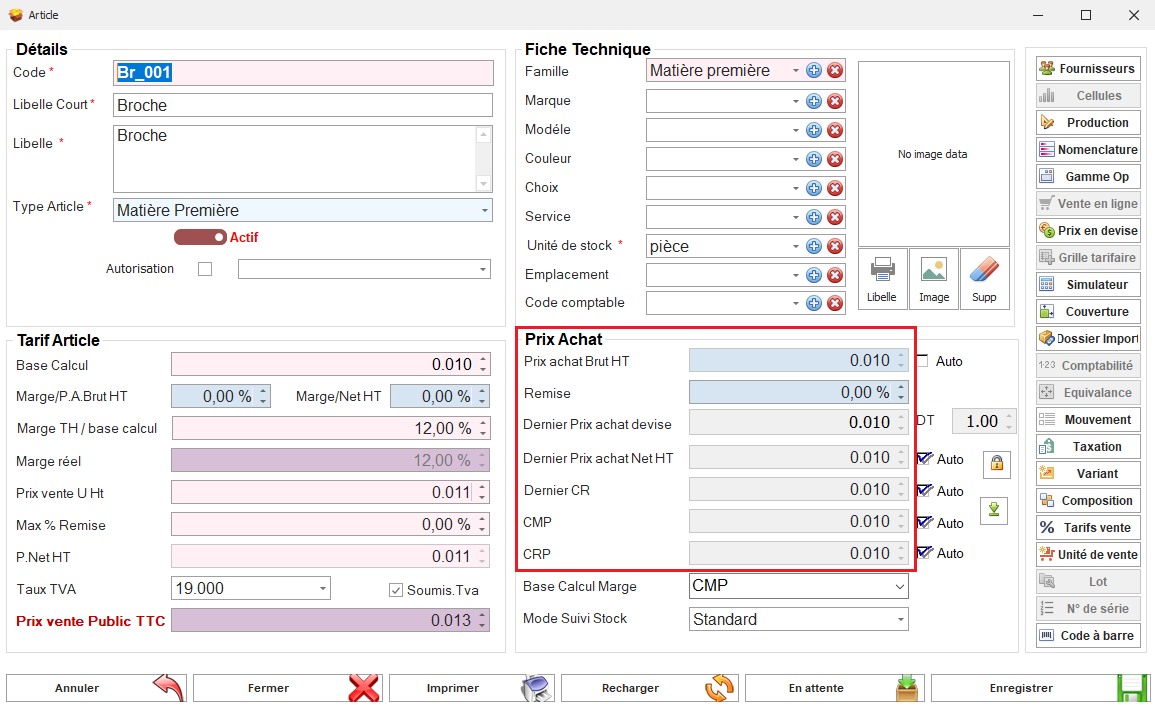
Ces paramétrages déterminent si les documents de cette classe affectent les Derniers Prix d'Achat (DPA), le Coût Moyen Pondéré (CMP), ou les Coûts de Revient (CR).<span style="mso-no-proof: yes;"></span>

Avec ces options activées, les transactions effectuées avec ces documents auront une incidence sur les DPA, CMP, ou CR, permettant ainsi une gestion précise des coûts.

<span style="font-family: 'Courier New'; mso-fareast-font-family: 'Courier New';"><span style="mso-list: Ignore;">o<span style="font: 7.0pt 'Times New Roman';"> </span></span></span>Avant création du Document

<span style="mso-no-proof: yes;">![Prix Article avant achat.PNG](https://help.asmpos.com/uploads/images/gallery/2024-08/prix-article-avant-achat.PNG)</span>

<span style="font-family: 'Courier New'; mso-fareast-font-family: 'Courier New';"><span style="mso-list: Ignore;">o<span style="font: 7.0pt 'Times New Roman';"> </span></span></span>Après Création du Document

<span style="mso-no-proof: yes;">![Prix Article arpes achat.PNG](https://help.asmpos.com/uploads/images/gallery/2024-08/prix-article-arpes-achat.PNG)</span>

**33. Affect Dtr.Prix**  
Indique que cette classe de document est prise en compte dans les mécanismes de calcul et de détermination des prix.

[![image.png](https://help.asmpos.com/uploads/images/gallery/2026-04/scaled-1680-/lbmimage.png)](https://help.asmpos.com/uploads/images/gallery/2026-04/lbmimage.png)

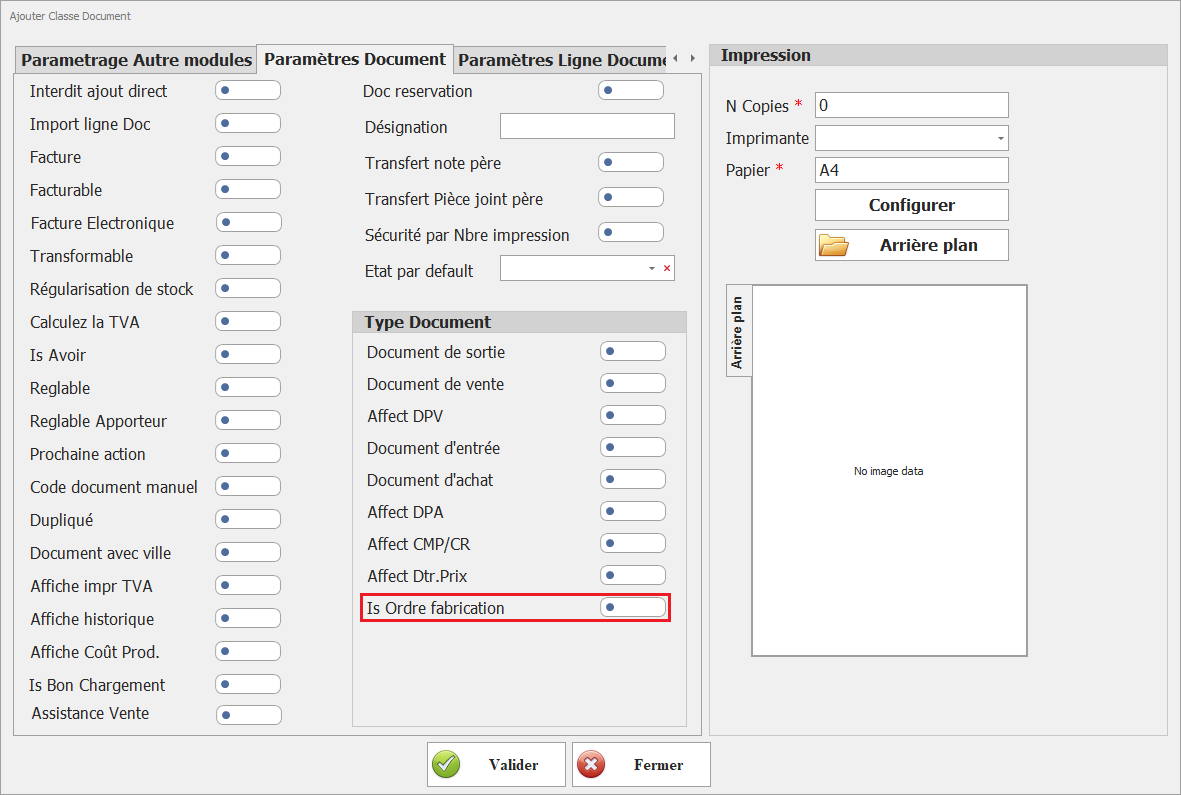
**34. Is Ordre fabrication**  
Ce paramétrage identifie cette classe de document comme support des ordres de fabrication dans le module de production.

[![image.png](https://help.asmpos.com/uploads/images/gallery/2026-04/scaled-1680-/5JRimage.png)](https://help.asmpos.com/uploads/images/gallery/2026-04/5JRimage.png)
# Paramètres Ligne Document

**1. Fusion Lignes**

Ce paramétrage permet de fusionner les lignes similaires dans les documents de cette classe.

[![image.png](https://help.asmpos.com/uploads/images/gallery/2026-04/scaled-1680-/duBimage.png)](https://help.asmpos.com/uploads/images/gallery/2026-04/duBimage.png)
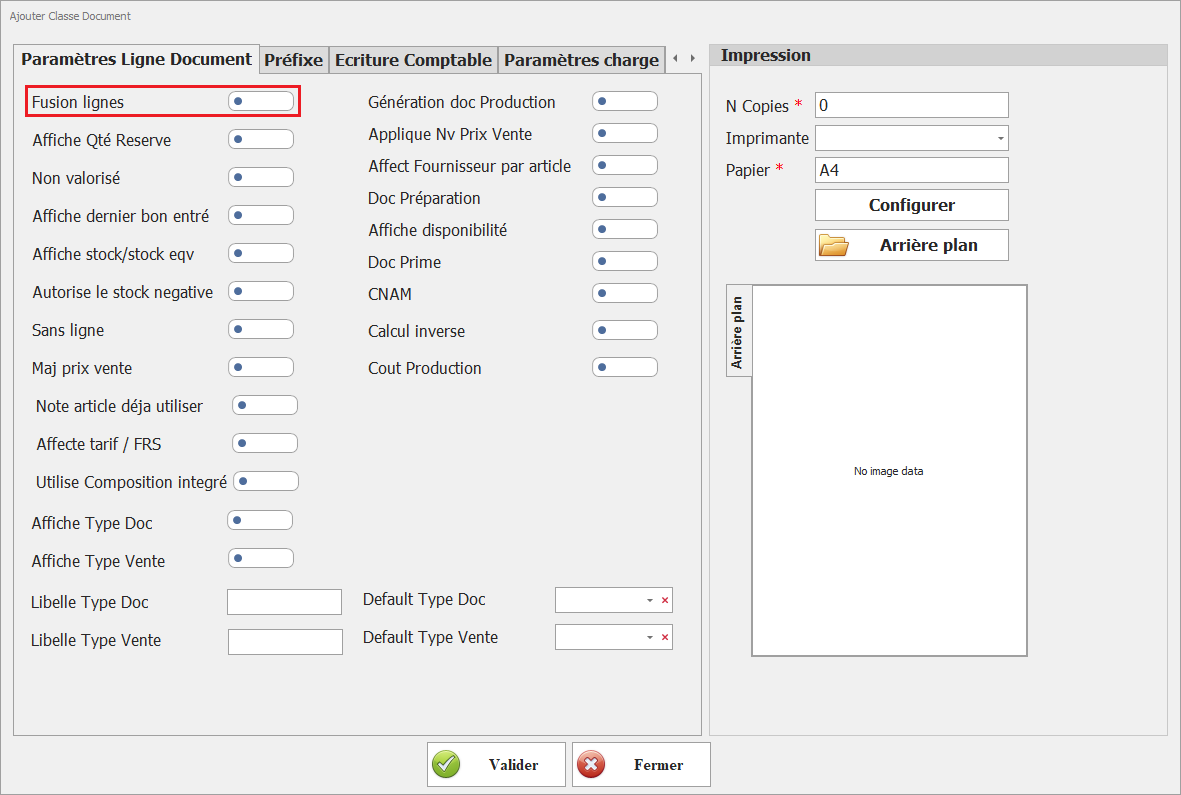
Avec ce paramètre, les lignes de documents contenant des articles identiques seront combinées en une seule ligne, simplifiant ainsi la présentation et la gestion des documents.

- Fusion ligne non activé
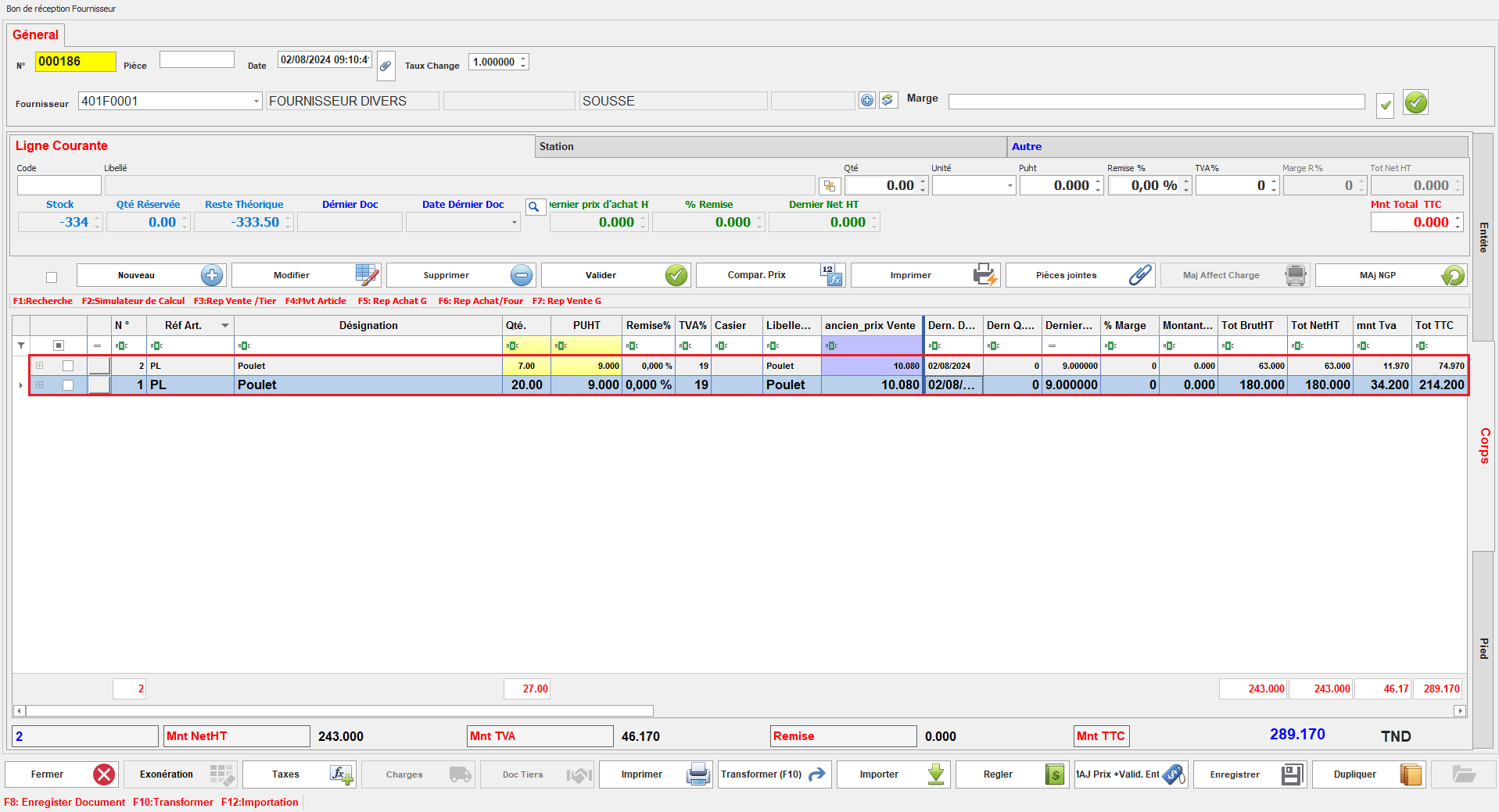
![lignes non fusi.PNG](https://help.asmpos.com/uploads/images/gallery/2024-08/lignes-non-fusi.PNG)

- Fusion ligne activé

![lignes fussionées.PNG](https://help.asmpos.com/uploads/images/gallery/2024-08/lignes-fussionees.PNG)

**2. Affiche Qté Réserve**

Permet d'afficher la quantité réservée des produits dans les documents de cette classe.

[![image.png](https://help.asmpos.com/uploads/images/gallery/2026-04/scaled-1680-/XBqimage.png)](https://help.asmpos.com/uploads/images/gallery/2026-04/XBqimage.png)

Lorsqu'il est activé, les quantités réservées seront visibles, facilitant ainsi le suivi des réservations de stock et la gestion des disponibilités.
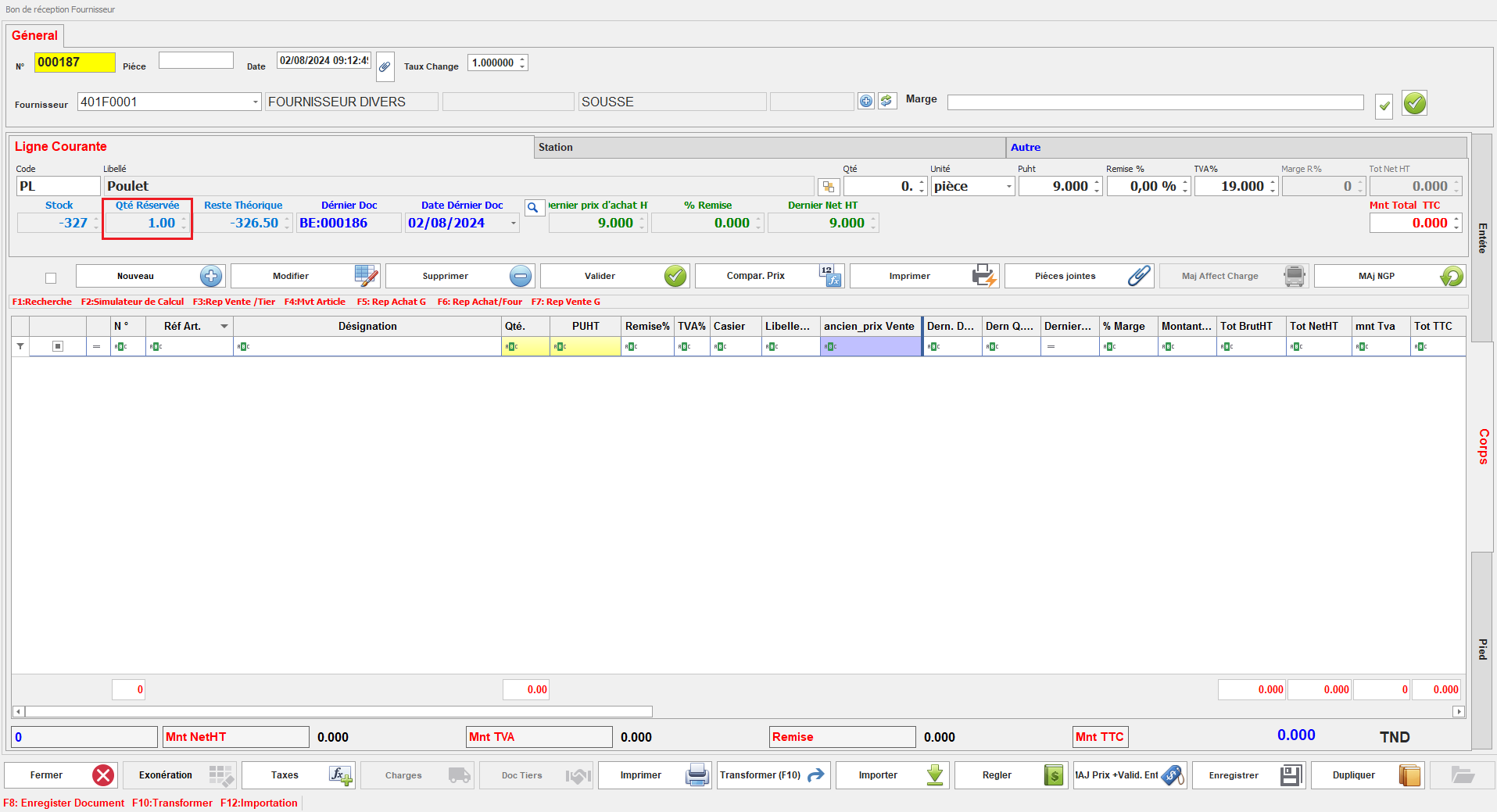
![affiche qté réservée.PNG](https://help.asmpos.com/uploads/images/gallery/2024-08/affiche-qte-reservee.PNG)

**3. Non valorisé**

Ce paramétrage indique que les documents de cette classe n'incluront pas de prix.

[![image.png](https://help.asmpos.com/uploads/images/gallery/2026-04/scaled-1680-/i36image.png)](https://help.asmpos.com/uploads/images/gallery/2026-04/i36image.png)

Les documents créés avec cette classe seront considérés comme non valorisés, ce qui signifie qu'aucune valeur monétaire ne sera associée à ces documents dans le système.

**![doc non val.PNG](https://help.asmpos.com/uploads/images/gallery/2024-08/doc-non-val.PNG)**
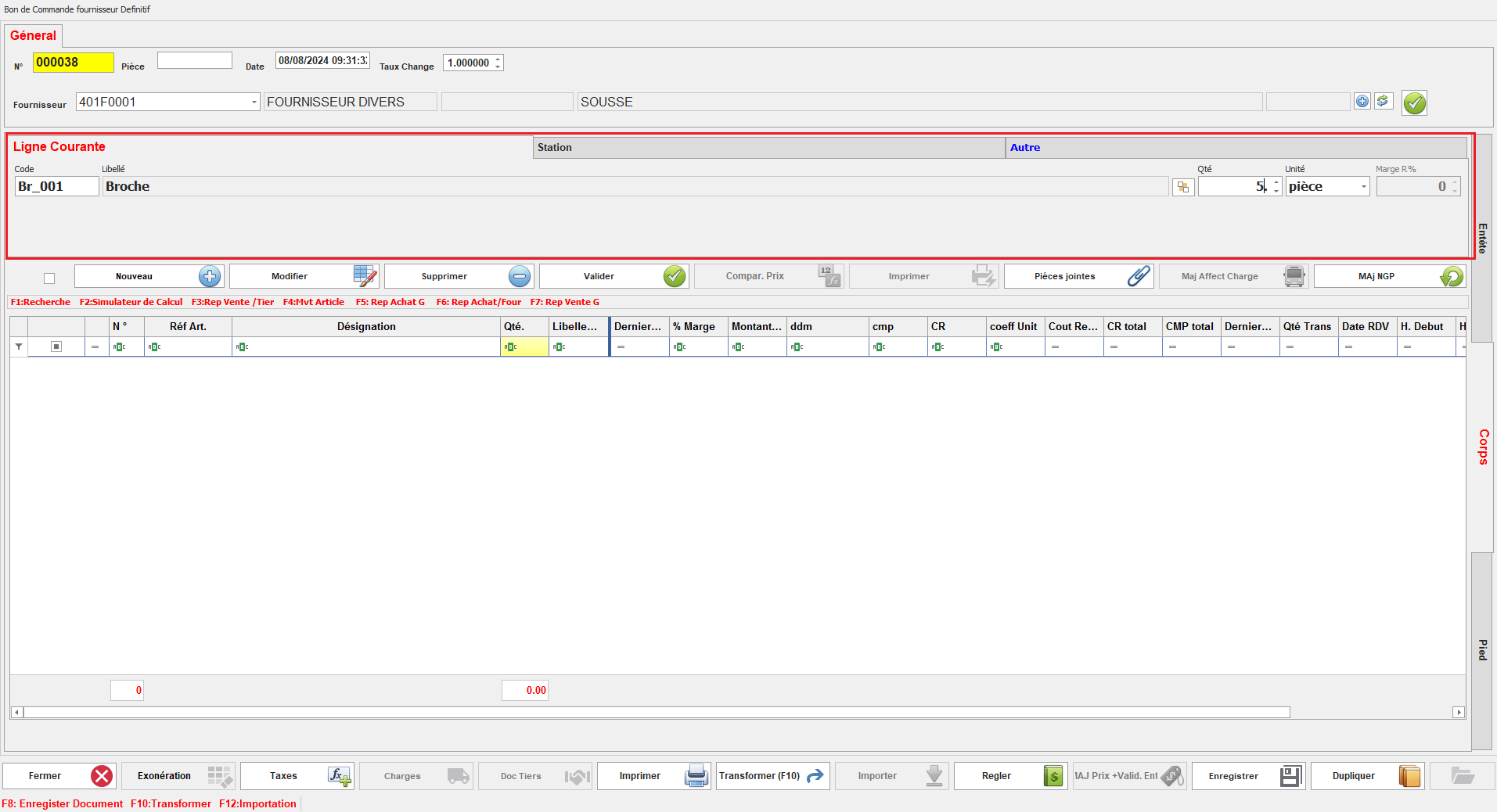
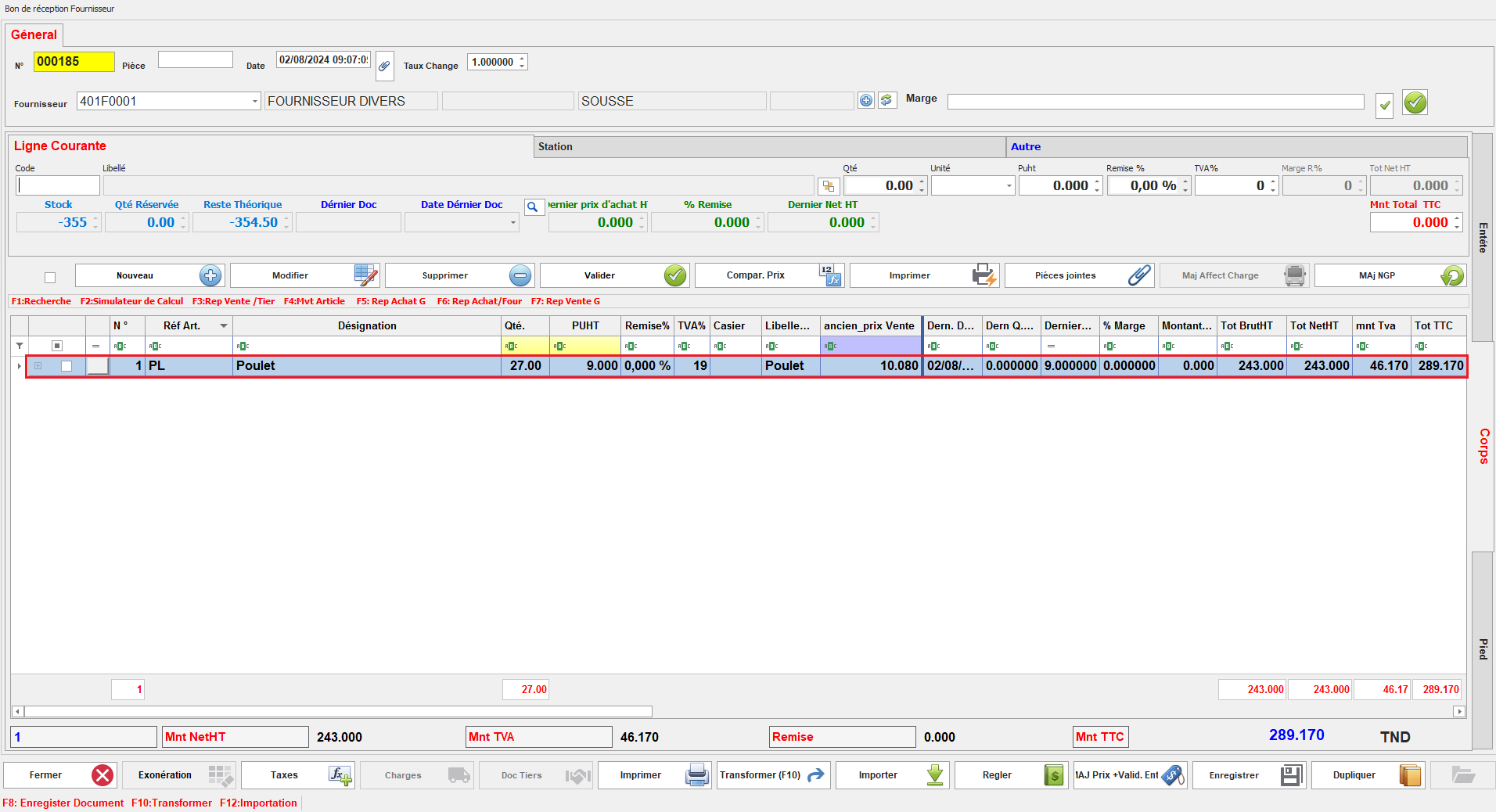
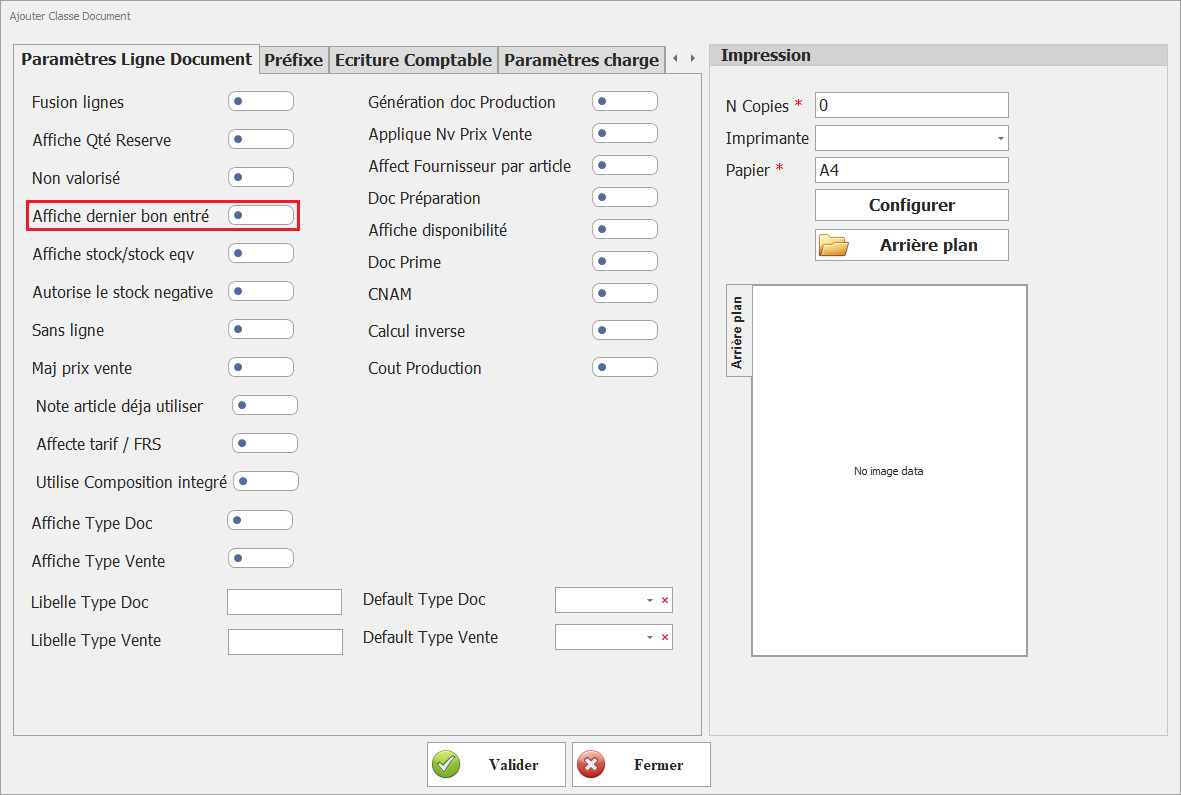
**4.** <span style="background-color: rgb(251, 238, 184);">**Affiche dernier bon entré**</span>  
<span style="background-color: rgb(251, 238, 184);">Permet de visualiser la dernière entrée en stock (date/prix).</span>

[![image.png](https://help.asmpos.com/uploads/images/gallery/2026-04/scaled-1680-/HZdimage.png)](https://help.asmpos.com/uploads/images/gallery/2026-04/HZdimage.png)

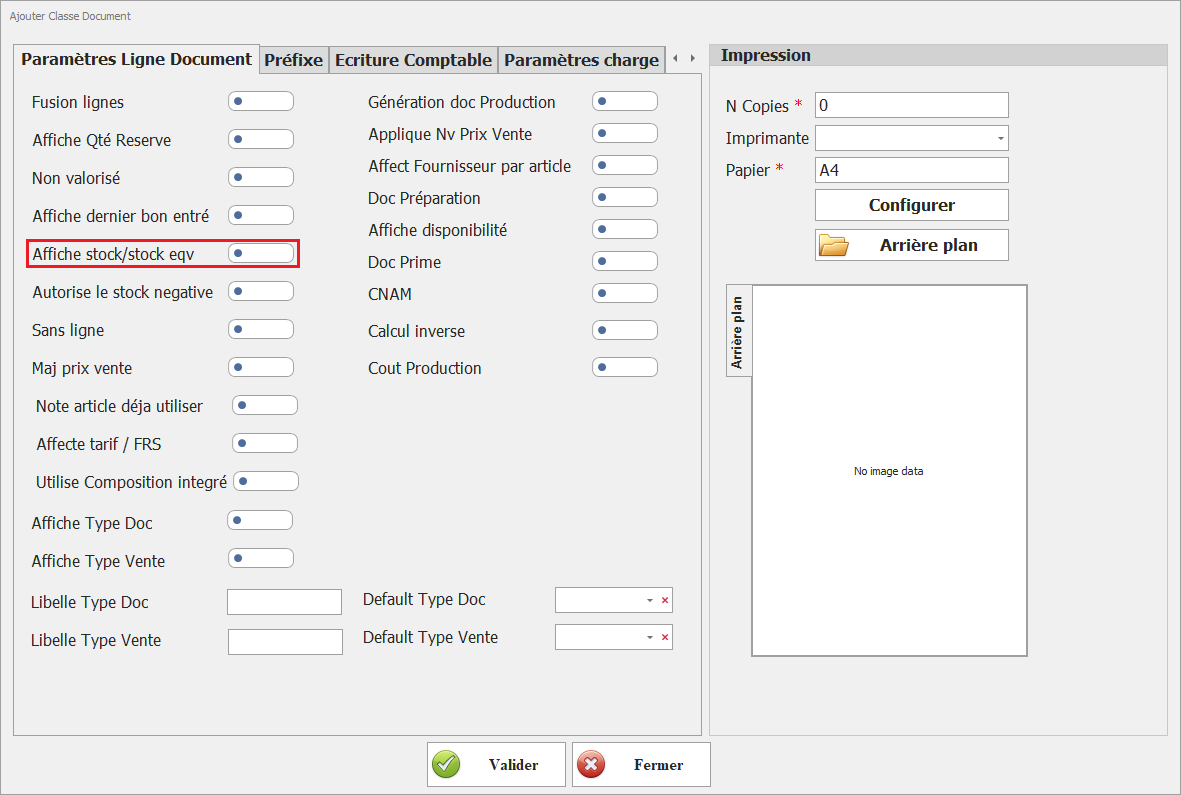
<span style="background-color: rgb(251, 238, 184);">**5. Affiche stock / stock équivalent**</span>  
<span style="background-color: rgb(251, 238, 184);">Affiche le stock réel et/ou le stock équivalent (multi-unités).</span>

[![image.png](https://help.asmpos.com/uploads/images/gallery/2026-04/scaled-1680-/ToRimage.png)](https://help.asmpos.com/uploads/images/gallery/2026-04/ToRimage.png)

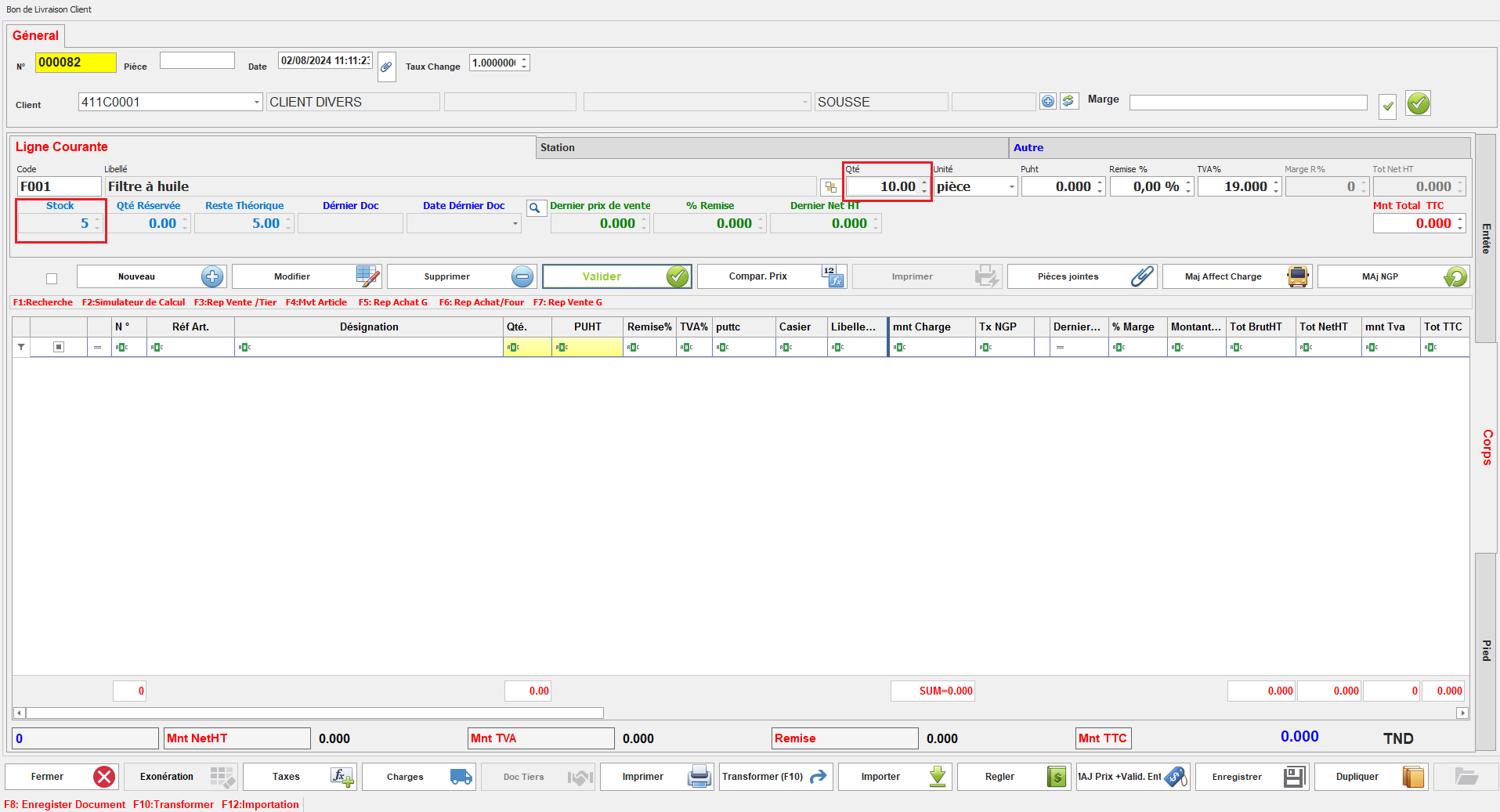
**6. Autorise le Stock Négatif**

Ce paramétrage permet de créer des documents même si la quantité de stock est insuffisante, entraînant ainsi un stock négatif.

[![image.png](https://help.asmpos.com/uploads/images/gallery/2026-04/scaled-1680-/8z4image.png)](https://help.asmpos.com/uploads/images/gallery/2026-04/8z4image.png)

Lorsqu'il est activé, il autorise la continuation des transactions malgré un stock insuffisant, offrant une flexibilité dans la gestion des stocks.
![stock insuffisant.PNG](https://help.asmpos.com/uploads/images/gallery/2024-08/stock-insuffisant.PNG)

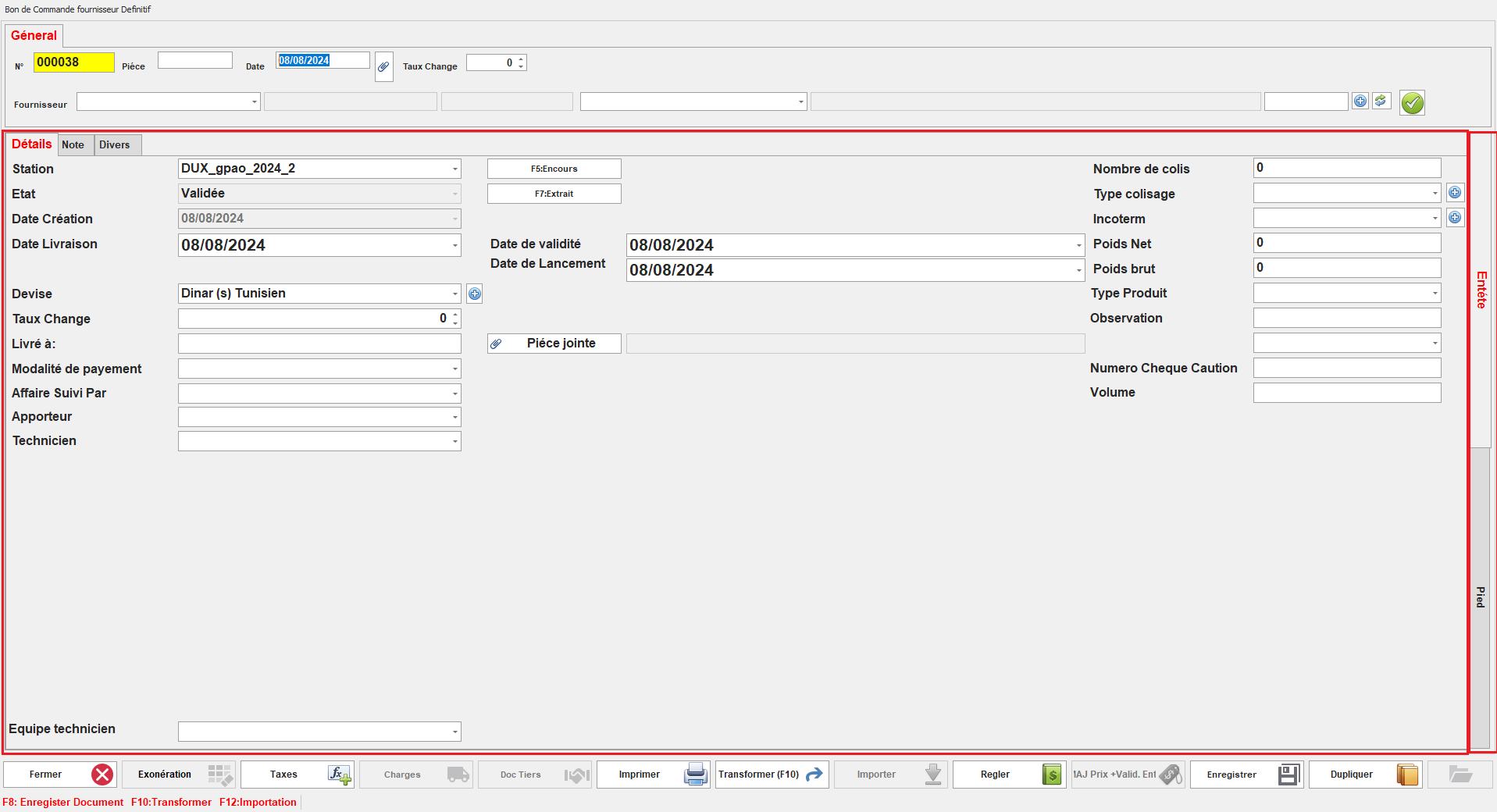
**7. Sans ligne**

Ce paramétrage permet de créer des documents sans possibilité de sélectionner des articles.

[![image.png](https://help.asmpos.com/uploads/images/gallery/2026-04/scaled-1680-/1C4image.png)](https://help.asmpos.com/uploads/images/gallery/2026-04/1C4image.png)
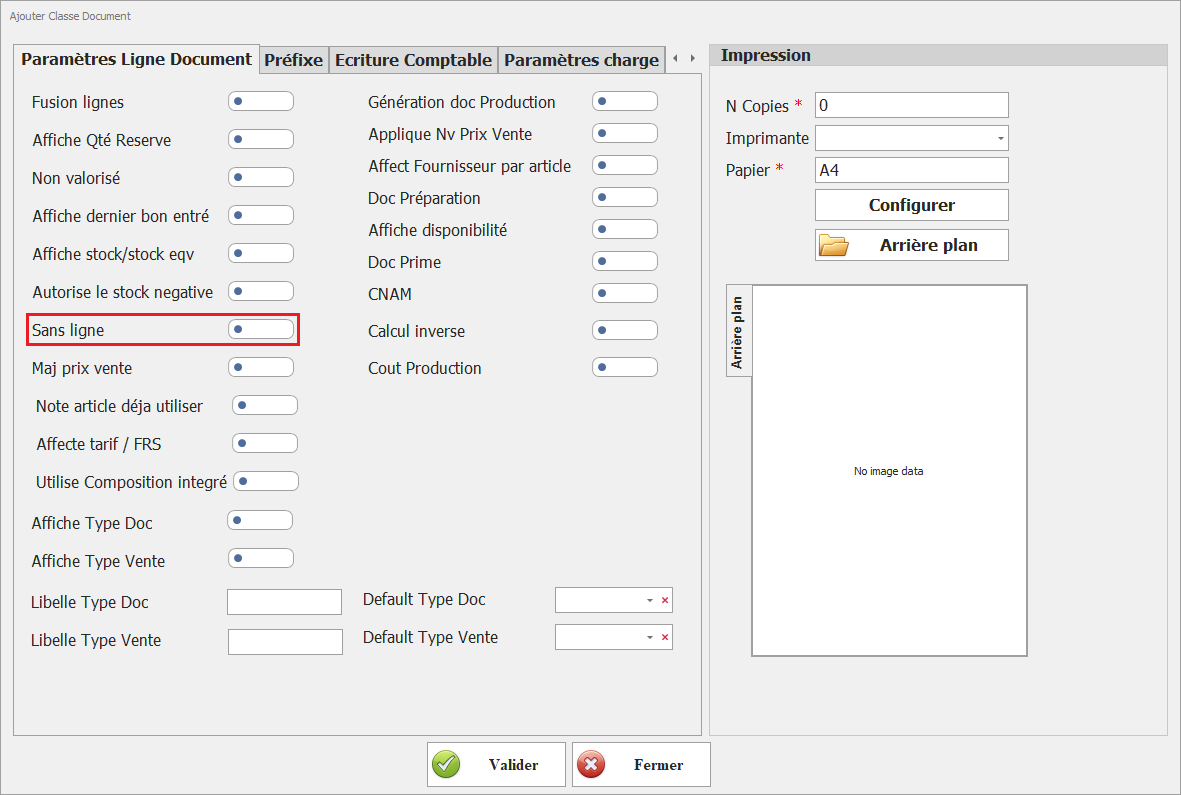
Les documents de cette classe seront uniquement associés à une valeur monétaire, sans inclure de produits ou services.
![sans ligne.PNG](https://help.asmpos.com/uploads/images/gallery/2024-08/sans-ligne.PNG)

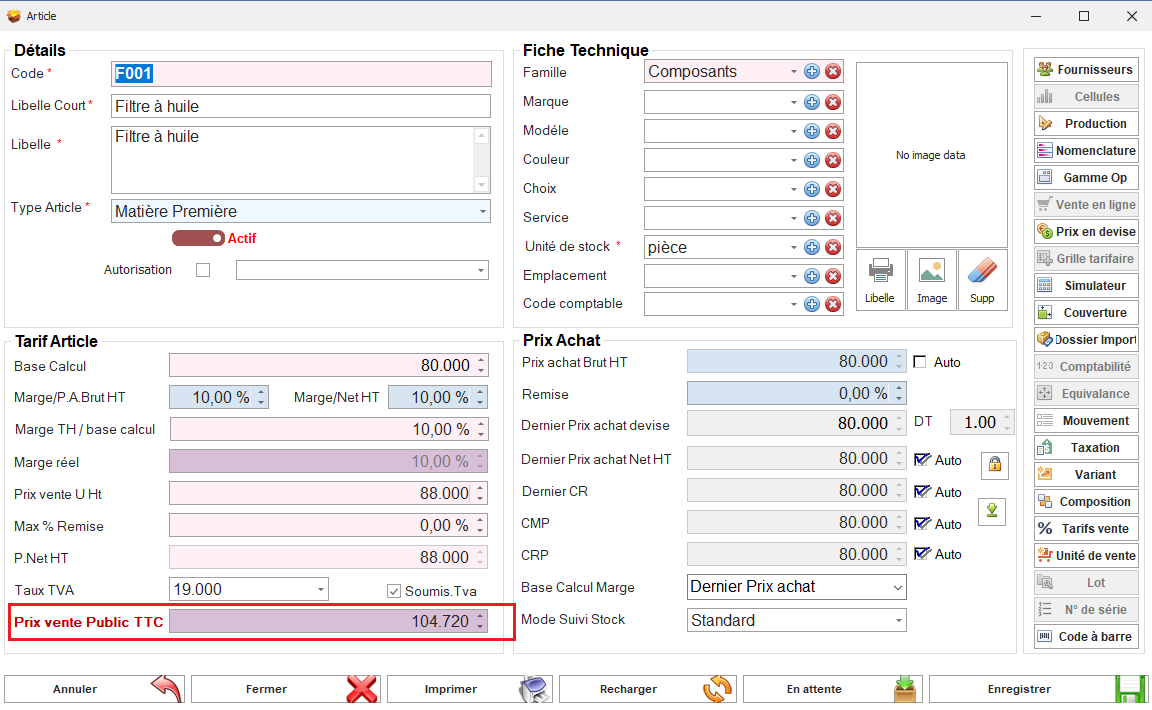
**8. Mise à Jour Prix de Vente**

Ce paramétrage permet de modifier les prix de vente des articles en fonction du prix d'achat indiqué dans les documents de cette classe.

[![image.png](https://help.asmpos.com/uploads/images/gallery/2026-04/scaled-1680-/hbIimage.png)](https://help.asmpos.com/uploads/images/gallery/2026-04/hbIimage.png)

En activant ce paramètre, il est possible d'ajuster automatiquement les prix de vente en fonction des coûts d'achat, facilitant ainsi la mise à jour des tarifs en temps réel.

o Prix de Vente Avant la Création d’un document d’achat
![fiche article prix devente.PNG](https://help.asmpos.com/uploads/images/gallery/2024-08/fiche-article-prix-devente.PNG)

o Création d’un Document d’Achat et MAJ Prix de vente
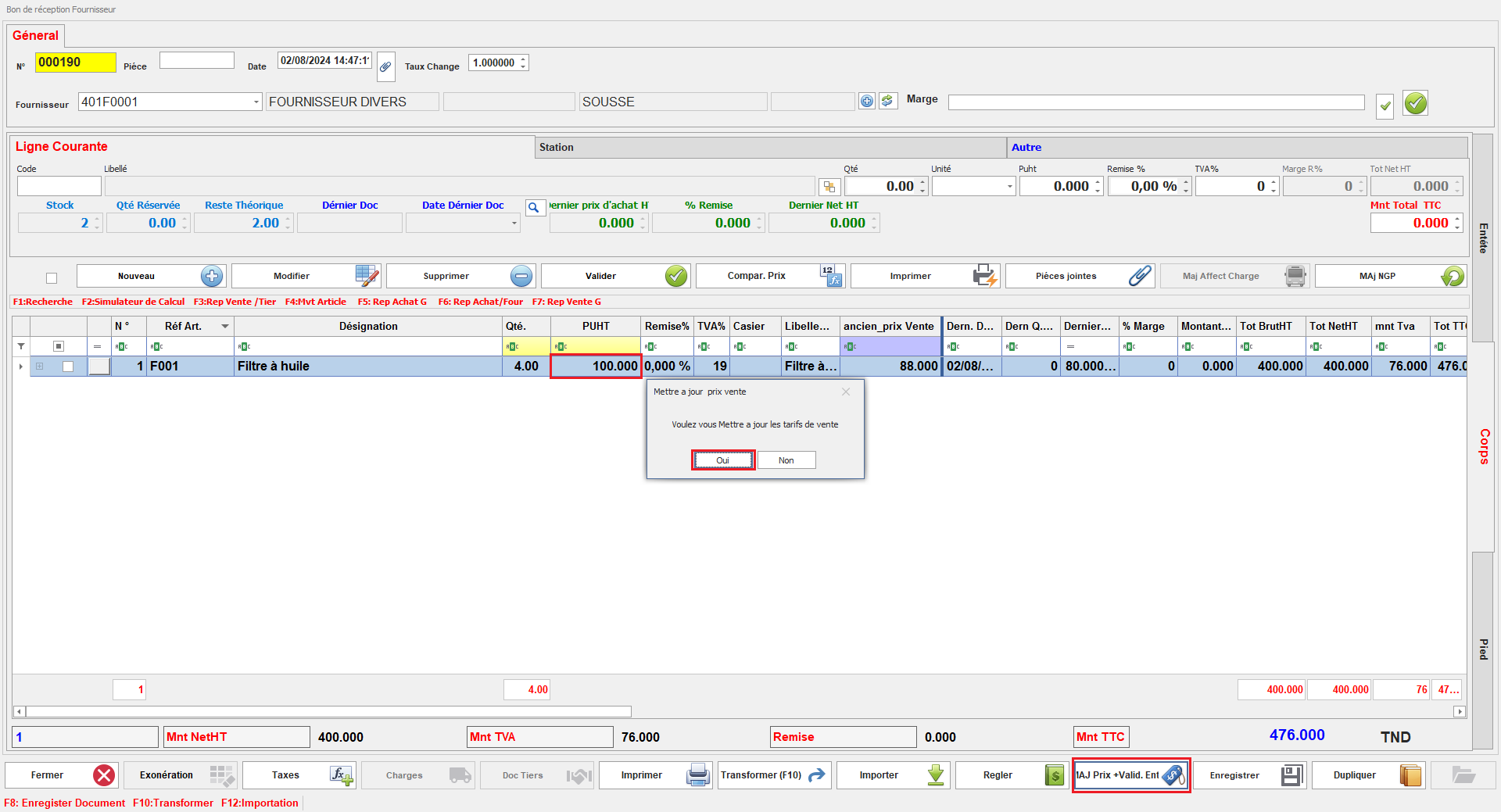
![achat.PNG](https://help.asmpos.com/uploads/images/gallery/2024-08/achat.PNG)

o Prix de Vente Après la Création du document d’achat et la MAJ de Prix de Vente
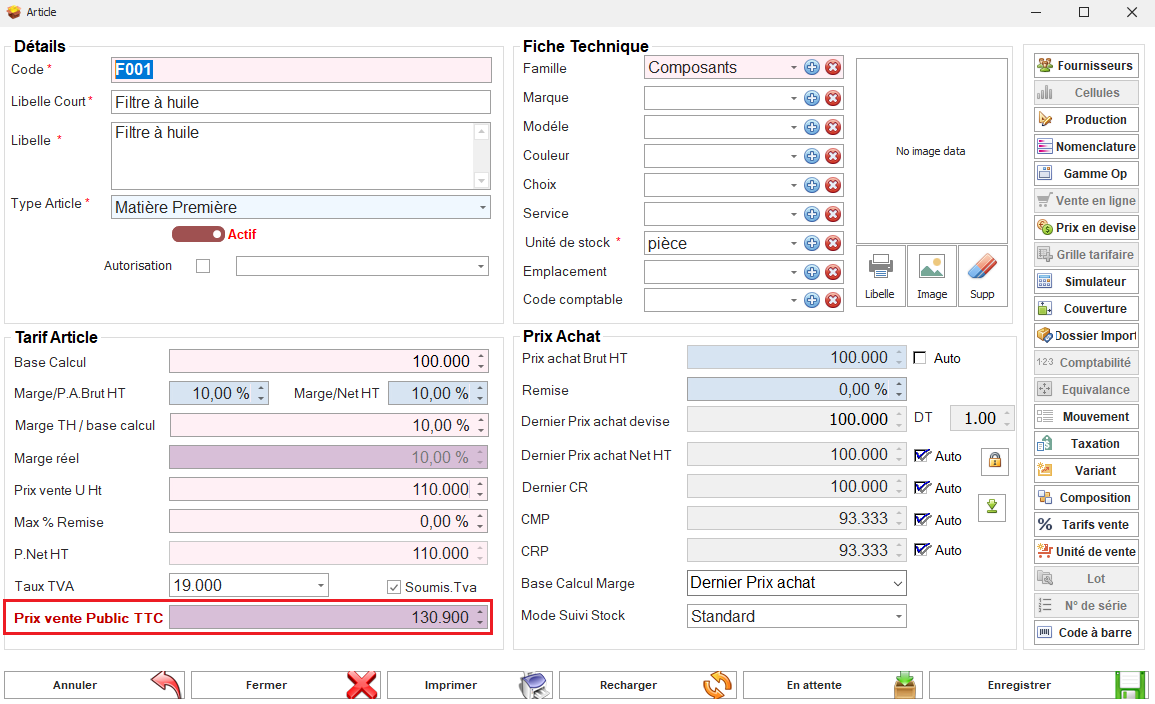
![fiche article apres.PNG](https://help.asmpos.com/uploads/images/gallery/2024-08/fiche-article-apres.PNG)

**9.Note article déjà utilisé**

Ce paramétrage affiche une alerte lors de la création d'un nouveau document de cette classe si un document en attente existe déjà.

[![image.png](https://help.asmpos.com/uploads/images/gallery/2026-04/scaled-1680-/pneimage.png)](https://help.asmpos.com/uploads/images/gallery/2026-04/pneimage.png)

**Exemple :** lors de la création d’un devis client, si l’option **« Note article déjà utilisé »** est activée, le système affiche une alerte indiquant que l’article a déjà été utilisé dans d’autres documents (non tranfomé).
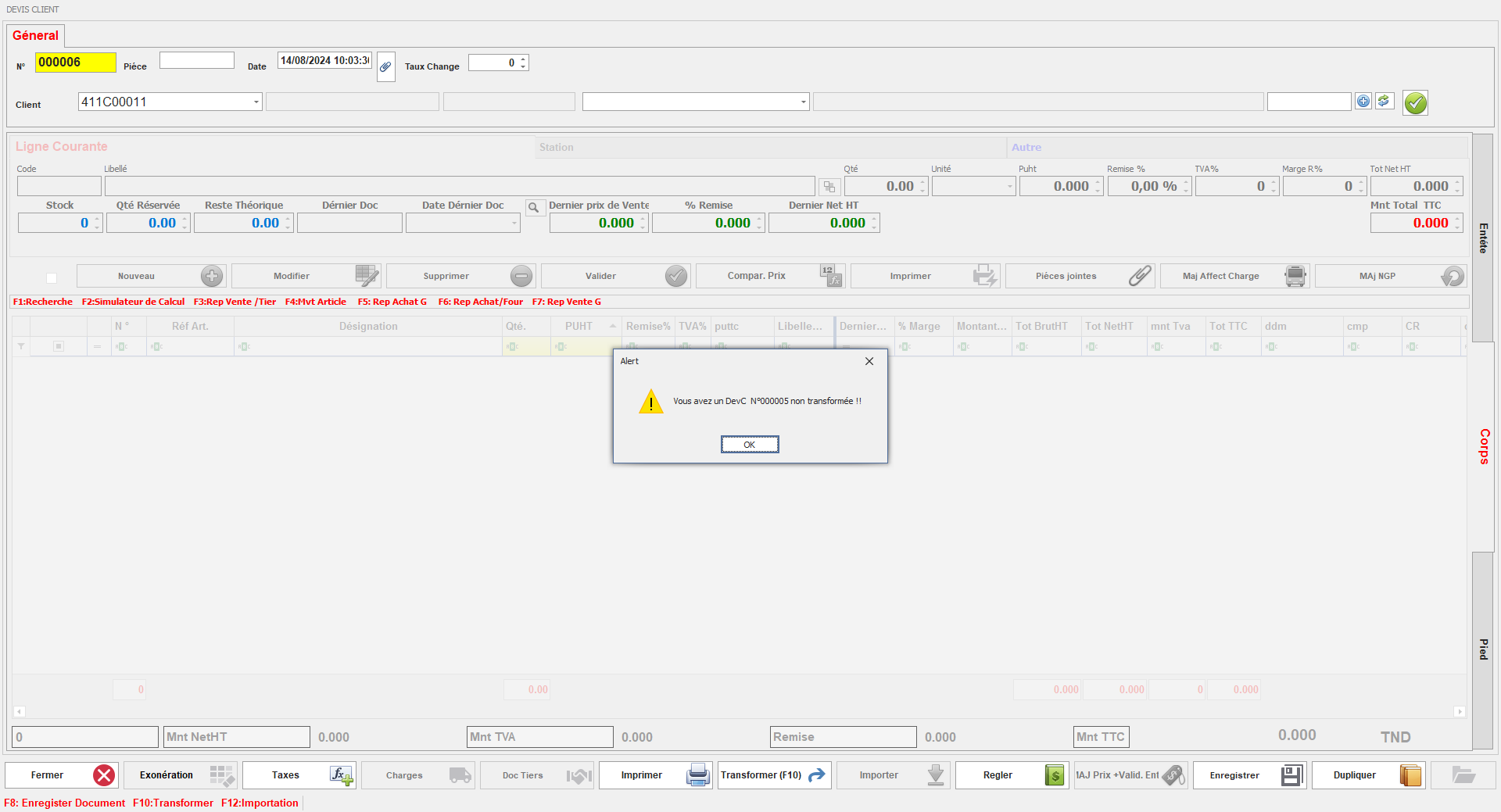
![note 1.PNG](https://help.asmpos.com/uploads/images/gallery/2024-08/note-1.PNG)

L'utilisateur doit alors fournir une note expliquant la situation, et le nouveau document est créé en état d'attente jusqu'à l'approbation du superviseur.
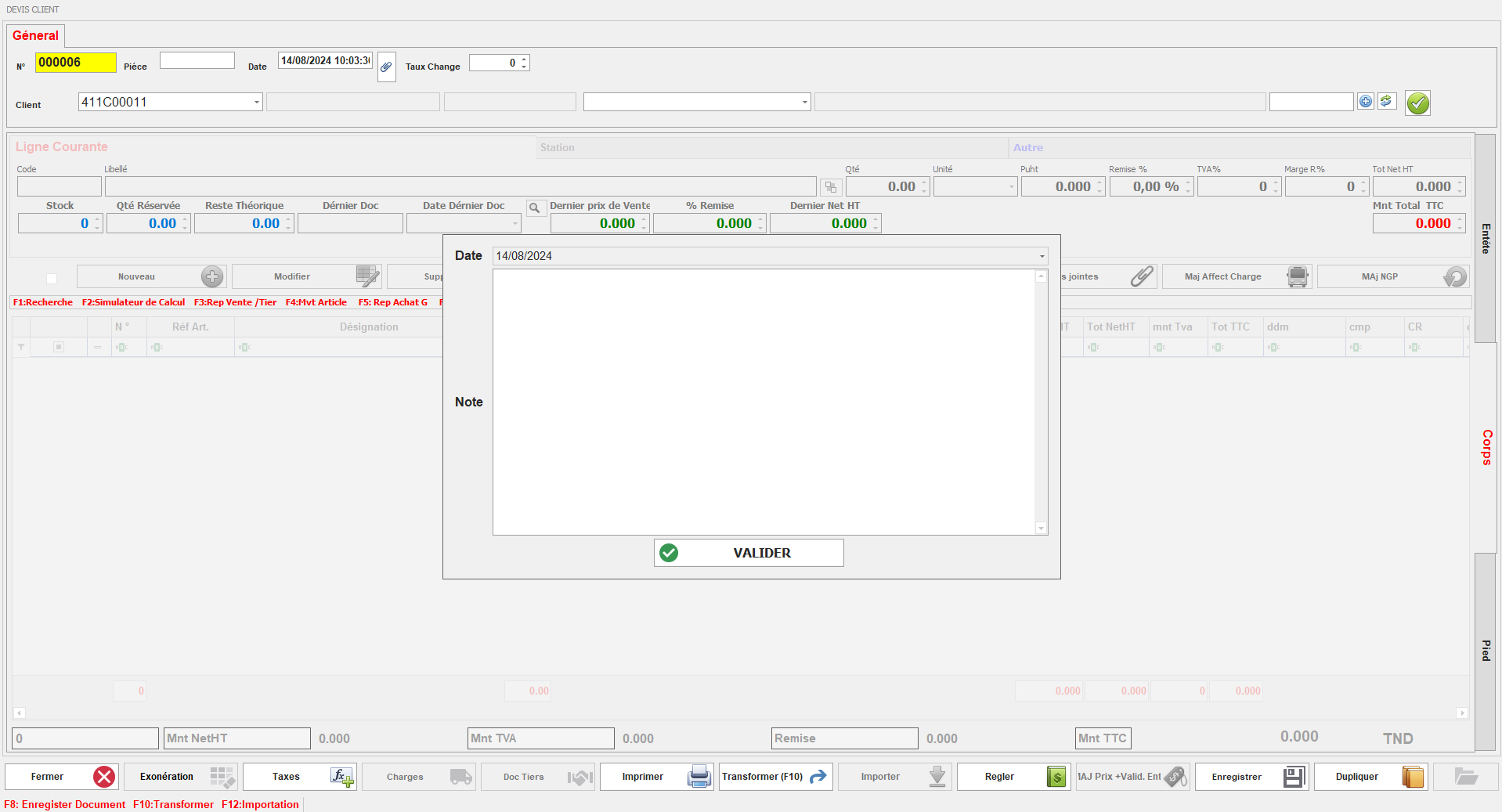
![note 2.PNG](https://help.asmpos.com/uploads/images/gallery/2024-08/note-2.PNG)

**10. **Affecte tarif / FRS**** Permet d’appliquer une tarification spécifique ou liée au fournisseur

[![image.png](https://help.asmpos.com/uploads/images/gallery/2026-04/scaled-1680-/tDdimage.png)](https://help.asmpos.com/uploads/images/gallery/2026-04/tDdimage.png)
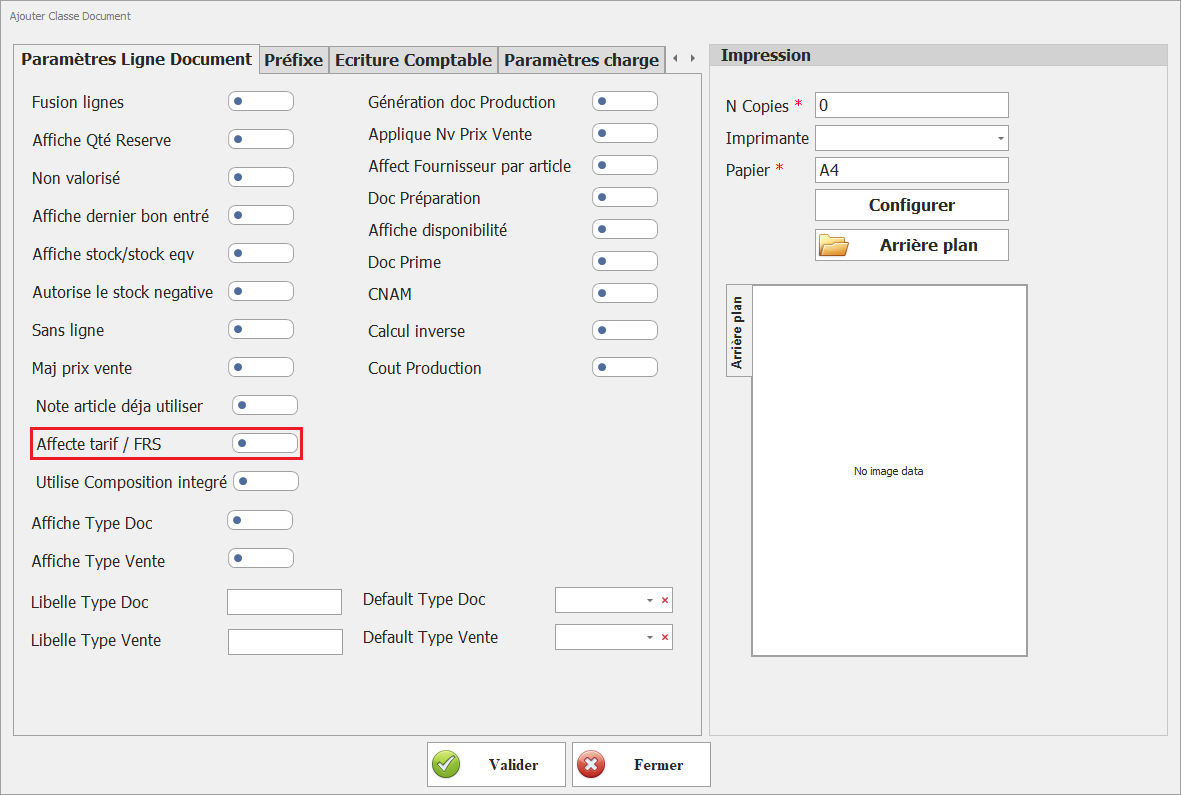
**11. Utilise Composition intégrée**  
Active la gestion des compositions (articles composés / kits).

[![image.png](https://help.asmpos.com/uploads/images/gallery/2026-04/scaled-1680-/1Zcimage.png)](https://help.asmpos.com/uploads/images/gallery/2026-04/1Zcimage.png)

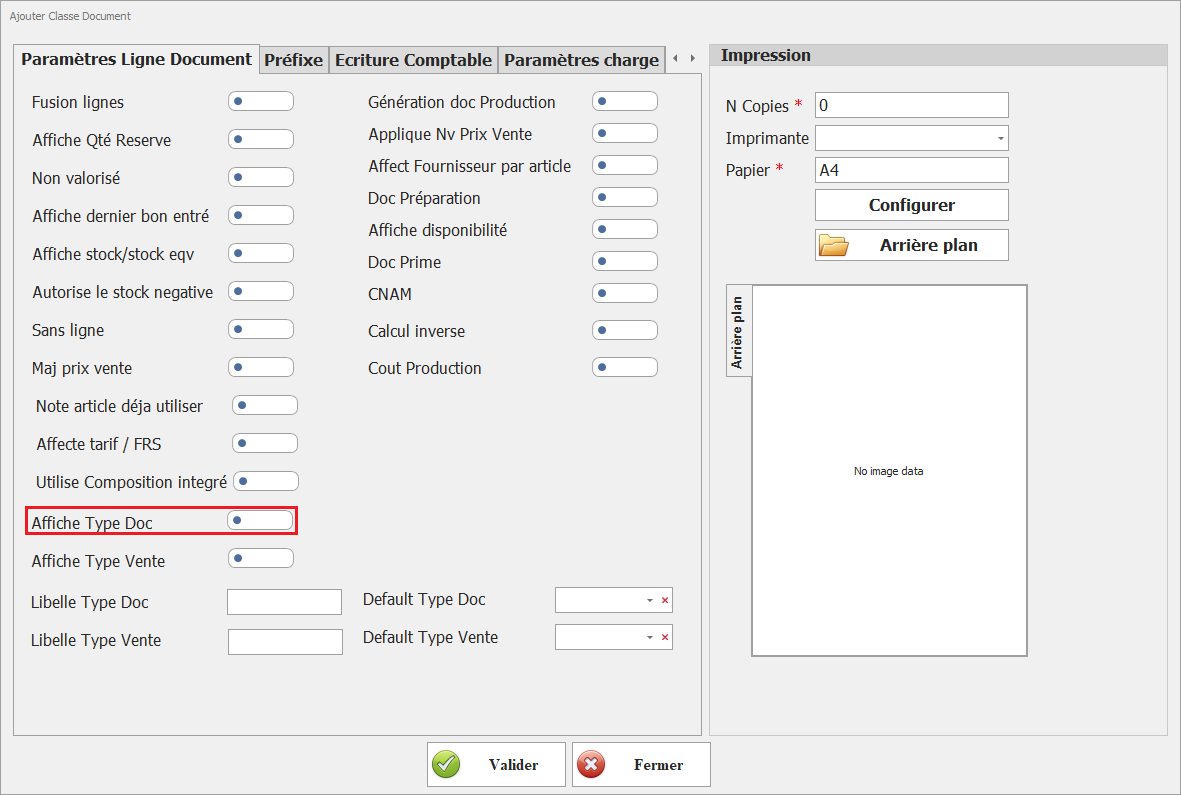
**12. <span style="background-color: rgb(251, 238, 184);">Affiche Type Doc</span>**  
<span style="background-color: rgb(251, 238, 184);">Permet d’afficher le type de document au niveau des lignes.</span>

[![image.png](https://help.asmpos.com/uploads/images/gallery/2026-04/scaled-1680-/MIsimage.png)](https://help.asmpos.com/uploads/images/gallery/2026-04/MIsimage.png)

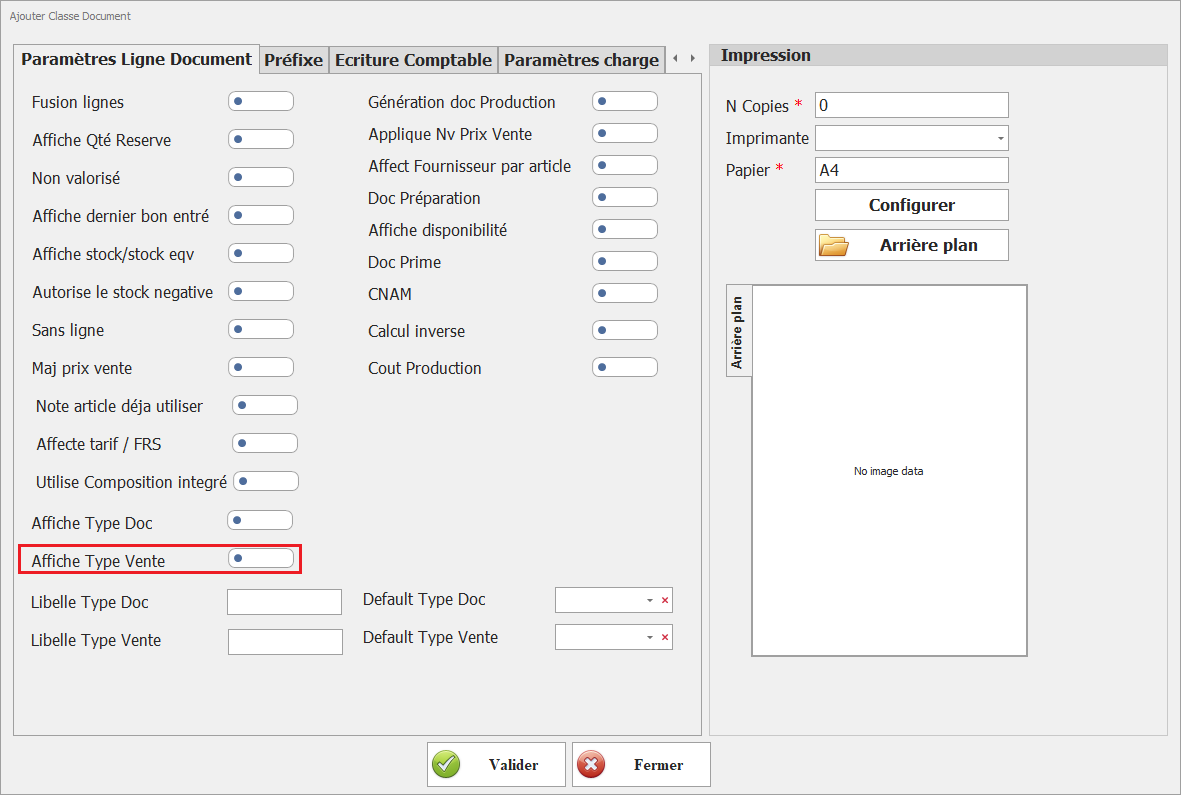
<span style="background-color: rgb(251, 238, 184);">**13. Affiche Type Vente**</span>  
<span style="background-color: rgb(251, 238, 184);">Permet d’afficher le type de vente (gros, détail, export, etc.).</span>

[![image.png](https://help.asmpos.com/uploads/images/gallery/2026-04/scaled-1680-/yuDimage.png)](https://help.asmpos.com/uploads/images/gallery/2026-04/yuDimage.png)

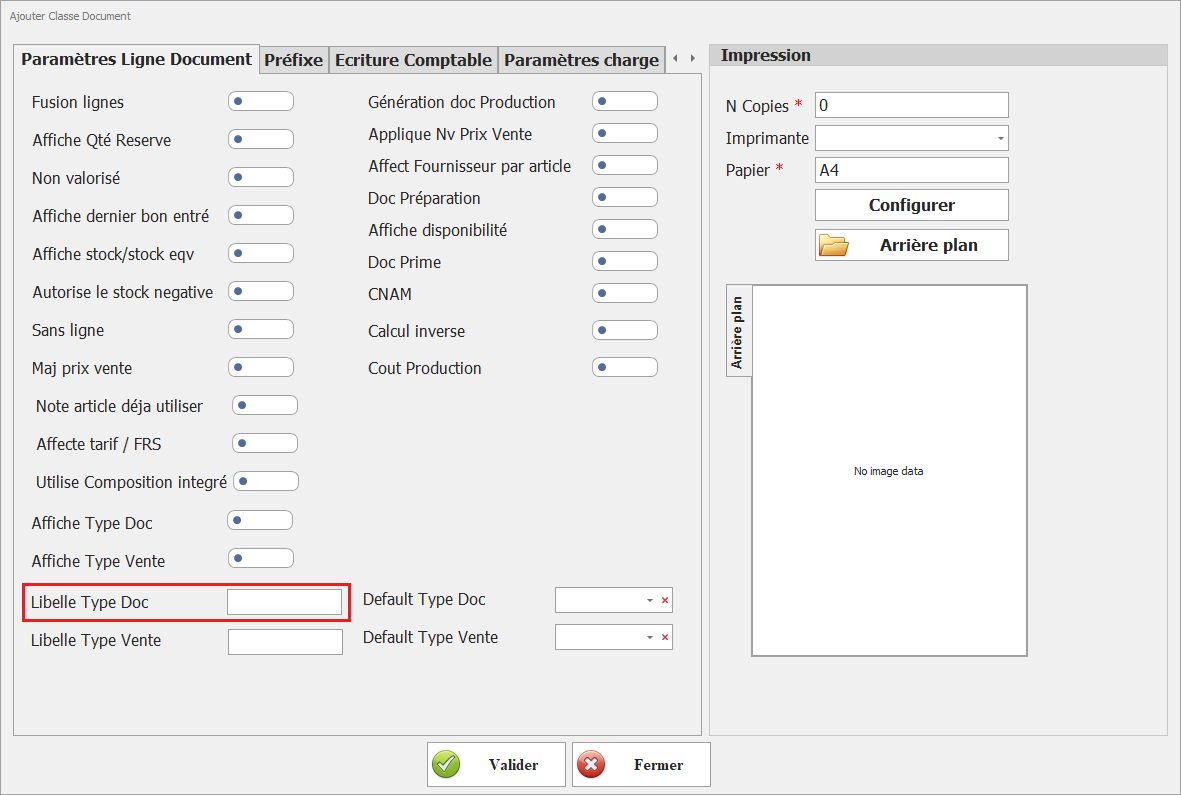
<span style="background-color: rgb(251, 238, 184);">**14. Libellé Type Doc**</span>  
<span style="background-color: rgb(251, 238, 184);">Permet de personnaliser l’intitulé du type de document.</span>

[![image.png](https://help.asmpos.com/uploads/images/gallery/2026-04/scaled-1680-/V0mimage.png)](https://help.asmpos.com/uploads/images/gallery/2026-04/V0mimage.png)

<span style="background-color: rgb(251, 238, 184);">**15. Libellé Type Vente**</span>  
<span style="background-color: rgb(251, 238, 184);">Permet d’afficher le type de vente (gros, détail, export, etc.).</span>

[![image.png](https://help.asmpos.com/uploads/images/gallery/2026-04/scaled-1680-/ZZZimage.png)](https://help.asmpos.com/uploads/images/gallery/2026-04/ZZZimage.png)

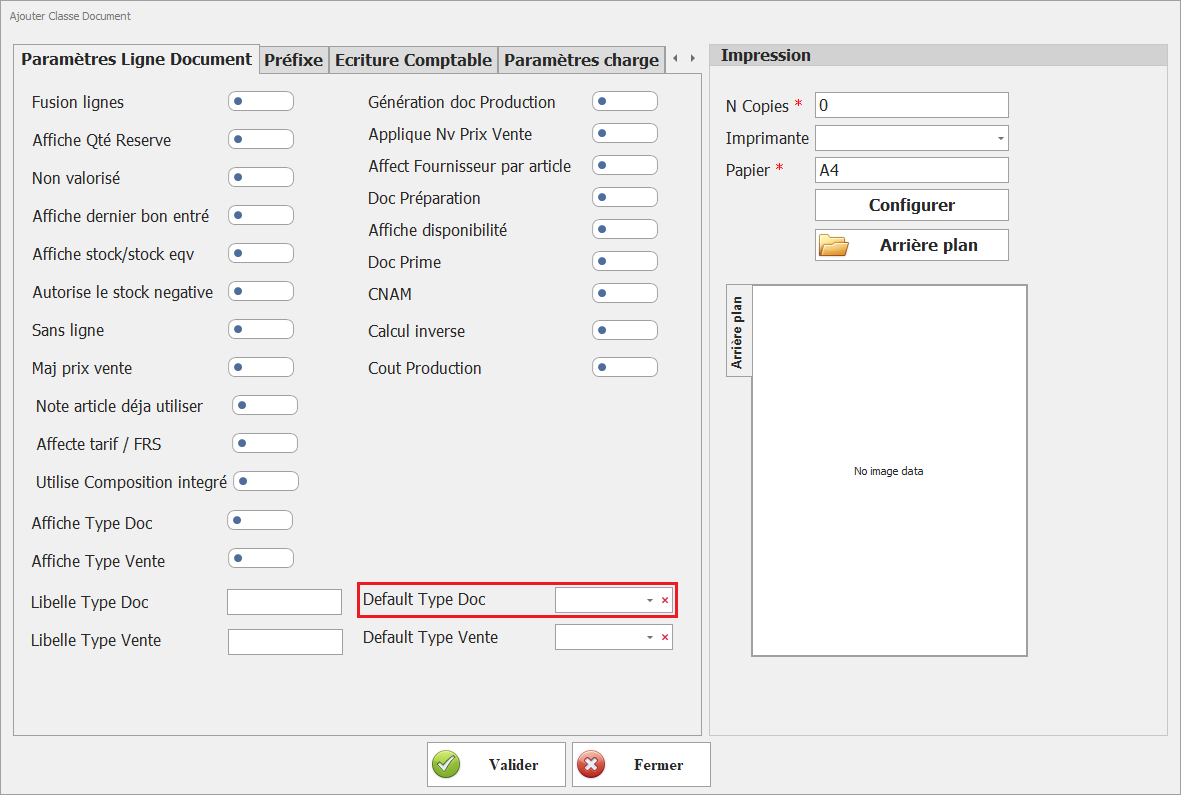
<span style="background-color: rgb(251, 238, 184);">**16. Default Type Doc**</span>  
<span style="background-color: rgb(251, 238, 184);">Définit une valeur par défaut pour le type de document.</span>

[![image.png](https://help.asmpos.com/uploads/images/gallery/2026-04/scaled-1680-/THwimage.png)](https://help.asmpos.com/uploads/images/gallery/2026-04/THwimage.png)

<span style="background-color: rgb(251, 238, 184);">**17. Default Type Vente**</span>  
<span style="background-color: rgb(251, 238, 184);">Définit une valeur par défaut pour le type de vente.</span>

[![image.png](https://help.asmpos.com/uploads/images/gallery/2026-04/scaled-1680-/n1pimage.png)](https://help.asmpos.com/uploads/images/gallery/2026-04/n1pimage.png)

<span style="background-color: rgb(251, 238, 184);">**18..Génération doc Production**</span>  
<span style="background-color: rgb(251, 238, 184);">Permet de générer automatiquement un document de production à partir des lignes.</span>

[![image.png](https://help.asmpos.com/uploads/images/gallery/2026-04/scaled-1680-/V8Gimage.png)](https://help.asmpos.com/uploads/images/gallery/2026-04/V8Gimage.png)

<span style="background-color: rgb(251, 238, 184);">**19. Applique Nv Prix Vente**</span>  
<span style="background-color: rgb(251, 238, 184);">Applique un nouveau prix de vente défini dans le document</span>

[![image.png](https://help.asmpos.com/uploads/images/gallery/2026-04/scaled-1680-/x7Nimage.png)](https://help.asmpos.com/uploads/images/gallery/2026-04/x7Nimage.png)

<span style="background-color: rgb(251, 238, 184);">**20. Affect Fournisseur par article**</span>  
<span style="background-color: rgb(251, 238, 184);">Permet d’associer un fournisseur spécifique à chaque ligne article.</span>

[![image.png](https://help.asmpos.com/uploads/images/gallery/2026-04/scaled-1680-/Kz9image.png)](https://help.asmpos.com/uploads/images/gallery/2026-04/Kz9image.png)

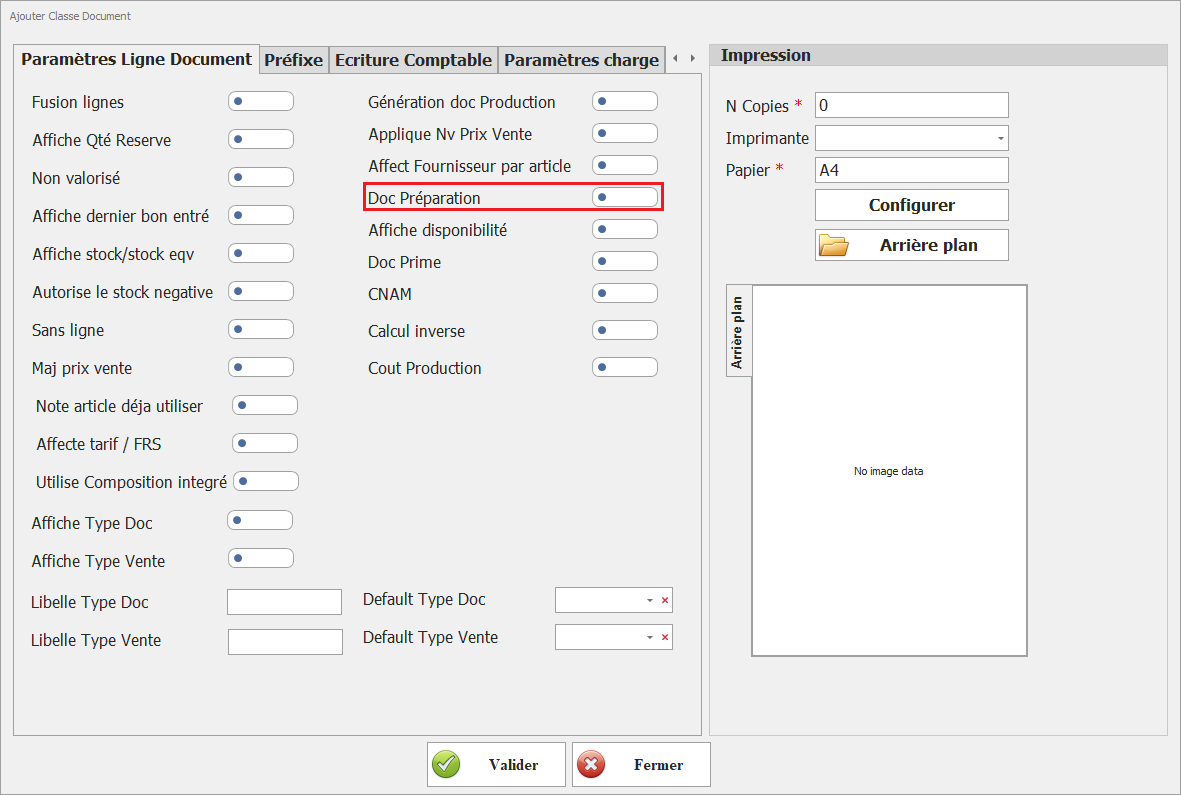
<span style="background-color: rgb(251, 238, 184);">**21. Doc Préparation**</span>  
<span style="background-color: rgb(251, 238, 184);">Indique que le document est utilisé pour la préparation (logistique, picking).</span>

[![image.png](https://help.asmpos.com/uploads/images/gallery/2026-04/scaled-1680-/kUmimage.png)](https://help.asmpos.com/uploads/images/gallery/2026-04/kUmimage.png)

<span style="background-color: rgb(251, 238, 184);">**22.Affiche disponibilité**</span>  
<span style="background-color: rgb(251, 238, 184);">Affiche la disponibilité réelle des articles (stock - réservations).</span>

[![image.png](https://help.asmpos.com/uploads/images/gallery/2026-04/scaled-1680-/NS3image.png)](https://help.asmpos.com/uploads/images/gallery/2026-04/NS3image.png)

<span style="background-color: rgb(251, 238, 184);">**23. Doc Prime**</span>  
<span style="background-color: rgb(251, 238, 184);">Permet de gérer des primes ou remises spécifiques.</span>

[![image.png](https://help.asmpos.com/uploads/images/gallery/2026-04/scaled-1680-/r1bimage.png)](https://help.asmpos.com/uploads/images/gallery/2026-04/r1bimage.png)

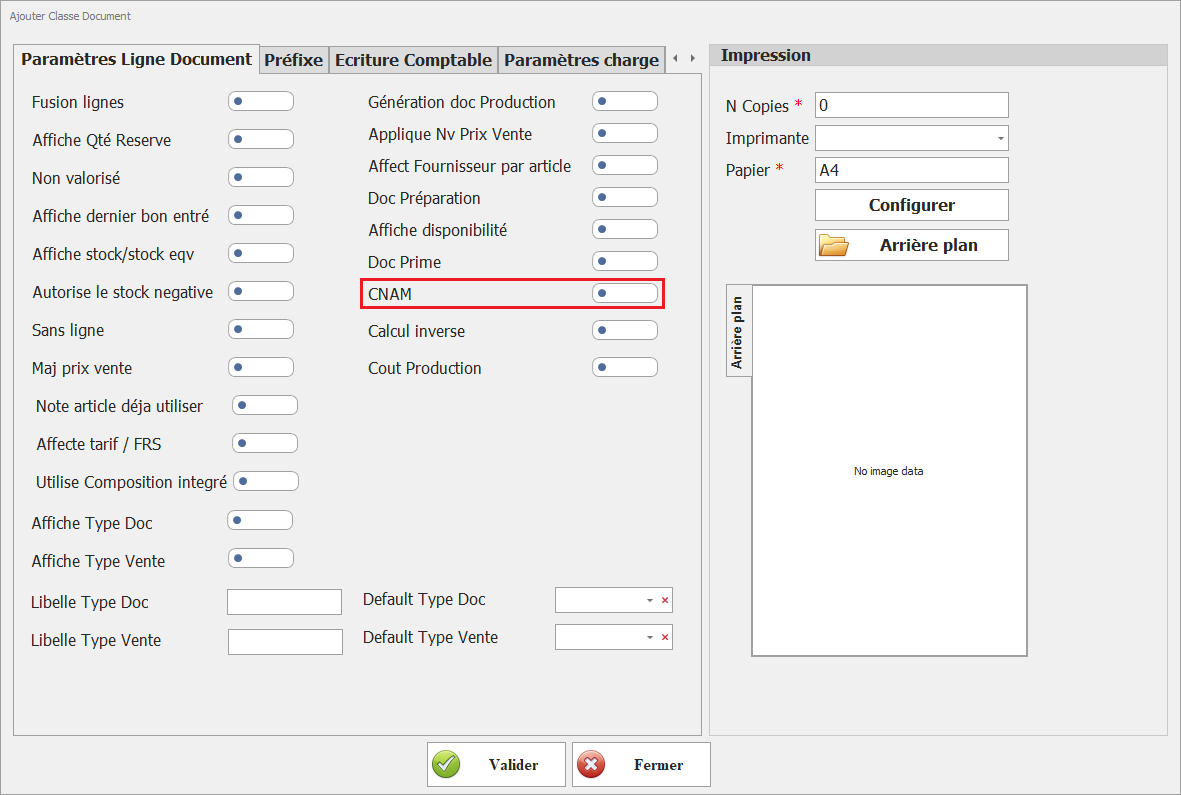
<span style="background-color: rgb(251, 238, 184);">**24. CNAM**</span>  
<span style="background-color: rgb(251, 238, 184);">Active la gestion liée à la CNAM (selon contexte réglementaire ou métier).</span>

[![image.png](https://help.asmpos.com/uploads/images/gallery/2026-04/scaled-1680-/ItRimage.png)](https://help.asmpos.com/uploads/images/gallery/2026-04/ItRimage.png)

<span style="background-color: rgb(251, 238, 184);">**25. Calcul inverse**</span>  
<span style="background-color: rgb(251, 238, 184);">Permet de recalculer automatiquement le prix ou la quantité à partir du montant total.</span>

[![image.png](https://help.asmpos.com/uploads/images/gallery/2026-04/scaled-1680-/qnfimage.png)](https://help.asmpos.com/uploads/images/gallery/2026-04/qnfimage.png)

<span style="background-color: rgb(251, 238, 184);">**26. Coût Production**</span>  
<span style="background-color: rgb(251, 238, 184);">Active le calcul et l’affichage du coût de production.</span>

[![image.png](https://help.asmpos.com/uploads/images/gallery/2026-04/scaled-1680-/9tJimage.png)](https://help.asmpos.com/uploads/images/gallery/2026-04/9tJimage.png)

# Paramètres Charges

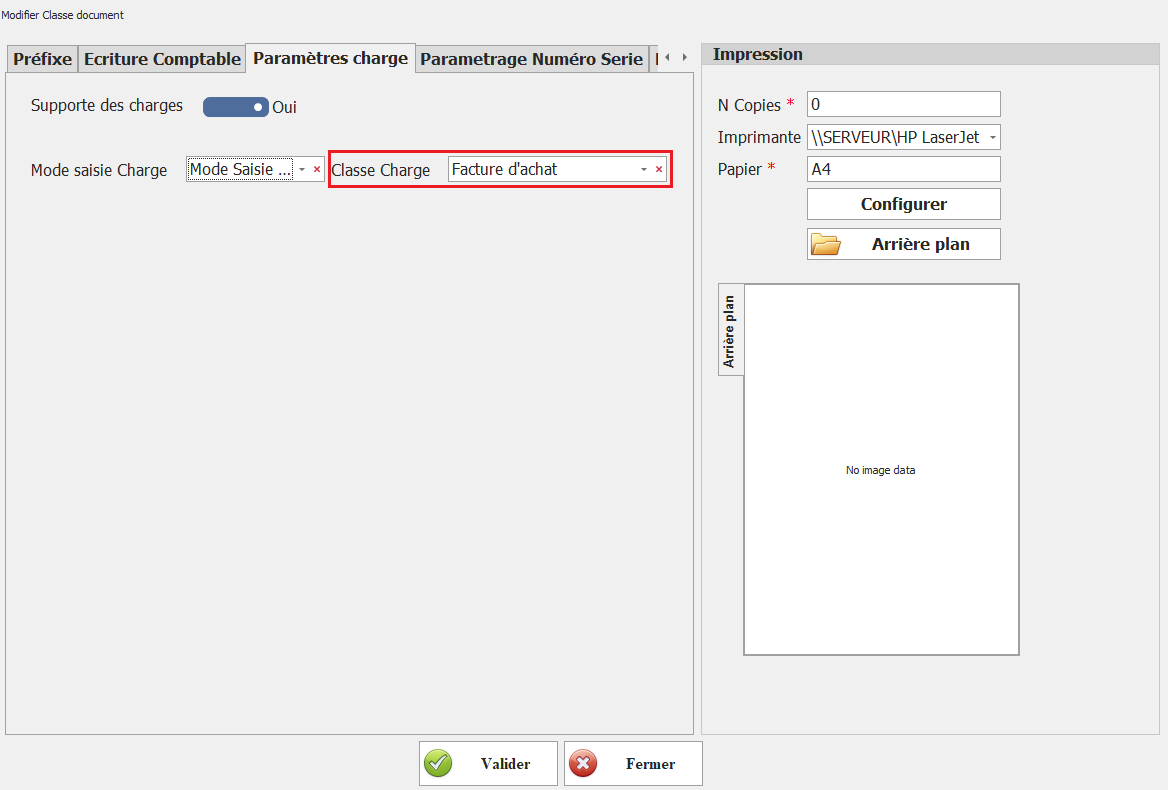
**<span style="font-size: 12.0pt; line-height: 107%; font-family: 'Times New Roman',serif;">Supporte des Charges</span>**

Ce paramétrage permet d'appliquer des charges sur les documents de cette classe.
<span style="mso-no-proof: yes;">![charge.PNG](https://help.asmpos.com/uploads/images/gallery/2024-08/charge.PNG)</span>

Les utilisateurs peuvent ajouter des coûts supplémentaires, tels que des frais ou des services, directement aux documents concernés.

**<span style="font-size: 12.0pt; line-height: 107%; font-family: 'Times New Roman',serif; mso-no-proof: yes;">![btn charge.PNG](https://help.asmpos.com/uploads/images/gallery/2024-08/btn-charge.PNG)</span>**
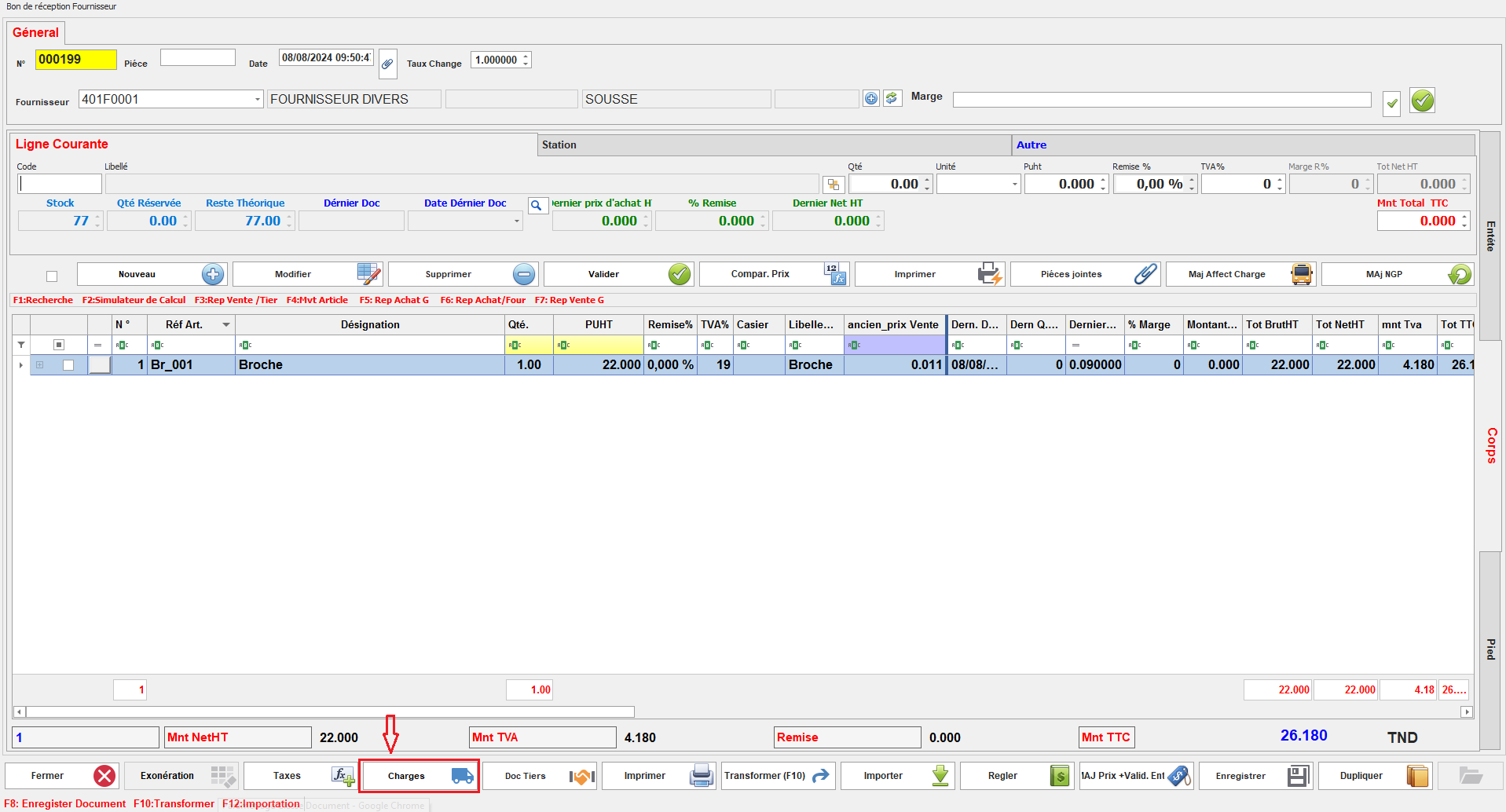
**<span style="font-size: 12.0pt; line-height: 107%; font-family: 'Times New Roman',serif;">Mode Saisie Charge</span>**

Ce paramétrage donne à l'utilisateur le choix du mode de saisie des charges, pouvant être appliquées par document, par article, ou par service. Il offre une flexibilité dans la manière dont les charges sont gérées et associées aux documents.

**<span style="font-size: 12.0pt; line-height: 107%; font-family: 'Times New Roman',serif; mso-no-proof: yes;">![charge 1.PNG](https://help.asmpos.com/uploads/images/gallery/2024-08/charge-1.PNG)</span>**
**<span style="font-size: 12.0pt; line-height: 107%; font-family: 'Times New Roman',serif; mso-no-proof: yes;">**<span style="font-size: 12.0pt; line-height: 107%; font-family: 'Times New Roman',serif; mso-fareast-font-family: Calibri; mso-fareast-theme-font: minor-latin; mso-ansi-language: FR; mso-fareast-language: EN-US; mso-bidi-language: AR-SA;">  
</span>**</span>**

**<span style="font-size: 12.0pt; line-height: 107%; font-family: 'Times New Roman',serif;"> </span>**

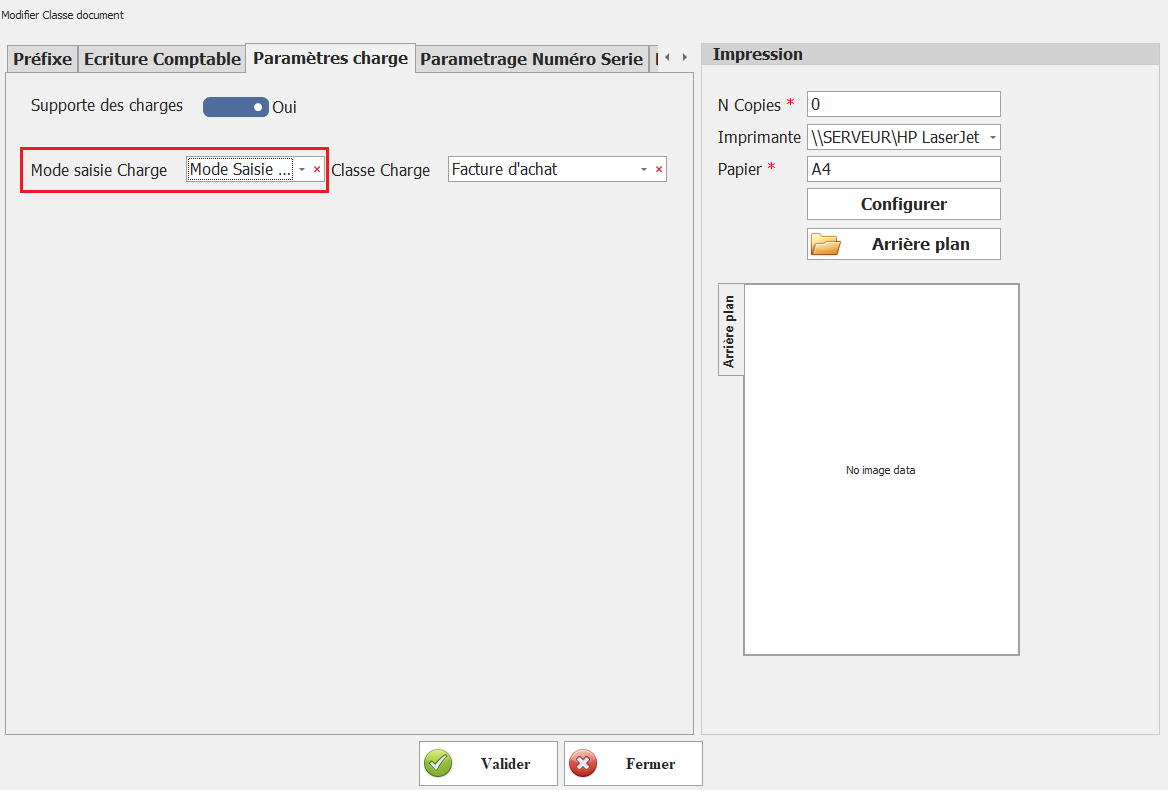
**<span style="font-size: 12.0pt; line-height: 107%; font-family: 'Times New Roman',serif;">Classe Charge</span>**

Ce paramétrage spécifie les classes de documents qui peuvent être sélectionnées comme documents de charge pour cette classe de document.

**<span style="font-size: 12.0pt; line-height: 107%; font-family: 'Times New Roman',serif; mso-no-proof: yes;">![charge.PNG](https://help.asmpos.com/uploads/images/gallery/2024-08/charge.PNG)</span>**

Cela détermine quels types de documents peuvent être utilisés pour ajouter des charges aux documents de cette classe.

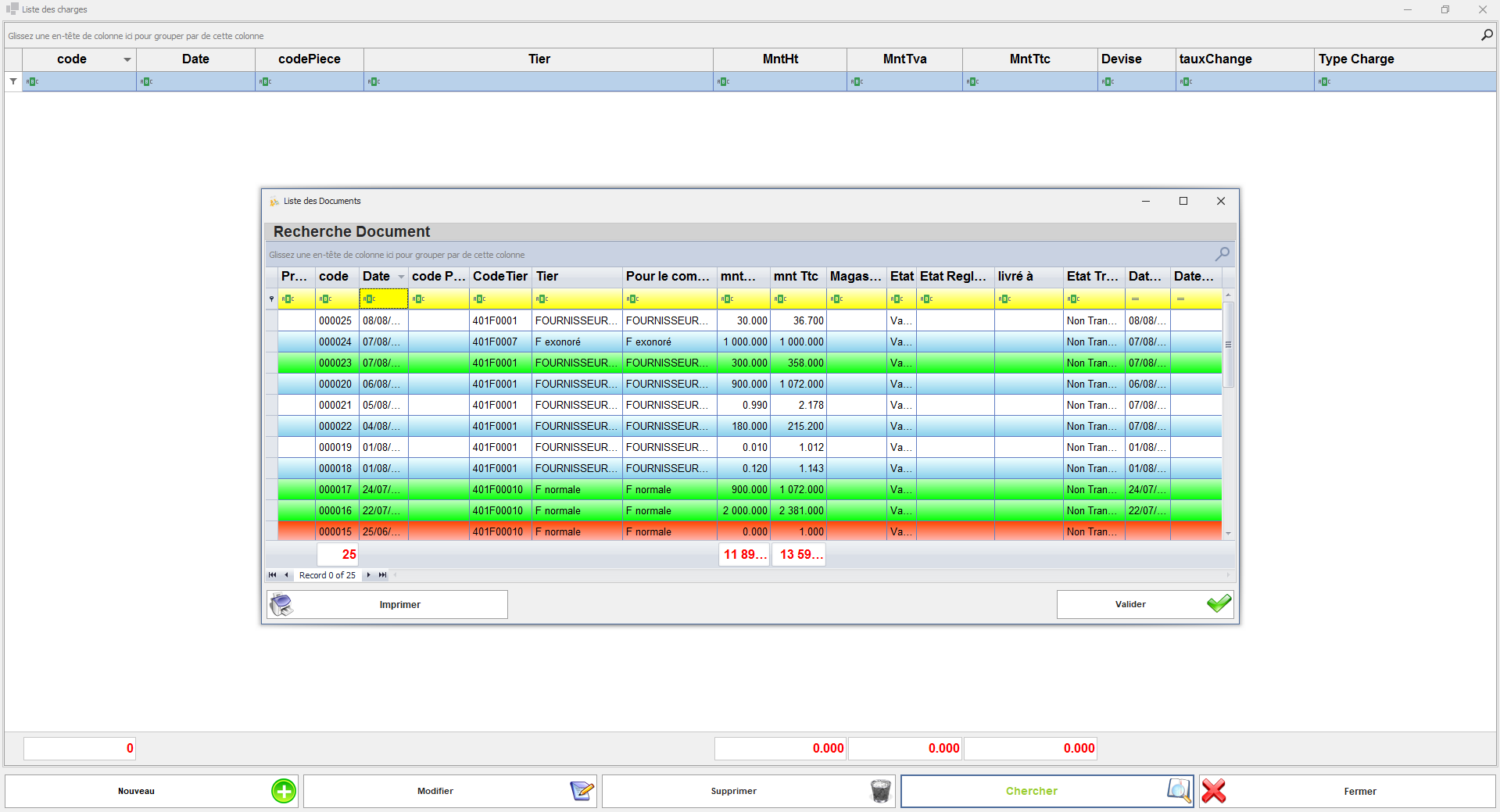
**<span style="font-size: 12.0pt; line-height: 107%; font-family: 'Times New Roman',serif; mso-no-proof: yes;">![liste des doc de chartge.PNG](https://help.asmpos.com/uploads/images/gallery/2024-08/liste-des-doc-de-chartge.PNG)</span>**
# Paramétrage Numéro Série

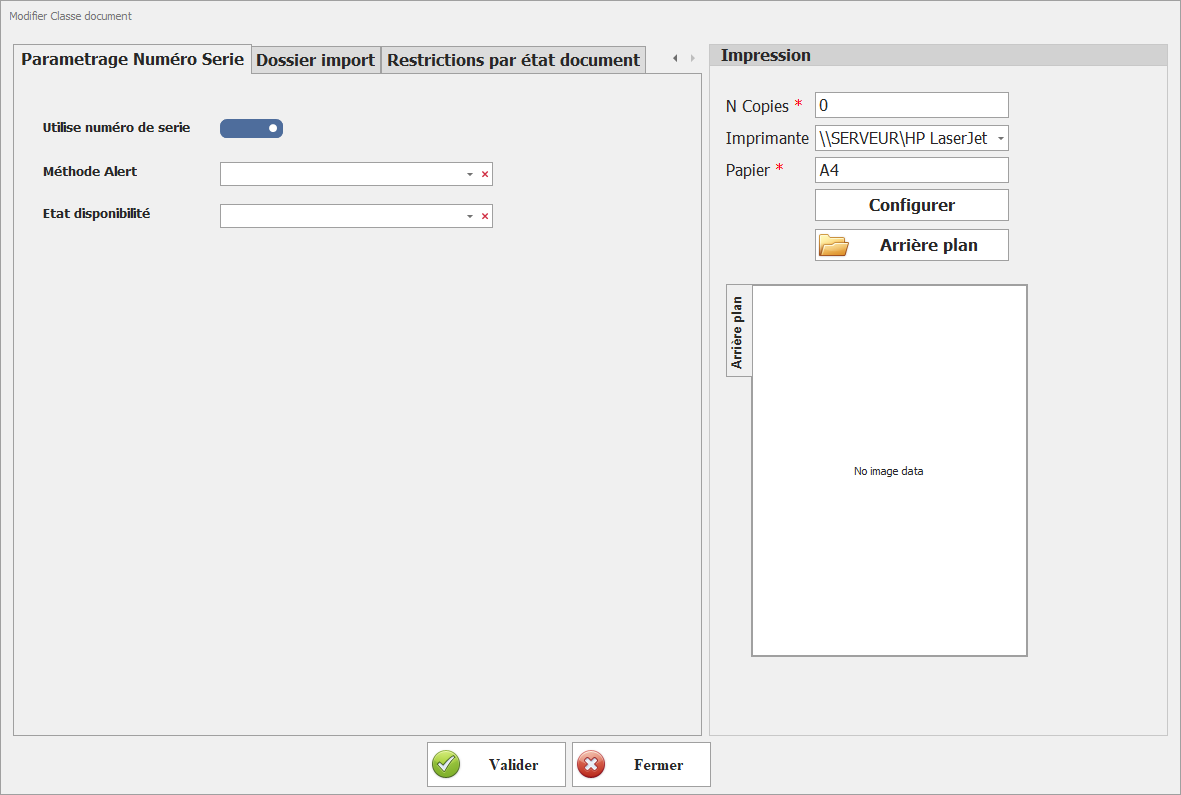
**1. Utilise Numéro de Série**

Ce paramétrage permet d’activer la gestion des numéros de série pour les articles associés à cette classe de documents.

Lorsque cette option est activée :

- La saisie d’un numéro de série devient obligatoire ou disponible selon la configuration des articles.
- Chaque article peut être identifié de manière unique grâce à son numéro de série.
- Le système assure un suivi unitaire des articles tout au long de leur cycle de vie (entrée, sortie, transfert, vente, etc.).

[![image.png](https://help.asmpos.com/uploads/images/gallery/2026-04/scaled-1680-/SDRimage.png)](https://help.asmpos.com/uploads/images/gallery/2026-04/SDRimage.png)
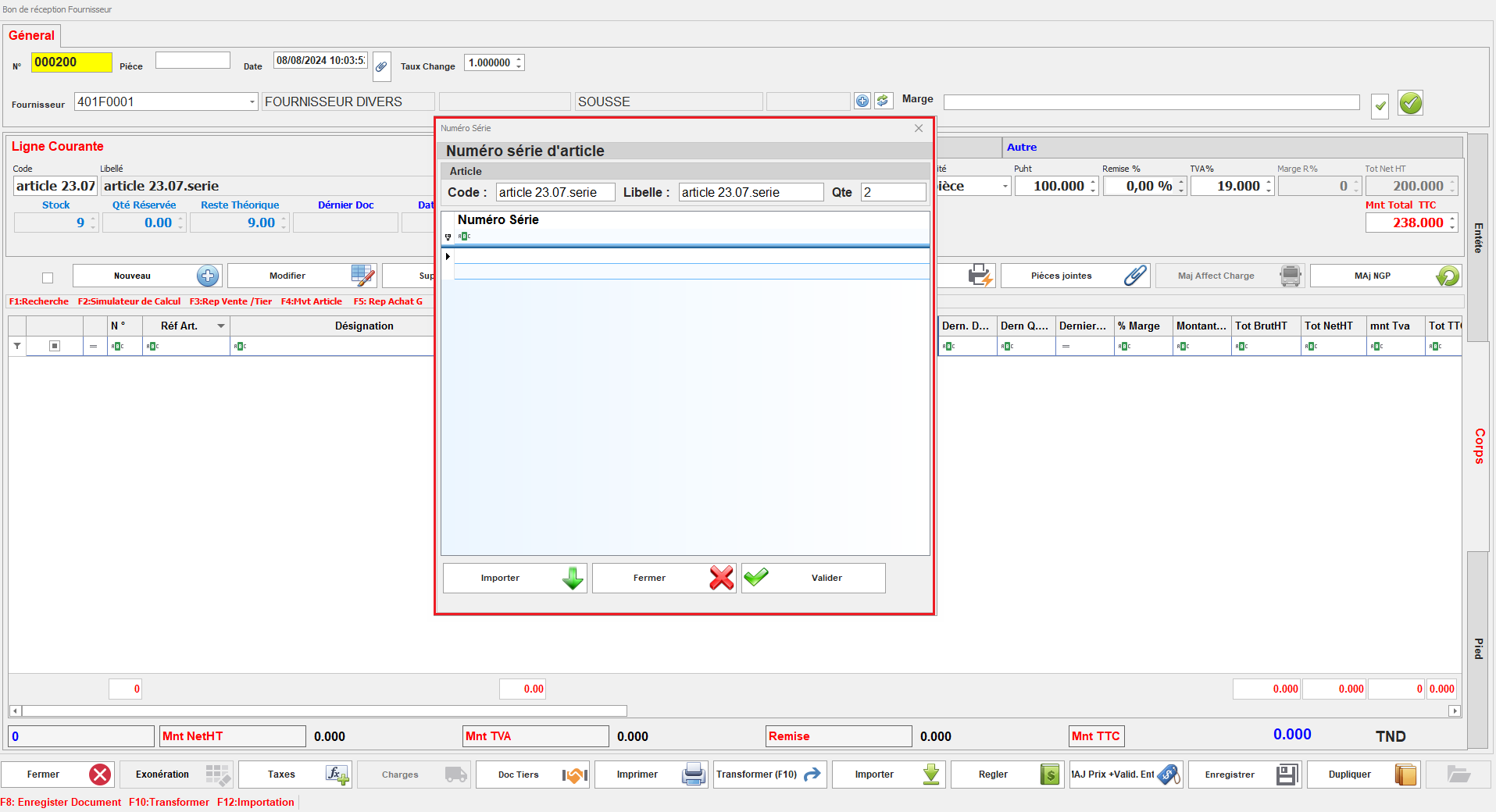
Il assure que chaque article peut être suivi individuellement à travers son numéro de série unique.
<span style="mso-no-proof: yes;">![num série doc.PNG](https://help.asmpos.com/uploads/images/gallery/2024-08/num-serie-doc.PNG)</span>

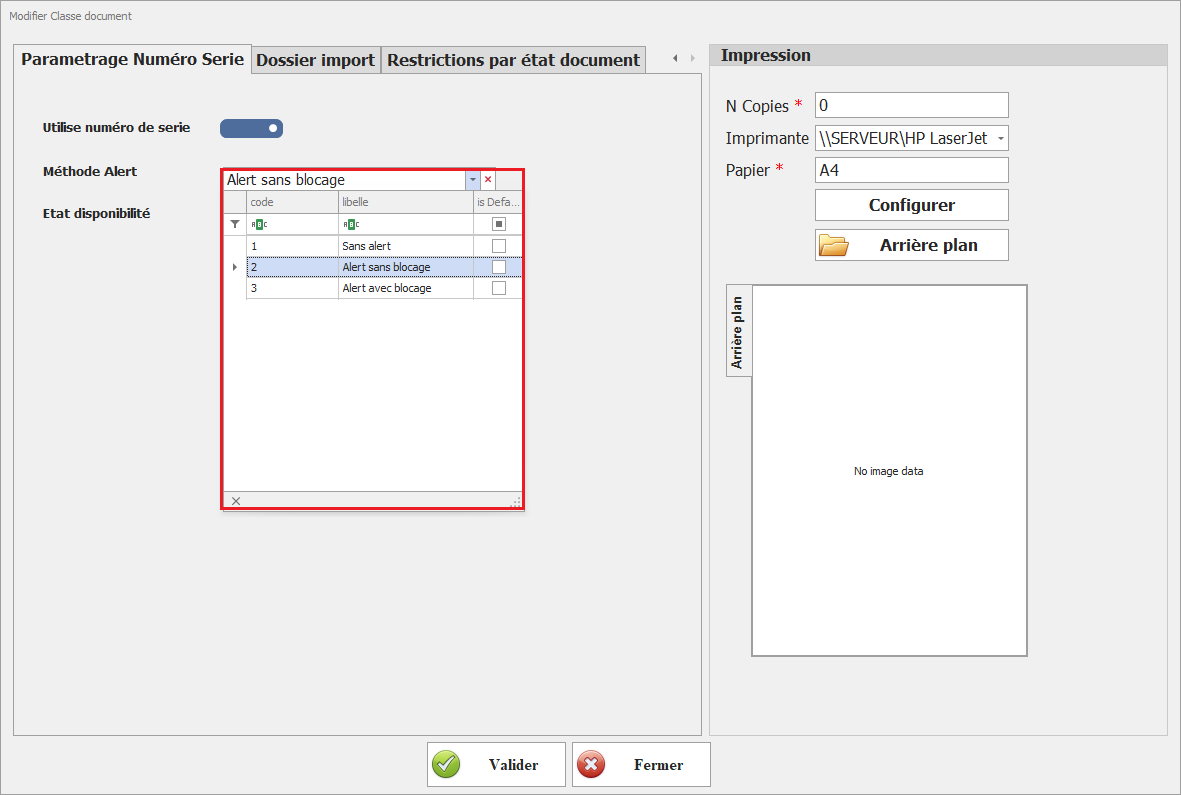
**2. Méthode d’alerte**

**[![image.png](https://help.asmpos.com/uploads/images/gallery/2026-04/scaled-1680-/YGTimage.png)](https://help.asmpos.com/uploads/images/gallery/2026-04/YGTimage.png)**

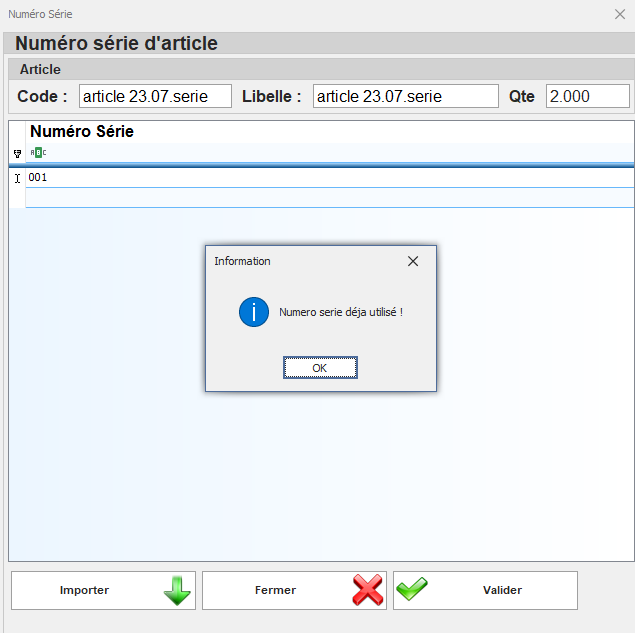
Ce paramétrage définit le comportement du système lors de la saisie d’un numéro de série déjà existant.

Il permet de contrôler les doublons et de sécuriser la saisie des données.

Selon la configuration, plusieurs comportements peuvent être définis :

- **Aucune alerte** : autorise la saisie sans contrôle (non recommandé).
- **Alerte sans Blocage :**affiche un message d’avertissement et permet à l’utilisateur de confirmer ou d’annuler l’opération.
- ****Alerte avec** Blocage** : empêche l’enregistrement du document si le numéro de série existe déjà.

**Exemple de paramétrage – Alerte sans blocage :**  
Le système affiche un message d’avertissement lors de la saisie, tout en laissant à l’utilisateur la possibilité de poursuivre ou d’annuler l’opération.
<span style="mso-no-proof: yes;">![alerte num serie.PNG](https://help.asmpos.com/uploads/images/gallery/2024-08/alerte-num-serie.PNG)</span>

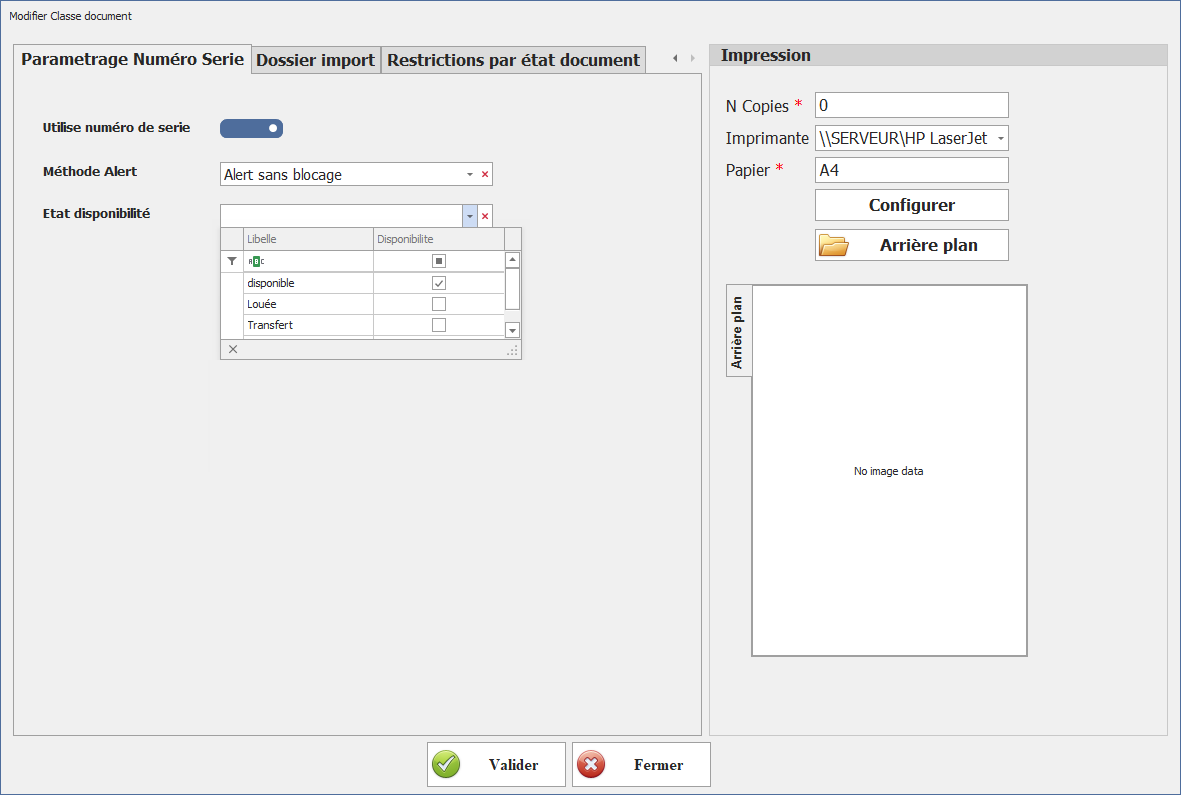
**<span style="mso-no-proof: yes;">3. Etat Disponibilité</span>**

[![image.png](https://help.asmpos.com/uploads/images/gallery/2026-04/scaled-1680-/uWfimage.png)](https://help.asmpos.com/uploads/images/gallery/2026-04/uWfimage.png)

# Dossier Transport

**<span style="font-size: 12.0pt; line-height: 107%; font-family: 'Times New Roman',serif;">Dossier Transport (Import/Export)</span>**

Ce paramétrage désigne le document comme un dossier de transport, activant ainsi la gestion des données spécifiques au transport au sein du document.

**<span style="font-size: 12.0pt; line-height: 107%; font-family: 'Times New Roman',serif; mso-no-proof: yes;">![dossier import.PNG](https://help.asmpos.com/uploads/images/gallery/2024-08/0a4dossier-import.PNG)</span>**
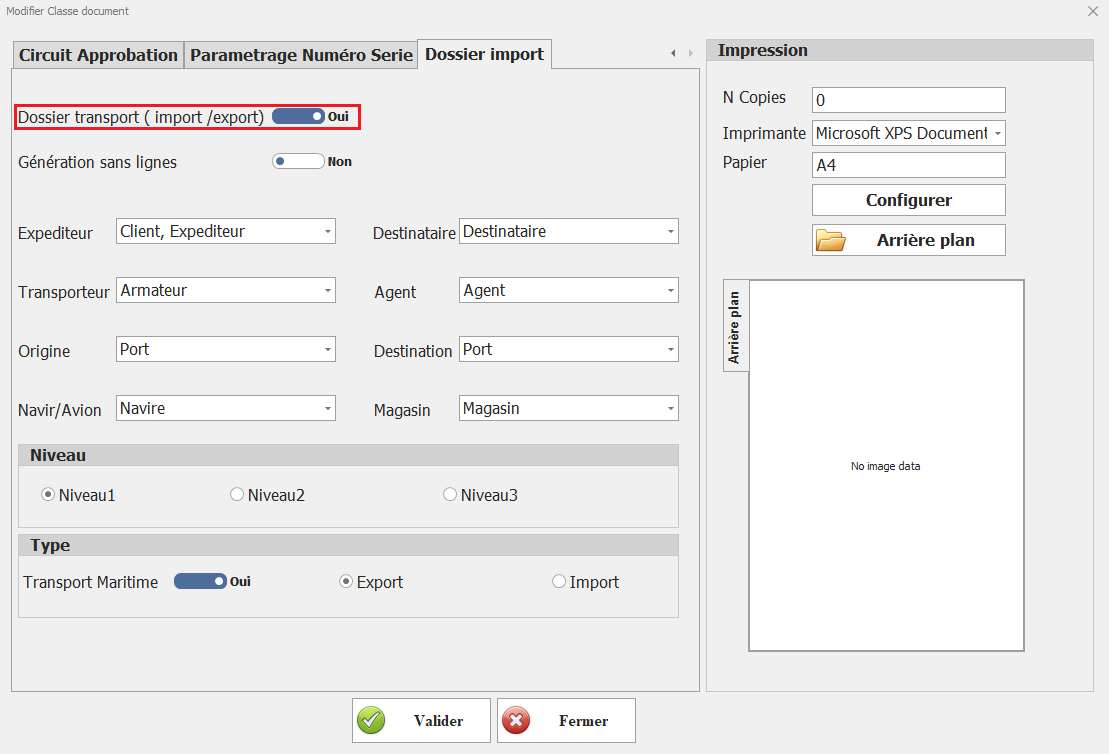
- <span style="font-family: 'Courier New'; mso-fareast-font-family: 'Courier New';"><span style="mso-list: Ignore;">o<span style="font: 7.0pt 'Times New Roman';"> </span></span></span>Gestion des données de transport dans le document

[![Docdossier import.PNG](https://help.asmpos.com/uploads/images/gallery/2024-08/docdossier-import.PNG)](https://help.asmpos.com/uploads/images/gallery/2024-08/docdossier-import.PNG)
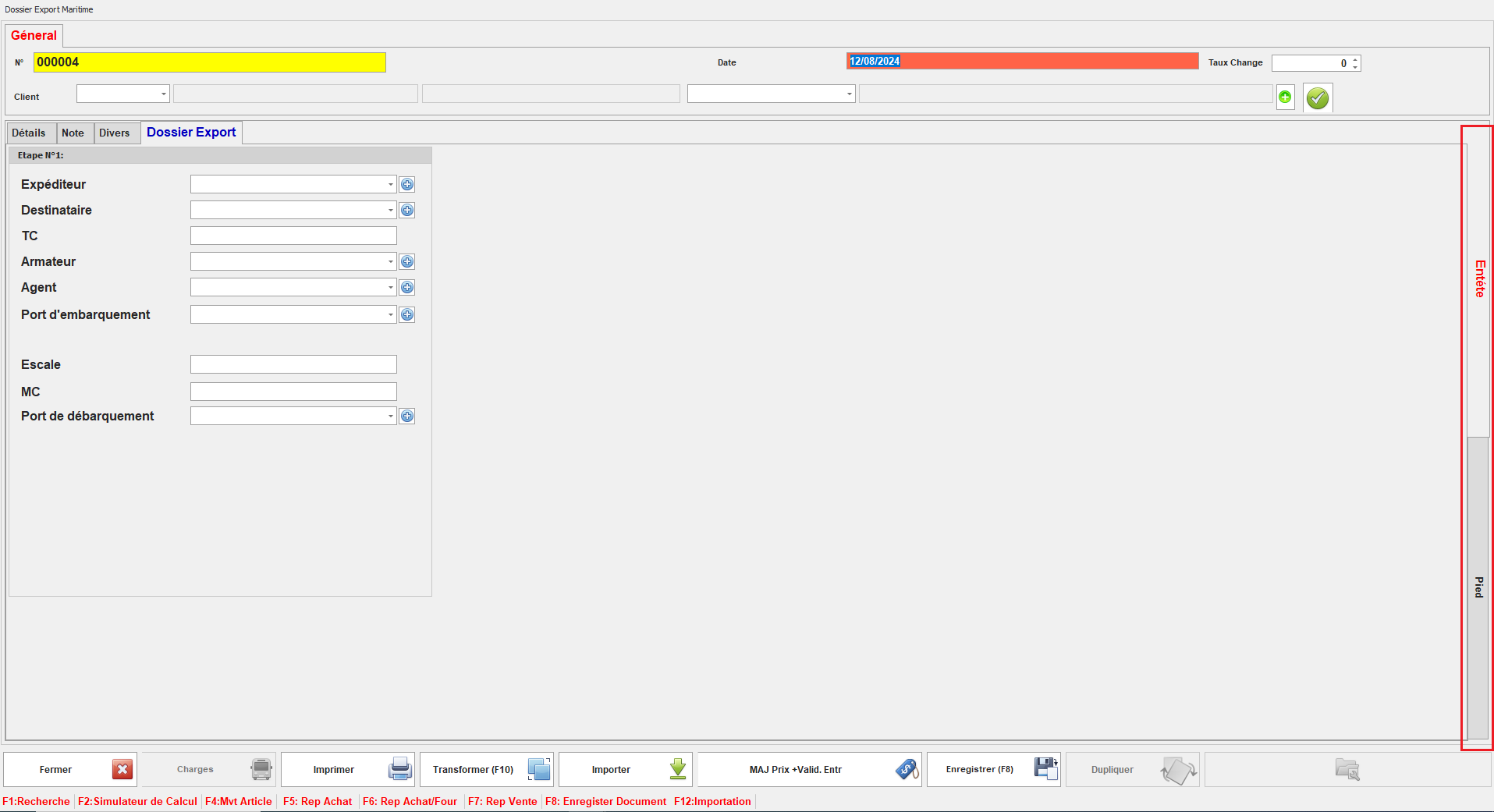
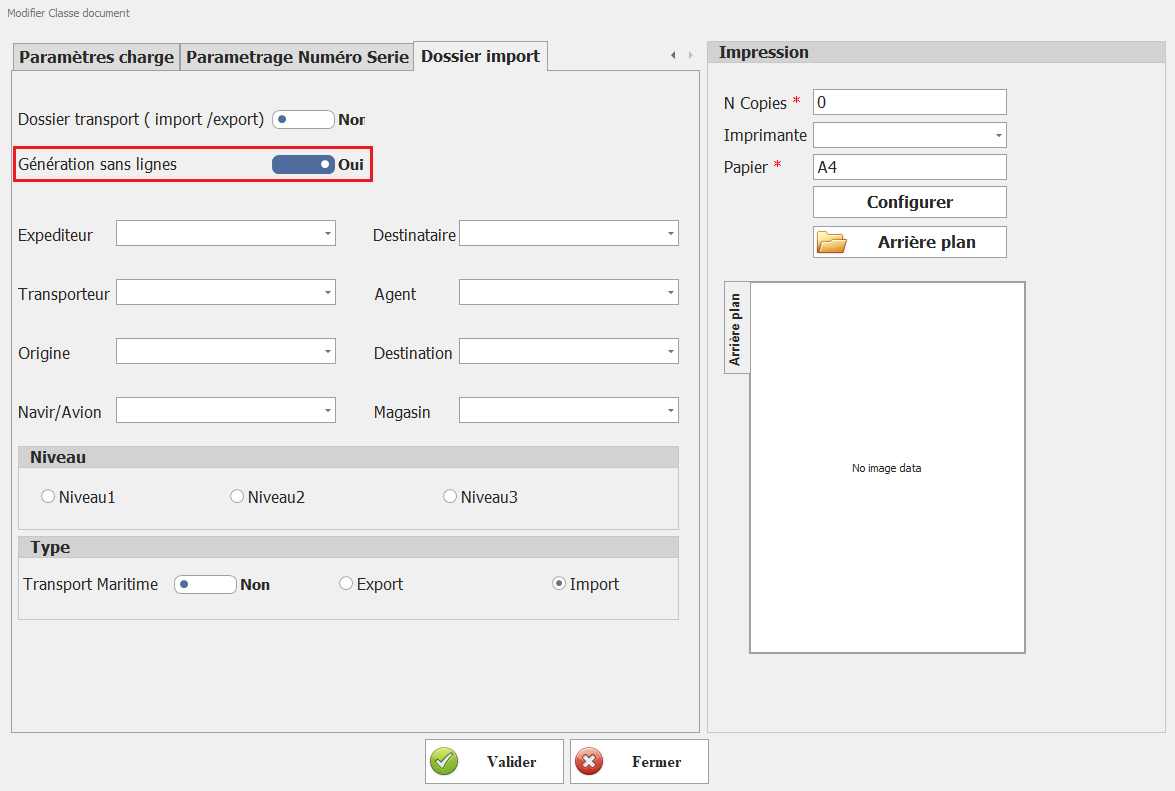
**<span style="font-size: 12.0pt; line-height: 107%; font-family: 'Times New Roman',serif;">Génération sans lignes</span>**

**<span style="font-size: 12.0pt; line-height: 107%; font-family: 'Times New Roman',serif;">[![géner sans ligne.PNG](https://help.asmpos.com/uploads/images/gallery/2024-08/scaled-1680-/gener-sans-ligne.PNG)](https://help.asmpos.com/uploads/images/gallery/2024-08/gener-sans-ligne.PNG)</span>**

Ce paramétrage permet de créer des documents sans possibilité de sélectionner des articles.

**<span style="font-size: 12.0pt; line-height: 107%; font-family: 'Times New Roman',serif; mso-no-proof: yes;">![Docdossier import.PNG](https://help.asmpos.com/uploads/images/gallery/2024-08/docdossier-import.PNG)</span>**

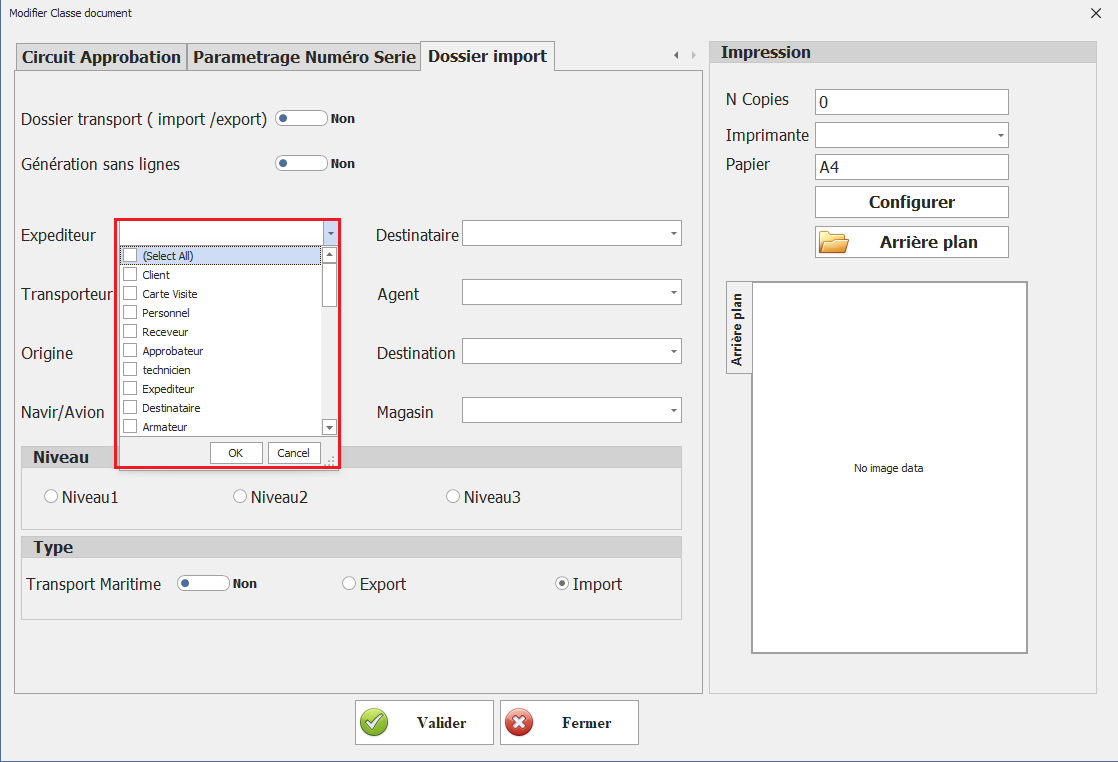
**<span style="font-size: 12.0pt; line-height: 107%; font-family: 'Times New Roman',serif;">Expéditeur, Destinataire, Transporteur, Agent, Origine, Destination, Navir/Avion, Magasin</span>**

Ces paramétrages déterminent les catégories de tiers que l'on peut sélectionner pour ces document, facilitant ainsi l'attribution des rôles ou des fonctions appropriées à chaque tiers.
<span style="mso-no-proof: yes;">![tiers doss.png](https://help.asmpos.com/uploads/images/gallery/2024-08/tiers-doss.png)</span>

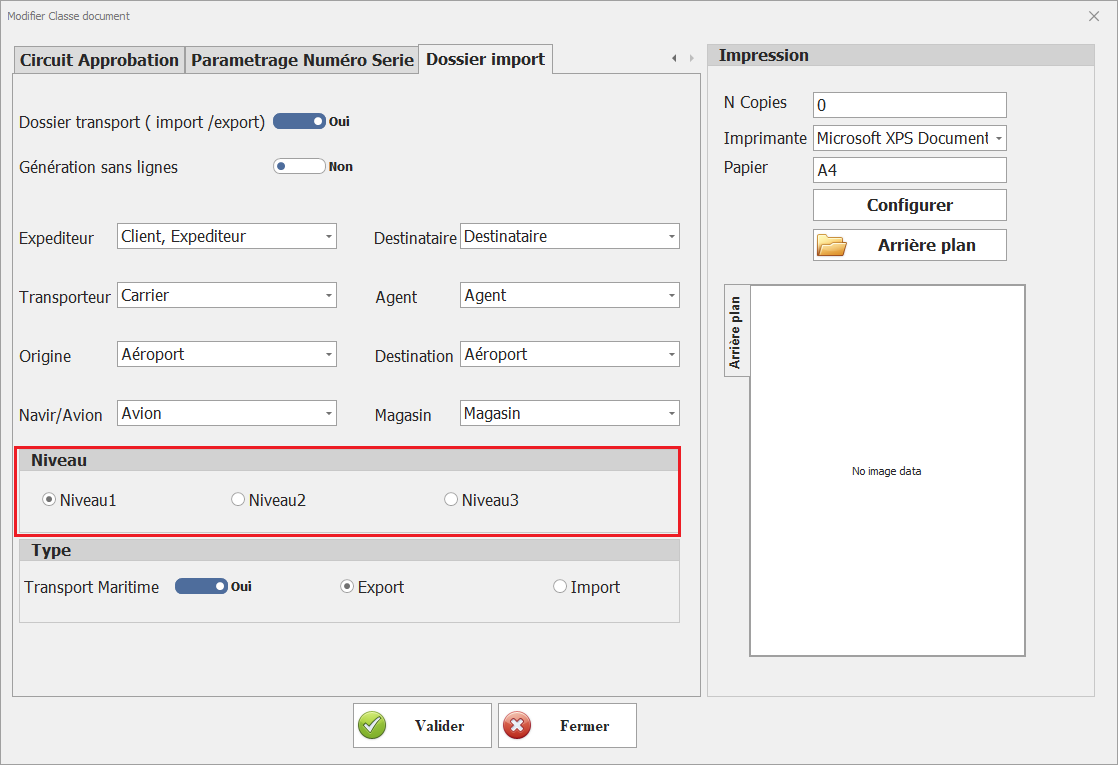
**<span style="font-size: 12.0pt; line-height: 107%; font-family: 'Times New Roman',serif;">Niveau</span>**

Ce paramétrage spécifie le niveau auquel ces documents se situent dans le cadre du processus de gestion du dossier de transport, déterminant leur ordre ou leur hiérarchie dans le flux de travail.

[![image.png](https://help.asmpos.com/uploads/images/gallery/2025-05/scaled-1680-/zBnimage.png)](https://help.asmpos.com/uploads/images/gallery/2025-05/zBnimage.png)<span style="mso-no-proof: yes;"></span>
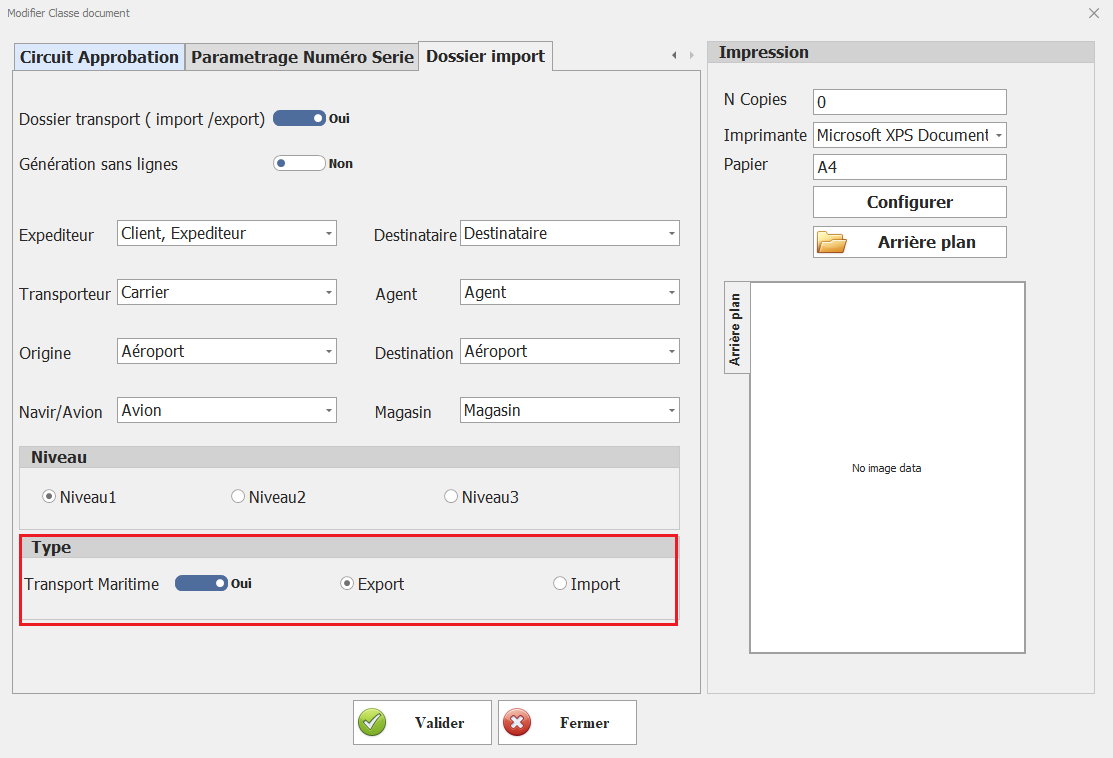
**Transport Maritime**  
  
Ce paramétrage marque les documents de cette classe comme étant associés à un transport maritime, indiquant que les opérations concernées se déroulent par voie maritime.

**Export**

Ce paramétrage désigne les documents de cette classe comme étant liés à des opérations d'exportation, spécifiant que les transactions sont destinées à l'exportation.

**Import**

<span style="font-size: 12.0pt; line-height: 107%; font-family: 'Times New Roman',serif;">Ce paramétrage indique que les documents de cette classe sont associés à des opérations d'importation, signifiant que les transactions sont destinées à l'importation.</span>

<span style="mso-no-proof: yes;">![type.PNG](https://help.asmpos.com/uploads/images/gallery/2024-08/type.PNG)</span>

# Paramètres Autre Module

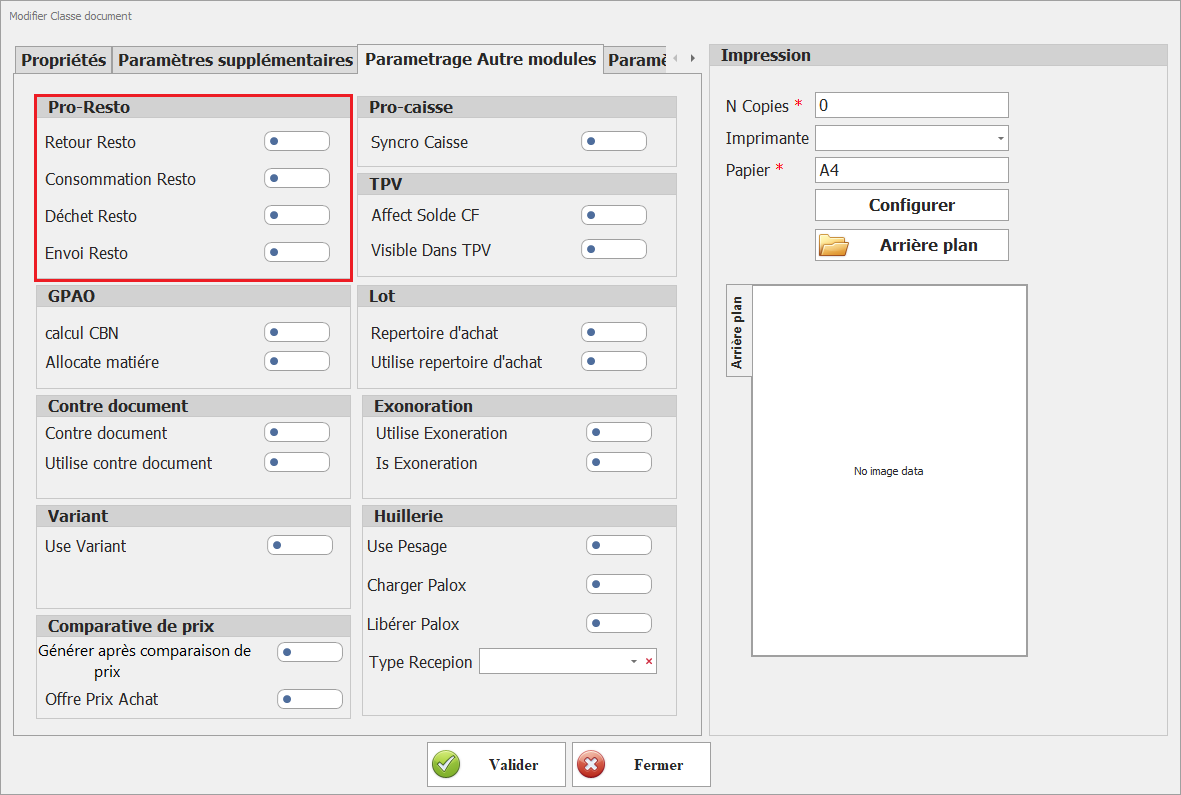
##### **<span dir="auto" style="vertical-align: inherit;"><span dir="auto" style="vertical-align: inherit;"><span dir="auto" style="vertical-align: inherit;"><span dir="auto" style="vertical-align: inherit;"><span dir="auto" style="vertical-align: inherit;"><span dir="auto" style="vertical-align: inherit;"><span dir="auto" style="vertical-align: inherit;"><span dir="auto" style="vertical-align: inherit;">I. PRO-Resto</span></span></span></span></span></span></span></span>**

[![PRO-Resto.png](https://help.asmpos.com/uploads/images/gallery/2026-04/scaled-1680-/V3jpro-resto.png)](https://help.asmpos.com/uploads/images/gallery/2026-04/V3jpro-resto.png)

- **<span dir="auto" style="vertical-align: inherit;"><span dir="auto" style="vertical-align: inherit;"><span dir="auto" style="vertical-align: inherit;"><span dir="auto" style="vertical-align: inherit;"><span dir="auto" style="vertical-align: inherit;"><span dir="auto" style="vertical-align: inherit;"><span dir="auto" style="vertical-align: inherit;"><span dir="auto" style="vertical-align: inherit;">Objectif</span></span></span></span></span></span></span></span>**

<span dir="auto" style="vertical-align: inherit;"><span dir="auto" style="vertical-align: inherit;"><span dir="auto" style="vertical-align: inherit;"><span dir="auto" style="vertical-align: inherit;"><span dir="auto" style="vertical-align: inherit;"><span dir="auto" style="vertical-align: inherit;"><span dir="auto" style="vertical-align: inherit;"><span dir="auto" style="vertical-align: inherit;">Structurer et tracer les flux opérationnels liés à l'activité de restauration (production, consommation, pertes, transferts).</span></span></span></span></span></span></span></span>

- **<span dir="auto" style="vertical-align: inherit;"><span dir="auto" style="vertical-align: inherit;"><span dir="auto" style="vertical-align: inherit;"><span dir="auto" style="vertical-align: inherit;"><span dir="auto" style="vertical-align: inherit;"><span dir="auto" style="vertical-align: inherit;"><span dir="auto" style="vertical-align: inherit;"><span dir="auto" style="vertical-align: inherit;">Paramètres</span></span></span></span></span></span></span></span>**
    - **<span dir="auto" style="vertical-align: inherit;"><span dir="auto" style="vertical-align: inherit;"><span dir="auto" style="vertical-align: inherit;"><span dir="auto" style="vertical-align: inherit;"><span dir="auto" style="vertical-align: inherit;"><span dir="auto" style="vertical-align: inherit;"><span dir="auto" style="vertical-align: inherit;"><span dir="auto" style="vertical-align: inherit;">Retour Resto</span></span></span></span></span></span></span></span>**  
        <span dir="auto" style="vertical-align: inherit;"><span dir="auto" style="vertical-align: inherit;"><span dir="auto" style="vertical-align: inherit;"><span dir="auto" style="vertical-align: inherit;"><span dir="auto" style="vertical-align: inherit;"><span dir="auto" style="vertical-align: inherit;"><span dir="auto" style="vertical-align: inherit;"><span dir="auto" style="vertical-align: inherit;"> Permet d'identifier les documents utilisés pour enregistrer les retours (produits non consommés, erreurs de préparation). </span></span></span></span></span></span></span></span>  
        **<span dir="auto" style="vertical-align: inherit;"><span dir="auto" style="vertical-align: inherit;"><span dir="auto" style="vertical-align: inherit;"><span dir="auto" style="vertical-align: inherit;"><span dir="auto" style="vertical-align: inherit;"><span dir="auto" style="vertical-align: inherit;"><span dir="auto" style="vertical-align: inherit;"><span dir="auto" style="vertical-align: inherit;">Impact :</span></span></span></span></span></span></span></span>**
        - - <span dir="auto" style="vertical-align: inherit;"><span dir="auto" style="vertical-align: inherit;"><span dir="auto" style="vertical-align: inherit;"><span dir="auto" style="vertical-align: inherit;"><span dir="auto" style="vertical-align: inherit;"><span dir="auto" style="vertical-align: inherit;"><span dir="auto" style="vertical-align: inherit;"><span dir="auto" style="vertical-align: inherit;">Réintégration possible en stock</span></span></span></span></span></span></span></span>
            - <span dir="auto" style="vertical-align: inherit;"><span dir="auto" style="vertical-align: inherit;"><span dir="auto" style="vertical-align: inherit;"><span dir="auto" style="vertical-align: inherit;"><span dir="auto" style="vertical-align: inherit;"><span dir="auto" style="vertical-align: inherit;"><span dir="auto" style="vertical-align: inherit;"><span dir="auto" style="vertical-align: inherit;">Ajustement des coûts de production</span></span></span></span></span></span></span></span>
    - **<span dir="auto" style="vertical-align: inherit;"><span dir="auto" style="vertical-align: inherit;"><span dir="auto" style="vertical-align: inherit;"><span dir="auto" style="vertical-align: inherit;"><span dir="auto" style="vertical-align: inherit;"><span dir="auto" style="vertical-align: inherit;"><span dir="auto" style="vertical-align: inherit;"><span dir="auto" style="vertical-align: inherit;">Consommation Resto</span></span></span></span></span></span></span></span>**  
        <span dir="auto" style="vertical-align: inherit;"><span dir="auto" style="vertical-align: inherit;"><span dir="auto" style="vertical-align: inherit;"><span dir="auto" style="vertical-align: inherit;"><span dir="auto" style="vertical-align: inherit;"><span dir="auto" style="vertical-align: inherit;"><span dir="auto" style="vertical-align: inherit;"><span dir="auto" style="vertical-align: inherit;"> Définit les documents utilisés pour la consommation interne (matières premières utilisées en cuisine). </span></span></span></span></span></span></span></span>  
        **<span dir="auto" style="vertical-align: inherit;"><span dir="auto" style="vertical-align: inherit;"><span dir="auto" style="vertical-align: inherit;"><span dir="auto" style="vertical-align: inherit;"><span dir="auto" style="vertical-align: inherit;"><span dir="auto" style="vertical-align: inherit;"><span dir="auto" style="vertical-align: inherit;"><span dir="auto" style="vertical-align: inherit;">Impact :</span></span></span></span></span></span></span></span>**
        - - <span dir="auto" style="vertical-align: inherit;"><span dir="auto" style="vertical-align: inherit;"><span dir="auto" style="vertical-align: inherit;"><span dir="auto" style="vertical-align: inherit;"><span dir="auto" style="vertical-align: inherit;"><span dir="auto" style="vertical-align: inherit;"><span dir="auto" style="vertical-align: inherit;"><span dir="auto" style="vertical-align: inherit;">Décrémentation automatique du stock</span></span></span></span></span></span></span></span>
            - <span dir="auto" style="vertical-align: inherit;"><span dir="auto" style="vertical-align: inherit;"><span dir="auto" style="vertical-align: inherit;"><span dir="auto" style="vertical-align: inherit;"><span dir="auto" style="vertical-align: inherit;"><span dir="auto" style="vertical-align: inherit;"><span dir="auto" style="vertical-align: inherit;"><span dir="auto" style="vertical-align: inherit;">Alimentation des coûts analytiques</span></span></span></span></span></span></span></span>
    - **<span dir="auto" style="vertical-align: inherit;"><span dir="auto" style="vertical-align: inherit;"><span dir="auto" style="vertical-align: inherit;"><span dir="auto" style="vertical-align: inherit;"><span dir="auto" style="vertical-align: inherit;"><span dir="auto" style="vertical-align: inherit;"><span dir="auto" style="vertical-align: inherit;"><span dir="auto" style="vertical-align: inherit;">Déchet Resto</span></span></span></span></span></span></span></span>**  
        <span dir="auto" style="vertical-align: inherit;"><span dir="auto" style="vertical-align: inherit;"><span dir="auto" style="vertical-align: inherit;"><span dir="auto" style="vertical-align: inherit;"><span dir="auto" style="vertical-align: inherit;"><span dir="auto" style="vertical-align: inherit;"><span dir="auto" style="vertical-align: inherit;"><span dir="auto" style="vertical-align: inherit;"> Permet d'enregistrer les pertes (produits périmés, invendus, détériorés). </span></span></span></span></span></span></span></span>  
        **<span dir="auto" style="vertical-align: inherit;"><span dir="auto" style="vertical-align: inherit;"><span dir="auto" style="vertical-align: inherit;"><span dir="auto" style="vertical-align: inherit;"><span dir="auto" style="vertical-align: inherit;"><span dir="auto" style="vertical-align: inherit;"><span dir="auto" style="vertical-align: inherit;"><span dir="auto" style="vertical-align: inherit;">Impact :</span></span></span></span></span></span></span></span>**
        - - <span dir="auto" style="vertical-align: inherit;"><span dir="auto" style="vertical-align: inherit;"><span dir="auto" style="vertical-align: inherit;"><span dir="auto" style="vertical-align: inherit;"><span dir="auto" style="vertical-align: inherit;"><span dir="auto" style="vertical-align: inherit;"><span dir="auto" style="vertical-align: inherit;"><span dir="auto" style="vertical-align: inherit;">Ajustement des stocks</span></span></span></span></span></span></span></span>
            - <span dir="auto" style="vertical-align: inherit;"><span dir="auto" style="vertical-align: inherit;"><span dir="auto" style="vertical-align: inherit;"><span dir="auto" style="vertical-align: inherit;"><span dir="auto" style="vertical-align: inherit;"><span dir="auto" style="vertical-align: inherit;"><span dir="auto" style="vertical-align: inherit;"><span dir="auto" style="vertical-align: inherit;">Indicateurs de performance (taux de perte)</span></span></span></span></span></span></span></span>
    - **<span dir="auto" style="vertical-align: inherit;"><span dir="auto" style="vertical-align: inherit;"><span dir="auto" style="vertical-align: inherit;"><span dir="auto" style="vertical-align: inherit;"><span dir="auto" style="vertical-align: inherit;"><span dir="auto" style="vertical-align: inherit;"><span dir="auto" style="vertical-align: inherit;"><span dir="auto" style="vertical-align: inherit;">Envoi Resto</span></span></span></span></span></span></span></span>**  
        <span dir="auto" style="vertical-align: inherit;"><span dir="auto" style="vertical-align: inherit;"><span dir="auto" style="vertical-align: inherit;"><span dir="auto" style="vertical-align: inherit;"><span dir="auto" style="vertical-align: inherit;"><span dir="auto" style="vertical-align: inherit;"><span dir="auto" style="vertical-align: inherit;"><span dir="auto" style="vertical-align: inherit;"> Utilisé pour les transferts internes (cuisine → point de vente, entre dépôts). </span></span></span></span></span></span></span></span>  
        **<span dir="auto" style="vertical-align: inherit;"><span dir="auto" style="vertical-align: inherit;"><span dir="auto" style="vertical-align: inherit;"><span dir="auto" style="vertical-align: inherit;"><span dir="auto" style="vertical-align: inherit;"><span dir="auto" style="vertical-align: inherit;"><span dir="auto" style="vertical-align: inherit;"><span dir="auto" style="vertical-align: inherit;">Impact :</span></span></span></span></span></span></span></span>**
        - - <span dir="auto" style="vertical-align: inherit;"><span dir="auto" style="vertical-align: inherit;"><span dir="auto" style="vertical-align: inherit;"><span dir="auto" style="vertical-align: inherit;"><span dir="auto" style="vertical-align: inherit;"><span dir="auto" style="vertical-align: inherit;"><span dir="auto" style="vertical-align: inherit;"><span dir="auto" style="vertical-align: inherit;">Mouvement entre emplacements</span></span></span></span></span></span></span></span>
            - <span dir="auto" style="vertical-align: inherit;"><span dir="auto" style="vertical-align: inherit;"><span dir="auto" style="vertical-align: inherit;"><span dir="auto" style="vertical-align: inherit;"><span dir="auto" style="vertical-align: inherit;"><span dir="auto" style="vertical-align: inherit;"><span dir="auto" style="vertical-align: inherit;"><span dir="auto" style="vertical-align: inherit;">Traçabilité logistique</span></span></span></span></span></span></span></span>

##### **<span dir="auto" style="vertical-align: inherit;"><span dir="auto" style="vertical-align: inherit;"><span dir="auto" style="vertical-align: inherit;"><span dir="auto" style="vertical-align: inherit;"><span dir="auto" style="vertical-align: inherit;"><span dir="auto" style="vertical-align: inherit;"><span dir="auto" style="vertical-align: inherit;"><span dir="auto" style="vertical-align: inherit;">II. Pro-Caisse </span></span></span></span></span></span></span></span>**

**<span style="font-size: 12.0pt; line-height: 107%; font-family: 'Times New Roman',serif;">[![Pro-Caisse .png](https://help.asmpos.com/uploads/images/gallery/2026-04/scaled-1680-/08upro-caisse.png)](https://help.asmpos.com/uploads/images/gallery/2026-04/08upro-caisse.png)</span>**

**<span style="font-size: 12.0pt; line-height: 107%; font-family: 'Times New Roman',serif;"><span dir="auto" style="vertical-align: inherit;"><span dir="auto" style="vertical-align: inherit;"><span dir="auto" style="vertical-align: inherit;"><span dir="auto" style="vertical-align: inherit;"><span dir="auto" style="vertical-align: inherit;"><span dir="auto" style="vertical-align: inherit;"><span dir="auto" style="vertical-align: inherit;"><span dir="auto" style="vertical-align: inherit;">Caisse Synchro</span></span></span></span></span></span></span></span></span>**

**<span dir="auto" style="vertical-align: inherit;"><span dir="auto" style="vertical-align: inherit;"><span dir="auto" style="vertical-align: inherit;"><span dir="auto" style="vertical-align: inherit;"><span dir="auto" style="vertical-align: inherit;"><span dir="auto" style="vertical-align: inherit;"><span dir="auto" style="vertical-align: inherit;"><span dir="auto" style="vertical-align: inherit;">Objectif</span></span></span></span></span></span></span></span>**

<span dir="auto" style="vertical-align: inherit;"><span dir="auto" style="vertical-align: inherit;"><span dir="auto" style="vertical-align: inherit;"><span dir="auto" style="vertical-align: inherit;"><span dir="auto" style="vertical-align: inherit;"><span dir="auto" style="vertical-align: inherit;"><span dir="auto" style="vertical-align: inherit;"><span dir="auto" style="vertical-align: inherit;">Assurer la cohérence des données entre le système ERP et les terminaux de caisse.</span></span></span></span></span></span></span></span>

<span dir="auto" style="vertical-align: inherit;"><span dir="auto" style="vertical-align: inherit;"><span dir="auto" style="vertical-align: inherit;"><span dir="auto" style="vertical-align: inherit;"><span dir="auto" style="vertical-align: inherit;"><span dir="auto" style="vertical-align: inherit;"><span dir="auto" style="vertical-align: inherit;"><span dir="auto" style="vertical-align: inherit;">Ce paramètre indique que cette classe de document est disponible pour la sélection lors de la synchronisation avec le module caisse.</span></span></span></span></span></span></span></span>

**<span dir="auto" style="vertical-align: inherit;"><span dir="auto" style="vertical-align: inherit;"><span dir="auto" style="vertical-align: inherit;"><span dir="auto" style="vertical-align: inherit;"><span dir="auto" style="vertical-align: inherit;"><span dir="auto" style="vertical-align: inherit;"><span dir="auto" style="vertical-align: inherit;"><span dir="auto" style="vertical-align: inherit;">Fonctionnement</span></span></span></span></span></span></span></span>**

<span dir="auto" style="vertical-align: inherit;"><span dir="auto" style="vertical-align: inherit;"><span dir="auto" style="vertical-align: inherit;"><span dir="auto" style="vertical-align: inherit;"><span dir="auto" style="vertical-align: inherit;"><span dir="auto" style="vertical-align: inherit;"><span dir="auto" style="vertical-align: inherit;"><span dir="auto" style="vertical-align: inherit;">Lorsque ce paramètre est activé :</span></span></span></span></span></span></span></span>

- <span dir="auto" style="vertical-align: inherit;"><span dir="auto" style="vertical-align: inherit;"><span dir="auto" style="vertical-align: inherit;"><span dir="auto" style="vertical-align: inherit;"><span dir="auto" style="vertical-align: inherit;"><span dir="auto" style="vertical-align: inherit;"><span dir="auto" style="vertical-align: inherit;"><span dir="auto" style="vertical-align: inherit;">La classe de document devient </span></span></span></span></span></span></span></span>**<span dir="auto" style="vertical-align: inherit;"><span dir="auto" style="vertical-align: inherit;"><span dir="auto" style="vertical-align: inherit;"><span dir="auto" style="vertical-align: inherit;"><span dir="auto" style="vertical-align: inherit;"><span dir="auto" style="vertical-align: inherit;"><span dir="auto" style="vertical-align: inherit;"><span dir="auto" style="vertical-align: inherit;">éligible à la synchronisation</span></span></span></span></span></span></span></span>**
- <span dir="auto" style="vertical-align: inherit;"><span dir="auto" style="vertical-align: inherit;"><span dir="auto" style="vertical-align: inherit;"><span dir="auto" style="vertical-align: inherit;"><span dir="auto" style="vertical-align: inherit;"><span dir="auto" style="vertical-align: inherit;"><span dir="auto" style="vertical-align: inherit;"><span dir="auto" style="vertical-align: inherit;">Les documents peuvent être :</span></span></span></span></span></span></span></span>
    
    
    - <span dir="auto" style="vertical-align: inherit;"><span dir="auto" style="vertical-align: inherit;"><span dir="auto" style="vertical-align: inherit;"><span dir="auto" style="vertical-align: inherit;"><span dir="auto" style="vertical-align: inherit;"><span dir="auto" style="vertical-align: inherit;"><span dir="auto" style="vertical-align: inherit;"><span dir="auto" style="vertical-align: inherit;">exportés vers la caisse (ex : articles, prix)</span></span></span></span></span></span></span></span>
    - <span dir="auto" style="vertical-align: inherit;"><span dir="auto" style="vertical-align: inherit;"><span dir="auto" style="vertical-align: inherit;"><span dir="auto" style="vertical-align: inherit;"><span dir="auto" style="vertical-align: inherit;"><span dir="auto" style="vertical-align: inherit;"><span dir="auto" style="vertical-align: inherit;"><span dir="auto" style="vertical-align: inherit;">importés depuis la caisse (ex : ventes, encaissements)</span></span></span></span></span></span></span></span>

**<span dir="auto" style="vertical-align: inherit;"><span dir="auto" style="vertical-align: inherit;"><span dir="auto" style="vertical-align: inherit;"><span dir="auto" style="vertical-align: inherit;"><span dir="auto" style="vertical-align: inherit;"><span dir="auto" style="vertical-align: inherit;"><span dir="auto" style="vertical-align: inherit;"><span dir="auto" style="vertical-align: inherit;">Règles de gestion</span></span></span></span></span></span></span></span>**

- <span dir="auto" style="vertical-align: inherit;"><span dir="auto" style="vertical-align: inherit;"><span dir="auto" style="vertical-align: inherit;"><span dir="auto" style="vertical-align: inherit;"><span dir="auto" style="vertical-align: inherit;"><span dir="auto" style="vertical-align: inherit;"><span dir="auto" style="vertical-align: inherit;"><span dir="auto" style="vertical-align: inherit;">Seules les classes activées sont visibles dans les interfaces de synchronisation</span></span></span></span></span></span></span></span>
- <span dir="auto" style="vertical-align: inherit;"><span dir="auto" style="vertical-align: inherit;"><span dir="auto" style="vertical-align: inherit;"><span dir="auto" style="vertical-align: inherit;"><span dir="auto" style="vertical-align: inherit;"><span dir="auto" style="vertical-align: inherit;"><span dir="auto" style="vertical-align: inherit;"><span dir="auto" style="vertical-align: inherit;">Les erreurs de paramétrage peuvent générer :</span></span></span></span></span></span></span></span>
    
    
    - <span dir="auto" style="vertical-align: inherit;"><span dir="auto" style="vertical-align: inherit;"><span dir="auto" style="vertical-align: inherit;"><span dir="auto" style="vertical-align: inherit;"><span dir="auto" style="vertical-align: inherit;"><span dir="auto" style="vertical-align: inherit;"><span dir="auto" style="vertical-align: inherit;"><span dir="auto" style="vertical-align: inherit;">incohérences de stock</span></span></span></span></span></span></span></span>
    - <span dir="auto" style="vertical-align: inherit;"><span dir="auto" style="vertical-align: inherit;"><span dir="auto" style="vertical-align: inherit;"><span dir="auto" style="vertical-align: inherit;"><span dir="auto" style="vertical-align: inherit;"><span dir="auto" style="vertical-align: inherit;"><span dir="auto" style="vertical-align: inherit;"><span dir="auto" style="vertical-align: inherit;">écarts de chiffre d'affaires</span></span></span></span></span></span></span></span>

<span dir="auto" style="vertical-align: inherit;"><span dir="auto" style="vertical-align: inherit;"><span dir="auto" style="vertical-align: inherit;"><span dir="auto" style="vertical-align: inherit;"><span dir="auto" style="vertical-align: inherit;"><span dir="auto" style="vertical-align: inherit;"><span dir="auto" style="vertical-align: inherit;"><span dir="auto" style="vertical-align: inherit;">Ainsi, les documents de cette classe peuvent être inclus dans le processus de synchronisation pour garantir une cohérence des données entre les différents systèmes.</span></span></span></span></span></span></span></span>

<span style="mso-no-proof: yes;">![syncro caisse.png](https://help.asmpos.com/uploads/images/gallery/2024-08/syncro-caisse.png)</span>

##### **<span dir="auto" style="vertical-align: inherit;"><span dir="auto" style="vertical-align: inherit;"><span dir="auto" style="vertical-align: inherit;"><span dir="auto" style="vertical-align: inherit;"><span dir="auto" style="vertical-align: inherit;"><span dir="auto" style="vertical-align: inherit;"><span dir="auto" style="vertical-align: inherit;"><span dir="auto" style="vertical-align: inherit;">III .TPV (Terminal Point de Vente)</span></span></span></span></span></span></span></span>**

[![TPV.png](https://help.asmpos.com/uploads/images/gallery/2026-04/scaled-1680-/6b1tpv.png)](https://help.asmpos.com/uploads/images/gallery/2026-04/6b1tpv.png)

- **<span style="font-size: 12.0pt; line-height: 107%; font-family: 'Times New Roman',serif;"><span dir="auto" style="vertical-align: inherit;"><span dir="auto" style="vertical-align: inherit;"><span dir="auto" style="vertical-align: inherit;"><span dir="auto" style="vertical-align: inherit;"><span dir="auto" style="vertical-align: inherit;"><span dir="auto" style="vertical-align: inherit;"><span dir="auto" style="vertical-align: inherit;"><span dir="auto" style="vertical-align: inherit;">Affect Solde CF</span></span></span></span></span></span></span></span></span>**

**<span dir="auto" style="vertical-align: inherit;"><span dir="auto" style="vertical-align: inherit;"><span dir="auto" style="vertical-align: inherit;"><span dir="auto" style="vertical-align: inherit;"><span dir="auto" style="vertical-align: inherit;"><span dir="auto" style="vertical-align: inherit;"><span dir="auto" style="vertical-align: inherit;"><span dir="auto" style="vertical-align: inherit;">Affect Solde CF</span></span></span></span></span></span></span></span>**  
<span dir="auto" style="vertical-align: inherit;"><span dir="auto" style="vertical-align: inherit;"><span dir="auto" style="vertical-align: inherit;"><span dir="auto" style="vertical-align: inherit;"><span dir="auto" style="vertical-align: inherit;"><span dir="auto" style="vertical-align: inherit;"><span dir="auto" style="vertical-align: inherit;"><span dir="auto" style="vertical-align: inherit;"> Active l'impact du document sur les cartes de fidélité.</span></span></span></span></span></span></span></span>

**<span dir="auto" style="vertical-align: inherit;"><span dir="auto" style="vertical-align: inherit;"><span dir="auto" style="vertical-align: inherit;"><span dir="auto" style="vertical-align: inherit;"><span dir="auto" style="vertical-align: inherit;"><span dir="auto" style="vertical-align: inherit;"><span dir="auto" style="vertical-align: inherit;"><span dir="auto" style="vertical-align: inherit;">Comportement :</span></span></span></span></span></span></span></span>**

- <span dir="auto" style="vertical-align: inherit;"><span dir="auto" style="vertical-align: inherit;"><span dir="auto" style="vertical-align: inherit;"><span dir="auto" style="vertical-align: inherit;"><span dir="auto" style="vertical-align: inherit;"><span dir="auto" style="vertical-align: inherit;"><span dir="auto" style="vertical-align: inherit;"><span dir="auto" style="vertical-align: inherit;">Document de vente → débit du solde</span></span></span></span></span></span></span></span>
- <span dir="auto" style="vertical-align: inherit;"><span dir="auto" style="vertical-align: inherit;"><span dir="auto" style="vertical-align: inherit;"><span dir="auto" style="vertical-align: inherit;"><span dir="auto" style="vertical-align: inherit;"><span dir="auto" style="vertical-align: inherit;"><span dir="auto" style="vertical-align: inherit;"><span dir="auto" style="vertical-align: inherit;">Document d'avoir / recharge → crédit du solde</span></span></span></span></span></span></span></span>

<span dir="auto" style="vertical-align: inherit;"><span dir="auto" style="vertical-align: inherit;"><span dir="auto" style="vertical-align: inherit;"><span dir="auto" style="vertical-align: inherit;"><span dir="auto" style="vertical-align: inherit;"><span dir="auto" style="vertical-align: inherit;"><span dir="auto" style="vertical-align: inherit;"><span dir="auto" style="vertical-align: inherit;">Lorsqu'il est activé, les mouvements ou transactions liés à ce document influencent les ventes des cartes de fidélité, permettant ainsi de gérer les crédits ou débits associés aux cartes de fidélité des clients.</span></span></span></span></span></span></span></span>

<span style="text-decoration: underline;"><span dir="auto" style="vertical-align: inherit;"><span dir="auto" style="vertical-align: inherit;"><span dir="auto" style="vertical-align: inherit;"><span dir="auto" style="vertical-align: inherit;"><span dir="auto" style="vertical-align: inherit;"><span dir="auto" style="vertical-align: inherit;"><span dir="auto" style="vertical-align: inherit;"><span dir="auto" style="vertical-align: inherit;">Solde Initiale de la carte fidélité</span></span></span></span></span></span></span></span>  
</span>

- <span dir="auto" style="vertical-align: inherit;"><span dir="auto" style="vertical-align: inherit;"><span dir="auto" style="vertical-align: inherit;"><span dir="auto" style="vertical-align: inherit;"><span dir="auto" style="vertical-align: inherit;"><span dir="auto" style="vertical-align: inherit;"><span dir="auto" style="vertical-align: inherit;"><span dir="auto" style="vertical-align: inherit;">Définit la valeur attribuée lors de la création de la carte.</span></span></span></span></span></span></span></span>

<span style="mso-no-proof: yes;">![SOLDE CARTE FIDELITE (1).png](https://help.asmpos.com/uploads/images/gallery/2024-08/solde-carte-fidelite-1.png)</span>

<span style="font-family: 'Courier New'; mso-fareast-font-family: 'Courier New';"><span style="mso-list: Ignore;"><span style="font: 7.0pt 'Times New Roman';"> </span></span></span><span style="text-decoration: underline;"><span dir="auto" style="vertical-align: inherit;"><span dir="auto" style="vertical-align: inherit;"><span dir="auto" style="vertical-align: inherit;"><span dir="auto" style="vertical-align: inherit;"><span dir="auto" style="vertical-align: inherit;"><span dir="auto" style="vertical-align: inherit;"><span dir="auto" style="vertical-align: inherit;"><span dir="auto" style="vertical-align: inherit;">Solde suite à la création du document</span></span></span></span></span></span></span></span></span>

- <span dir="auto" style="vertical-align: inherit;"><span dir="auto" style="vertical-align: inherit;"><span dir="auto" style="vertical-align: inherit;"><span dir="auto" style="vertical-align: inherit;"><span dir="auto" style="vertical-align: inherit;"><span dir="auto" style="vertical-align: inherit;"><span dir="auto" style="vertical-align: inherit;"><span dir="auto" style="vertical-align: inherit;">Résultat du calcul automatique après validation du document.</span></span></span></span></span></span></span></span>

<span style="mso-no-proof: yes;">![SOLDE carte encaisssement (1).png](https://help.asmpos.com/uploads/images/gallery/2024-08/solde-carte-encaisssement-1.png)</span>

- **<span style="font-size: 12.0pt; font-family: 'Times New Roman',serif;"><span dir="auto" style="vertical-align: inherit;"><span dir="auto" style="vertical-align: inherit;"><span dir="auto" style="vertical-align: inherit;"><span dir="auto" style="vertical-align: inherit;"><span dir="auto" style="vertical-align: inherit;"><span dir="auto" style="vertical-align: inherit;"><span dir="auto" style="vertical-align: inherit;"><span dir="auto" style="vertical-align: inherit;">Visible Dans TPV</span></span></span></span></span></span></span></span></span>**

<span dir="auto" style="vertical-align: inherit;"><span dir="auto" style="vertical-align: inherit;"><span dir="auto" style="vertical-align: inherit;"><span dir="auto" style="vertical-align: inherit;"><span dir="auto" style="vertical-align: inherit;"><span dir="auto" style="vertical-align: inherit;"><span dir="auto" style="vertical-align: inherit;"><span dir="auto" style="vertical-align: inherit;">Ce paramètre indique si les documents de cette classe sont disponibles dans l'interface de TPV.</span></span></span></span></span></span></span></span><span style="mso-no-proof: yes;"></span>

<span style="font-family: 'Courier New'; mso-fareast-font-family: 'Courier New';"><span style="mso-list: Ignore;"><span dir="auto" style="vertical-align: inherit;"><span dir="auto" style="vertical-align: inherit;"><span dir="auto" style="vertical-align: inherit;"><span dir="auto" style="vertical-align: inherit;"><span dir="auto" style="vertical-align: inherit;"><span dir="auto" style="vertical-align: inherit;"><span dir="auto" style="vertical-align: inherit;"><span dir="auto" style="vertical-align: inherit;">o </span></span></span></span></span></span></span></span></span></span>**<span dir="auto" style="vertical-align: inherit;"><span dir="auto" style="vertical-align: inherit;"><span dir="auto" style="vertical-align: inherit;"><span dir="auto" style="vertical-align: inherit;"><span dir="auto" style="vertical-align: inherit;"><span dir="auto" style="vertical-align: inherit;"><span dir="auto" style="vertical-align: inherit;"><span dir="auto" style="vertical-align: inherit;"> Objectif :</span></span></span></span></span></span></span></span>**  
<span dir="auto" style="vertical-align: inherit;"><span dir="auto" style="vertical-align: inherit;"><span dir="auto" style="vertical-align: inherit;"><span dir="auto" style="vertical-align: inherit;"><span dir="auto" style="vertical-align: inherit;"><span dir="auto" style="vertical-align: inherit;"><span dir="auto" style="vertical-align: inherit;"><span dir="auto" style="vertical-align: inherit;"> Contrôler les documents accessibles aux opérateurs en point de vente.</span></span></span></span></span></span></span></span>

**<span dir="auto" style="vertical-align: inherit;"><span dir="auto" style="vertical-align: inherit;"><span dir="auto" style="vertical-align: inherit;"><span dir="auto" style="vertical-align: inherit;"><span dir="auto" style="vertical-align: inherit;"><span dir="auto" style="vertical-align: inherit;"><span dir="auto" style="vertical-align: inherit;"><span dir="auto" style="vertical-align: inherit;">Impact :</span></span></span></span></span></span></span></span>**

- <span dir="auto" style="vertical-align: inherit;"><span dir="auto" style="vertical-align: inherit;"><span dir="auto" style="vertical-align: inherit;"><span dir="auto" style="vertical-align: inherit;"><span dir="auto" style="vertical-align: inherit;"><span dir="auto" style="vertical-align: inherit;"><span dir="auto" style="vertical-align: inherit;"><span dir="auto" style="vertical-align: inherit;">Activé → document disponible dans l'interface TPV</span></span></span></span></span></span></span></span>
- <span dir="auto" style="vertical-align: inherit;"><span dir="auto" style="vertical-align: inherit;"><span dir="auto" style="vertical-align: inherit;"><span dir="auto" style="vertical-align: inherit;"><span dir="auto" style="vertical-align: inherit;"><span dir="auto" style="vertical-align: inherit;"><span dir="auto" style="vertical-align: inherit;"><span dir="auto" style="vertical-align: inherit;">Désactivé → document réservé en arrière-plan</span></span></span></span></span></span></span></span>

<span style="mso-no-proof: yes;">![liste de tickets bl.png](https://help.asmpos.com/uploads/images/gallery/2024-08/bl-ticket-liste.png)</span>

##### **<span dir="auto" style="vertical-align: inherit;"><span dir="auto" style="vertical-align: inherit;"><span dir="auto" style="vertical-align: inherit;"><span dir="auto" style="vertical-align: inherit;"><span dir="auto" style="vertical-align: inherit;"><span dir="auto" style="vertical-align: inherit;"><span dir="auto" style="vertical-align: inherit;"><span dir="auto" style="vertical-align: inherit;">IV. GPAO</span></span></span></span></span></span></span></span>**

[![GPAO.png](https://help.asmpos.com/uploads/images/gallery/2026-04/scaled-1680-/ZD6gpao.png)](https://help.asmpos.com/uploads/images/gallery/2026-04/ZD6gpao.png)

- **<span style="font-size: 12.0pt; line-height: 107%; font-family: 'Times New Roman',serif;"><span dir="auto" style="vertical-align: inherit;"><span dir="auto" style="vertical-align: inherit;"><span dir="auto" style="vertical-align: inherit;"><span dir="auto" style="vertical-align: inherit;"><span dir="auto" style="vertical-align: inherit;"><span dir="auto" style="vertical-align: inherit;"><span dir="auto" style="vertical-align: inherit;"><span dir="auto" style="vertical-align: inherit;">Calculer le CBN</span></span></span></span></span></span></span></span><span style="mso-tab-count: 1;"> </span></span>**

<span dir="auto" style="vertical-align: inherit;"><span dir="auto" style="vertical-align: inherit;"><span dir="auto" style="vertical-align: inherit;"><span dir="auto" style="vertical-align: inherit;">Ce paramètre indique que les documents de cette classe sont disponibles pour être utilisés dans le CBN (Chiffre d'Affaires Net).</span></span></span></span><span style="mso-no-proof: yes;"></span>

<span dir="auto" style="vertical-align: inherit;"><span dir="auto" style="vertical-align: inherit;"><span dir="auto" style="vertical-align: inherit;"><span dir="auto" style="vertical-align: inherit;">Lorsqu'il est activé, ces documents peuvent être sélectionnés et utilisés dans le cadre des processus liés au CBN.</span></span></span></span>

<span style="mso-no-proof: yes;">![cbn.PNG](https://help.asmpos.com/uploads/images/gallery/2024-08/cbn.PNG)</span>

- <span dir="auto" style="vertical-align: inherit;"><span dir="auto" style="vertical-align: inherit;"><span dir="auto" style="vertical-align: inherit;"><span dir="auto" style="vertical-align: inherit;">allocation matière </span></span></span></span>

<span dir="auto" style="vertical-align: inherit;"><span dir="auto" style="vertical-align: inherit;"><span dir="auto" style="vertical-align: inherit;"><span dir="auto" style="vertical-align: inherit;">Allocation matière</span></span></span></span>

**<span dir="auto" style="vertical-align: inherit;"><span dir="auto" style="vertical-align: inherit;"><span dir="auto" style="vertical-align: inherit;"><span dir="auto" style="vertical-align: inherit;">Objectif :</span></span></span></span>**  
<span dir="auto" style="vertical-align: inherit;"><span dir="auto" style="vertical-align: inherit;"><span dir="auto" style="vertical-align: inherit;"><span dir="auto" style="vertical-align: inherit;"> Permettre le lien entre documents et consommation matière dans les processus de production.</span></span></span></span>

**<span dir="auto" style="vertical-align: inherit;"><span dir="auto" style="vertical-align: inherit;"><span dir="auto" style="vertical-align: inherit;"><span dir="auto" style="vertical-align: inherit;">Impact :</span></span></span></span>**

- <span dir="auto" style="vertical-align: inherit;"><span dir="auto" style="vertical-align: inherit;"><span dir="auto" style="vertical-align: inherit;"><span dir="auto" style="vertical-align: inherit;">Suivi des besoins en matières premières</span></span></span></span>
- <span dir="auto" style="vertical-align: inherit;"><span dir="auto" style="vertical-align: inherit;"><span dir="auto" style="vertical-align: inherit;"><span dir="auto" style="vertical-align: inherit;">Optimisation des approvisionnements</span></span></span></span>
- <span dir="auto" style="vertical-align: inherit;"><span dir="auto" style="vertical-align: inherit;"><span dir="auto" style="vertical-align: inherit;"><span dir="auto" style="vertical-align: inherit;">Calcul des coûts de retour</span></span></span></span>

##### **<span dir="auto" style="vertical-align: inherit;"><span dir="auto" style="vertical-align: inherit;"><span dir="auto" style="vertical-align: inherit;"><span dir="auto" style="vertical-align: inherit;">V. </span></span></span></span><span dir="auto" style="vertical-align: inherit;"><span dir="auto" style="vertical-align: inherit;"><span dir="auto" style="vertical-align: inherit;"><span dir="auto" style="vertical-align: inherit;">Lot </span></span></span></span>**

[![lot.png](https://help.asmpos.com/uploads/images/gallery/2026-04/scaled-1680-/CXplot.png)](https://help.asmpos.com/uploads/images/gallery/2026-04/CXplot.png)

- [ ] **<span dir="auto" style="vertical-align: inherit;"><span dir="auto" style="vertical-align: inherit;"><span dir="auto" style="vertical-align: inherit;"><span dir="auto" style="vertical-align: inherit;">Répertoire d'achat</span></span></span></span>**

****<span dir="auto" style="vertical-align: inherit;"><span dir="auto" style="vertical-align: inherit;"><span dir="auto" style="vertical-align: inherit;"><span dir="auto" style="vertical-align: inherit;">Objectif :</span></span></span></span>****

**<span dir="auto" style="vertical-align: inherit;"><span dir="auto" style="vertical-align: inherit;"><span dir="auto" style="vertical-align: inherit;"><span dir="auto" style="vertical-align: inherit;">définir les documents de référence pour les achats (avec saisir de lot)</span></span></span></span>**

<span dir="auto" style="vertical-align: inherit;"><span dir="auto" style="vertical-align: inherit;"><span dir="auto" style="vertical-align: inherit;"><span dir="auto" style="vertical-align: inherit;">Ce paramètre définit un document comme faisant partie du répertoire d'achat. Les documents configurés avec cette option peuvent être sélectionnés dans le cadre de certains processus de vente, selon le mode de vente défini dans Dux ERP.</span></span></span></span>

- [ ] **<span dir="auto" style="vertical-align: inherit;"><span dir="auto" style="vertical-align: inherit;"><span dir="auto" style="vertical-align: inherit;"><span dir="auto" style="vertical-align: inherit;">Utilise Répertoire d'achat</span></span></span></span>**

**<span dir="auto" style="vertical-align: inherit;"><span dir="auto" style="vertical-align: inherit;"><span dir="auto" style="vertical-align: inherit;"><span dir="auto" style="vertical-align: inherit;">Comportement :</span></span></span></span>**

- <span dir="auto" style="vertical-align: inherit;"><span dir="auto" style="vertical-align: inherit;"><span dir="auto" style="vertical-align: inherit;"><span dir="auto" style="vertical-align: inherit;">Lors de la création d'un document de vente :</span></span></span></span>
    - <span dir="auto" style="vertical-align: inherit;"><span dir="auto" style="vertical-align: inherit;"><span dir="auto" style="vertical-align: inherit;"><span dir="auto" style="vertical-align: inherit;">l'utilisateur doit sélectionner un document d'achat existant</span></span></span></span>
    - <span dir="auto" style="vertical-align: inherit;"><span dir="auto" style="vertical-align: inherit;"><span dir="auto" style="vertical-align: inherit;"><span dir="auto" style="vertical-align: inherit;">uniquement ceux marqués comme « Répertoire d'achat »</span></span></span></span>

**<span dir="auto" style="vertical-align: inherit;"><span dir="auto" style="vertical-align: inherit;"><span dir="auto" style="vertical-align: inherit;"><span dir="auto" style="vertical-align: inherit;">Impact :</span></span></span></span>**

- <span dir="auto" style="vertical-align: inherit;"><span dir="auto" style="vertical-align: inherit;"><span dir="auto" style="vertical-align: inherit;"><span dir="auto" style="vertical-align: inherit;">Traçabilité complète achat → vente</span></span></span></span>
- <span dir="auto" style="vertical-align: inherit;"><span dir="auto" style="vertical-align: inherit;"><span dir="auto" style="vertical-align: inherit;"><span dir="auto" style="vertical-align: inherit;">Contrôle des marges et des origines produits</span></span></span></span>

<span dir="auto" style="vertical-align: inherit;"><span dir="auto" style="vertical-align: inherit;"><span dir="auto" style="vertical-align: inherit;"><span dir="auto" style="vertical-align: inherit;">Pour tout document de vente avec l'option </span></span></span></span>**<span dir="auto" style="vertical-align: inherit;"><span dir="auto" style="vertical-align: inherit;"><span dir="auto" style="vertical-align: inherit;"><span dir="auto" style="vertical-align: inherit;">« Utiliser le Répertoire d'achat »</span></span></span></span>**<span dir="auto" style="vertical-align: inherit;"><span dir="auto" style="vertical-align: inherit;"><span dir="auto" style="vertical-align: inherit;"><span dir="auto" style="vertical-align: inherit;"> activée, le système impose la sélection d'un lot provenant d'un document d'achat classé </span></span></span></span>**<span dir="auto" style="vertical-align: inherit;"><span dir="auto" style="vertical-align: inherit;"><span dir="auto" style="vertical-align: inherit;"><span dir="auto" style="vertical-align: inherit;">« Répertoire d'achat »</span></span></span></span>**<span dir="auto" style="vertical-align: inherit;"><span dir="auto" style="vertical-align: inherit;"><span dir="auto" style="vertical-align: inherit;"><span dir="auto" style="vertical-align: inherit;"> .</span></span></span></span>

**![rep achat.PNG](https://help.asmpos.com/uploads/images/gallery/2024-08/rep-achat.PNG)**

##### **<span dir="auto" style="vertical-align: inherit;"><span dir="auto" style="vertical-align: inherit;"><span dir="auto" style="vertical-align: inherit;"><span dir="auto" style="vertical-align: inherit;">VI. Contre-document </span></span></span></span>**

[![Contre document.png](https://help.asmpos.com/uploads/images/gallery/2026-04/scaled-1680-/lS4contre-document.png)](https://help.asmpos.com/uploads/images/gallery/2026-04/lS4contre-document.png)

- **<span style="font-size: 12pt; line-height: 107%; font-family: 'Times New Roman', serif; background-image: initial; background-position: initial; background-size: initial; background-repeat: initial; background-attachment: initial; background-origin: initial; background-clip: initial;"><span dir="auto" style="vertical-align: inherit;"><span dir="auto" style="vertical-align: inherit;"><span dir="auto" style="vertical-align: inherit;"><span dir="auto" style="vertical-align: inherit;">Contre document </span></span></span></span></span>**

<span dir="auto" style="vertical-align: inherit;"><span dir="auto" style="vertical-align: inherit;"><span dir="auto" style="vertical-align: inherit;"><span dir="auto" style="vertical-align: inherit;">Définit les classes autorisées comme contre-documents.</span></span></span></span>

<span dir="auto" style="vertical-align: inherit;"><span dir="auto" style="vertical-align: inherit;"><span dir="auto" style="vertical-align: inherit;"><span dir="auto" style="vertical-align: inherit;">Il permet de déterminer quelles classes de documents sont autorisées à être employés en tant que contre-documents, facilitant ainsi la gestion des ajustements et corrections.</span></span></span></span>

<span style="mso-no-proof: yes;">![utiliser contre document.PNG](https://help.asmpos.com/uploads/images/gallery/2024-08/use-contre-document.PNG)</span>

- **<span style="font-size: 12pt; line-height: 107%; font-family: 'Times New Roman', serif; background-image: initial; background-position: initial; background-size: initial; background-repeat: initial; background-attachment: initial; background-origin: initial; background-clip: initial;"><span dir="auto" style="vertical-align: inherit;"><span dir="auto" style="vertical-align: inherit;"><span dir="auto" style="vertical-align: inherit;"><span dir="auto" style="vertical-align: inherit;">Utiliser contre document</span></span></span></span></span>**

<span dir="auto" style="vertical-align: inherit;"><span dir="auto" style="vertical-align: inherit;"><span dir="auto" style="vertical-align: inherit;"><span dir="auto" style="vertical-align: inherit;">Active la possibilité d'associer un contre-document.</span></span></span></span>

<span dir="auto" style="vertical-align: inherit;"><span dir="auto" style="vertical-align: inherit;"><span dir="auto" style="vertical-align: inherit;"><span dir="auto" style="vertical-align: inherit;">Lorsqu'il est activé, cela autorise la gestion et l'intégration de contre-documents associés à ces documents.</span></span></span></span>

<span style="mso-no-proof: yes;">[![utiliser contre doc.PNG](https://help.asmpos.com/uploads/images/gallery/2024-08/utilise-contre-doc.PNG)](https://help.asmpos.com/uploads/images/gallery/2024-08/use-contre-document.PNG)</span>

##### **<span dir="auto" style="vertical-align: inherit;"><span dir="auto" style="vertical-align: inherit;"><span dir="auto" style="vertical-align: inherit;"><span dir="auto" style="vertical-align: inherit;">VII. Exonération</span></span></span></span>**

**[![exonération.png](https://help.asmpos.com/uploads/images/gallery/2026-04/scaled-1680-/Fvdexonoration.png)](https://help.asmpos.com/uploads/images/gallery/2026-04/Fvdexonoration.png)**

<span dir="auto" style="vertical-align: inherit;"><span dir="auto" style="vertical-align: inherit;"><span dir="auto" style="vertical-align: inherit;"><span dir="auto" style="vertical-align: inherit;">Objectif</span></span></span></span>

<span dir="auto" style="vertical-align: inherit;"><span dir="auto" style="vertical-align: inherit;"><span dir="auto" style="vertical-align: inherit;"><span dir="auto" style="vertical-align: inherit;">Gérer les cas d'exonération fiscale selon les règles définies.</span></span></span></span>

<span dir="auto" style="vertical-align: inherit;"><span dir="auto" style="vertical-align: inherit;"><span dir="auto" style="vertical-align: inherit;"><span dir="auto" style="vertical-align: inherit;">Paramètres</span></span></span></span>

- **<span dir="auto" style="vertical-align: inherit;"><span dir="auto" style="vertical-align: inherit;"><span dir="auto" style="vertical-align: inherit;"><span dir="auto" style="vertical-align: inherit;">L'exonération</span></span></span></span>**
    
    <span dir="auto" style="vertical-align: inherit;"><span dir="auto" style="vertical-align: inherit;"><span dir="auto" style="vertical-align: inherit;"><span dir="auto" style="vertical-align: inherit;">Définit les documents servant de référence pour les exonérations.</span></span></span></span>
- **<span dir="auto" style="vertical-align: inherit;"><span dir="auto" style="vertical-align: inherit;"><span dir="auto" style="vertical-align: inherit;"><span dir="auto" style="vertical-align: inherit;">Utiliser l'exonération</span></span></span></span>**
    
    <span dir="auto" style="vertical-align: inherit;"><span dir="auto" style="vertical-align: inherit;"><span dir="auto" style="vertical-align: inherit;"><span dir="auto" style="vertical-align: inherit;">Permet à une classe de document d'appliquer ces règles.</span></span></span></span>

<span dir="auto" style="vertical-align: inherit;"><span dir="auto" style="vertical-align: inherit;"><span dir="auto" style="vertical-align: inherit;"><span dir="auto" style="vertical-align: inherit;">Impact</span></span></span></span>

- <span dir="auto" style="vertical-align: inherit;"><span dir="auto" style="vertical-align: inherit;"><span dir="auto" style="vertical-align: inherit;"><span dir="auto" style="vertical-align: inherit;">Calcul automatique des taxes</span></span></span></span>
- <span dir="auto" style="vertical-align: inherit;"><span dir="auto" style="vertical-align: inherit;"><span dir="auto" style="vertical-align: inherit;"><span dir="auto" style="vertical-align: inherit;">Conformité réglementaire</span></span></span></span>
- <span dir="auto" style="vertical-align: inherit;"><span dir="auto" style="vertical-align: inherit;"><span dir="auto" style="vertical-align: inherit;"><span dir="auto" style="vertical-align: inherit;">Réduction des erreurs de saisie</span></span></span></span>

##### **<span dir="auto" style="vertical-align: inherit;"><span dir="auto" style="vertical-align: inherit;"><span dir="auto" style="vertical-align: inherit;"><span dir="auto" style="vertical-align: inherit;">VIII. Variante </span></span></span></span>**

**[![variante.png](https://help.asmpos.com/uploads/images/gallery/2026-04/scaled-1680-/EUBvariant.png)](https://help.asmpos.com/uploads/images/gallery/2026-04/EUBvariant.png)**

**<span style="font-size: 12.0pt; font-family: 'Times New Roman',serif; mso-fareast-font-family: 'Times New Roman'; mso-fareast-language: FR;"><span dir="auto" style="vertical-align: inherit;"><span dir="auto" style="vertical-align: inherit;"><span dir="auto" style="vertical-align: inherit;"><span dir="auto" style="vertical-align: inherit;">Utiliser la variante</span></span></span></span></span>**

**<span dir="auto" style="vertical-align: inherit;"><span dir="auto" style="vertical-align: inherit;"><span dir="auto" style="vertical-align: inherit;"><span dir="auto" style="vertical-align: inherit;">Objectif</span></span></span></span>**

<span dir="auto" style="vertical-align: inherit;"><span dir="auto" style="vertical-align: inherit;"><span dir="auto" style="vertical-align: inherit;"><span dir="auto" style="vertical-align: inherit;">Gérer les articles avec des variantes 'déclinaisons' (taille, couleur, lot, etc.).</span></span></span></span>

**<span dir="auto" style="vertical-align: inherit;"><span dir="auto" style="vertical-align: inherit;"><span dir="auto" style="vertical-align: inherit;"><span dir="auto" style="vertical-align: inherit;">Fonctionnement</span></span></span></span>**

- <span dir="auto" style="vertical-align: inherit;"><span dir="auto" style="vertical-align: inherit;"><span dir="auto" style="vertical-align: inherit;"><span dir="auto" style="vertical-align: inherit;">Activation → affichage d'une interface de sélection des variantes</span></span></span></span>
- <span dir="auto" style="vertical-align: inherit;"><span dir="auto" style="vertical-align: inherit;"><span dir="auto" style="vertical-align: inherit;"><span dir="auto" style="vertical-align: inherit;">Désactivation → gestion standard sans déclinaison</span></span></span></span>

**<span dir="auto" style="vertical-align: inherit;"><span dir="auto" style="vertical-align: inherit;"><span dir="auto" style="vertical-align: inherit;"><span dir="auto" style="vertical-align: inherit;">Impact</span></span></span></span>**

- <span dir="auto" style="vertical-align: inherit;"><span dir="auto" style="vertical-align: inherit;"><span dir="auto" style="vertical-align: inherit;"><span dir="auto" style="vertical-align: inherit;">Meilleure gestion des stocks détaillés</span></span></span></span>
- <span dir="auto" style="vertical-align: inherit;"><span dir="auto" style="vertical-align: inherit;"><span dir="auto" style="vertical-align: inherit;"><span dir="auto" style="vertical-align: inherit;">Suivi précis des ventes par variante</span></span></span></span>

<span dir="auto" style="vertical-align: inherit;"><span dir="auto" style="vertical-align: inherit;"><span dir="auto" style="vertical-align: inherit;"><span dir="auto" style="vertical-align: inherit;">Lorsque les variantes sont activées, la validation des lignes de documents pour les articles utilisant des variantes affiche une interface de sélection des variantes disponibles (paramètre ).</span></span></span></span>

<span style="mso-no-proof: yes;">![choix varaint.png](https://help.asmpos.com/uploads/images/gallery/2024-08/choix-varaint.png)</span>

##### **<span dir="auto" style="vertical-align: inherit;"><span dir="auto" style="vertical-align: inherit;"><span dir="auto" style="vertical-align: inherit;"><span dir="auto" style="vertical-align: inherit;">IX. Huillerie </span></span></span></span>**

**[![Huillerie.png](https://help.asmpos.com/uploads/images/gallery/2026-04/scaled-1680-/FHWhuillerie.png)](https://help.asmpos.com/uploads/images/gallery/2026-04/FHWhuillerie.png)**

<span dir="auto" style="vertical-align: inherit;"><span dir="auto" style="vertical-align: inherit;"><span dir="auto" style="vertical-align: inherit;"><span dir="auto" style="vertical-align: inherit;">Objectif</span></span></span></span>

<span dir="auto" style="vertical-align: inherit;"><span dir="auto" style="vertical-align: inherit;"><span dir="auto" style="vertical-align: inherit;"><span dir="auto" style="vertical-align: inherit;">Assurer la gestion des opérations spécifiques liées au circuit de production en huillerie.</span></span></span></span>

<span dir="auto" style="vertical-align: inherit;"><span dir="auto" style="vertical-align: inherit;"><span dir="auto" style="vertical-align: inherit;"><span dir="auto" style="vertical-align: inherit;">Paramètres</span></span></span></span>

- - <span style="color: rgb(224, 62, 45);">**<span dir="auto" style="vertical-align: inherit;"><span dir="auto" style="vertical-align: inherit;"><span dir="auto" style="vertical-align: inherit;"><span dir="auto" style="vertical-align: inherit;">Utiliser Pesage</span></span></span></span>**</span>  
        <span dir="auto" style="vertical-align: inherit;"><span dir="auto" style="vertical-align: inherit;"><span dir="auto" style="vertical-align: inherit;"><span dir="auto" style="vertical-align: inherit;"> Active la gestion du poids dans les documents</span></span></span></span>
    - **<span dir="auto" style="vertical-align: inherit;"><span dir="auto" style="vertical-align: inherit;"><span dir="auto" style="vertical-align: inherit;"><span dir="auto" style="vertical-align: inherit;">Charger Palox</span></span></span></span>**  
        <span dir="auto" style="vertical-align: inherit;"><span dir="auto" style="vertical-align: inherit;"><span dir="auto" style="vertical-align: inherit;"><span dir="auto" style="vertical-align: inherit;"> Enregistrer le remplissage des conteneurs (palox)</span></span></span></span>
    - **<span dir="auto" style="vertical-align: inherit;"><span dir="auto" style="vertical-align: inherit;"><span dir="auto" style="vertical-align: inherit;"><span dir="auto" style="vertical-align: inherit;"><span dir="auto" style="vertical-align: inherit;"><span dir="auto" style="vertical-align: inherit;"><span dir="auto" style="vertical-align: inherit;"><span dir="auto" style="vertical-align: inherit;">Libérer Palox</span></span></span></span></span></span></span></span>**  
        <span dir="auto" style="vertical-align: inherit;"><span dir="auto" style="vertical-align: inherit;"><span dir="auto" style="vertical-align: inherit;"><span dir="auto" style="vertical-align: inherit;"><span dir="auto" style="vertical-align: inherit;"><span dir="auto" style="vertical-align: inherit;"><span dir="auto" style="vertical-align: inherit;"><span dir="auto" style="vertical-align: inherit;"> Gère la disponibilité des palox après utilisation</span></span></span></span></span></span></span></span>
    - **<span dir="auto" style="vertical-align: inherit;"><span dir="auto" style="vertical-align: inherit;"><span dir="auto" style="vertical-align: inherit;"><span dir="auto" style="vertical-align: inherit;"><span dir="auto" style="vertical-align: inherit;"><span dir="auto" style="vertical-align: inherit;"><span dir="auto" style="vertical-align: inherit;"><span dir="auto" style="vertical-align: inherit;">Type Réception</span></span></span></span></span></span></span></span>**  
        <span dir="auto" style="vertical-align: inherit;"><span dir="auto" style="vertical-align: inherit;"><span dir="auto" style="vertical-align: inherit;"><span dir="auto" style="vertical-align: inherit;"><span dir="auto" style="vertical-align: inherit;"><span dir="auto" style="vertical-align: inherit;"><span dir="auto" style="vertical-align: inherit;"><span dir="auto" style="vertical-align: inherit;"> Définit la nature des entrées (matière brute, produit transformé…)</span></span></span></span></span></span></span></span>

##### **<span dir="auto" style="vertical-align: inherit;"><span dir="auto" style="vertical-align: inherit;"><span dir="auto" style="vertical-align: inherit;"><span dir="auto" style="vertical-align: inherit;"><span dir="auto" style="vertical-align: inherit;"><span dir="auto" style="vertical-align: inherit;"><span dir="auto" style="vertical-align: inherit;"><span dir="auto" style="vertical-align: inherit;">X. Comparatif de prix </span></span></span></span></span></span></span></span>**

**[![comparatif de prix.png](https://help.asmpos.com/uploads/images/gallery/2026-04/scaled-1680-/O6ncomparative-de-prix.png)](https://help.asmpos.com/uploads/images/gallery/2026-04/O6ncomparative-de-prix.png)**

- Objectif
    
    Optimiser les décisions d’achat via la comparaison des offres fournisseurs.
    
    Paramètres
    
    
    - **Document généré après comparaison de prix**
        
        Permet la génération automatique d’un document (ex : commande fournisseur) après analyse comparative
    - **Offre Prix Achat**
        
        Identifie les documents utilisés pour comparer les propositions fournisseurs
    
    Impact
    
    
    - Automatisation du processus d’achat
    - Aide à la décision
    - Amélioration des coûts d’approvisionnement

# Préfixe

L’onglet **Préfixe** permet de configurer la structure de numérotation des documents en définissant des préfixes par exercice.

[![image.png](https://help.asmpos.com/uploads/images/gallery/2026-04/scaled-1680-/gmdimage.png)](https://help.asmpos.com/uploads/images/gallery/2026-04/gmdimage.png)
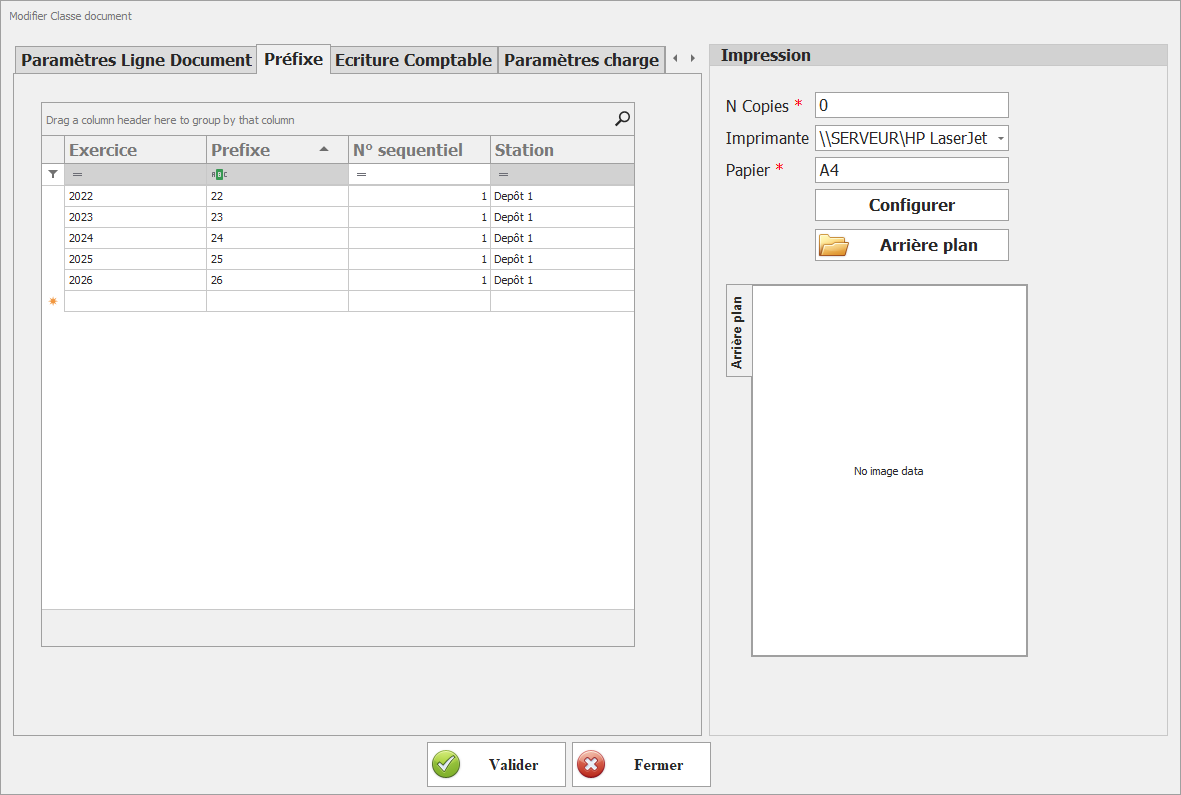
L’interface se présente sous forme de tableau contenant les champs suivants :

**Champs du paramétrage**

- **Exercice**  
    Représente l’exercice comptable auquel s’applique le préfixe (ex : 2024, 2025).  
    Chaque ligne de paramétrage est obligatoirement rattachée à un exercice.
- **Préfixe**  
    Code alphanumérique ajouté en début du numéro de document.  
    Il permet d’identifier rapidement la nature ou l’origine du document (ex : FAC, BL, CMD).
- **N° séquentiel**  
    Définit le point de départ de la numérotation automatique des documents pour l’exercice concerné.  
    Ce numéro est incrémenté automatiquement à chaque création de document.
- **Station**  
    Permet d’identifier une station, un poste ou un point de vente spécifique.  
    Ce champ est utile dans les environnements multi-postes ou multi-sites afin de différencier les numérotations.

**Règles de gestion**

- Un **préfixe doit être défini pour chaque exercice** afin de garantir une numérotation cohérente et continue.
- La combinaison **Exercice + Préfixe (+ Station, le cas échéant)** doit être unique.
- Le **numéro séquentiel** est automatiquement incrémenté par le système et ne doit être modifié qu’en cas de besoin exceptionnel (ex : reprise de données).
- En environnement multi-stations, il est recommandé de définir une numérotation spécifique par station pour éviter les conflits.

---

**Objectif du paramétrage**

Ce paramétrage permet :

- d’assurer une **traçabilité claire** des documents,
- de garantir une **unicité des numéros**,
- de structurer la numérotation selon les **exercices et les contextes d’utilisation** (site, caisse, service).