# Paramètres Document

**<span style="font-size: 12.0pt; line-height: 107%; font-family: 'Times New Roman',serif;">1. Interdit Ajout Direct</span>**

Ce paramétrage détermine si l'ajout direct de documents pour cette classe est interdit. Lorsque cette option est activée, les documents doivent être créés via un processus de transformation spécifique, empêchant ainsi leur ajout direct.

[![image.png](https://help.asmpos.com/uploads/images/gallery/2026-04/scaled-1680-/GOzimage.png)](https://help.asmpos.com/uploads/images/gallery/2026-04/GOzimage.png)<span style="mso-no-proof: yes;"></span>

**<span style="font-size: 12.0pt; line-height: 107%; font-family: 'Times New Roman',serif;">2. Import Ligne Document</span>**

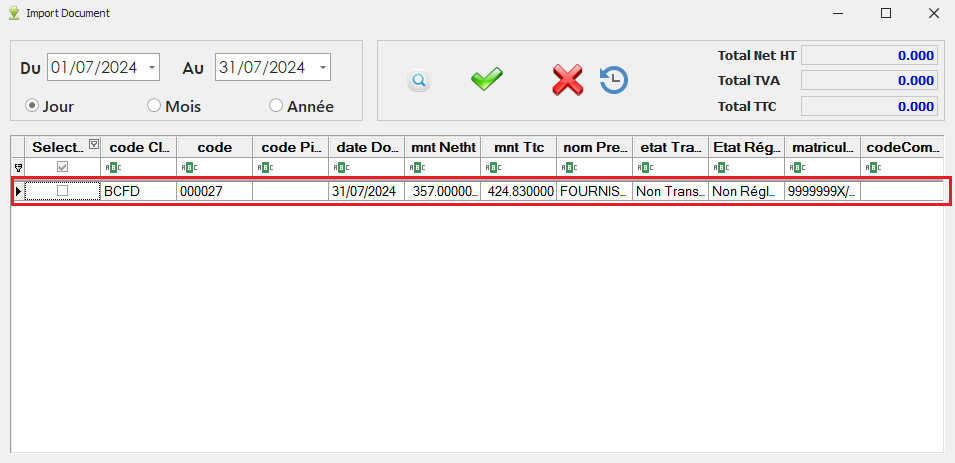
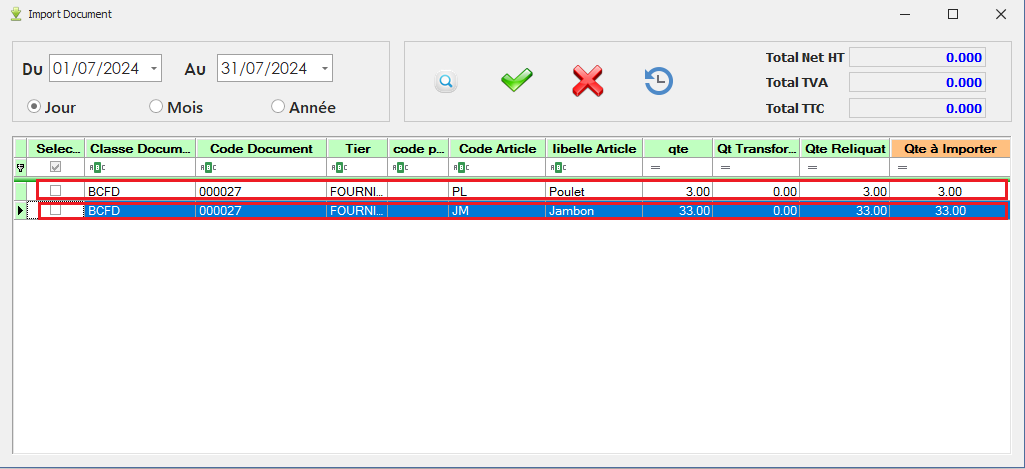
Lorsque ce paramétrage est activé, chaque ligne du document source sera affichée séparément dans l'interface d'importation. Cela permet de gérer et de vérifier chaque ligne individuellement lors du processus d'importation.

[![image.png](https://help.asmpos.com/uploads/images/gallery/2026-04/scaled-1680-/e6Kimage.png)](https://help.asmpos.com/uploads/images/gallery/2026-04/e6Kimage.png)
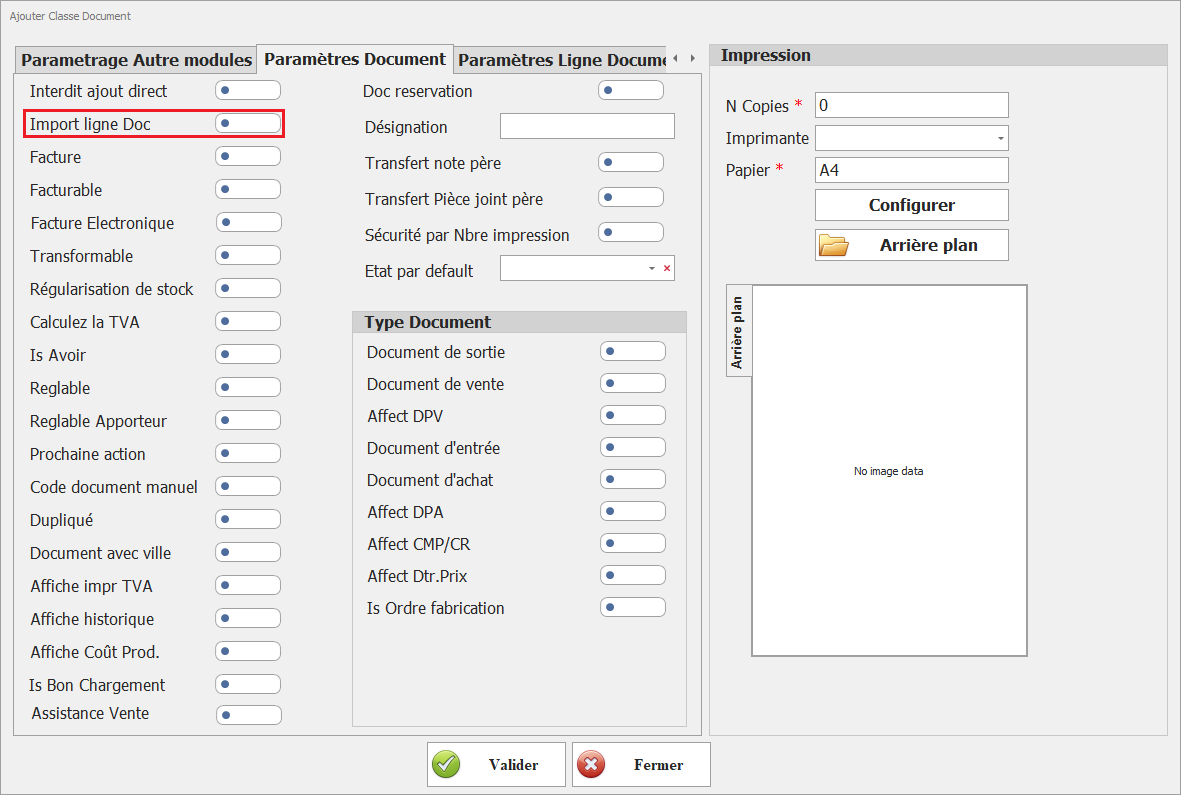
- Paramétrage non actif :

<span style="font-family: 'Courier New'; mso-fareast-font-family: 'Courier New';"><span style="mso-list: Ignore;">o<span style="font: 7.0pt 'Times New Roman';"> </span></span></span>Interface Import Document :

<span style="mso-no-proof: yes;">![Param import ligne doc NON ACTIF.PNG](https://help.asmpos.com/uploads/images/gallery/2024-08/param-import-ligne-doc-non-actif.PNG)</span>

- Paramétrage actif :

<span style="font-family: 'Courier New'; mso-fareast-font-family: 'Courier New';"><span style="mso-list: Ignore;">o<span style="font: 7.0pt 'Times New Roman';"> </span></span></span>Interface Import Document :

<span style="mso-no-proof: yes;">![Param import ligne doc ACTIF.PNG](https://help.asmpos.com/uploads/images/gallery/2024-08/param-import-ligne-doc-actif.PNG)</span>

**<span style="font-size: 12pt; line-height: 107%; font-family: 'Times New Roman', serif; background-image: initial; background-position: initial; background-size: initial; background-repeat: initial; background-attachment: initial; background-origin: initial; background-clip: initial;">3. Facture</span>**

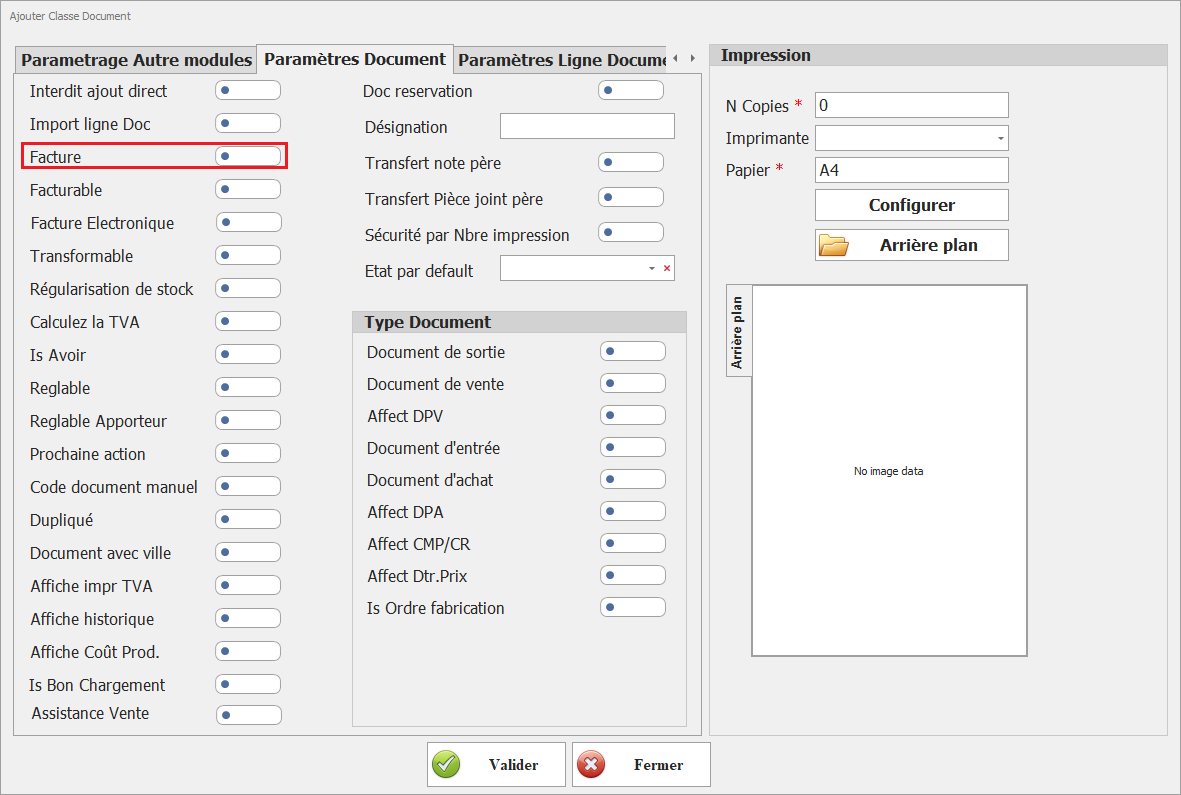
Ce paramétrage indique que ce document est traité comme une facture dans tous les aspects comptables, y compris la TVA, les retenues à la source, et autres obligations fiscales.<span style="mso-no-proof: yes;"></span>

[![image.png](https://help.asmpos.com/uploads/images/gallery/2026-04/scaled-1680-/PKKimage.png)](https://help.asmpos.com/uploads/images/gallery/2026-04/PKKimage.png)

Ainsi, la TVA dans ces documents est prise en considération dans le suivi des taxes, et les retenues à la source peuvent être appliquées, conformément aux réglementations fiscales.
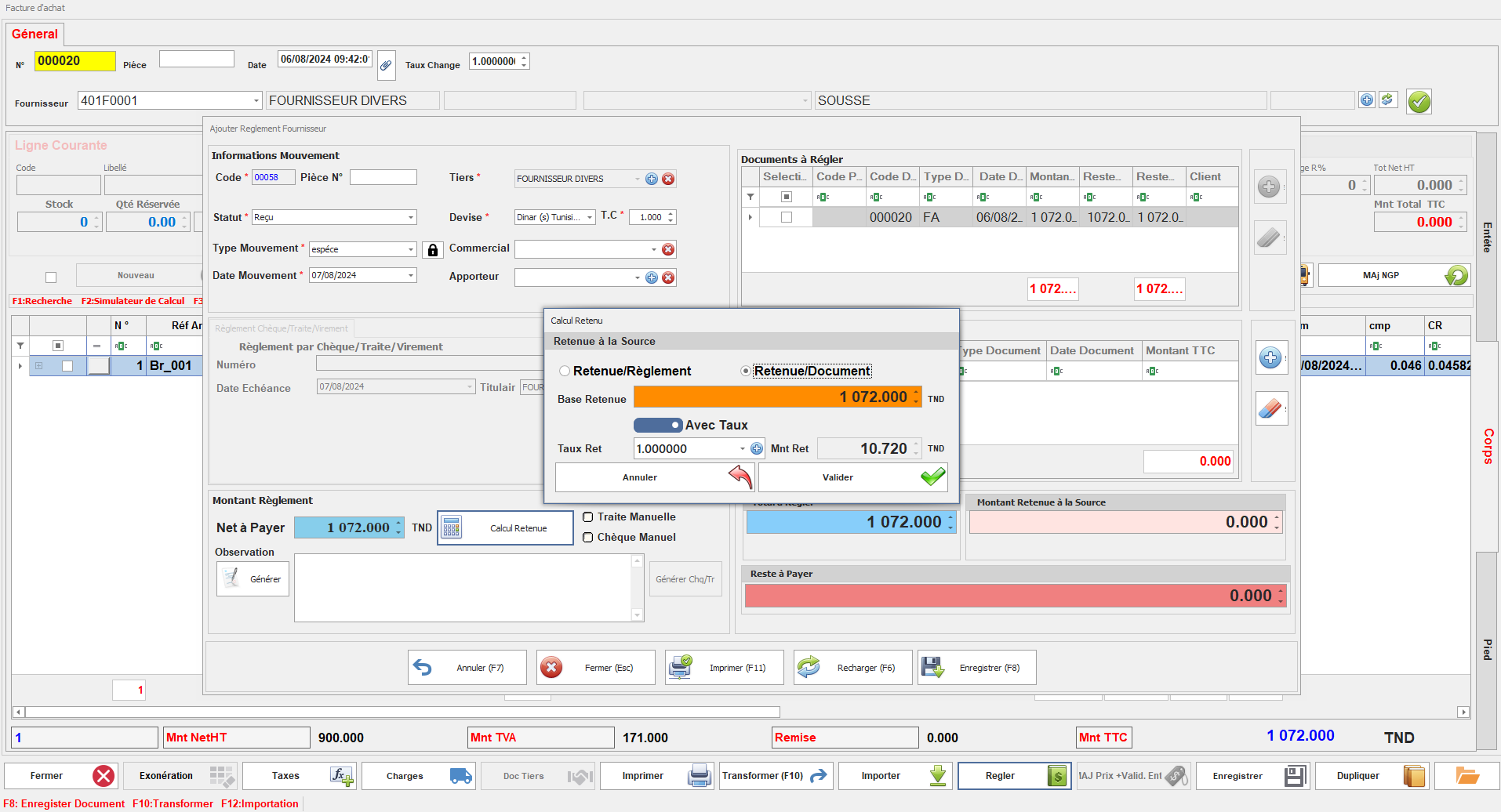
<span style="mso-no-proof: yes;">![retenue a la source.PNG](https://help.asmpos.com/uploads/images/gallery/2024-08/retenue-a-la-source.PNG)</span>

**<span style="font-size: 12pt; line-height: 107%; font-family: 'Times New Roman', serif; background-image: initial; background-position: initial; background-size: initial; background-repeat: initial; background-attachment: initial; background-origin: initial; background-clip: initial;">4. Facturable</span>**

Ce paramétrage définit si le document peut être transformé en facture.

[![image.png](https://help.asmpos.com/uploads/images/gallery/2026-04/scaled-1680-/7Gyimage.png)](https://help.asmpos.com/uploads/images/gallery/2026-04/7Gyimage.png)<span style="mso-no-proof: yes;"></span>
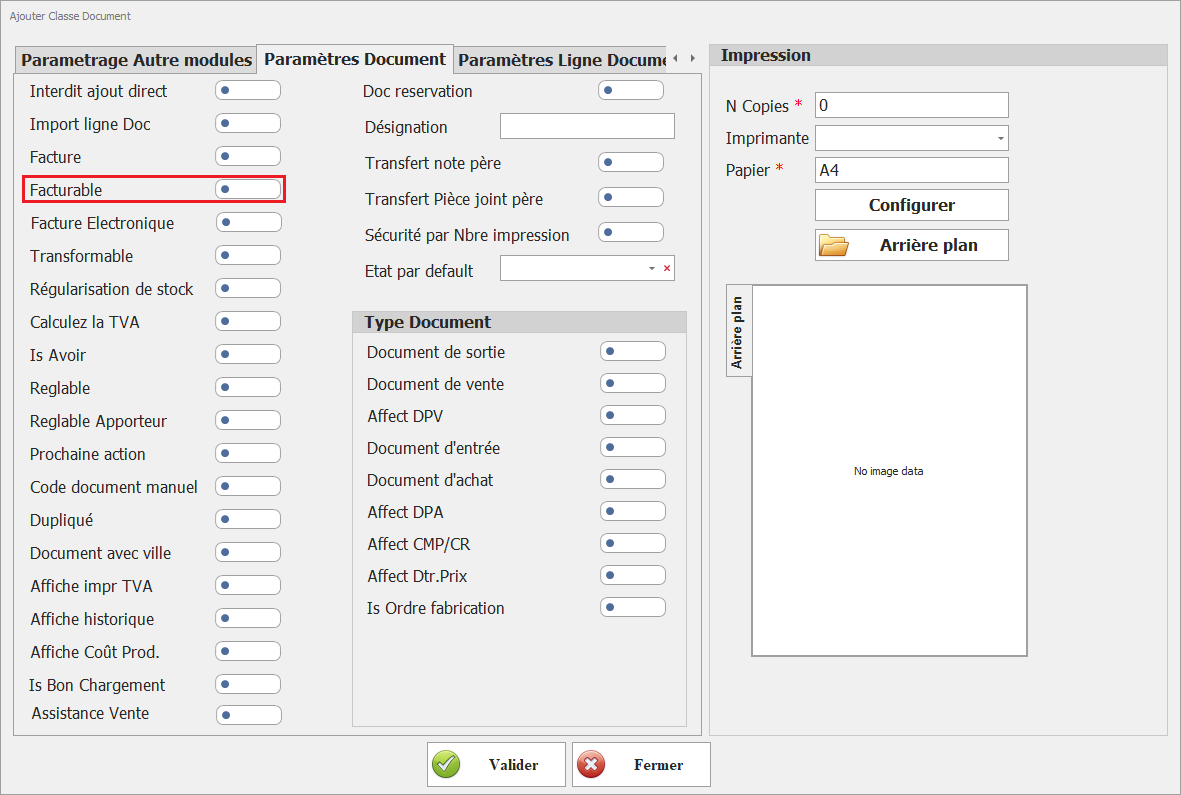
Lorsqu'il est activé, il permet d'utiliser le document dans le processus de facturation, facilitant ainsi la gestion des aspects comptables liés à la facturation.
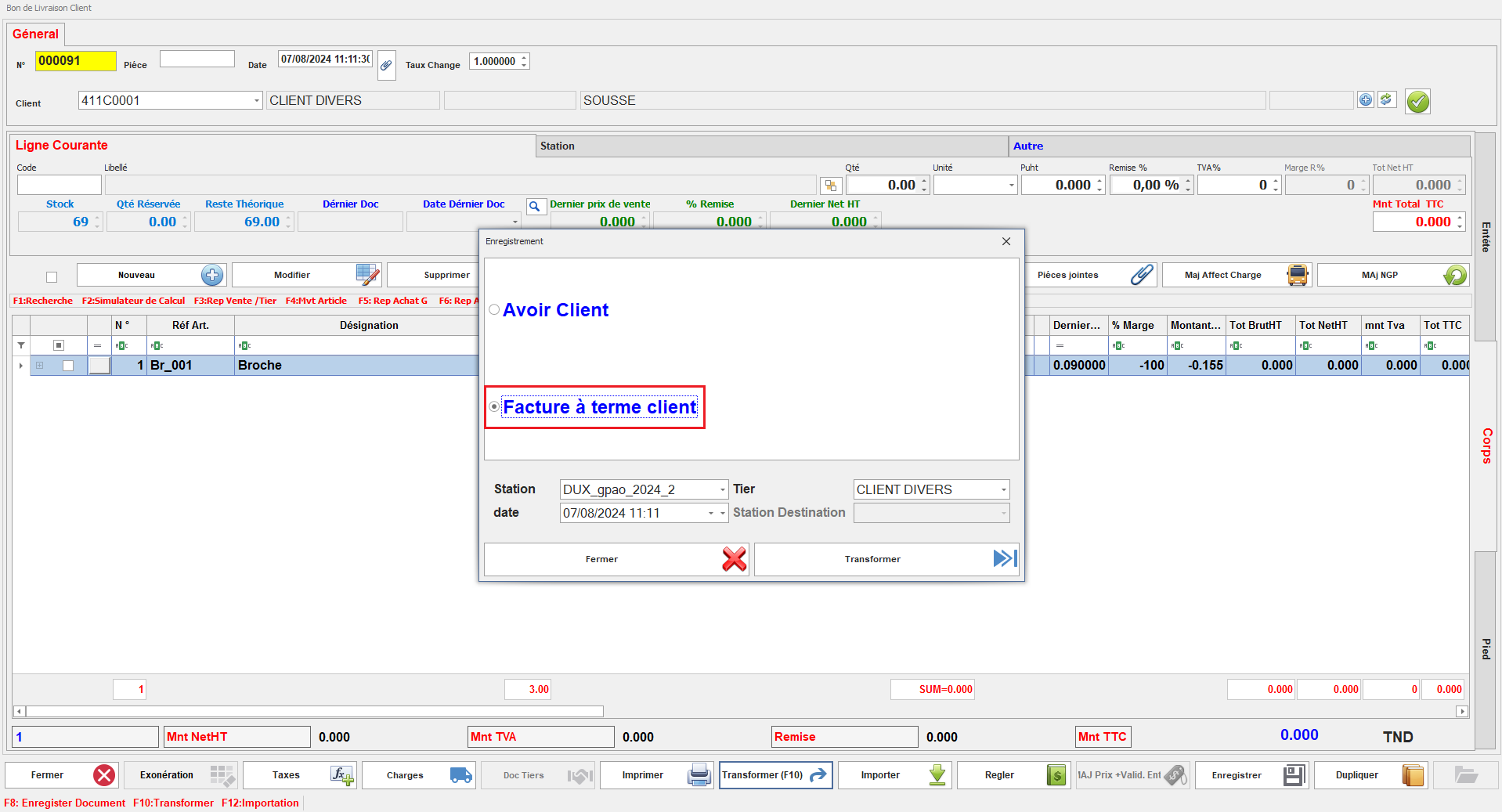
<span style="mso-no-proof: yes;">![facturable 11.PNG](https://help.asmpos.com/uploads/images/gallery/2024-08/facturable-11.PNG)</span>

**<span style="font-size: 12.0pt; line-height: 107%; font-family: 'Times New Roman',serif;">5. facture electronique </span>**

[![image.png](https://help.asmpos.com/uploads/images/gallery/2026-04/scaled-1680-/QKbimage.png)](https://help.asmpos.com/uploads/images/gallery/2026-04/QKbimage.png)

**Objectif :**  
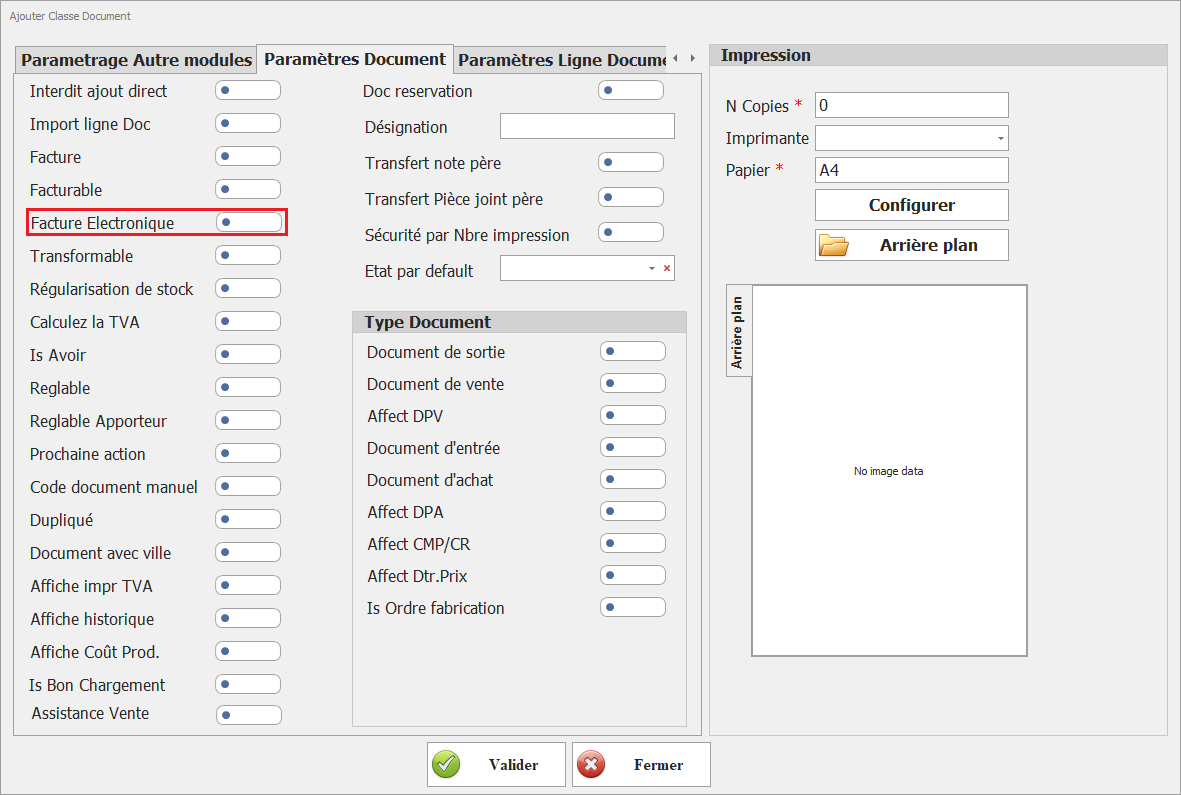
Activer l’intégration de la classe de document dans le module de facturation électronique.

**Description :**  
Ce paramétrage permet de rendre les documents de cette classe utilisables dans les processus de facturation électronique.

**Règles de gestion :**

- Activé : 
    - Le document est éligible à la génération en format électronique
    - Il peut être transmis aux systèmes ou plateformes de facturation électronique
- Désactivé : 
    - Le document reste limité à un usage interne (non électronique)

**<span style="font-size: 12.0pt; line-height: 107%; font-family: 'Times New Roman',serif;">6. Transformable</span>**

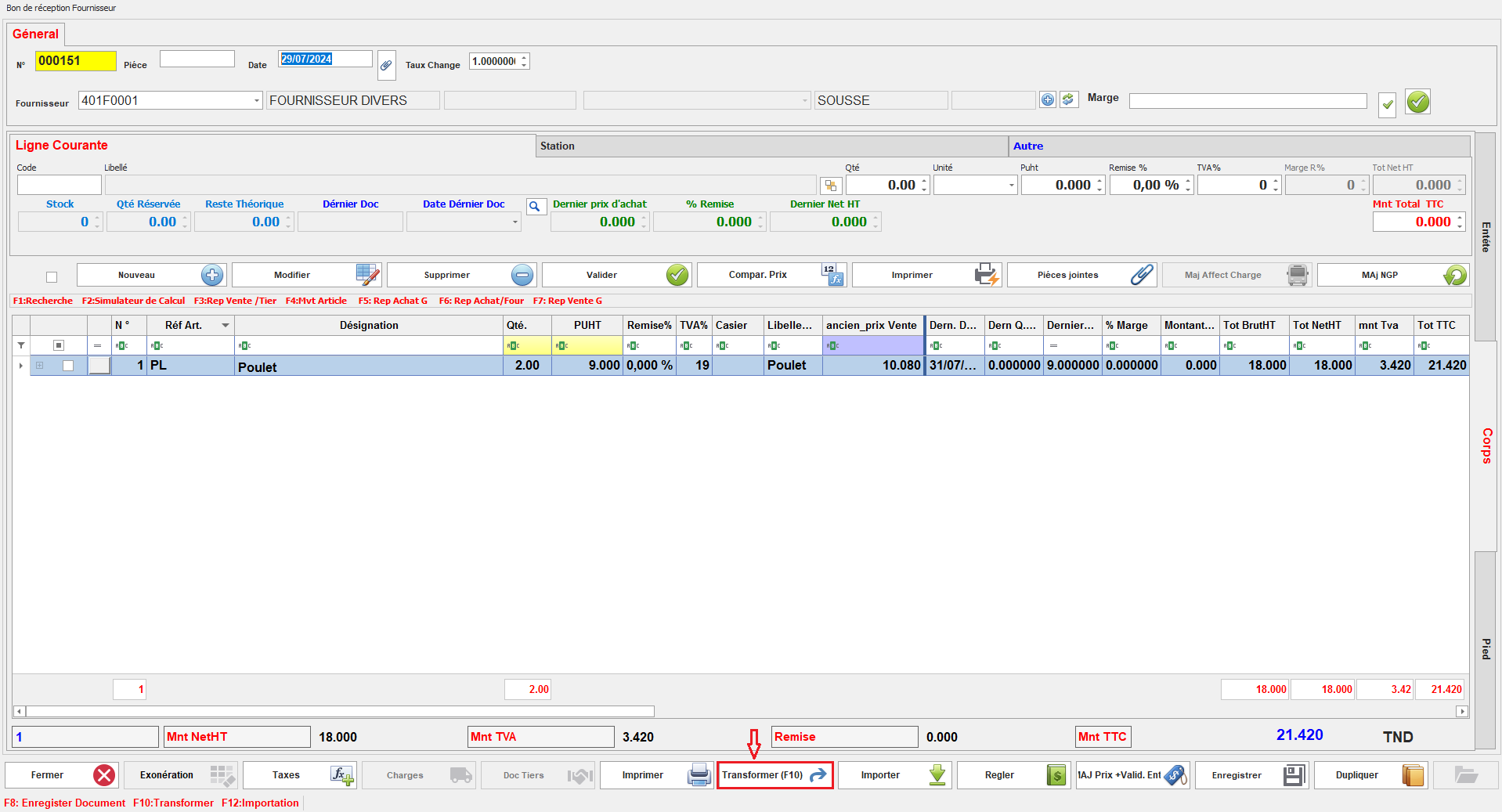
Ce paramétrage détermine si les documents de cette classe peuvent être convertis en d'autres types de documents au cours du processus de gestion.

[![image.png](https://help.asmpos.com/uploads/images/gallery/2026-04/scaled-1680-/oydimage.png)](https://help.asmpos.com/uploads/images/gallery/2026-04/oydimage.png)
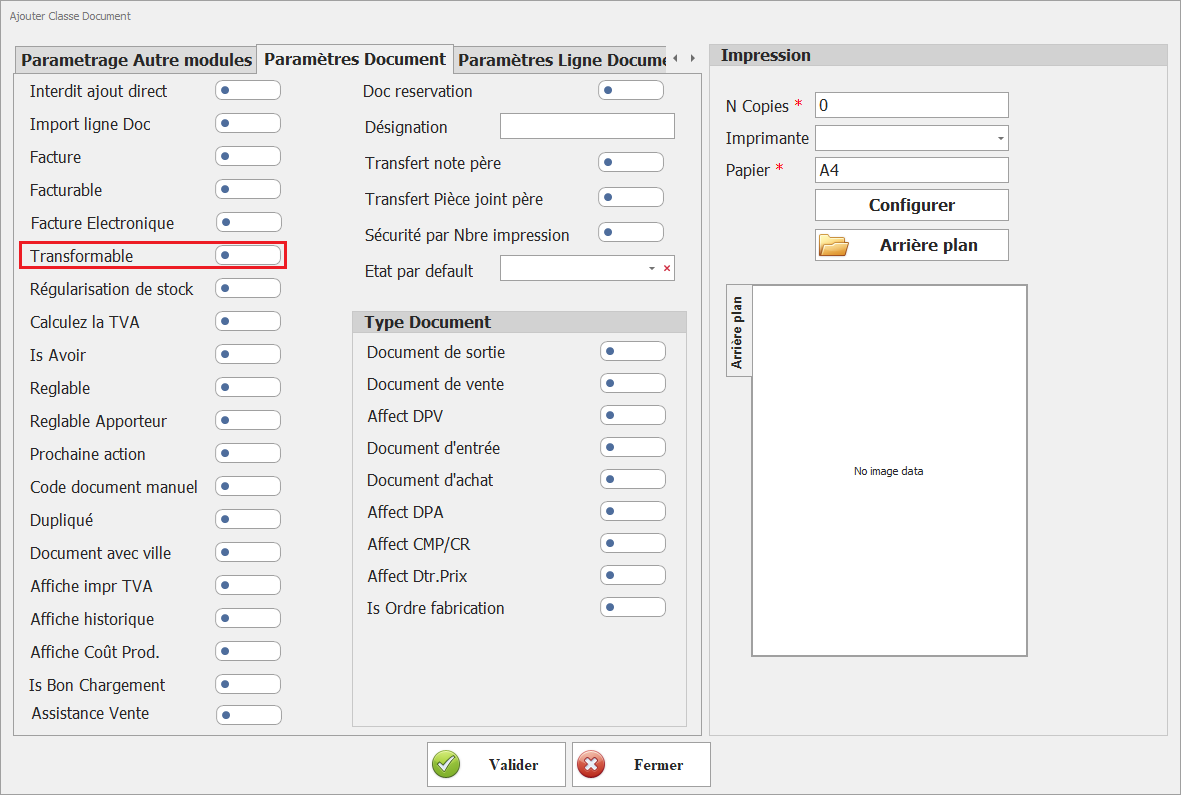
Lorsqu'il est activé, il permet de réaliser des transformations de documents selon le circuit spécifié.
<span style="mso-no-proof: yes;">![transformer.PNG](https://help.asmpos.com/uploads/images/gallery/2024-08/transformer.PNG)</span>

<span style="color: rgb(224, 62, 45);">**<span style="font-size: 12.0pt; line-height: 107%; font-family: 'Times New Roman',serif;">7. Régulisation de stock </span>**</span>

[![image.png](https://help.asmpos.com/uploads/images/gallery/2026-04/scaled-1680-/T21image.png)](https://help.asmpos.com/uploads/images/gallery/2026-04/T21image.png)

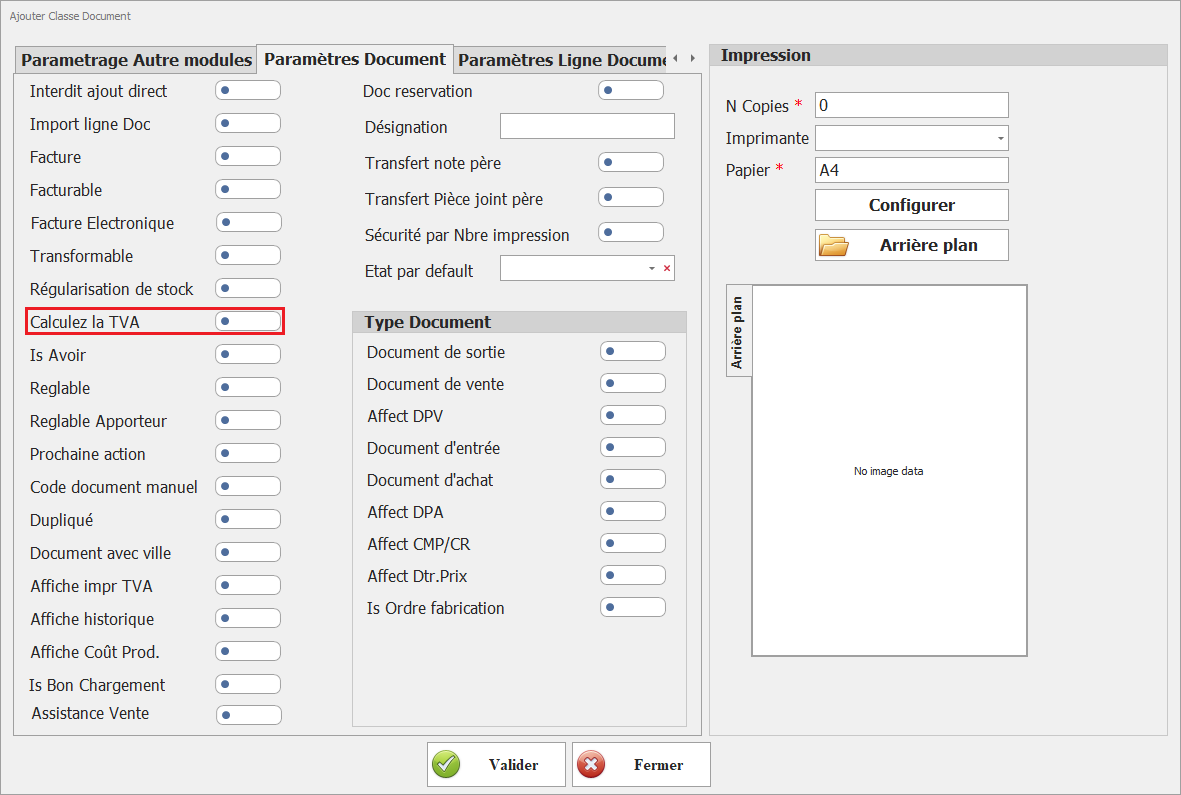
**<span style="font-size: 12.0pt; line-height: 107%; font-family: 'Times New Roman',serif;">8. Calculez la TVA</span>**

[![image.png](https://help.asmpos.com/uploads/images/gallery/2026-04/scaled-1680-/OPyimage.png)](https://help.asmpos.com/uploads/images/gallery/2026-04/OPyimage.png)

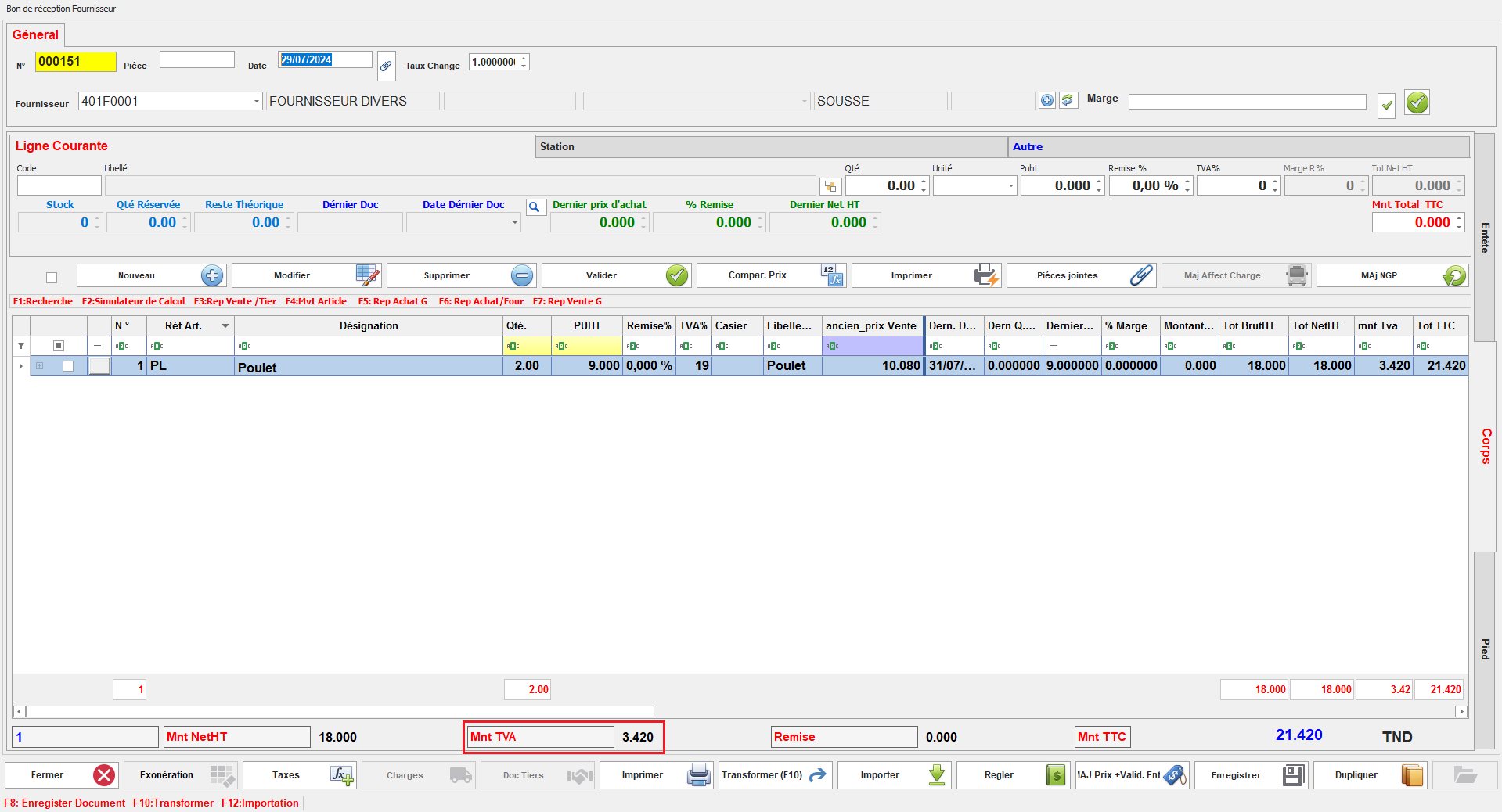
Ce paramétrage détermine si la TVA doit être calculée pour les documents de cette classe.<span style="mso-no-proof: yes;"></span>

<span style="mso-no-proof: yes;">Lorsqu'il est activé, le calcul de la TVA sera appliqué automatiquement, assurant la conformité fiscale et la précision des montants des transactions.</span>

<span style="mso-no-proof: yes;">[![tva.PNG](https://help.asmpos.com/uploads/images/gallery/2024-08/scaled-1680-/tva.PNG)](https://help.asmpos.com/uploads/images/gallery/2024-08/tva.PNG)</span>

**<span style="font-size: 12.0pt; line-height: 107%; font-family: 'Times New Roman',serif;">9. Is Avoir<span style="mso-tab-count: 1;"> </span></span>**

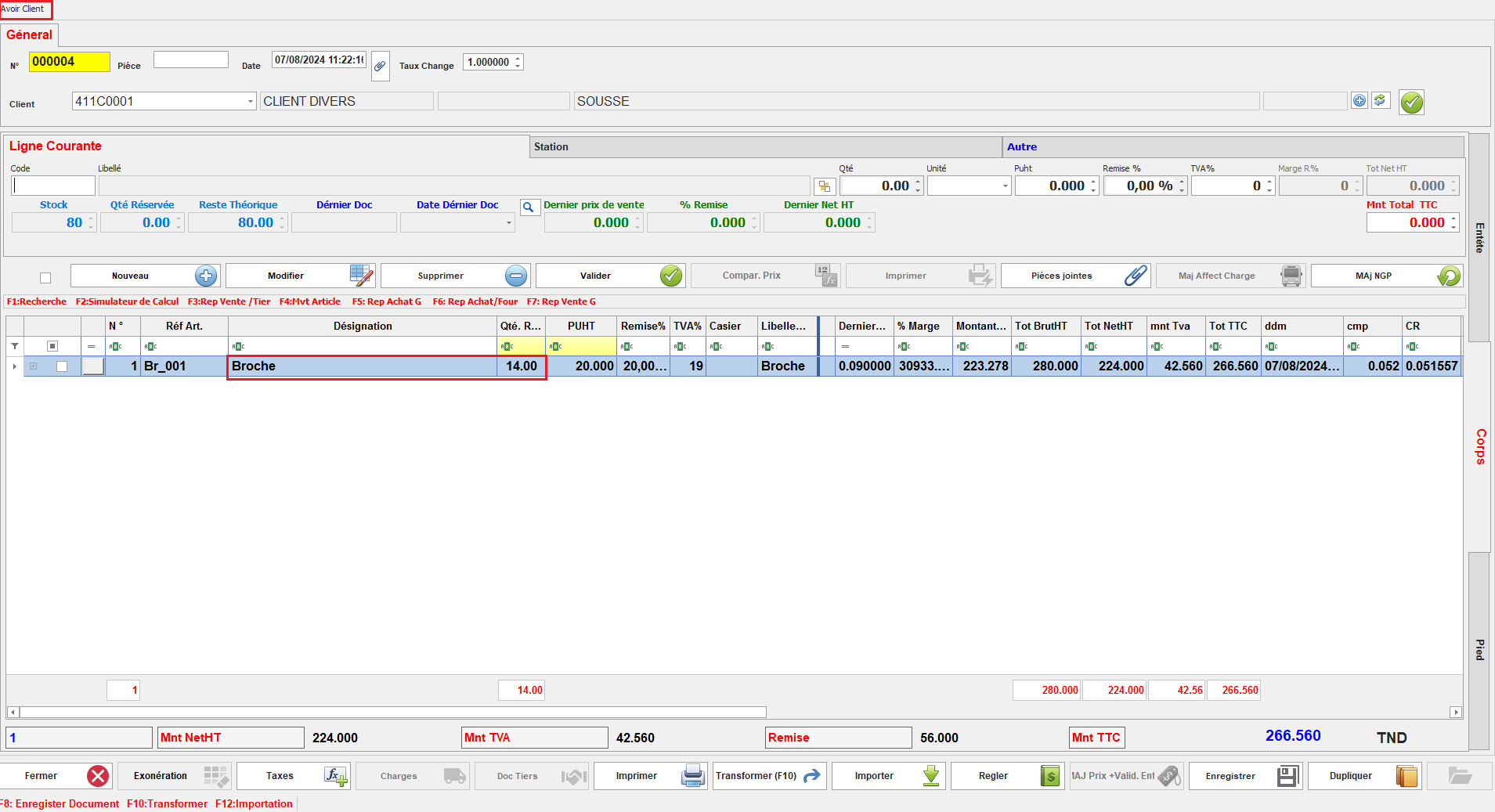
Ce paramétrage spécifie que le document est traité comme un avoir.

[![image.png](https://help.asmpos.com/uploads/images/gallery/2026-04/scaled-1680-/dFUimage.png)](https://help.asmpos.com/uploads/images/gallery/2026-04/dFUimage.png)<span style="mso-no-proof: yes;"></span>
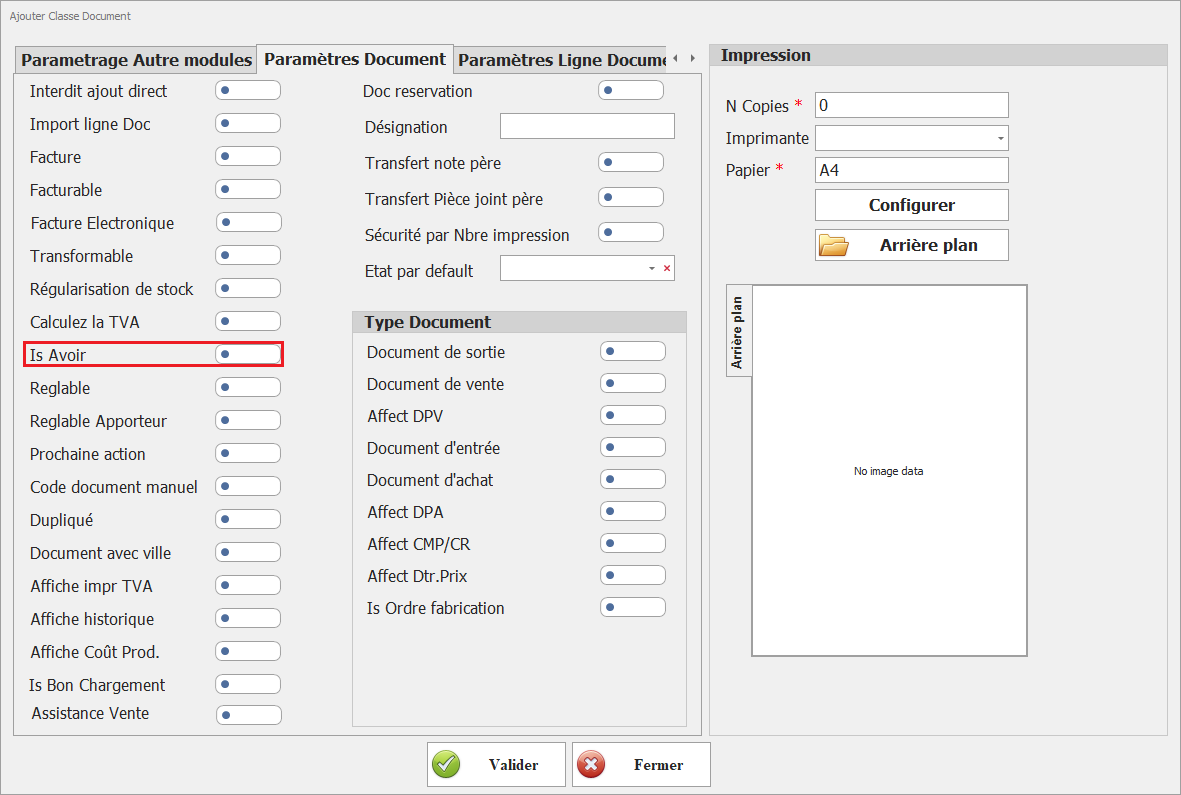
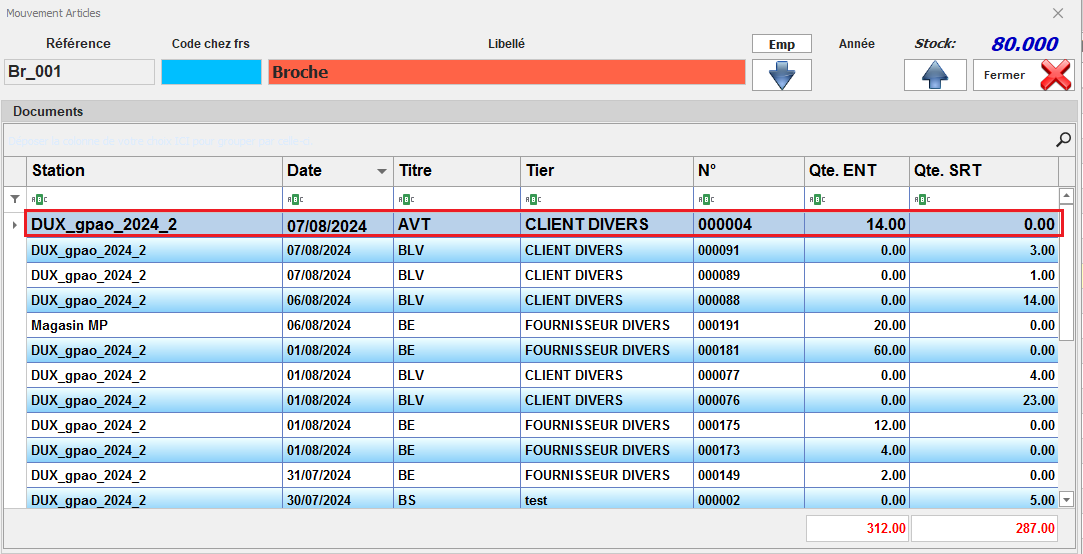
En activant cette option, le document est reconnu comme un document de crédit ou une note de crédit, permettant de gérer les ajustements de facturation ainsi que les quantités de stock associées.

<span style="font-family: 'Courier New'; mso-fareast-font-family: 'Courier New';"><span style="mso-list: Ignore;">o<span style="font: 7.0pt 'Times New Roman';"> </span></span></span>Document Avoir

<span style="mso-no-proof: yes;">![doc avoir.PNG](https://help.asmpos.com/uploads/images/gallery/2024-08/doc-avoir.PNG)</span>

<span style="font-family: 'Courier New'; mso-fareast-font-family: 'Courier New';"><span style="mso-list: Ignore;">o<span style="font: 7.0pt 'Times New Roman';"> </span></span></span>Stock après Avoir

<span style="mso-no-proof: yes;">![stock avoir.PNG](https://help.asmpos.com/uploads/images/gallery/2024-08/stock-avoir.PNG)</span>

**<span style="font-size: 12.0pt; font-family: 'Times New Roman',serif;">10. Réglable</span>**

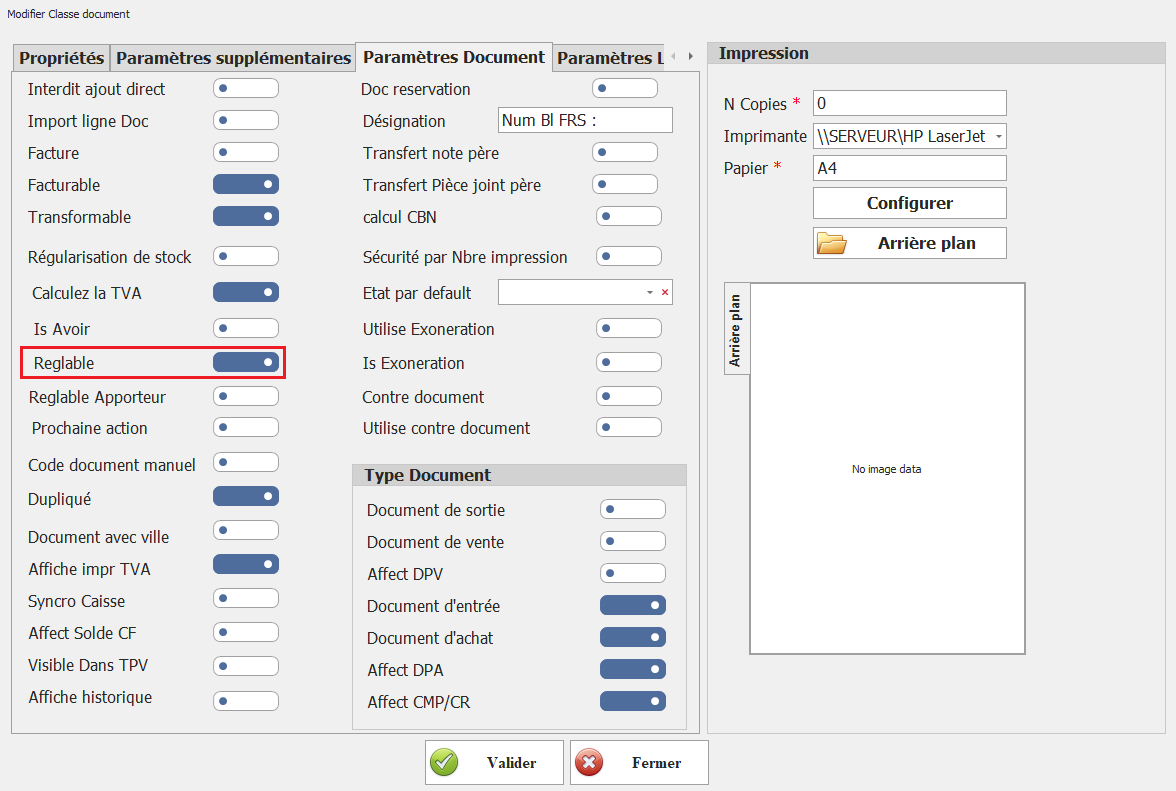
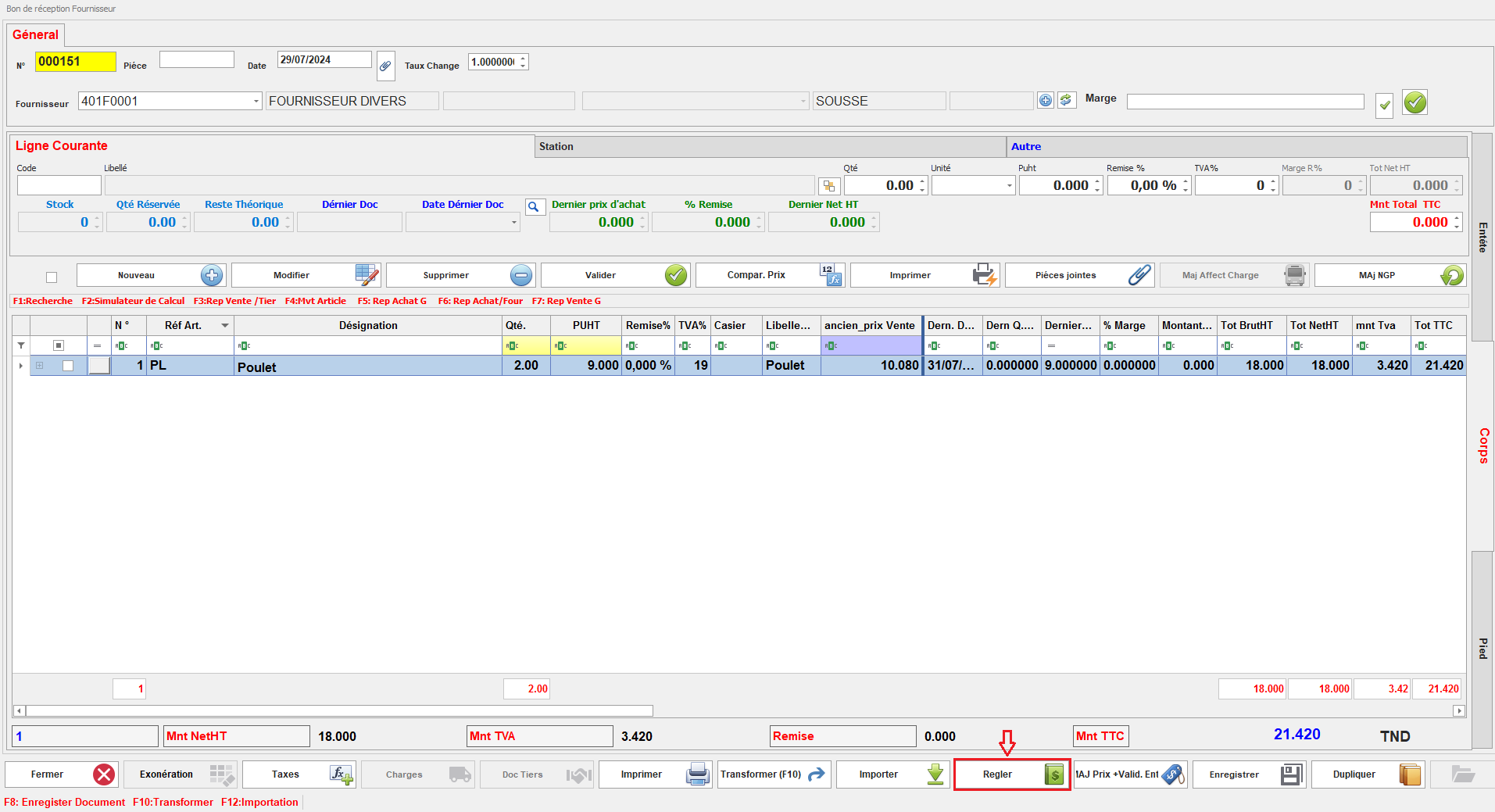
Ce paramétrage permet à l’utilisateur de régler les documents de cette classe.
<span style="mso-no-proof: yes;">![para reglable.PNG](https://help.asmpos.com/uploads/images/gallery/2024-08/para-reglable.PNG)</span>

Lorsqu'il est activé, il offre la possibilité de traiter les paiements directement pour ces documents, facilitant ainsi la gestion des règlements.
<span style="mso-no-proof: yes;">![reglable.PNG](https://help.asmpos.com/uploads/images/gallery/2024-08/reglable.PNG)</span>

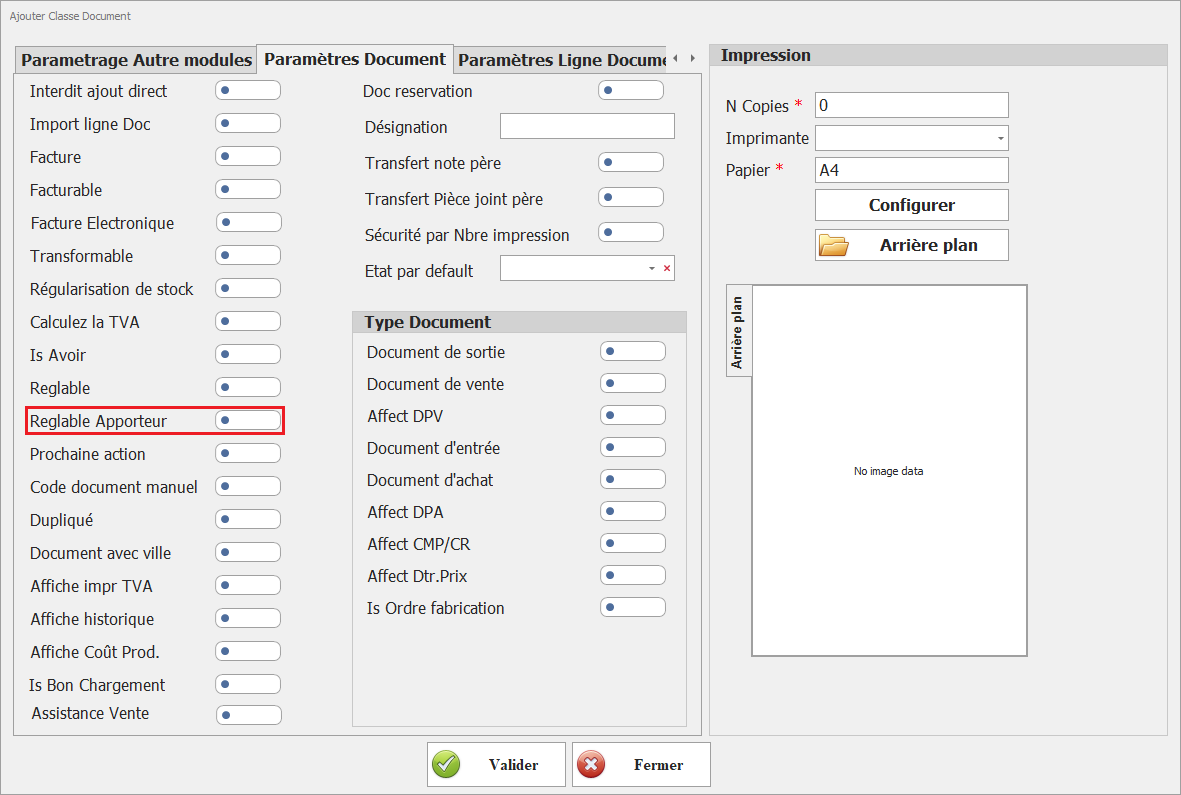
**<span style="font-size: 12.0pt; line-height: 107%; font-family: 'Times New Roman',serif;">11.**Réglable Apporteur**  
</span>**<span style="font-size: 12.0pt; line-height: 107%; font-family: 'Times New Roman',serif;">Permet d’associer un règlement à un apporteur d’affaires (commission, intermédiaire).</span><span style="font-size: 12.0pt; line-height: 107%; font-family: 'Times New Roman',serif;">  
➜ Utilisé dans les contextes de gestion commerciale avec partenaires ou agents.</span>

[![image.png](https://help.asmpos.com/uploads/images/gallery/2026-04/scaled-1680-/4WLimage.png)](https://help.asmpos.com/uploads/images/gallery/2026-04/4WLimage.png)

**<span style="font-size: 12.0pt; line-height: 107%; font-family: 'Times New Roman',serif;">12. **Prochaine action**  
</span>**<span style="font-size: 12.0pt; line-height: 107%; font-family: 'Times New Roman',serif;">Définit si une action suivante est attendue dans le workflow du document.</span>

[![image.png](https://help.asmpos.com/uploads/images/gallery/2026-04/scaled-1680-/Cxximage.png)](https://help.asmpos.com/uploads/images/gallery/2026-04/Cxximage.png)

**<span style="font-size: 12.0pt; line-height: 107%; font-family: 'Times New Roman',serif;">13.Code document manuel</span>**

Ce paramétrage détermine si le code du document doit être saisi manuellement ou généré automatiquement.

[![image.png](https://help.asmpos.com/uploads/images/gallery/2026-04/scaled-1680-/MZaimage.png)](https://help.asmpos.com/uploads/images/gallery/2026-04/MZaimage.png)<span style="mso-no-proof: yes;"></span>

Lorsqu'il est activé, l'utilisateur doit entrer le code du document manuellement.
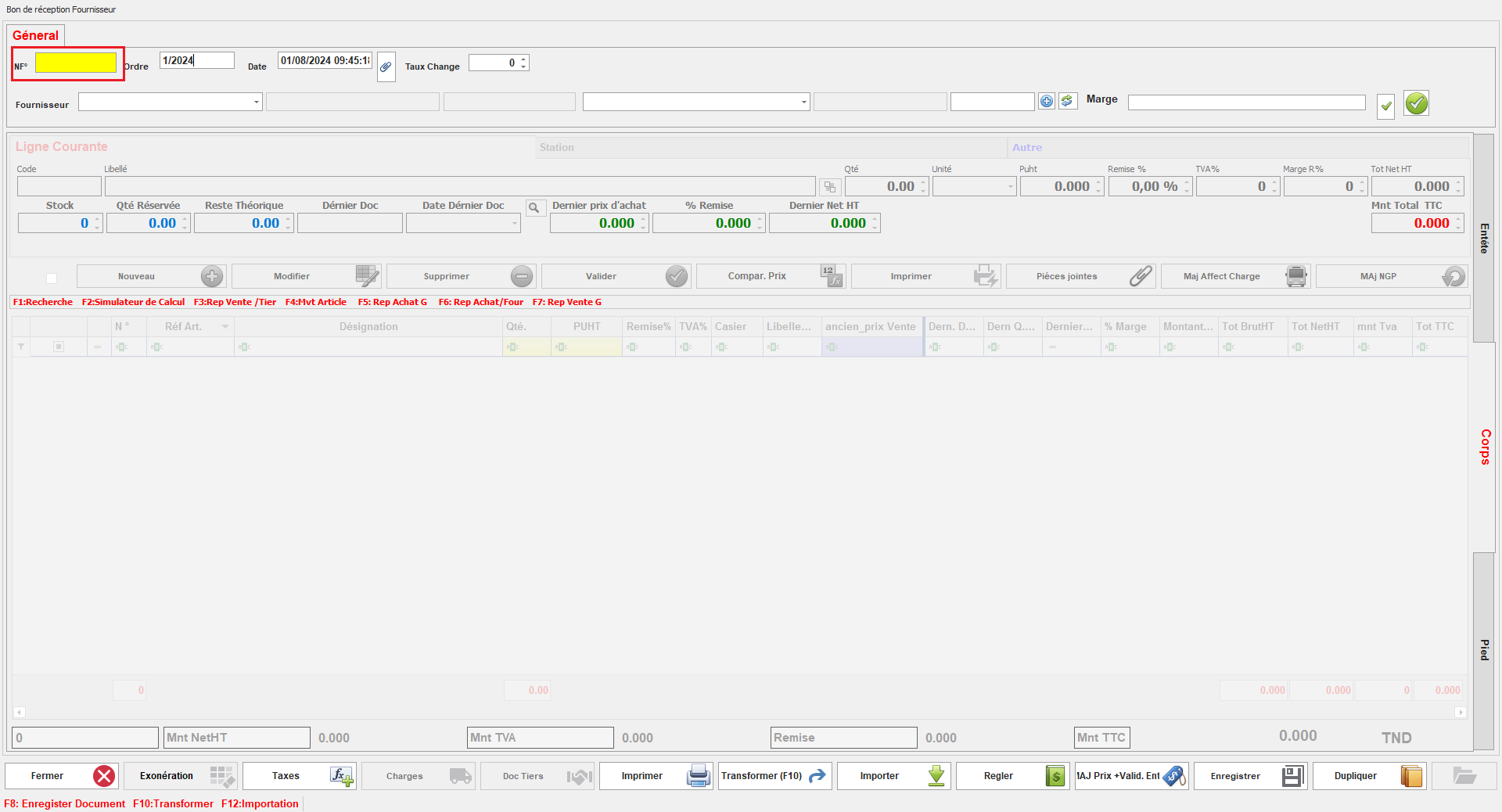
<span style="mso-no-proof: yes;">![code doc mn.PNG](https://help.asmpos.com/uploads/images/gallery/2024-08/code-doc-mn.PNG)</span>

Lorsqu'il est désactivé, le code du document est généré automatiquement par le système.
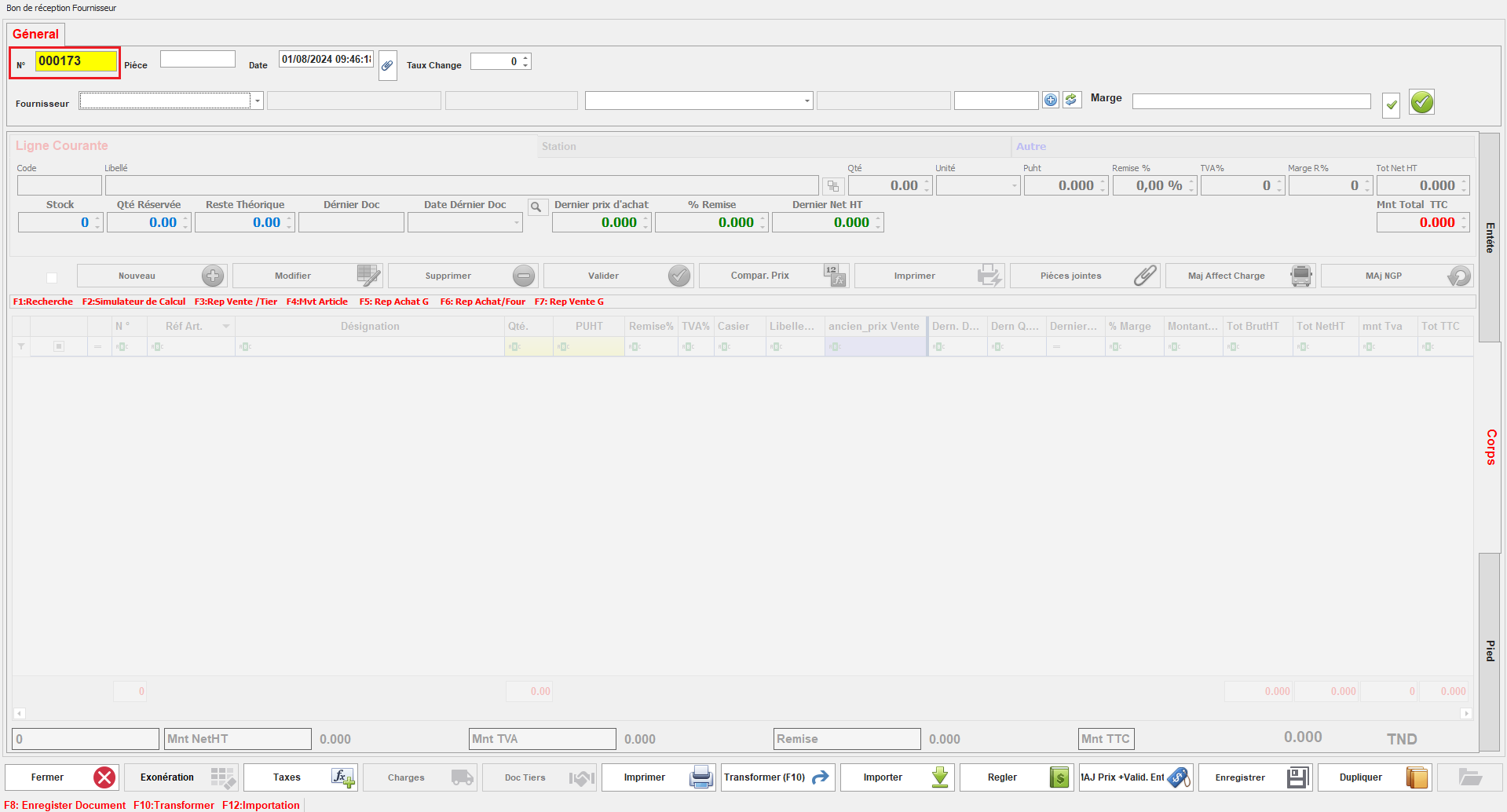
<span style="mso-no-proof: yes;">![code doc auto.PNG](https://help.asmpos.com/uploads/images/gallery/2024-08/code-doc-auto.PNG)</span>

**<span style="font-size: 12.0pt; line-height: 107%; font-family: 'Times New Roman',serif;">14. Dupliqué</span>**

Ce paramétrage détermine si les documents de cette classe peuvent être dupliqués.

[![image.png](https://help.asmpos.com/uploads/images/gallery/2026-04/scaled-1680-/8sHimage.png)](https://help.asmpos.com/uploads/images/gallery/2026-04/8sHimage.png)<span style="mso-no-proof: yes;"></span>

Lorsqu'il est activé, la duplication des documents est possible, permettant ainsi de créer des copies.
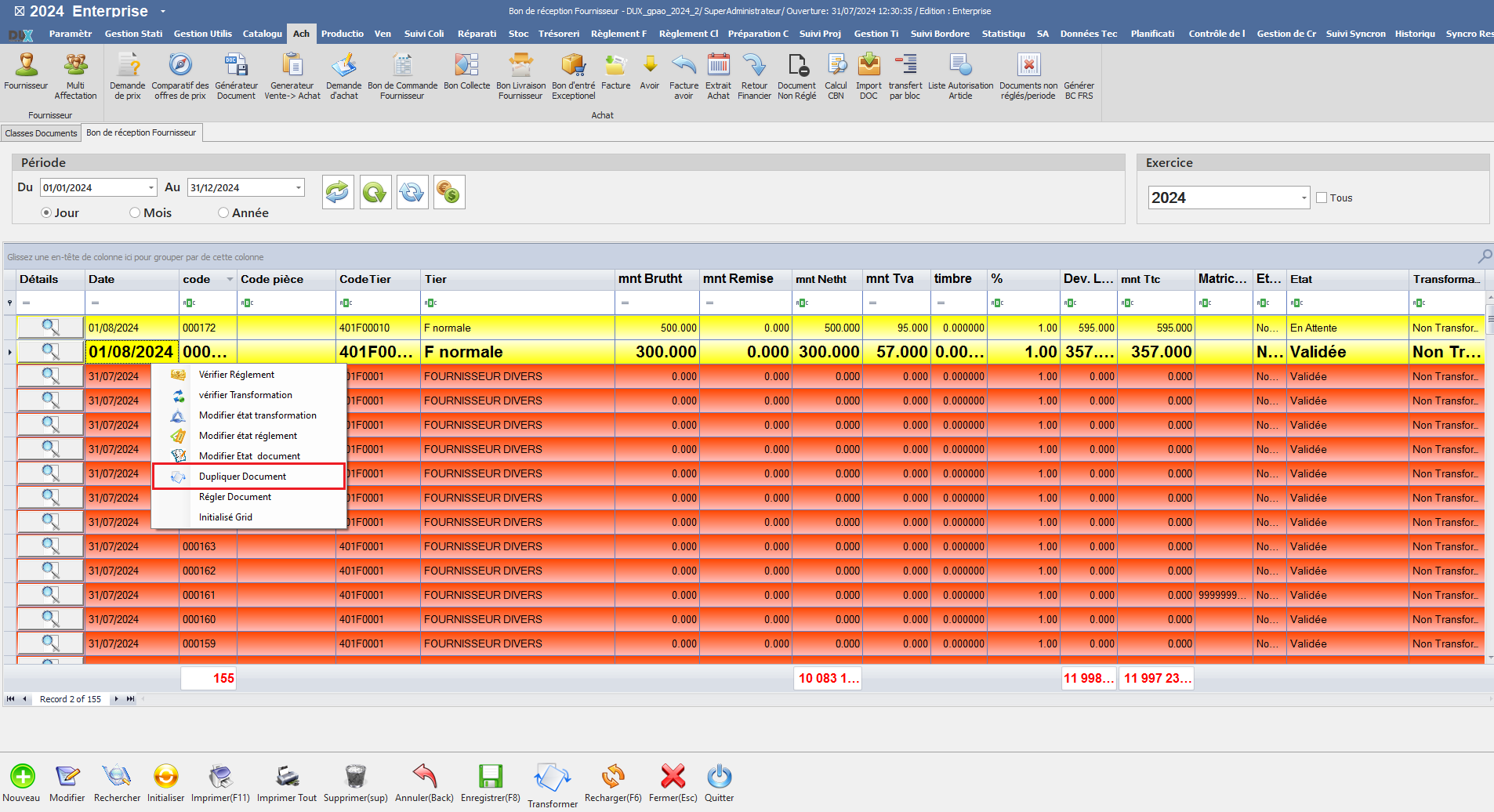
<span style="mso-no-proof: yes;">![dupiquer oui.png](https://help.asmpos.com/uploads/images/gallery/2024-08/dupiquer-oui.png)</span>

Lorsqu'il est désactivé, la duplication des documents n'est pas disponible.
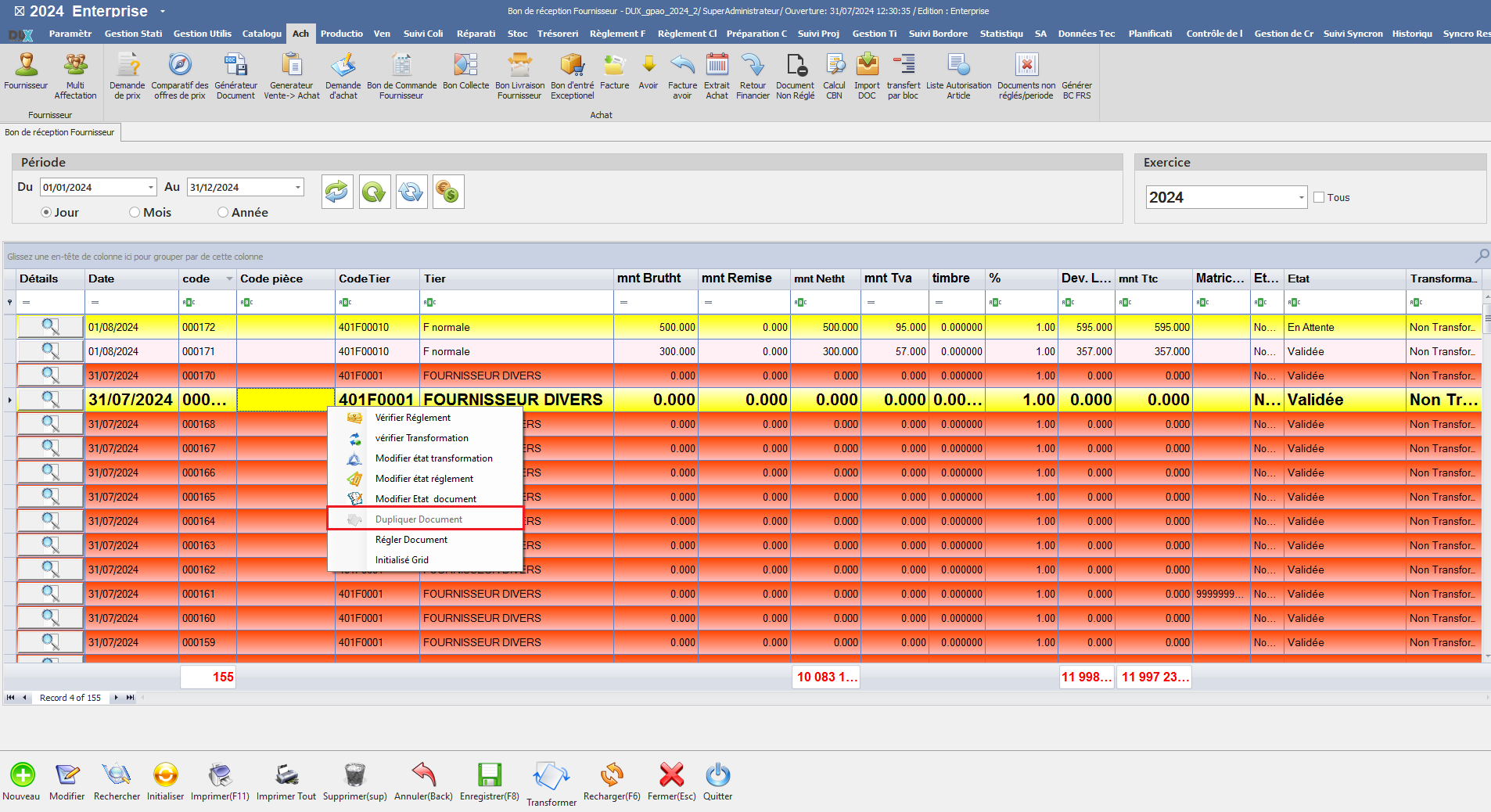
<span style="mso-no-proof: yes;">![dupliquer doc.png](https://help.asmpos.com/uploads/images/gallery/2024-08/dupliquer-doc.png)</span>

**<span style="font-size: 12.0pt; line-height: 107%; font-family: 'Times New Roman',serif;">15. Document avec ville</span>**

Ce paramétrage permet à l'utilisateur de choisir la ville associée à ce document.

[![image.png](https://help.asmpos.com/uploads/images/gallery/2026-04/scaled-1680-/Pwmimage.png)](https://help.asmpos.com/uploads/images/gallery/2026-04/Pwmimage.png)

<span style="mso-no-proof: yes;">  
</span>

Il facilite l'intégration de la ville dans les informations du document, permettant ainsi une meilleure gestion et un suivi plus précis en fonction de la localisation.
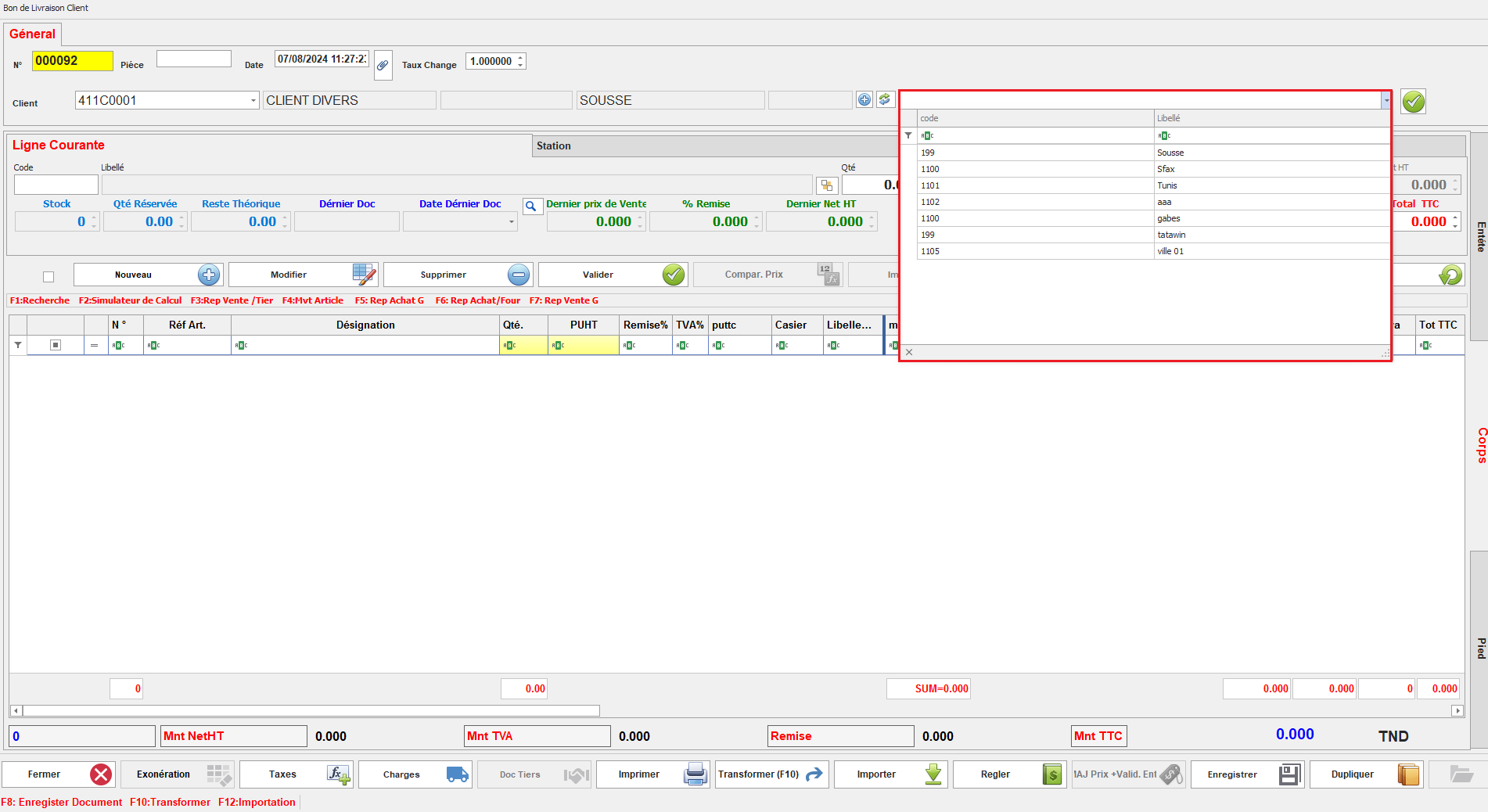
<span style="mso-no-proof: yes;">![doc avec ville.png](https://help.asmpos.com/uploads/images/gallery/2024-08/doc-avec-ville.png)</span>

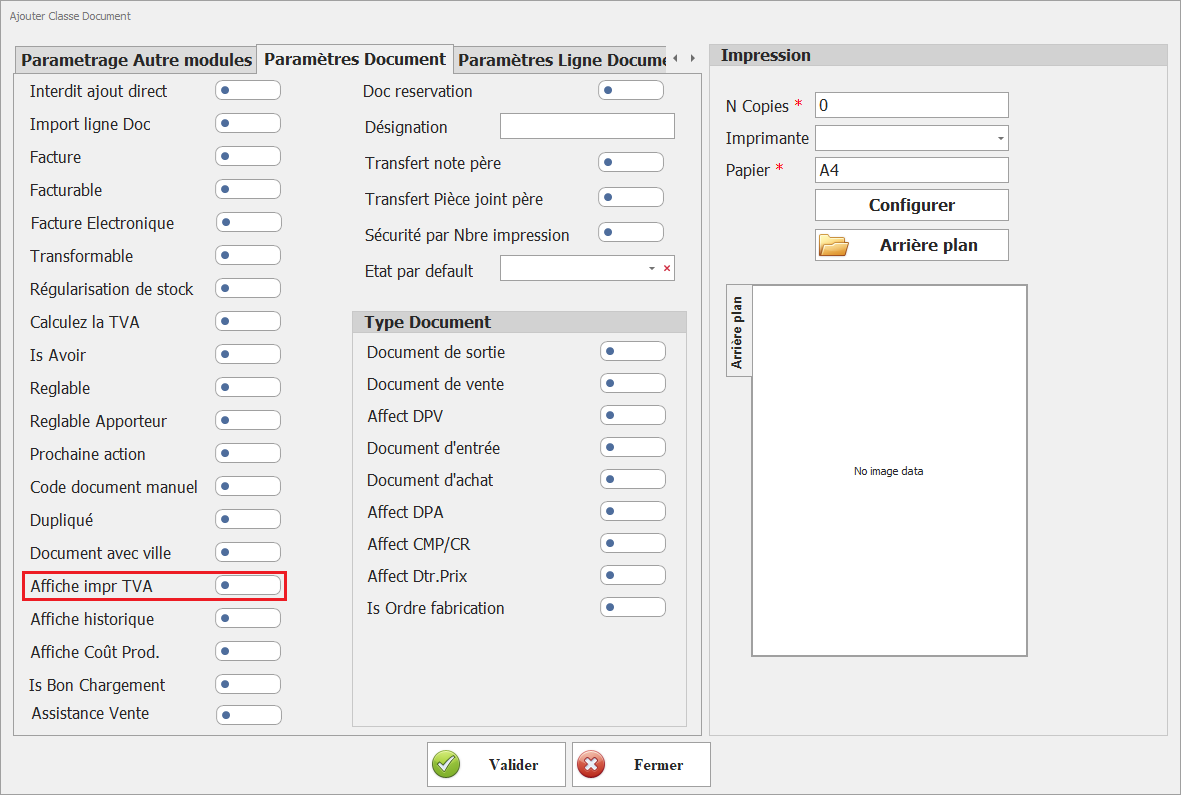
**<span style="font-size: 12pt; line-height: 107%; font-family: 'Times New Roman', serif; background-image: initial; background-position: initial; background-size: initial; background-repeat: initial; background-attachment: initial; background-origin: initial; background-clip: initial;">16.Affiche impr TVA</span>**

[![image.png](https://help.asmpos.com/uploads/images/gallery/2026-04/scaled-1680-/tuiimage.png)](https://help.asmpos.com/uploads/images/gallery/2026-04/tuiimage.png)

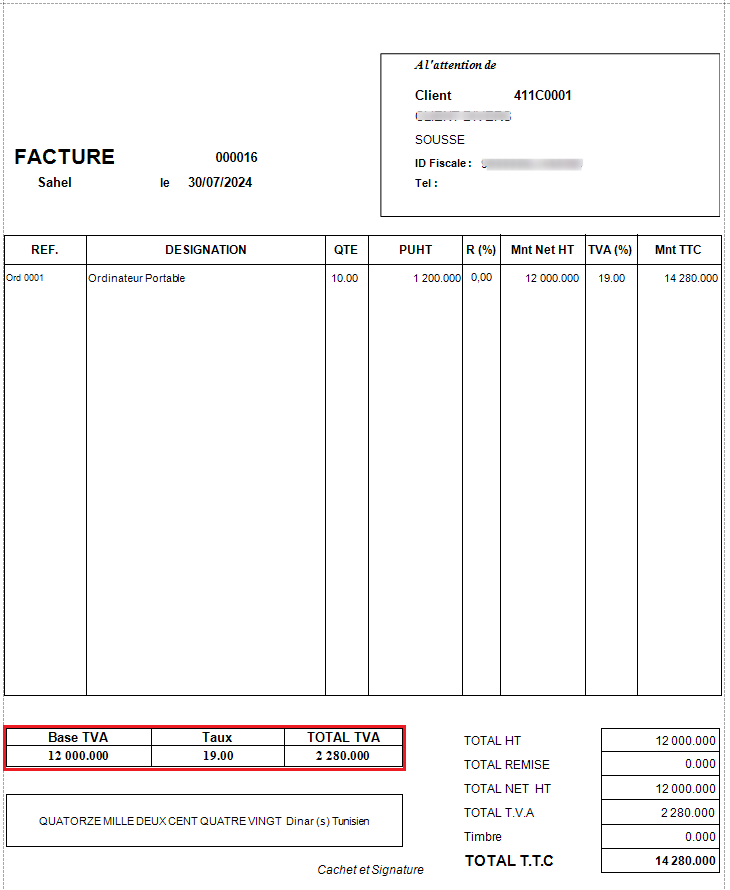
Ce paramétrage, lorsqu'il est activé, permet d'afficher une section détaillant la TVA lors de l'impression du document, fournissant une visibilité claire sur les montants de TVA appliqué.<span style="font-size: 12.0pt; line-height: 107%; font-family: 'Times New Roman',serif; mso-no-proof: yes;"></span>

<span style="font-size: 12.0pt; line-height: 107%; font-family: 'Courier New'; mso-fareast-font-family: 'Courier New';"><span style="mso-list: Ignore;">o<span style="font: 7.0pt 'Times New Roman';"> </span></span></span><span style="font-size: 12.0pt; line-height: 107%; font-family: 'Times New Roman',serif;">Document Affiche la section TVA</span>

<span style="font-size: 12.0pt; line-height: 107%; font-family: 'Times New Roman',serif; mso-no-proof: yes;">![FAT standard.png](https://help.asmpos.com/uploads/images/gallery/2024-08/fat-standard.png)</span>

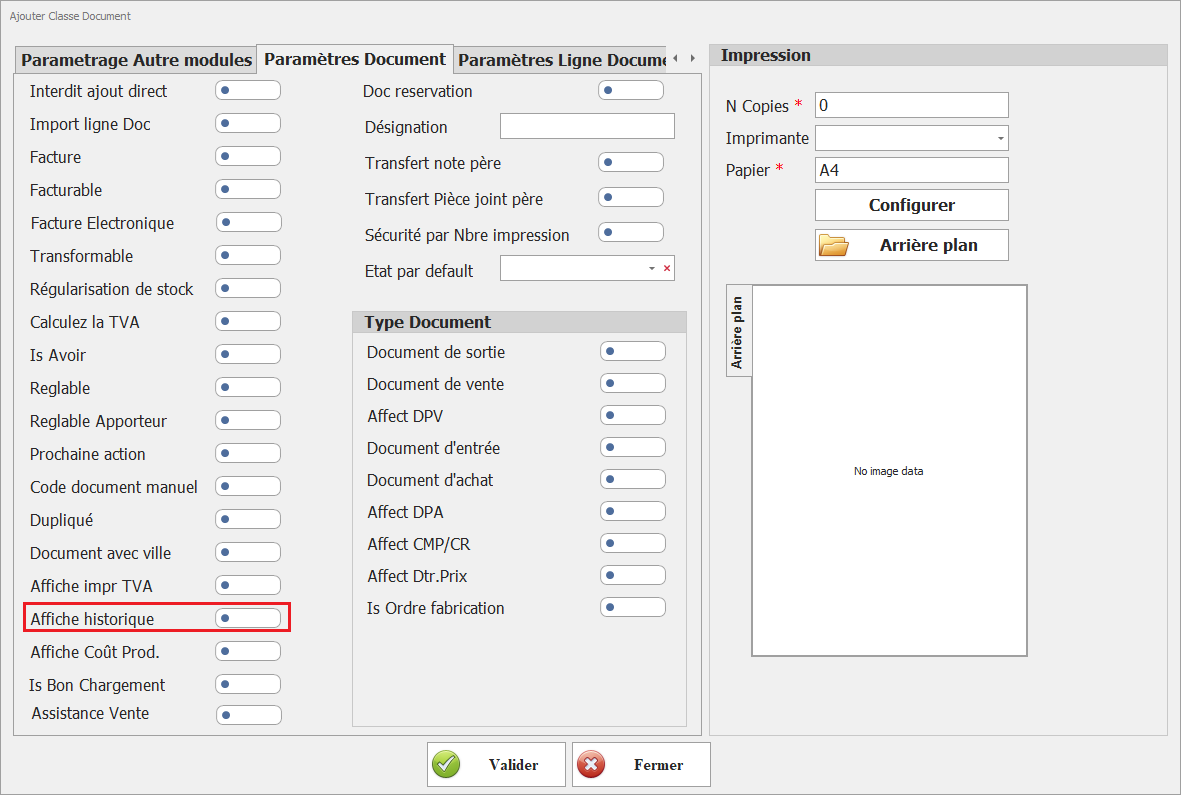
**<span style="font-size: 12.0pt; line-height: 107%; font-family: 'Times New Roman',serif;">17.<span style="color: rgb(224, 62, 45);"> </span></span>**<span style="color: rgb(224, 62, 45);">**Affiche historique**</span>  
<span style="color: rgb(224, 62, 45);">Permet d’afficher l’historique des opérations liées au document.</span>

[![image.png](https://help.asmpos.com/uploads/images/gallery/2026-04/scaled-1680-/5H4image.png)](https://help.asmpos.com/uploads/images/gallery/2026-04/5H4image.png)

**18. Affiche Coût Prod.**  
Affiche les coûts de production associés aux lignes.

[![image.png](https://help.asmpos.com/uploads/images/gallery/2026-04/scaled-1680-/J0Yimage.png)](https://help.asmpos.com/uploads/images/gallery/2026-04/J0Yimage.png)

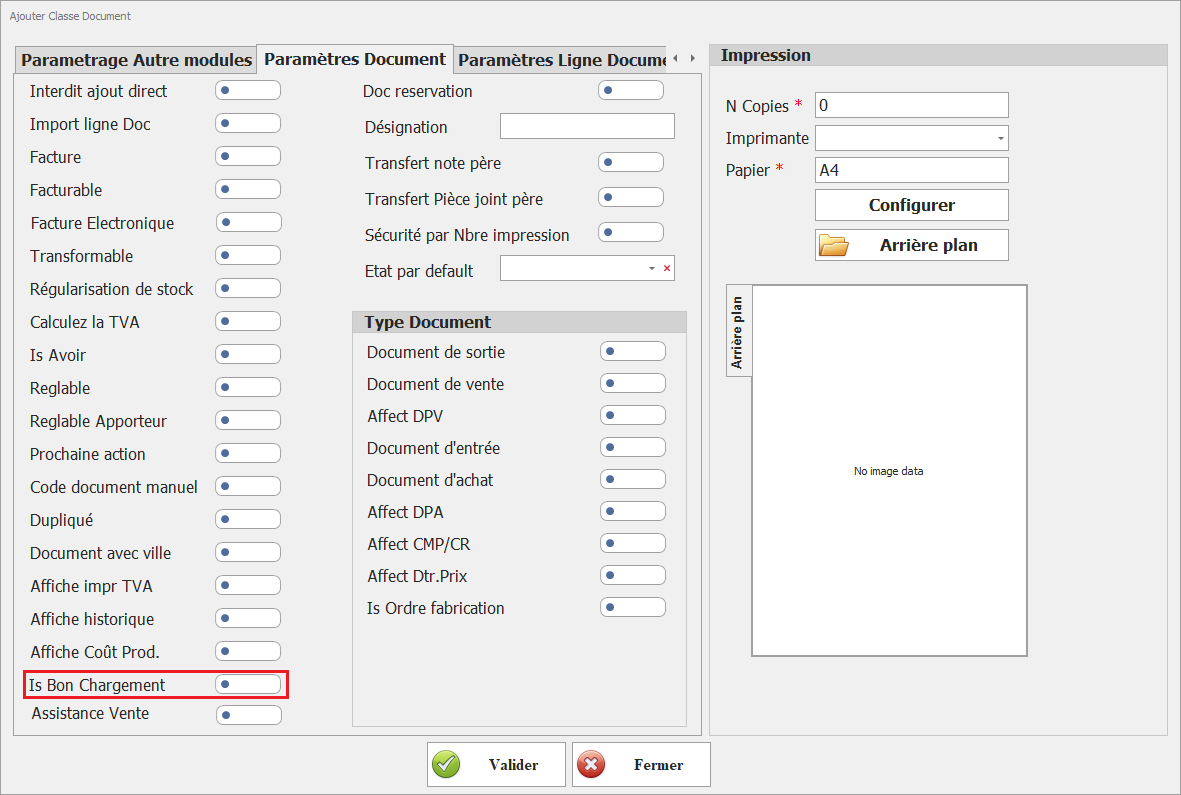
**19. Is Bon Chargement**  
Définit le classe document document comme dcocument utulisé lors de généraration de bon de chargement.

[![image.png](https://help.asmpos.com/uploads/images/gallery/2026-04/scaled-1680-/OHQimage.png)](https://help.asmpos.com/uploads/images/gallery/2026-04/OHQimage.png)
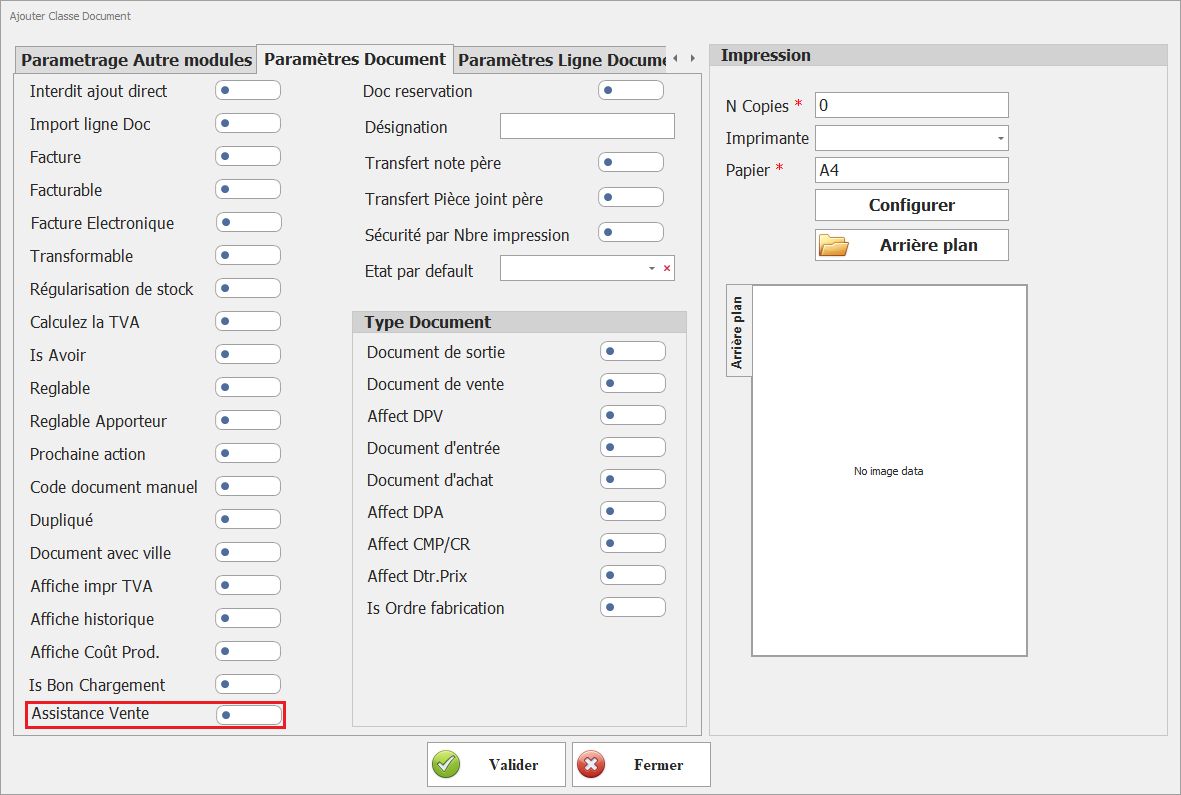
**20. Assistance Vente**  
Active les fonctionnalités d’aide à la vente. Ce paramétrage permet de définir cette classe de document comme classe source utilisée pour la génération des bons de préparation via l’interface **« Assistant de vente »** du module Vente.

[![image.png](https://help.asmpos.com/uploads/images/gallery/2026-04/scaled-1680-/tEPimage.png)](https://help.asmpos.com/uploads/images/gallery/2026-04/tEPimage.png)
**<span style="font-size: 12.0pt; line-height: 107%; font-family: 'Times New Roman',serif;">21. Doc Réservation</span>**

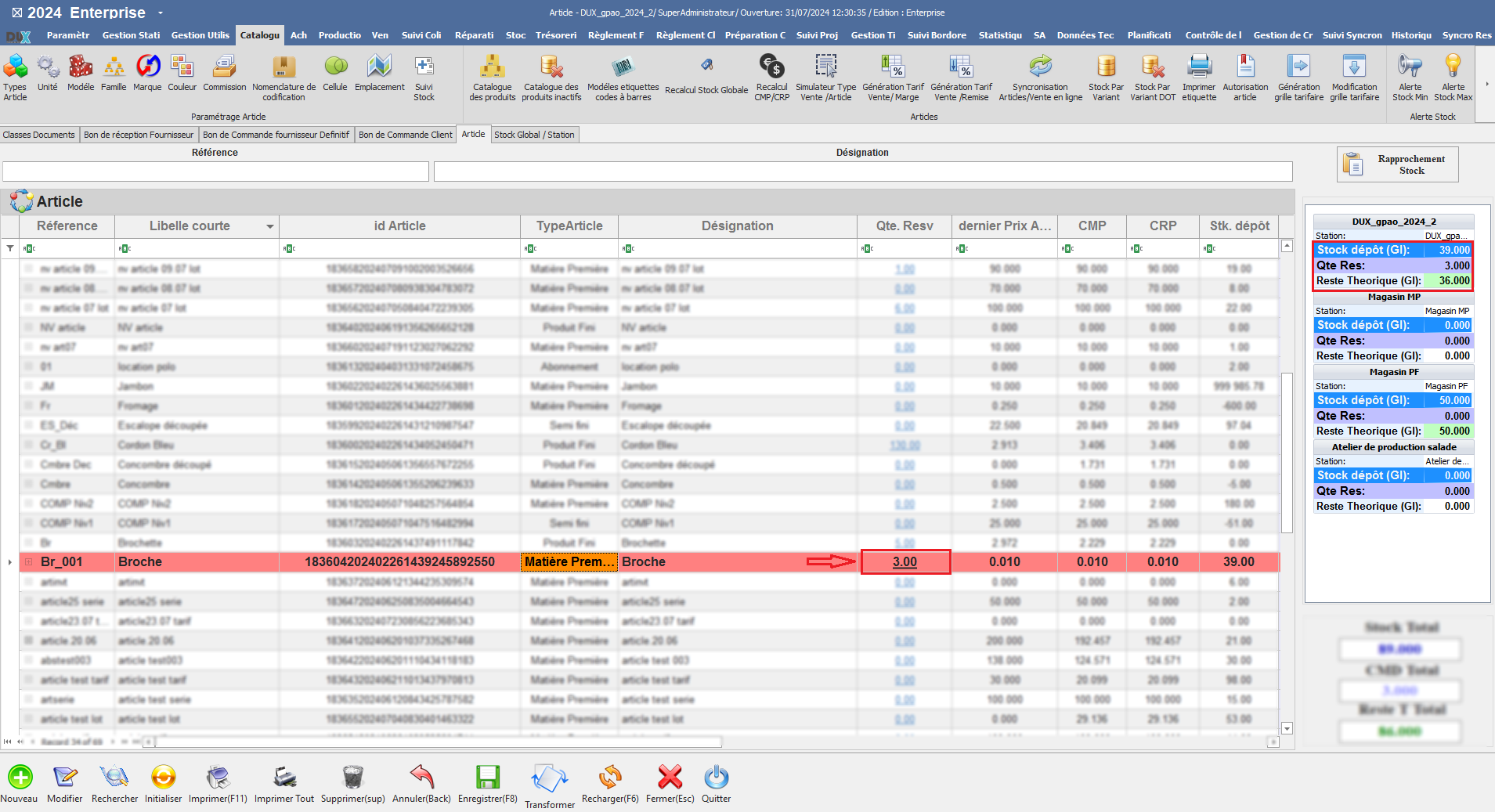
Ce paramétrage permet aux documents de cette classe de réserver les quantités de stock des produits.

[![image.png](https://help.asmpos.com/uploads/images/gallery/2026-04/scaled-1680-/x8Nimage.png)](https://help.asmpos.com/uploads/images/gallery/2026-04/x8Nimage.png)<span style="mso-no-proof: yes;"></span>

Lorsqu'il est activé, les quantités de produits spécifiées dans le document seront réservées, assurant ainsi leur disponibilité future et facilitant la gestion des stocks.

**<span style="font-size: 12.0pt; line-height: 107%; font-family: 'Times New Roman',serif; mso-no-proof: yes;">![cataologue qte res.PNG](https://help.asmpos.com/uploads/images/gallery/2024-08/cataologue-qte-res.PNG)</span>**
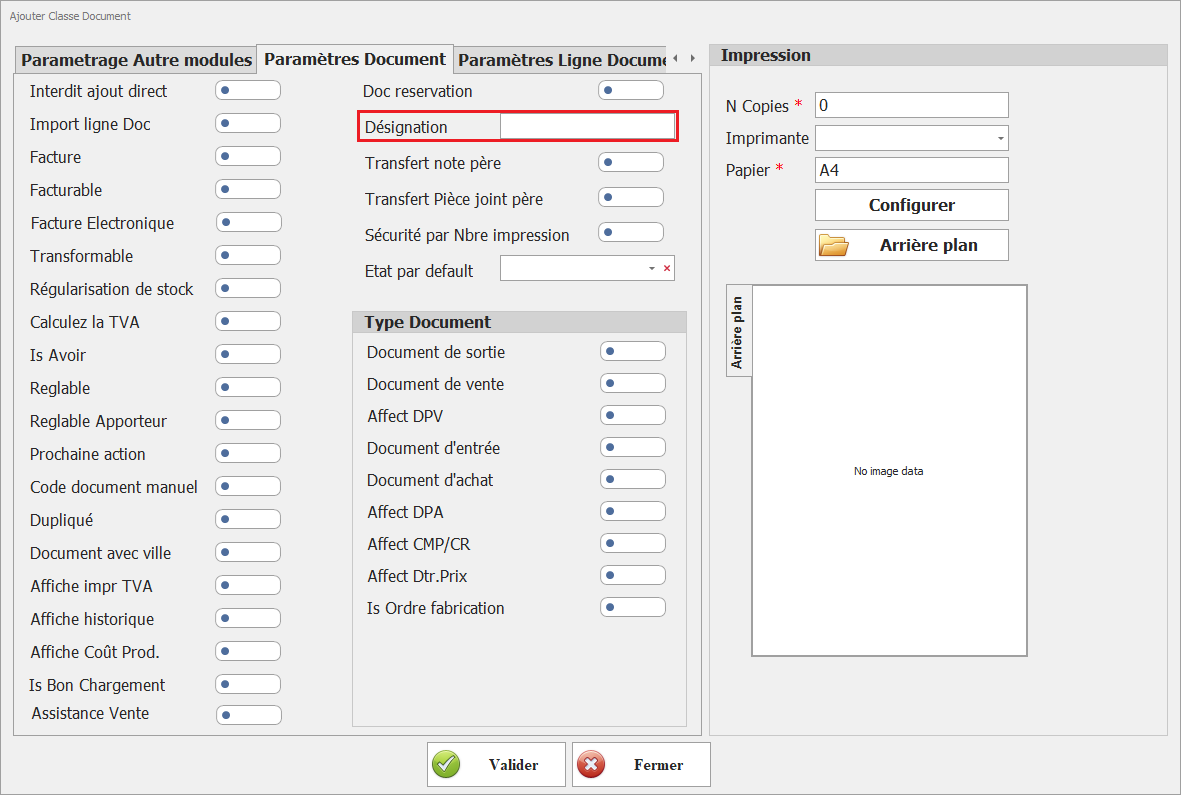
**<span style="font-size: 12.0pt; line-height: 107%; font-family: 'Times New Roman',serif;">22. Désignation :</span>**

[![image.png](https://help.asmpos.com/uploads/images/gallery/2026-04/scaled-1680-/wXGimage.png)](https://help.asmpos.com/uploads/images/gallery/2026-04/wXGimage.png)

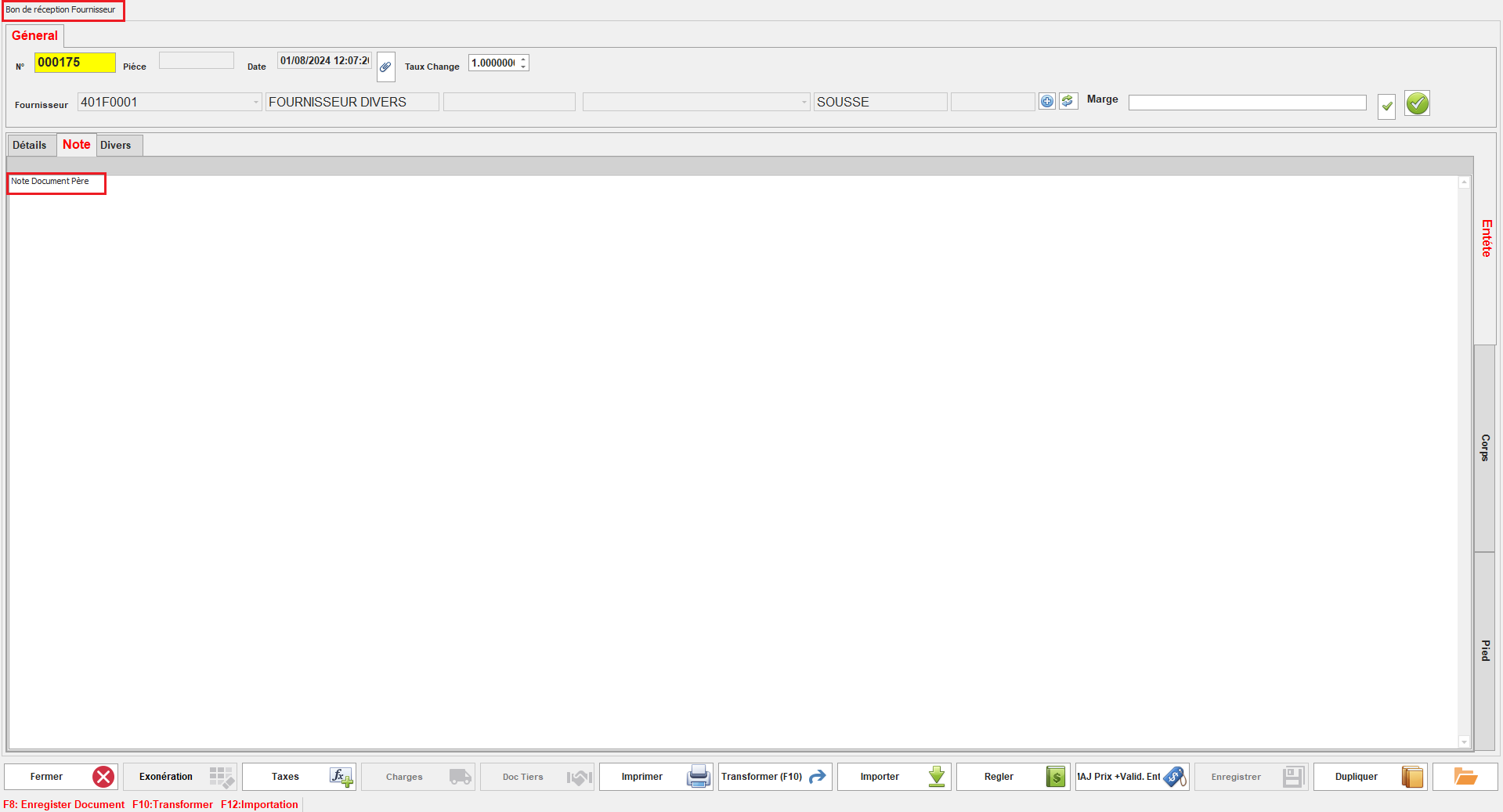
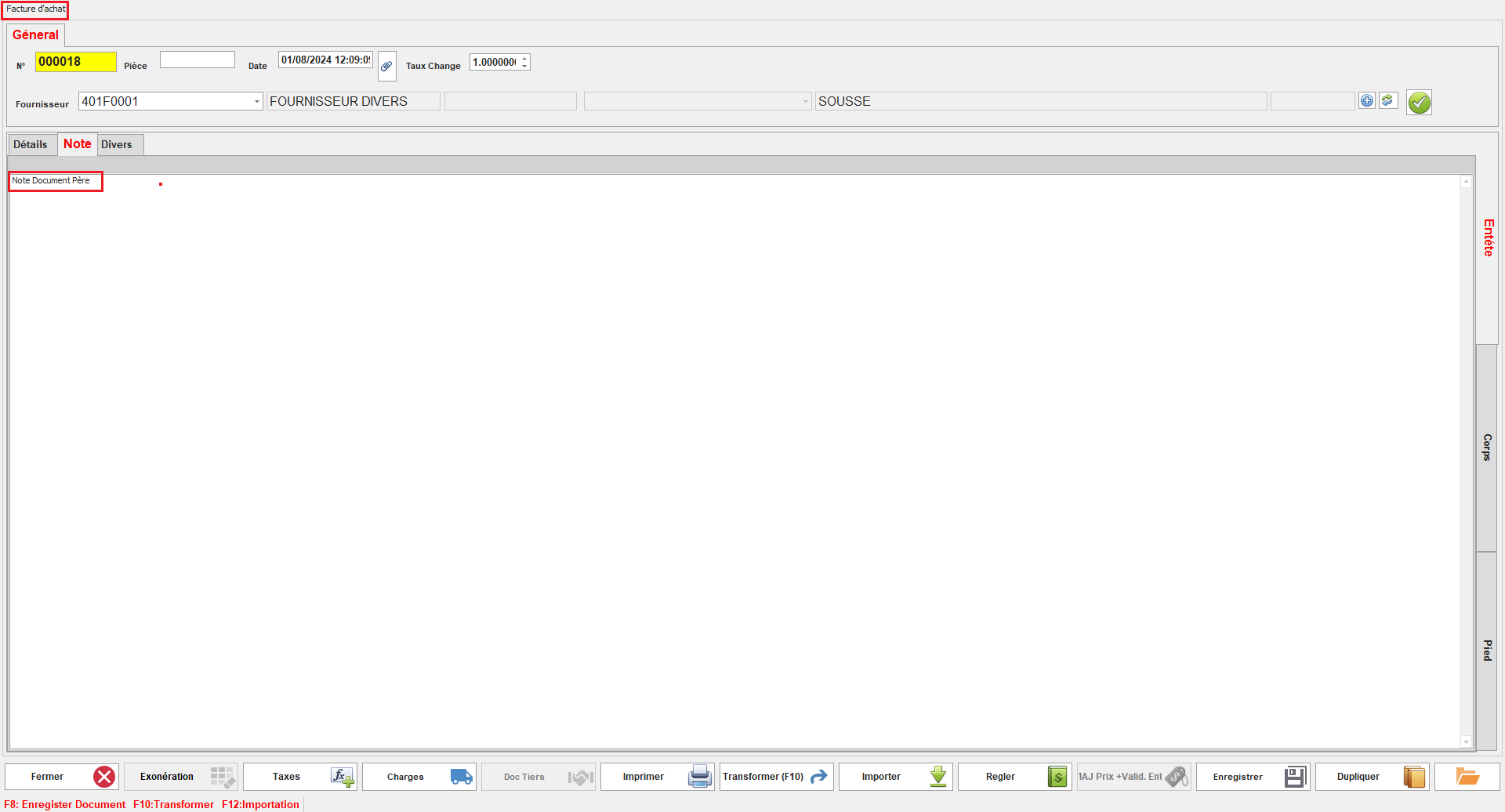
**<span style="font-size: 12.0pt; line-height: 107%; font-family: 'Times New Roman',serif;">23.Transfert Note Père</span>**

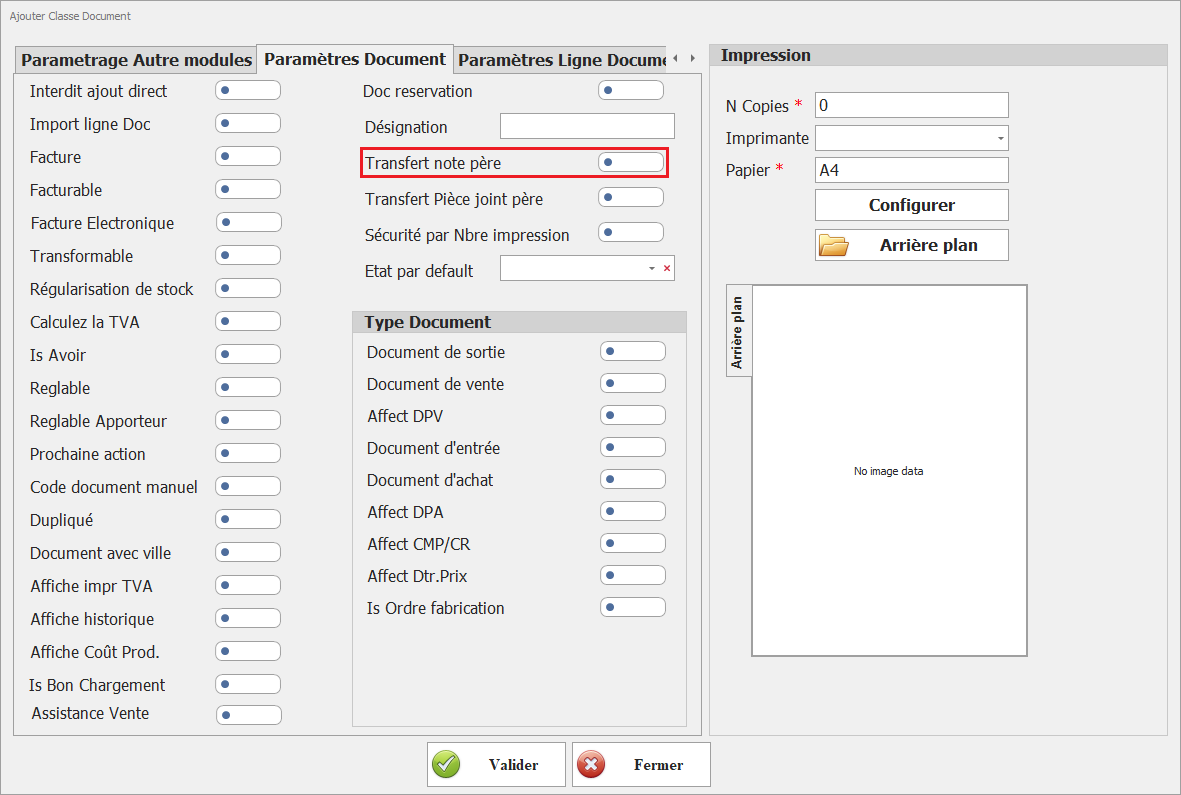
Ce paramétrage permet de transférer les notes du document principal (père) vers le document actuel.

[![image.png](https://help.asmpos.com/uploads/images/gallery/2026-04/scaled-1680-/pMNimage.png)](https://help.asmpos.com/uploads/images/gallery/2026-04/pMNimage.png)
<span style="mso-no-proof: yes;">  
</span>

Lorsqu'il est activé, les notes ajoutées au document principal seront automatiquement copiées dans les documents dérivés, facilitant ainsi la continuité et la cohérence des informations.

<span style="font-family: 'Courier New'; mso-fareast-font-family: 'Courier New';"><span style="mso-list: Ignore;">o<span style="font: 7.0pt 'Times New Roman';"> </span></span></span>Notes Document Père :

<span style="mso-no-proof: yes;">![note doc pere.PNG](https://help.asmpos.com/uploads/images/gallery/2024-08/note-doc-pere.PNG)</span>

<span style="font-family: 'Courier New'; mso-fareast-font-family: 'Courier New';"><span style="mso-list: Ignore;">o<span style="font: 7.0pt 'Times New Roman';"> </span></span></span>Notes Document Fils :

**<span style="font-size: 12.0pt; line-height: 107%; font-family: 'Times New Roman',serif; mso-no-proof: yes;">![note doc fils.PNG](https://help.asmpos.com/uploads/images/gallery/2024-08/note-doc-fils.PNG)</span>**

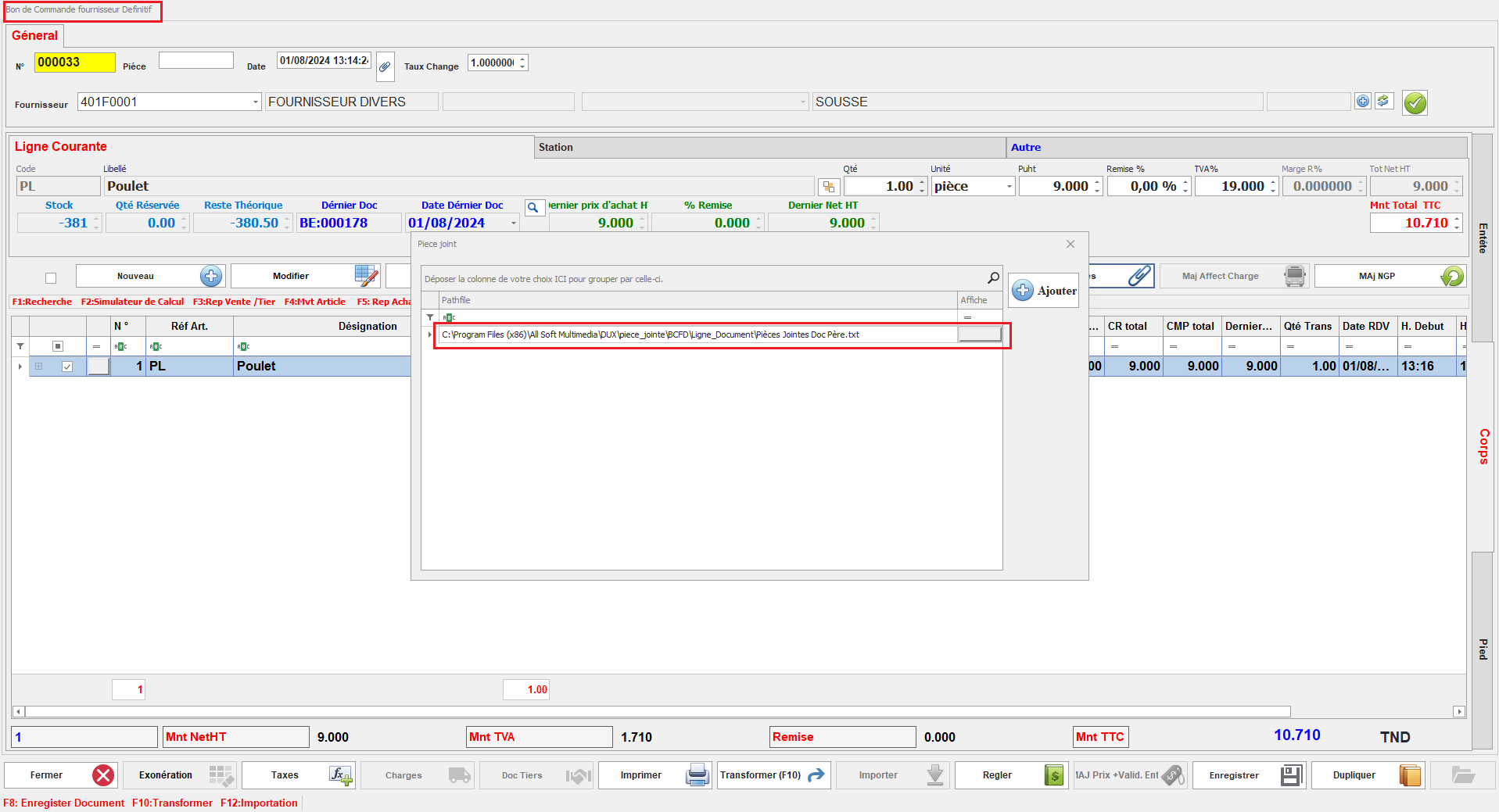
**<span style="font-size: 12.0pt; line-height: 107%; font-family: 'Times New Roman',serif;">24. Transfert Pièce Jointe Père</span>**

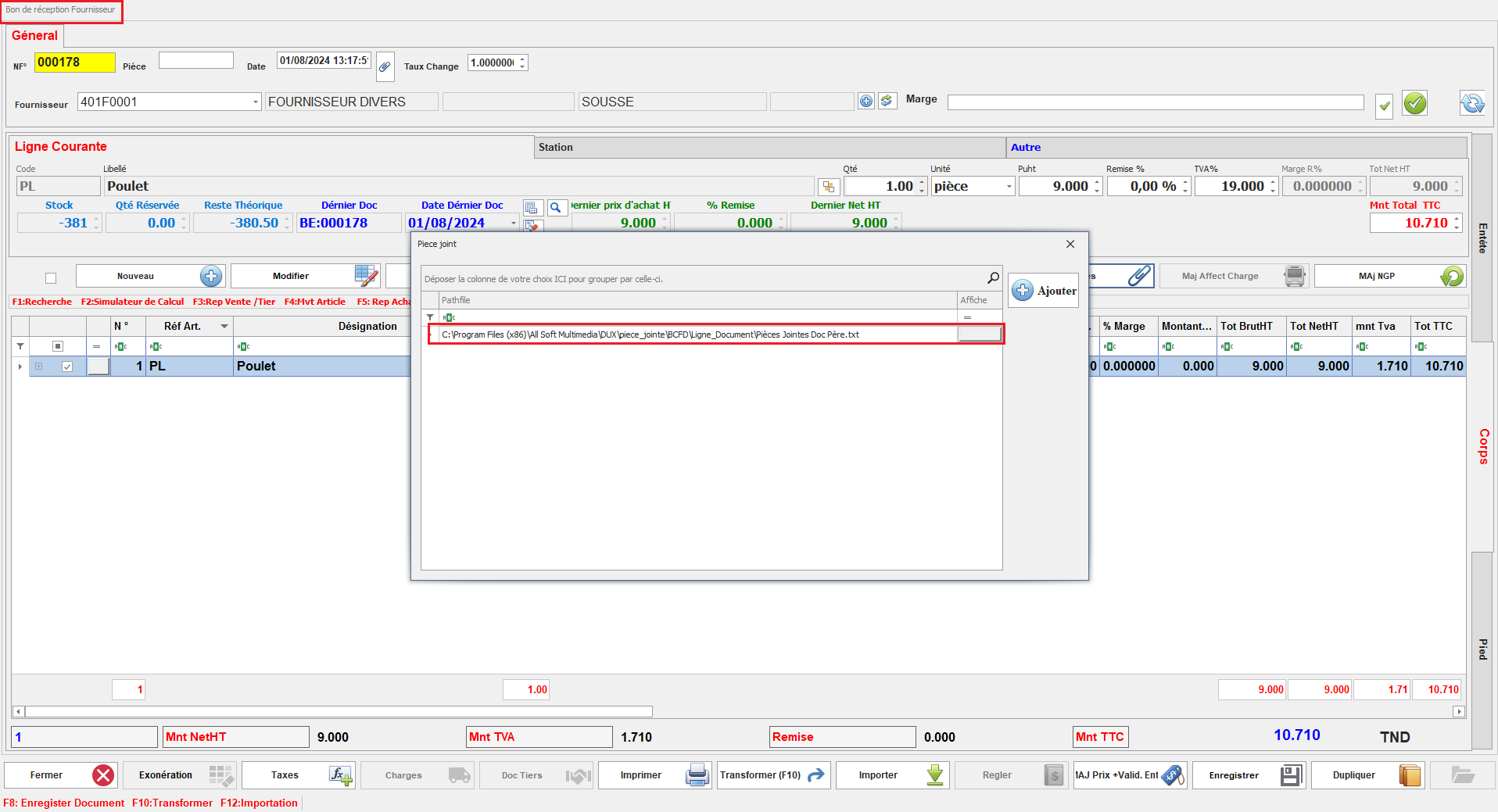
Ce paramétrage permet de transférer les pièces jointes du document principal (père) vers le document actuel.

[![image.png](https://help.asmpos.com/uploads/images/gallery/2026-04/scaled-1680-/Q5Mimage.png)](https://help.asmpos.com/uploads/images/gallery/2026-04/Q5Mimage.png)

Une fois activé, les pièces jointes associées au document principal seront automatiquement copiées dans le document dérivé, assurant ainsi la continuité des informations et des fichiers associés.

<span style="font-family: 'Courier New'; mso-fareast-font-family: 'Courier New';"><span style="mso-list: Ignore;">o<span style="font: 7.0pt 'Times New Roman';"> </span></span></span>Pièces Jointes Document Père :

<span style="mso-no-proof: yes;">![doc pere piece jointe.PNG](https://help.asmpos.com/uploads/images/gallery/2024-08/doc-pere-piece-jointe.PNG)</span>

<span style="font-family: 'Courier New'; mso-fareast-font-family: 'Courier New';"><span style="mso-list: Ignore;">o<span style="font: 7.0pt 'Times New Roman';"> </span></span></span>Pièces Jointes Document Fils

<span style="mso-no-proof: yes;">![doc fils piece jointe.PNG](https://help.asmpos.com/uploads/images/gallery/2024-08/doc-fils-piece-jointe.PNG)</span>

<span style="background-color: rgb(251, 238, 184);">**<span style="font-size: 12pt; line-height: 107%; font-family: 'Times New Roman', serif; background: rgb(251, 238, 184);">25.Sécurité par Nbre impression</span>**</span>

<span style="background-color: rgb(251, 238, 184);"><span style="font-size: 12pt; line-height: 107%; font-family: 'Times New Roman', serif; background: rgb(251, 238, 184);">Limite le nombre d’impressions autorisées.</span></span>

[![image.png](https://help.asmpos.com/uploads/images/gallery/2026-04/scaled-1680-/4Sqimage.png)](https://help.asmpos.com/uploads/images/gallery/2026-04/4Sqimage.png)

**26.État par défaut**  
Ce paramétrage permet de définir l'état par défaut des documents de cette classe au moment de leur création initiale.(en attente , validé, etc.).

[![image.png](https://help.asmpos.com/uploads/images/gallery/2026-04/scaled-1680-/rnKimage.png)](https://help.asmpos.com/uploads/images/gallery/2026-04/rnKimage.png)
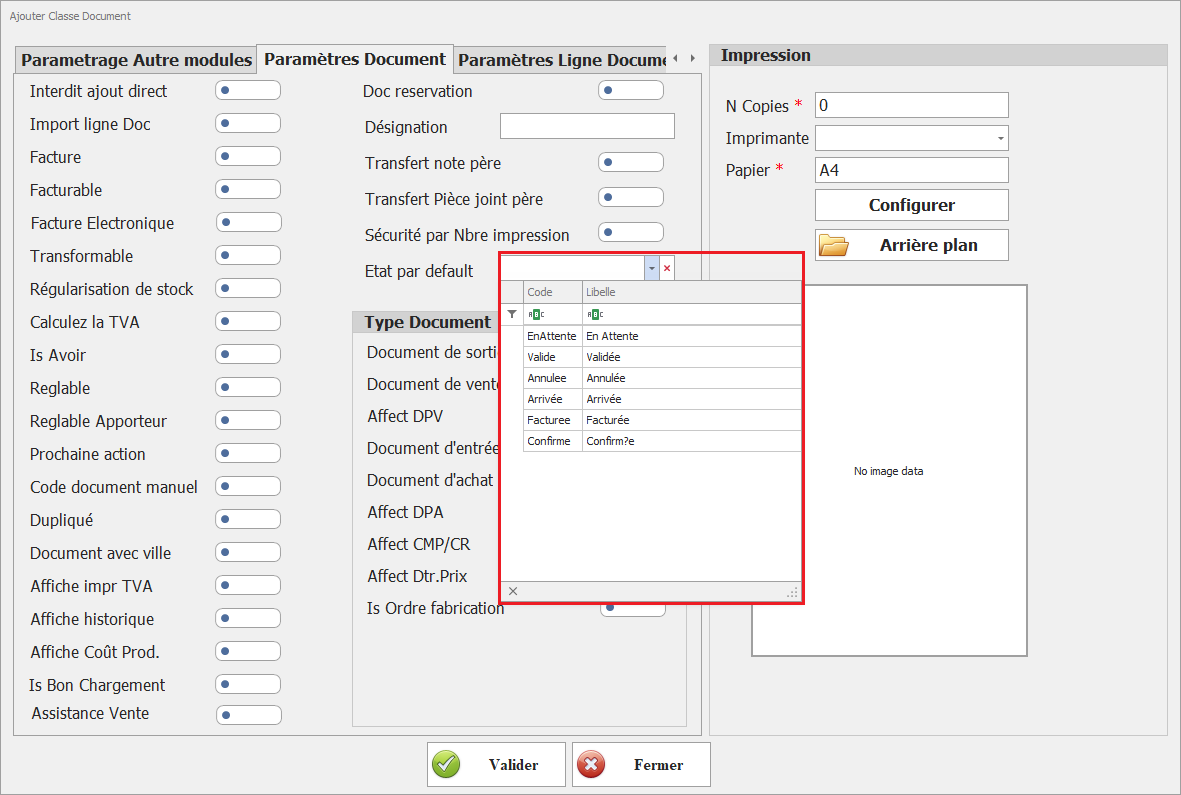
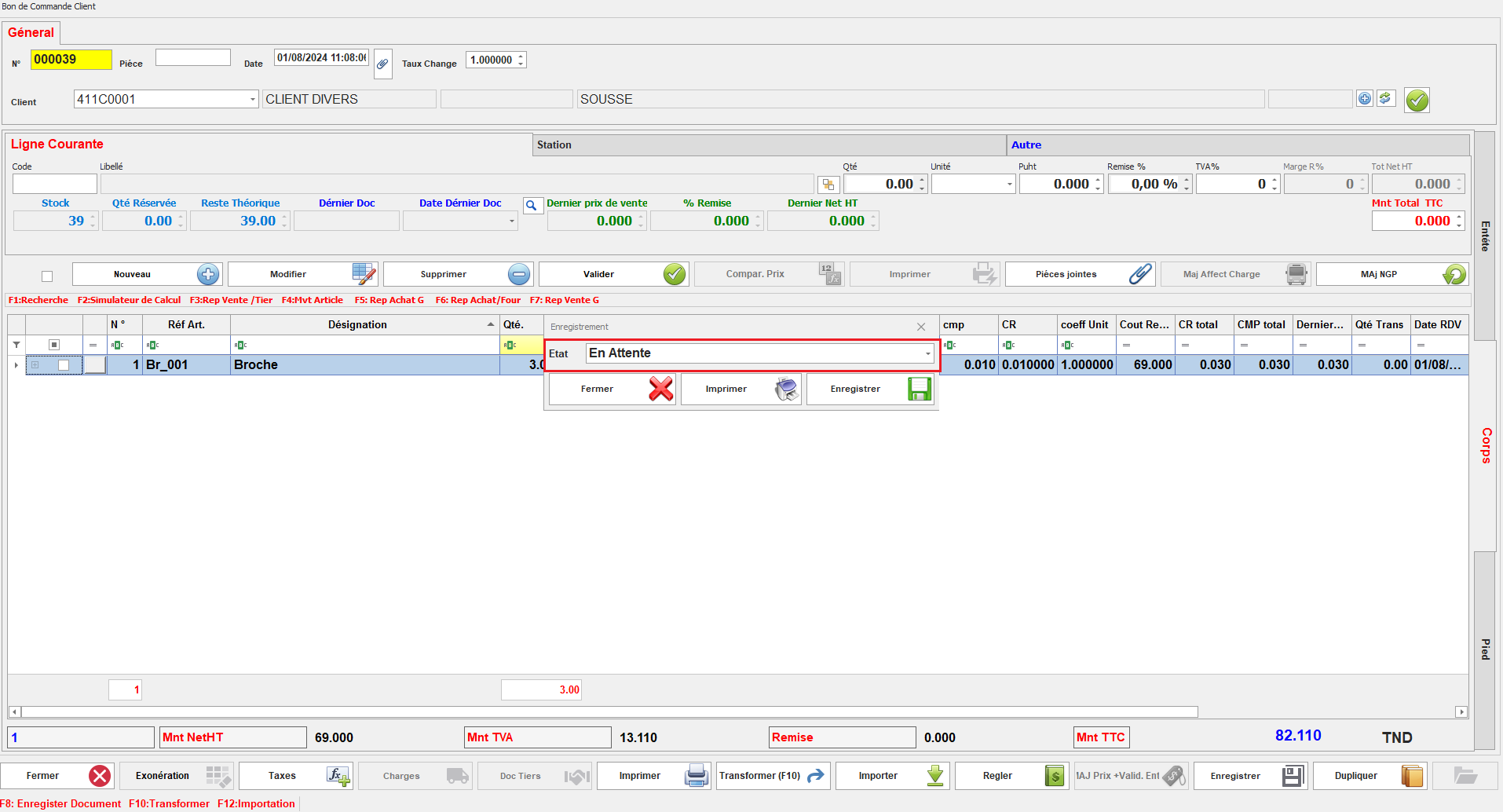
**<span style="font-size: 12.0pt; line-height: 107%; font-family: 'Times New Roman',serif;"> </span>**Lorsque Ce paramétrage est configuré, les nouveaux documents seront automatiquement assignés à l'état défini, facilitant ainsi leur gestion dès le début du processus (exemple l'état par defaut "en attente ")
<span style="mso-no-proof: yes;">![bon de comd reservation.PNG](https://help.asmpos.com/uploads/images/gallery/2024-08/bon-de-comd-reservation.PNG)</span>

**27. Document de sortie**  
Indique un mouvement de stock sortant

[![image.png](https://help.asmpos.com/uploads/images/gallery/2026-04/scaled-1680-/YSXimage.png)](https://help.asmpos.com/uploads/images/gallery/2026-04/YSXimage.png)

**<span style="font-size: 12pt; line-height: 107%; font-family: 'Times New Roman', serif; background-image: initial; background-position: initial; background-size: initial; background-repeat: initial; background-attachment: initial; background-origin: initial; background-clip: initial;">28. </span>Document de vente**  
Identifie un document lié au processus de vente.

[![image.png](https://help.asmpos.com/uploads/images/gallery/2026-04/scaled-1680-/hGgimage.png)](https://help.asmpos.com/uploads/images/gallery/2026-04/hGgimage.png)

**<span style="font-size: 12pt; line-height: 107%; font-family: 'Times New Roman', serif; background-image: initial; background-position: initial; background-size: initial; background-repeat: initial; background-attachment: initial; background-origin: initial; background-clip: initial;">29. </span><span style="font-size: 12pt; line-height: 107%; font-family: 'Times New Roman', serif; background-image: initial; background-position: initial; background-size: initial; background-repeat: initial; background-attachment: initial; background-origin: initial; background-clip: initial;">Affect DPV </span>**

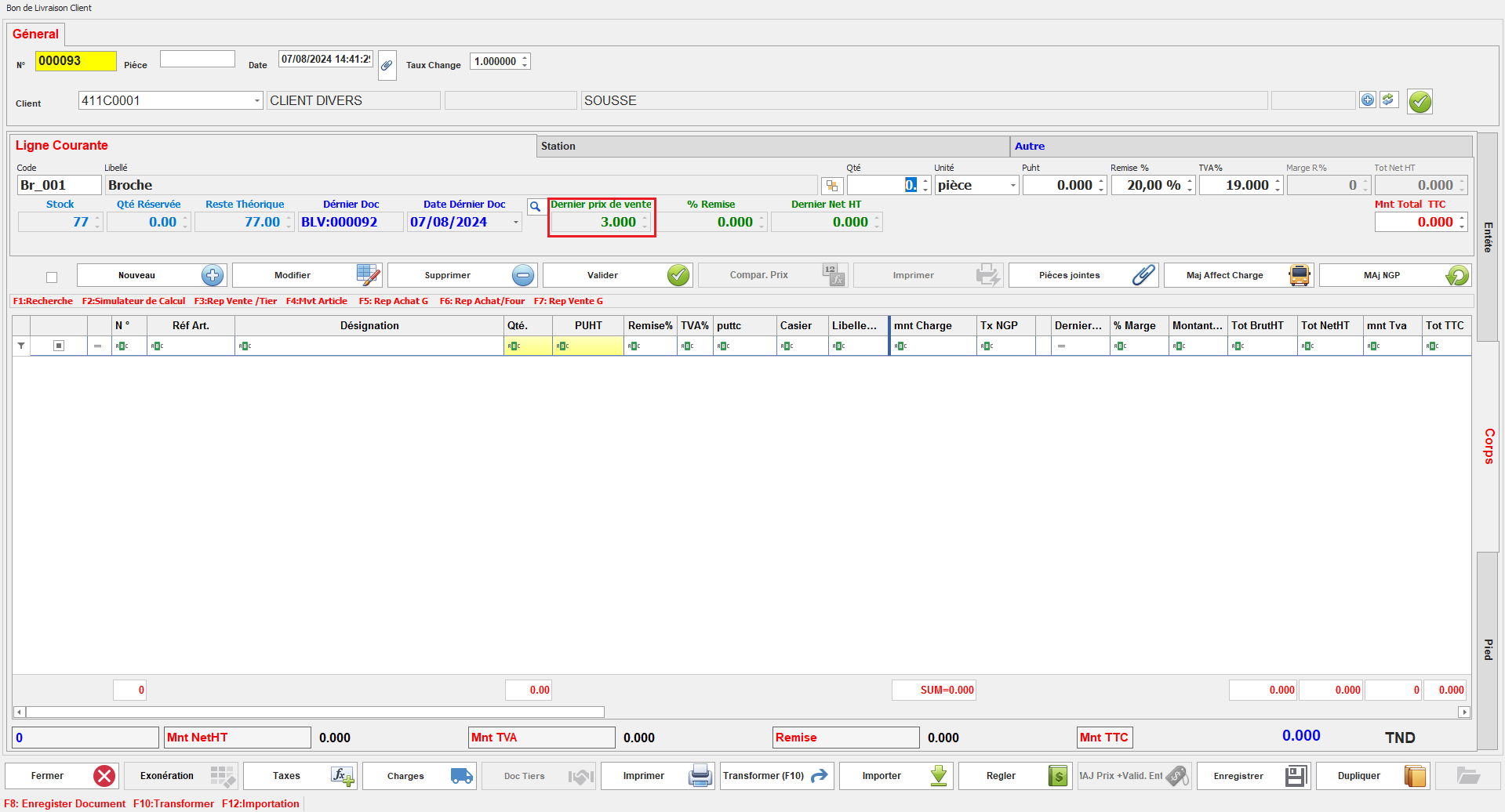
Ce paramétrage permet d'afficher le dernier prix de vente lors de la création d'un nouveau document.

[![image.png](https://help.asmpos.com/uploads/images/gallery/2026-04/scaled-1680-/0WYimage.png)](https://help.asmpos.com/uploads/images/gallery/2026-04/0WYimage.png)<span style="mso-no-proof: yes;"></span>

Ainsi, lors de la saisie de nouveaux documents, le prix de vente précédent est automatiquement affiché, facilitant la gestion et la vérification des prix de vente.
<span style="mso-no-proof: yes;">![affecte dpv.PNG](https://help.asmpos.com/uploads/images/gallery/2024-08/affecte-dpv.PNG)</span>

**<span style="font-size: 12.0pt; line-height: 107%; font-family: 'Times New Roman',serif;">30. </span>Document d’entrée**  
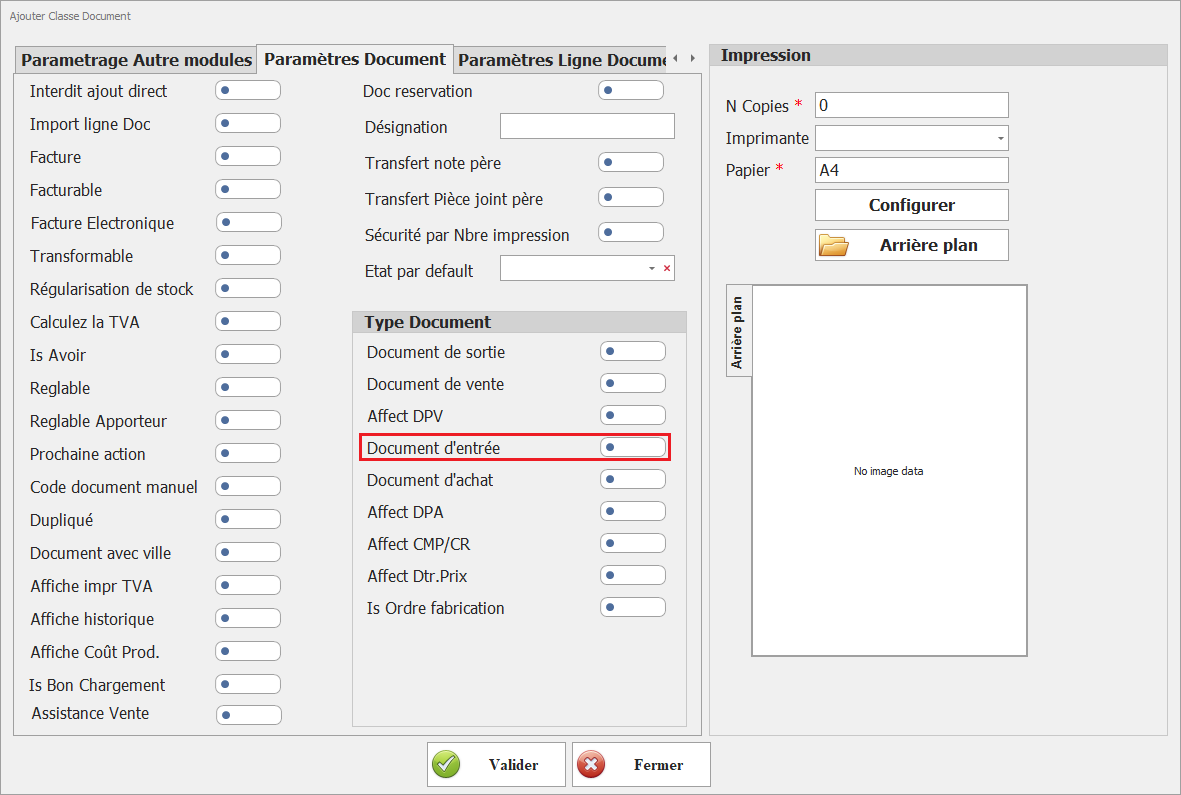
Indique un mouvement de stock entrant

[![image.png](https://help.asmpos.com/uploads/images/gallery/2026-04/scaled-1680-/ISeimage.png)](https://help.asmpos.com/uploads/images/gallery/2026-04/ISeimage.png)
**31. Document d’achat**  
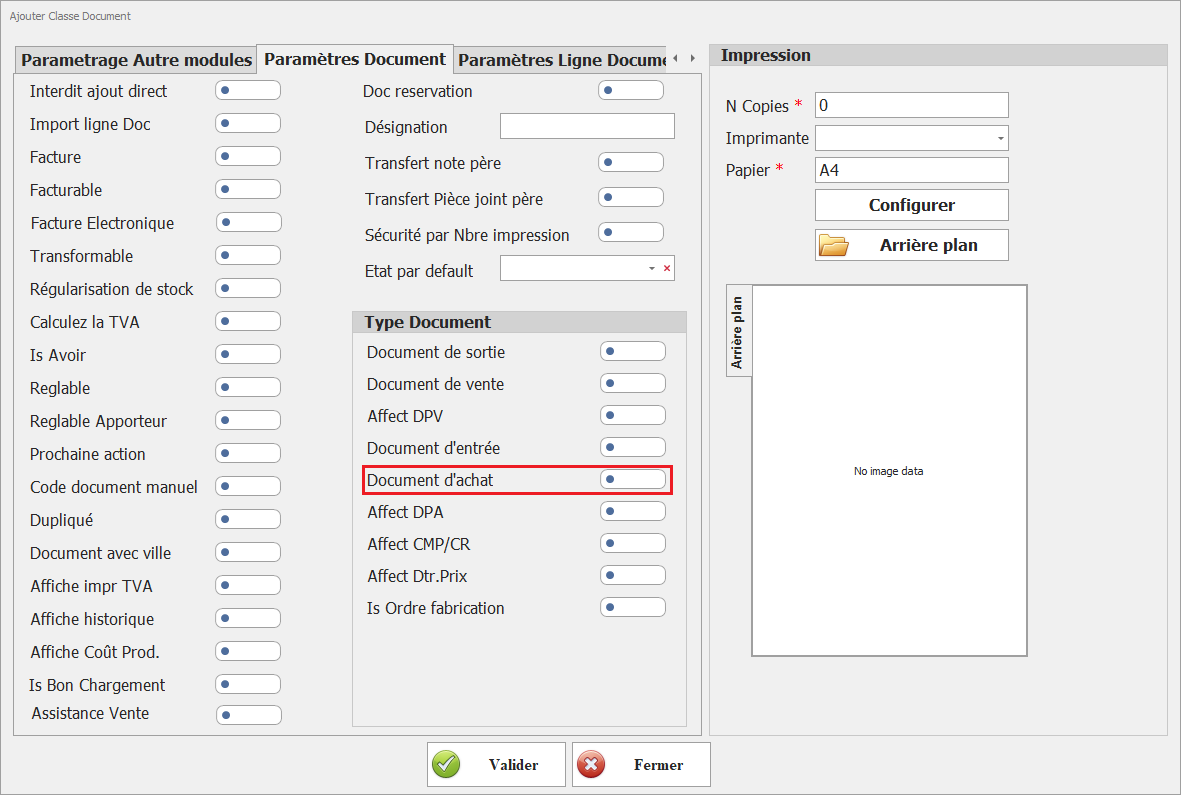
Identifie un document lié aux achats

[![image.png](https://help.asmpos.com/uploads/images/gallery/2026-04/scaled-1680-/nIsimage.png)](https://help.asmpos.com/uploads/images/gallery/2026-04/nIsimage.png)
**<span style="font-size: 12.0pt; line-height: 107%; font-family: 'Times New Roman',serif;">32. Affect DPA &amp; Affect CMP/CR</span>**

[![image.png](https://help.asmpos.com/uploads/images/gallery/2026-04/scaled-1680-/K3aimage.png)](https://help.asmpos.com/uploads/images/gallery/2026-04/K3aimage.png)

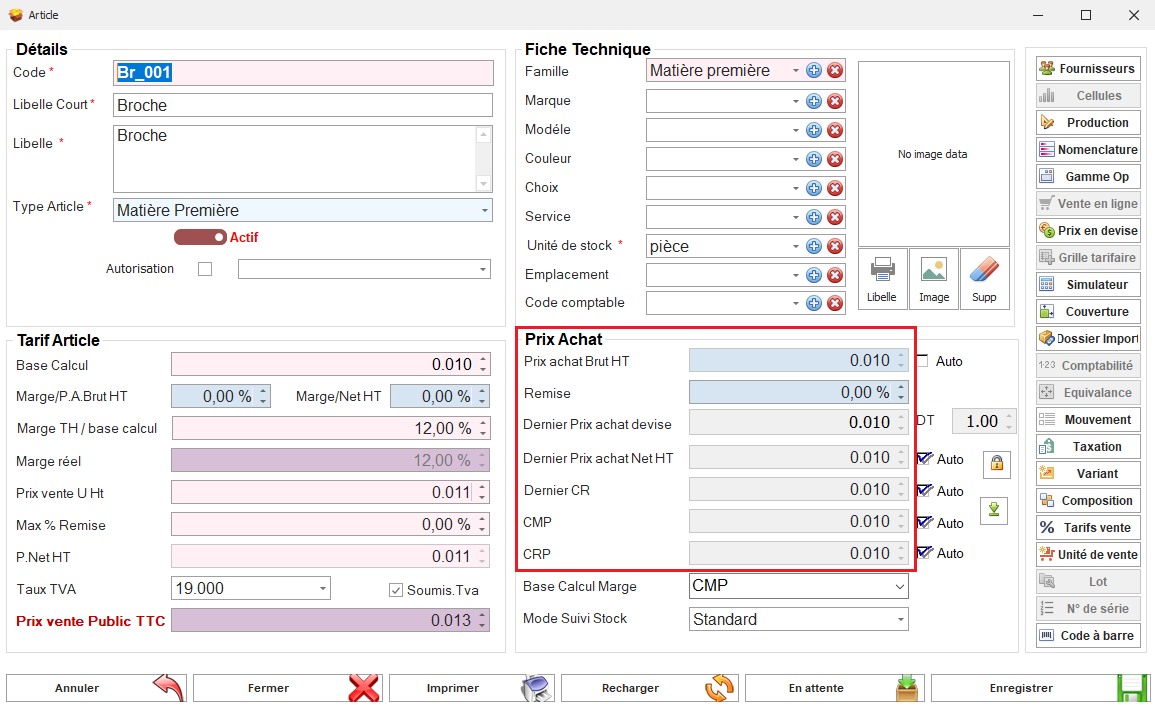
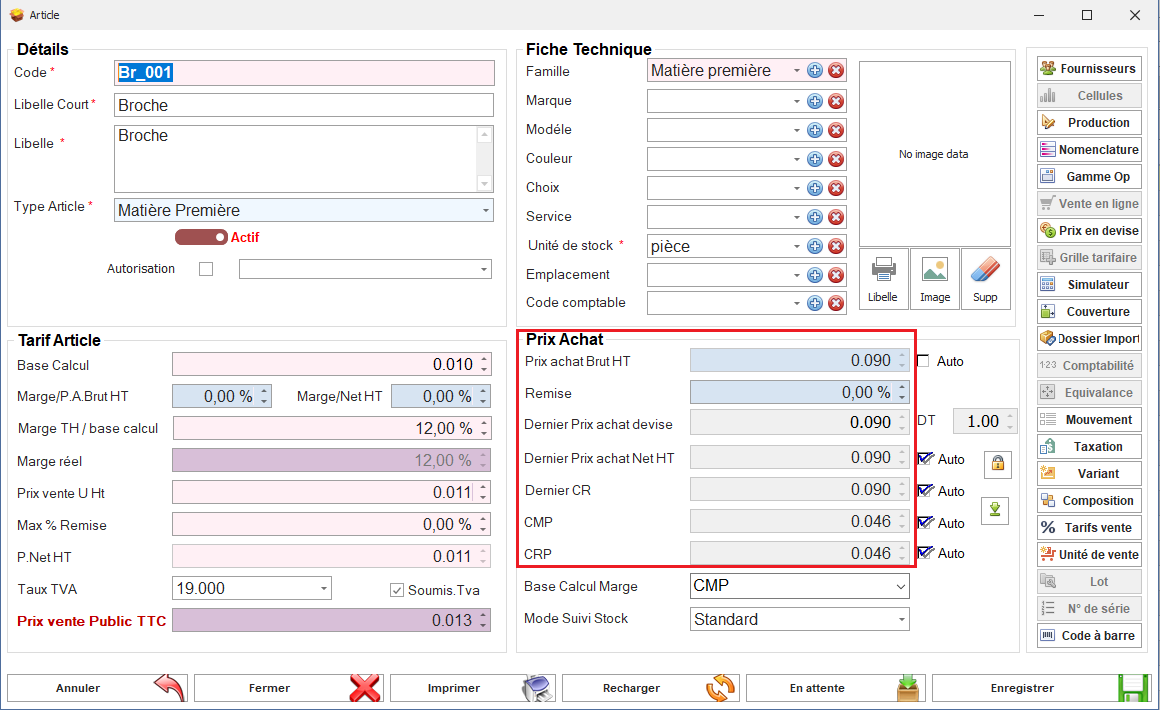
Ces paramétrages déterminent si les documents de cette classe affectent les Derniers Prix d'Achat (DPA), le Coût Moyen Pondéré (CMP), ou les Coûts de Revient (CR).<span style="mso-no-proof: yes;"></span>

Avec ces options activées, les transactions effectuées avec ces documents auront une incidence sur les DPA, CMP, ou CR, permettant ainsi une gestion précise des coûts.

<span style="font-family: 'Courier New'; mso-fareast-font-family: 'Courier New';"><span style="mso-list: Ignore;">o<span style="font: 7.0pt 'Times New Roman';"> </span></span></span>Avant création du Document

<span style="mso-no-proof: yes;">![Prix Article avant achat.PNG](https://help.asmpos.com/uploads/images/gallery/2024-08/prix-article-avant-achat.PNG)</span>

<span style="font-family: 'Courier New'; mso-fareast-font-family: 'Courier New';"><span style="mso-list: Ignore;">o<span style="font: 7.0pt 'Times New Roman';"> </span></span></span>Après Création du Document

<span style="mso-no-proof: yes;">![Prix Article arpes achat.PNG](https://help.asmpos.com/uploads/images/gallery/2024-08/prix-article-arpes-achat.PNG)</span>

**33. Affect Dtr.Prix**  
Indique que cette classe de document est prise en compte dans les mécanismes de calcul et de détermination des prix.

[![image.png](https://help.asmpos.com/uploads/images/gallery/2026-04/scaled-1680-/lbmimage.png)](https://help.asmpos.com/uploads/images/gallery/2026-04/lbmimage.png)

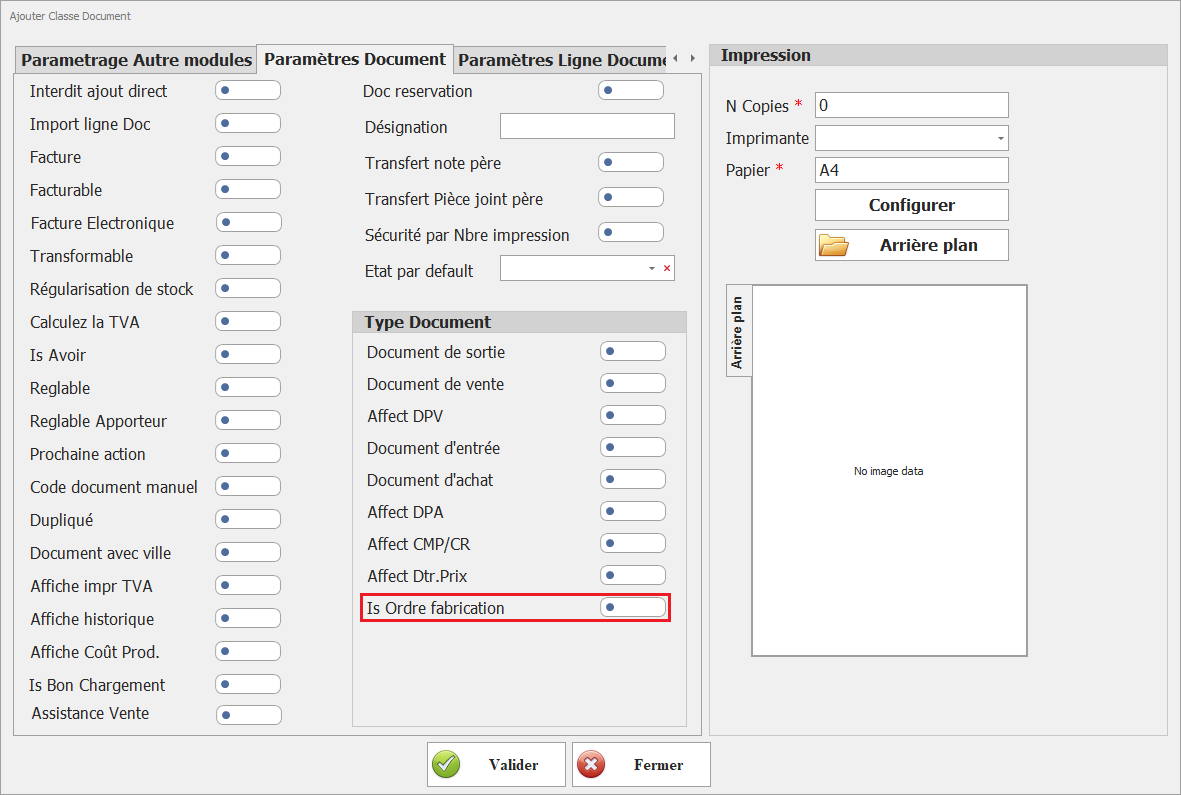
**34. Is Ordre fabrication**  
Ce paramétrage identifie cette classe de document comme support des ordres de fabrication dans le module de production.

[![image.png](https://help.asmpos.com/uploads/images/gallery/2026-04/scaled-1680-/5JRimage.png)](https://help.asmpos.com/uploads/images/gallery/2026-04/5JRimage.png)